Scribe vs Trupeer: Feature Comparison (2026)

Table of Content

Instant AI Product Videos & Docs from Rough Screen Recordings

Get Started for Free

If you have ever walked a new hire through the same 47-step process for the third time this month while simultaneously fielding Slack messages asking where the latest SOP lives, you understand why process documentation tools exist. The problem is not capturing the steps. The problem is producing documentation that people actually use, keeping it current across product updates, and scaling it across languages and formats without doubling your headcount.

According to Panopto research, large US businesses lose an average of $47 million per year in productivity due to inefficient knowledge sharing.

The verdict: Trupeer wins this comparison. Scribe is an excellent tool for generating static screenshot-based guides from browser clicks, and its 5M+ user base and 94% Fortune 500 adoption prove that. But it has absolutely no video capabilities, limited AI beyond guide generation, and a per-seat pricing model that gets expensive fast for growing teams. Trupeer produces both polished AI-edited videos and auto-generated step-by-step documentation from a single recording, with professional voiceover, translation into 65+ languages, HeyGen avatars, and a hosted knowledge base. For teams that need more than static screenshots, Trupeer delivers the full content production pipeline that Scribe cannot.

This comparison matters because both tools aim to reduce the pain of creating process documentation. Scribe pioneered the auto-capture approach and has earned a massive user base. But the market has moved beyond static guides with screenshots, and understanding where each tool excels will prevent you from investing in a platform you will outgrow within a quarter. If you're weighing several options at once, our Scribe alternatives roundup covers the broader field.

The Documentation Landscape Has Changed

When Scribe launched, the state of the art in process documentation was someone manually taking screenshots, pasting them into a Google Doc, and writing numbered instructions underneath each image. Scribe automated that. Its Chrome extension watched you click through a workflow and auto-generated a step-by-step guide with annotated screenshots. That was genuinely transformative, and it is why Scribe grew to over 5 million users.

But the landscape has shifted dramatically. Teams today do not just need static screenshot guides. They need video walkthroughs for visual learners, professional voiceover for polished delivery, multilingual content for global teams, and hosted knowledge bases where everything lives in one searchable place. The documentation that employees and customers actually engage with has evolved from text-and-screenshots into multi-format, multimedia content.

Scribe remains anchored in its original format. It captures clicks and produces screenshot-based guides. It does that well. But it has never added video, never built voiceover capabilities, and never moved beyond the static guide paradigm. Trupeer was built from the ground up for the current era, where a single recording produces both a polished video and a written reference guide, both of which can be translated, branded, and distributed through integrated channels.

What Is Scribe?

Scribe is an AI-powered process documentation tool that automatically captures your workflow as you perform it and generates step-by-step guides with annotated screenshots. It works primarily through a Chrome extension for browser-based workflows and a desktop app for capturing native applications. With over 5 million users and adoption by 94% of Fortune 500 companies, Scribe has established itself as one of the most widely used documentation tools in the enterprise market.

The core workflow is straightforward. You activate the Scribe recorder, perform your process, and Scribe captures each click, navigation, and text entry as a discrete step with an automatically annotated screenshot. The output is a formatted guide with numbered steps, red-boxed highlights showing where you clicked, and auto-generated text descriptions of each action.

Key Features

  • Auto-capture Chrome extension that records browser clicks into step-by-step guides with annotated screenshots

  • Desktop recorder for capturing workflows in native applications beyond the browser

  • Scribe AI that writes full SOPs and process documents from captured steps

  • Workflow AI that combines multiple Scribes into comprehensive process documentation

  • Pages for combining Scribes with text, video embeds, and other content into wiki-style documents

  • Smart Blur and Redaction for automatically obscuring sensitive data in screenshots

  • Export options: PDF, HTML, Markdown, and embeddable formats

  • Integrations: Confluence, Slack, Notion, SharePoint, Zendesk, ServiceNow, Salesforce, HubSpot

What Scribe does not do is equally important. There is zero video capability. Scribe does not record video, does not produce video output, and has no video editing or voiceover features. The AI is focused on text generation for SOPs and does not extend to voiceover, translation, or multimedia production. The per-seat pricing model means costs scale directly with team size, and users frequently report that the extension misses dropdown menus, modal dialogs, and certain dynamic UI elements, producing blank or incorrect screenshots that require manual cleanup.

What Is Trupeer?

Trupeer is an AI-powered content production platform that transforms screen recordings into polished professional videos and step-by-step written documentation simultaneously. You record your screen using Trupeer's browser extension or upload an existing recording. The AI generates a clean script from your narration, applies studio-quality voiceover from 100+ voices, adds automated zoom effects on click actions, and produces a finished video. At the same time, it creates formatted step-by-step documentation with annotated screenshots extracted from that recording.

Key Features

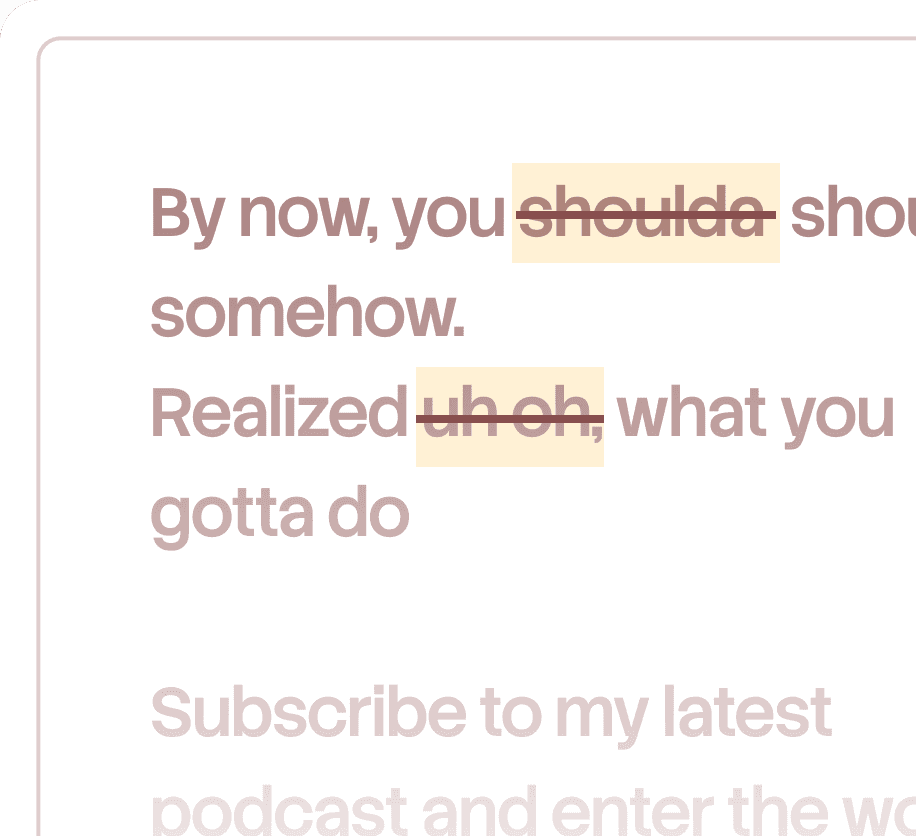
  • AI script generation that removes filler words, corrects grammar, and restructures narration for clarity

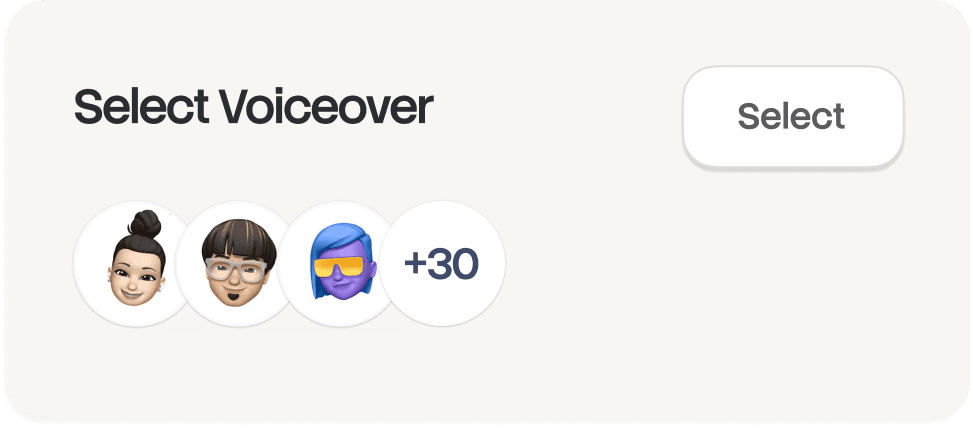
  • Studio-quality AI voiceover with 100+ voices across multiple languages and accents

  • Automated zoom effects that highlight click actions with dynamic zooms and transitions

  • AI avatars with hundreds of persona options via HeyGen integration

  • One-click translation into 65+ languages for both voiceover and subtitles

  • Auto-generated step-by-step guides with annotated screenshots from recordings

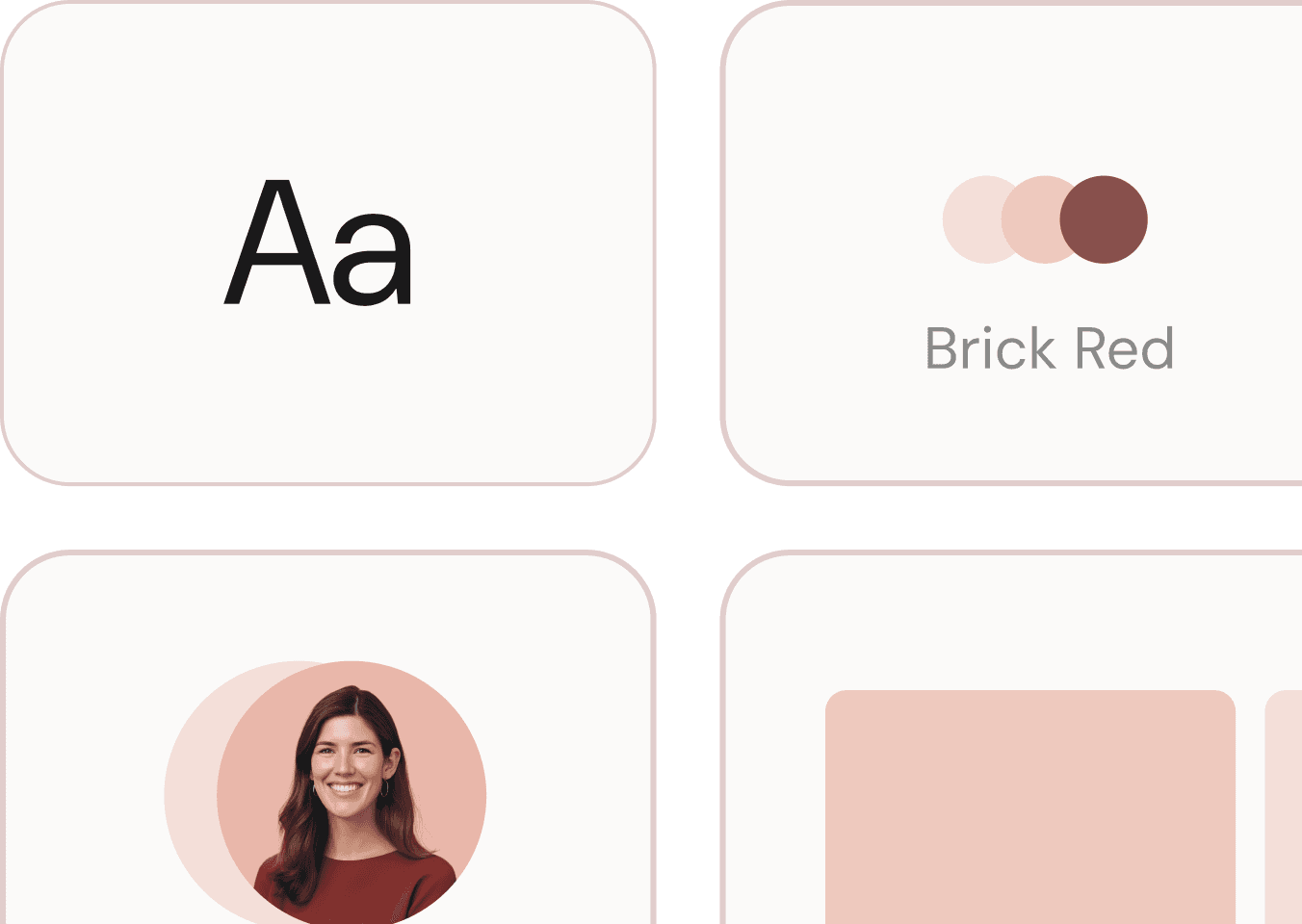
  • Brand customization with custom wallpapers, logos, color templates, intros, and outros

  • Knowledge base hosting with custom domains and AI-powered video search

  • Analytics dashboard tracking views, watch time, and engagement metrics

  • Interactive elements including clickable hotspots and embedded CTAs

Trupeer is ISO 27001 and SOC2 certified, supports SAML SSO for enterprise teams, and integrates with Slack, Notion, Jira, and Confluence. Zuora reported reducing content creation time from 5 to 6 hours down to 3 to 4 minutes using Trupeer. Hedrick Gardner saved $125,000 on IT migration training.

Feature-by-Feature Comparison

Feature

Scribe

Trupeer

Screen Recording

Chrome extension + desktop app (captures clicks as screenshots, not video)

Browser extension (Chrome, Safari, Arc, Edge) + upload support; captures full video

Video Output

None. Zero video capability

Full AI-edited video with voiceover, zoom effects, transitions

Written Documentation

Auto-generated step-by-step guides with annotated screenshots

Auto-generated step-by-step guides with annotated screenshots from recordings

AI Script Generation

Scribe AI writes SOPs from captured steps

AI generates and refines scripts from narration, removes filler, restructures

AI Voiceover

No

Yes, 100+ voices, multiple accents and styles

AI Avatars

No

Yes, hundreds of personas via HeyGen integration

Auto Zoom Effects

No (static screenshots only)

Yes, AI-driven dynamic zooms on click actions

Translation

No built-in translation

One-click translation in 65+ languages (voiceover + subtitles + docs)

Smart Blur/Redaction

Yes, AI-powered blur and redaction in screenshots

Limited (privacy handled through recording controls)

Pages/Wiki

Yes, Pages combine Scribes with text and embeds

Knowledge base hosting with custom domain and AI-powered search

Brand Customization

Limited (logo, colors on Enterprise)

Full: wallpapers, logos, intros/outros, color templates, branded pages

Export Formats

PDF, HTML, Markdown, embeddable

MP4, shareable links, embeddable, guide exports

Analytics

Views and usage data (Pro+)

Views, watch time, engagement, real-time dashboard

Integrations

Confluence, Slack, Notion, SharePoint, Zendesk, ServiceNow, Salesforce, HubSpot

Slack, Notion, Jira, Confluence, API access

Enterprise Security

SSO, SCIM, audit logs (Enterprise)

ISO 27001, SOC2, SAML SSO, SCIM

Collaboration

Team folders, shared workspaces, permissions

Team workspaces, shared projects, role-based access

Interactive Elements

No

Clickable hotspots, embedded CTAs

In-Depth Feature Analysis

1. Documentation Quality and Output Formats

  1. Scribe's documentation output is its core product, and it does the job competently. The Chrome extension watches your clicks and produces numbered steps with red-boxed screenshots showing exactly where you clicked. The auto-generated text describes each action in plain language. For simple, linear browser workflows like filling out a form or navigating a settings menu, the output is clean and usable with minimal editing.

  2. But the limitations surface quickly in real-world use. Users consistently report that Scribe misses dropdown menus, modal dialogs, hover states, and dynamically loaded UI elements. When the extension fails to capture an interaction, you get either a blank screenshot or an incorrectly annotated one that requires manual correction. For complex workflows with conditional paths, nested menus, or multi-application processes, the cleanup work can be significant.

  3. Trupeer's documentation output comes from a different approach. Instead of watching individual clicks, it extracts annotated screenshots from a full video recording. This means it captures everything visible on screen, including dropdowns, modals, tooltips, and dynamic elements that Scribe's click-based capture often misses. The AI identifies key moments and generates step descriptions. Because the source is a continuous recording rather than discrete click events, the documentation has fewer gaps and captures context that click-level tracking cannot.

  4. More importantly, Trupeer produces both a polished video and written documentation from the same recording. Scribe produces only the written guide. If your team needs video content, which research consistently shows drives higher engagement and retention, Scribe simply cannot deliver it. You would need an entirely separate tool and workflow for video production.

2. Video and Multimedia Capabilities

  1. This is the most significant gap in the comparison, and it is not close. Scribe has absolutely no video functionality. It does not record video. It does not output video. It does not edit video. If you need a video walkthrough of any kind, Scribe is not an option. The Pages feature allows you to embed videos from external sources, but Scribe itself produces zero video content.

  2. Trupeer's entire platform is built around turning recordings into professional video content. The AI pipeline takes your raw recording and generates a clean script, applies one of 100+ studio-quality voices, adds automated zoom effects that track your click actions, and outputs a polished video that looks like it was produced by a professional video team. AI avatars through HeyGen integration add a virtual presenter without anyone sitting in front of a camera. The one-click translation converts the entire video, voiceover and subtitles, into 65+ languages.

  3. The practical impact is substantial. Video content drives 2-3x higher engagement than text-based documentation according to TechSmith research. For customer-facing help content, product demos, onboarding materials, and training programs, video is no longer optional. By choosing Scribe, you commit to text-and-screenshots only, which means either accepting lower engagement or maintaining a completely separate video production workflow alongside Scribe. With Trupeer, both formats come from the same recording in the same platform.

3. AI Capabilities Beyond Documentation

  1. Scribe's AI features center on text generation. Scribe AI takes your captured steps and writes full SOPs, process documents, and training materials from them. Workflow AI combines multiple individual Scribes into comprehensive process documentation. Smart Blur uses AI to detect and obscure sensitive information in screenshots. These are useful features, but they operate entirely within the text-and-screenshot paradigm.

  2. Trupeer's AI operates across multiple dimensions. Script generation analyzes your raw narration and produces clean, professional prose, not just removing filler words but restructuring for clarity and adjusting tone. The voiceover engine synthesizes speech from 100+ voices that sound natural and professional. Automated zoom effects use AI to identify click actions and apply dynamic zooms and transitions that guide the viewer's attention. Translation AI handles 65+ languages for voiceover, subtitles, and written documentation simultaneously.

  3. The difference is scope. Scribe uses AI to make better text documents. Trupeer uses AI to replace an entire production team: scriptwriter, voiceover artist, video editor, technical writer, and localization vendor. For a team producing content at scale, that consolidation is transformative. Every role that Trupeer's AI handles is a role you do not need to hire, contract, or coordinate. We see a similar gap in our Tango vs Trupeer comparison, where another screenshot-first tool hits the same ceiling.

4. Integration Ecosystem

  1. Scribe has a broader integration list, and this deserves acknowledgment. It connects with Confluence, Slack, Notion, SharePoint, Zendesk, ServiceNow, Salesforce, and HubSpot. For teams deeply embedded in the Atlassian or Microsoft ecosystem, Scribe's SharePoint and ServiceNow integrations are genuinely useful. The ability to embed Scribes directly into Zendesk knowledge bases or Salesforce records is a workflow that many support and sales teams rely on.

  2. Trupeer integrates with Slack, Notion, Jira, and Confluence, with API access available for enterprise customers. The integration list is shorter, but the content being distributed is fundamentally richer. Pushing a polished video plus written documentation into a Jira ticket or Confluence page delivers more value than pushing a screenshot-based guide alone. Enterprise customers can use the API to build custom integrations for platforms not natively supported.

  3. If your workflow specifically requires ServiceNow, SharePoint, or Salesforce native integrations, Scribe currently has an edge. For most other scenarios, Trupeer's integrations cover the major collaboration platforms, and the content quality advantage compensates for the narrower list.

5. Pricing and Scalability

  1. Scribe's pricing model is per-seat, which creates a scaling problem for larger teams. The free tier is browser-only with limited features. Pro Personal runs approximately $23 to $29 per month for individual use. Pro Team costs approximately $12 to $17 per seat per month with a 5-seat minimum, meaning the floor is $60 to $85 per month before you have added a sixth team member. Enterprise pricing is custom and includes SSO, audit logs, and advanced admin controls.

  2. The per-seat model means costs grow linearly with headcount. A 20-person team on Pro Team pays $240 to $340 per month. A 50-person team pays $600 to $850 per month. And that is for screenshot-based guides only, no video, no voiceover, no translation. Adding those capabilities requires separate tools with their own per-seat costs.

  3. Trupeer's Pro plan starts at $49 per month and includes AI voiceover, script generation, automated zoom effects, step-by-step guide generation, and watermark removal. The Scale plan at $249 per month (or $199 per month annually) adds 3 editor seats, team workspaces, custom voices, branded pages, and CTAs. Enterprise plans offer unlimited seats with custom pricing.

  4. For small teams, the cost comparison is nuanced. A solo user on Scribe Pro Personal at $23 per month pays less than Trupeer Pro at $49 per month, but gets no video output. For a 10-person team, Scribe Pro Team costs $120 to $170 per month for text guides only. Trupeer Scale at $199 to $249 per month gives 3 editors producing both video and written content with AI voiceover and translation. When you factor in the cost of supplementary video, voiceover, and translation tools that Scribe users need separately, Trupeer's total cost of ownership is consistently lower for teams that need multi-format content. (Our Scribe vs Trupeer pricing breakdown walks through the math in detail.)

6. Ease of Use and Learning Curve

  1. Scribe is genuinely easy to start with. Install the Chrome extension, click record, perform your workflow, click stop, and you have a formatted guide. The barrier to entry is almost zero, which is a major reason Scribe has 5 million users. Non-technical team members can produce documentation without any training. The editing interface for cleaning up captured steps is intuitive, and the Pages feature for combining multiple Scribes is straightforward.

  2. Trupeer has a slightly longer initial setup. You configure brand settings, choose voice profiles, set up your knowledge base, and learn the review-and-publish workflow. This takes about an hour. But the day-to-day workflow is equally linear: record, let AI process, review output, publish. The AI standardizes quality, so team members do not need video editing skills or voiceover talent. The learning curve is steeper at the start but flattens quickly, and the output quality is dramatically higher.

  3. Where Scribe has a genuine edge is in casual, ad-hoc documentation. If a colleague asks how to do something and you want to quickly capture the steps, Scribe's click-to-guide flow is faster for that specific scenario. If you need to produce polished, branded, multi-format content for external audiences, Trupeer's slightly longer workflow produces output that Scribe simply cannot match.

Best Use Cases

Internal SOPs and Process Documentation

Rachel manages operations at a 200-person company where processes change quarterly. She needs her team to document every workflow so institutional knowledge does not walk out the door when someone leaves. With Scribe, her team captures browser-based workflows quickly, and the Scribe AI writes SOPs from the captured steps. The output is functional: numbered steps with screenshots that a new hire can follow.

But 40% of Rachel's processes involve desktop applications that Scribe's browser extension cannot capture well. The desktop recorder helps, but users report it is less reliable than the Chrome extension. When Rachel's company expanded to Germany and Japan, she discovered Scribe has no translation capabilities. She now maintains separate documentation sets manually translated by bilingual staff, doubling her team's workload.

With Trupeer, Rachel records each workflow once. The platform generates both a video walkthrough and written step-by-step documentation. When the German and Japanese offices need localized versions, one click translates both the video voiceover and the written guide into the target languages. A single recording produces six content pieces: English video, English docs, German video, German docs, Japanese video, Japanese docs. That is a fundamentally different efficiency equation.

Customer-Facing Help Centers

David runs the help center for a B2B SaaS product with 3,000 customers. His team creates help articles, troubleshooting guides, and feature walkthroughs. With Scribe, the articles get step-by-step screenshots that show customers exactly where to click. The Zendesk integration lets his team embed Scribes directly into support tickets.

The problem is engagement. David's analytics show that screenshot-based guides have a 23% completion rate. Customers start reading, get confused at step 7, and submit a ticket anyway. When he tested video walkthroughs from an external tool alongside Scribe guides, completion rates jumped to 67%. But producing those videos required a separate tool, a separate workflow, and someone with video editing skills his team does not have.

With Trupeer, David's team records walkthroughs and gets both video and written guides from the same recording. The product videos have professional voiceover and automated zoom effects that guide viewers through each step. The knowledge base feature hosts everything on a custom domain with AI-powered search. Customers who prefer video watch the walkthrough. Customers who prefer text follow the written guide. Both come from one recording, produced in minutes, not hours.

Sales Enablement and Demo Creation

Katrina manages sales enablement for a team of 15 account executives. Each AE needs personalized demo materials for different verticals and use cases. With Scribe, Katrina can create click-by-click guides showing the product workflow for each vertical. The Salesforce integration embeds these directly into opportunity records.

But no prospect watches a slideshow of screenshots during a six-figure evaluation. They expect polished demo videos. Katrina's team records demos separately using another tool, edits them in yet another, and the result is inconsistent quality that depends on which AE recorded it. Some demos look professional. Others have background noise, verbal stumbles, and no branded elements.

With Trupeer, Katrina's team records one base demo per vertical. The AI cleans up the script, adds professional voiceover, applies branded intros and outros, and adds automated zoom effects. AI avatars via HeyGen let AEs send personalized video outreach without sitting in front of a camera. Each AE produces polished, consistent demo videos in minutes. The quality gap between the best and worst AE's content disappears because the AI standardizes the output. For a closer look at how AI video tools compare in the demo space, see our Guidde vs Trupeer feature analysis.

Employee Onboarding and Training

Marcus runs L&D for a company that onboards 50 new employees per quarter across offices in the US, Brazil, and India. His training program includes system walkthroughs, compliance procedures, and role-specific workflows. With Scribe, his team documents each process as a screenshot guide. New hires receive a library of Scribes organized by role and department. Scribe's team folders keep everything organized.

The friction is in the format. Marcus's completion data shows that new hires engage far more with video-based training than text-based guides. His L&D surveys consistently cite "prefer to watch rather than read" as the top feedback item. And the Brazil and India offices need Portuguese and Hindi content that Scribe cannot produce. Marcus's team spends 30% of their time coordinating translations with external vendors.

With Trupeer, Marcus records each training module once in English. The platform generates a polished onboarding walkthrough with professional voiceover and a written reference guide. One-click translation produces Portuguese and Hindi versions of both formats. His knowledge base hosts everything with AI-powered search, so new hires can find what they need without navigating folder structures. The time savings mirror what Hedrick Gardner achieved: $125,000 saved on IT migration training by eliminating manual content production and translation workflows.

Compliance and Regulated Industries

Scribe has genuine strength in compliance documentation. The Smart Blur and Redaction feature automatically obscures sensitive data in screenshots, which matters in healthcare, finance, and legal contexts. The audit logs on Enterprise plans track who created, edited, and viewed each Scribe. For regulated industries where documentation must demonstrate that specific steps were followed and sensitive data was protected, Scribe's redaction and audit capabilities are valuable.

Trupeer addresses compliance through ISO 27001 and SOC2 certification, SAML SSO, and SCIM provisioning. For organizations that need certified security compliance rather than just feature-level controls, Trupeer's certifications provide stronger assurance (see our enterprise readiness deep-dive for the full comparison). The knowledge base with role-based access controls ensures that sensitive documentation is only visible to authorized users. However, Trupeer does not have an equivalent to Scribe's automated screenshot redaction feature, which is a genuine gap for workflows that involve visible sensitive data.

Detailed Pricing Breakdown

Scribe Pricing Tiers

Free (Basic): Browser extension only. Unlimited Scribes with screenshots and text. No desktop recording, no custom branding, no analytics, no export to PDF or Markdown. Sufficient for individual use with simple browser workflows.

Pro Personal (~$23-29/month): Desktop recorder, PDF/HTML/Markdown export, custom branding, analytics, AI features including Smart Blur and Scribe AI. Single user license.

Pro Team (~$12-17/seat/month, 5-seat minimum): Everything in Pro Personal plus team folders, shared workspaces, permissions, and collaborative editing. The 5-seat minimum means the entry point is $60 to $85 per month regardless of actual team size.

Enterprise (custom pricing): SSO, SCIM, audit logs, advanced admin controls, dedicated support, and custom integrations. Typically requires annual commitment.

Note: All tiers produce text-and-screenshot documentation only. No video output, voiceover, or translation at any price point.

Trupeer Pricing Tiers

Free (10-day trial): 10 AI video minutes, 5 AI guides, 3 video exports. 8-minute recording limit. Includes AI voiceover, translation, avatars, and sharing. Full platform trial.

Pro ($49/month, $40/month annual): 20 AI video minutes, unlimited guides and exports. 12-minute recording limit. AI voiceover, script generation, zoom effects, documentation, watermark removal, intros/outros, captions.

Scale ($249/month, $199/month annual): 100 AI video minutes, 3 editor seats. 15-minute recording limit. Team workspaces, custom voices, custom backgrounds, branded pages, CTAs, logos.

Enterprise (custom): Unlimited seats, custom brand templates, analytics dashboard, SAML SSO, SCIM, priority support, dedicated onboarding.

TCO Comparison: 10-Person Documentation Team

Scribe Pro Team for 10 seats: $120 to $170 per month. Produces screenshot guides only. To add video capability, you need a separate recording and editing tool ($20 to $50 per user per month, or $200 to $500 per month). To add voiceover, another $30 to $50 per month. Translation services for 3 languages: $1,500+ per month. Total: $350 to $720+ per month for a multi-format content stack, plus the coordination overhead of managing 3 to 4 separate tools.

Trupeer Scale at $199 to $249 per month covers 3 editors producing both video and written documentation with AI voiceover and 65+ language translation included. Enterprise pricing for larger teams with unlimited seats is custom but typically comparable to Scribe Enterprise when you factor in Scribe's supplementary tool costs. The consolidation alone, replacing 3 to 4 separate tools with one platform, saves 10 to 15 hours per week in workflow coordination.

Pros and Cons

Scribe Pros

  • Extremely low barrier to entry with one-click Chrome extension capture

  • 5M+ users and 94% Fortune 500 adoption provides community trust and proven reliability

  • Smart Blur and Redaction automatically obscures sensitive data in screenshots

  • Broad integration ecosystem including Zendesk, ServiceNow, Salesforce, SharePoint, HubSpot

  • Scribe AI and Workflow AI generate full SOPs from captured steps

  • Free tier is genuinely usable for basic browser documentation

  • Pages feature creates wiki-style documentation combining multiple Scribes

Scribe Cons

  • Zero video capability at any price tier, no recording, editing, or output

  • Frequently misses dropdowns, modals, and dynamic UI elements, producing blank or incorrect screenshots

  • No voiceover, no translation, no multilingual support of any kind

  • Per-seat pricing scales expensively for growing teams

  • No AI avatars, no zoom effects, no multimedia production features

  • Desktop recorder is less reliable than the browser extension according to user reports

  • No knowledge base hosting with custom domains or AI-powered search

  • No interactive elements like clickable hotspots or CTAs

Trupeer Pros

  • Dual output: polished AI-edited video AND written step-by-step guides from one recording

  • 100+ AI voices with professional studio quality across multiple languages and accents

  • 65+ language translation for voiceover, subtitles, and documentation with one click

  • AI avatars via HeyGen integration for presenter-style content without appearing on camera

  • Knowledge base hosting with custom domains and AI-powered video search

  • Documented ROI: Zuora 5 hours to 4 minutes, Hedrick Gardner $125K saved

  • ISO 27001 and SOC2 certified with SAML SSO and SCIM

  • Automated zoom effects and brand customization produce consistent, professional output

Trupeer Cons

  • AI video minutes are credit-based and reset monthly without rollover

  • Free trial is 10 days, not an ongoing free tier like Scribe's

  • Recording limits per video (8 to 15 minutes depending on plan)

  • Fewer native integrations than Scribe, no Zendesk, ServiceNow, Salesforce, or SharePoint

  • No equivalent to Scribe's automated screenshot redaction for sensitive data

  • Browser-based recording requires internet connectivity

The Verdict

Scribe built its reputation by solving a real problem: making process documentation faster. And for the specific use case of generating quick screenshot-based guides from browser clicks, it still works. The 5 million users and Fortune 500 adoption are not accidental. Scribe made documentation creation accessible to non-technical teams, and that matters.

But the documentation landscape has evolved past what Scribe offers. Teams today need video walkthroughs, professional voiceover, multilingual content, and hosted knowledge bases, not just annotated screenshots in numbered lists. Scribe has not evolved to meet these needs. It remains a text-and-screenshot tool in a world that increasingly demands multimedia, multi-format, multi-language content. Trupeer's documentation platform was designed for exactly that shift.

Trupeer wins this comparison because it solves the full content production problem. A single recording produces both a polished video with professional voiceover and automated editing AND a written step-by-step guide with annotated screenshots. Translation into 65+ languages happens with one click. The knowledge base hosts everything searchable on a custom domain. AI avatars add a presenter face. Brand customization ensures consistency.

Trupeer replaces the 3 to 4 tool stack that Scribe users need to assemble for multi-format content production. For documentation teams, support teams, training teams, and any organization that needs to produce professional content at scale, Trupeer delivers what Scribe cannot: complete, polished, multi-format content from a single recording workflow. Teams that want to turn recordings into structured SOPs will find the gap especially stark.

Bottom line: Scribe captures clicks into screenshots. Trupeer captures recordings into finished videos and documentation. If screenshots are all you need, Scribe works. If you need the content formats that actually drive engagement and scale globally, Trupeer is the clear choice.

Need a video editor, translator, and a scriptwriter?

Try Trupeer for Free

Book a Demo

Need a video editor, translator, and a scriptwriter?

Try Trupeer for Free

Book a Demo

Need a video editor, translator, and a scriptwriter?

Try Trupeer for Free

Book a Demo