
How Do Story Points Work In Jira
Explore the concept of story points in Jira. Understand their role in agile project management and how they can streamline your workflow and team productivity.
This document provides a step-by-step process on how do story points work in Jira. Story points are a unit of measure used in agile project management to estimate the effort required to complete a task.
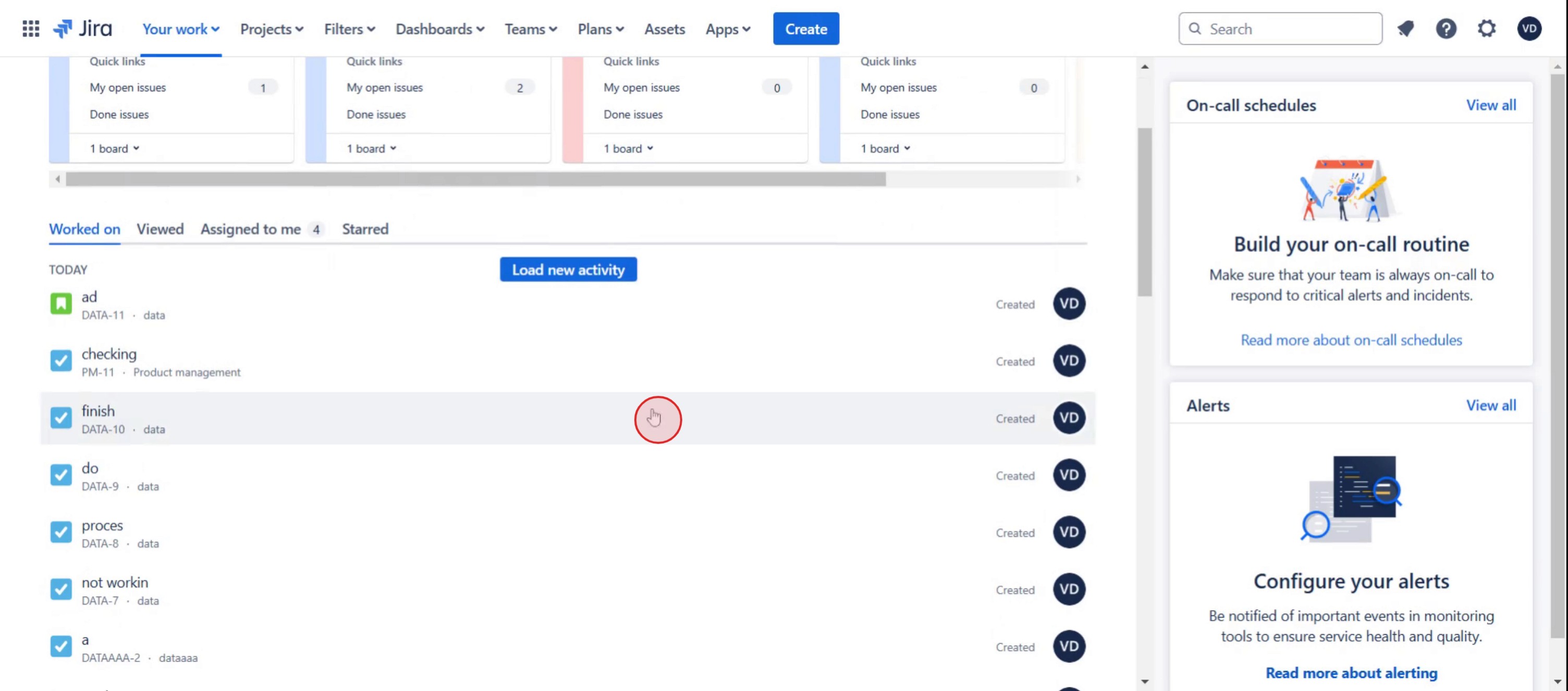
Step 1
Click on the specific ticket,
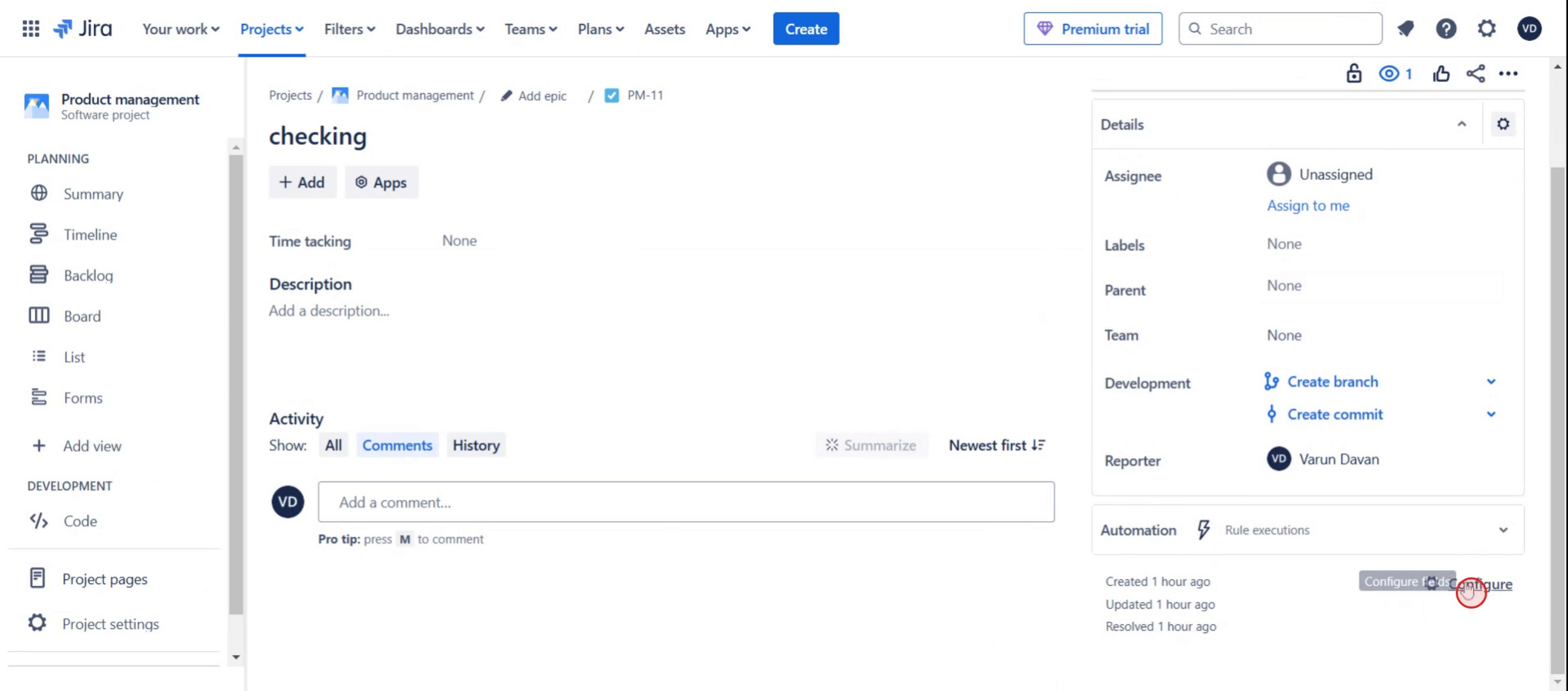
Step 2
Click on the configure option,
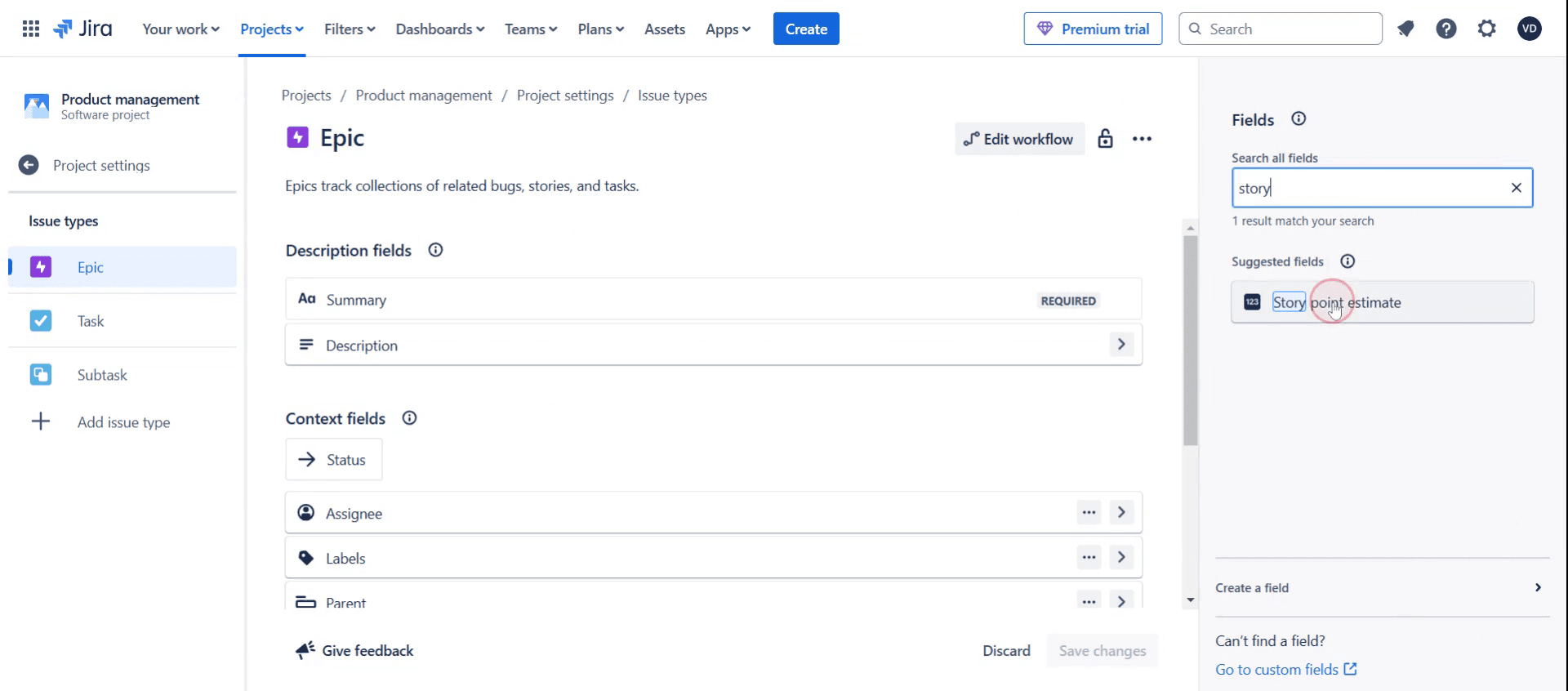
Step 3
Search for the story in configuration field.
Step 4
Click on the epic.
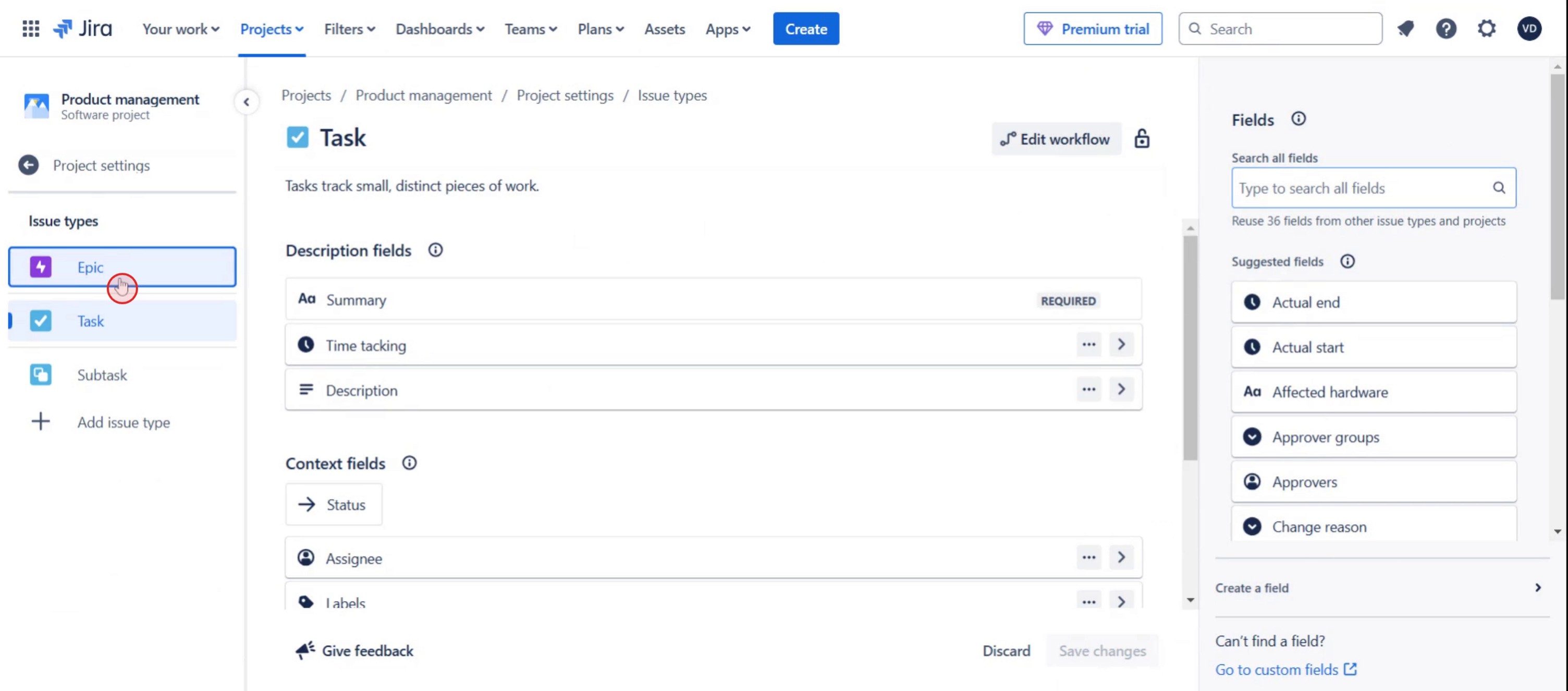
Step 5
Then click on save changes.
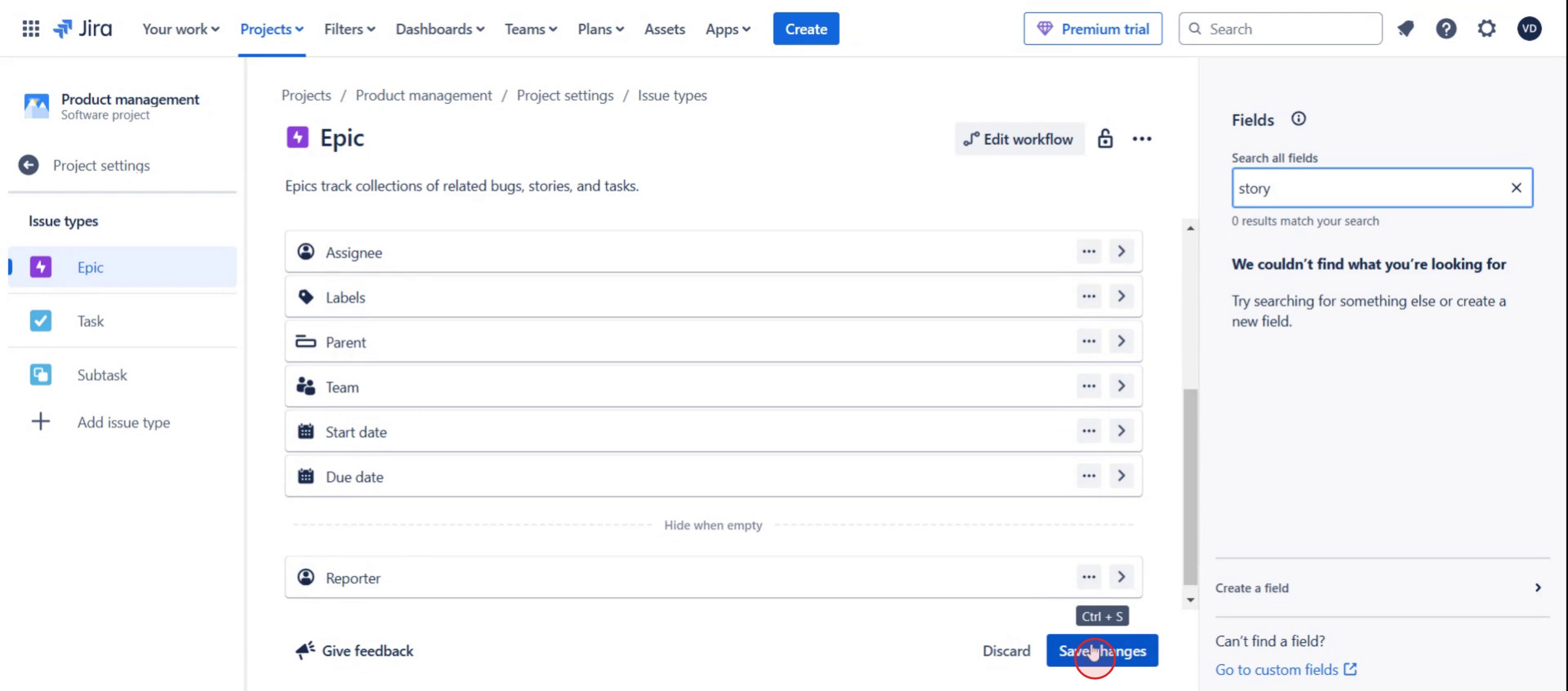
Here was our step by step guide that will help you create a story points work in Jira. Check a few tips from the below section.
Pro tips for story points work in Jira
Use consistent estimation techniques like Planning Poker or T-Shirt Sizing to ensure team alignment on story points.
Assign story points based on effort, complexity, and uncertainty, rather than time estimates.
Regularly review and refine story point estimations during backlog grooming to improve accuracy over time.
Common pitfalls & how to avoid them
Inconsistent story point usage, establish a shared understanding among team members to maintain uniform estimations.
Confusing story points with time, remember that story points measure effort and complexity, not hours or days.
Skipping retrospective reviews, analyze completed sprints to refine future estimations and improve accuracy.
Common FAQs on story points in Jira
Why use story points instead of hours in Jira?
Story points focus on effort, complexity, and risk, making them more flexible for agile teams than time-based estimates.How do teams determine the value of a story point?
Teams define story points based on past experiences, using a relative estimation method like Fibonacci or T-Shirt Sizing.Can I change the story points assigned to an issue?
Yes, story points can be adjusted during backlog refinement or sprint planning if the team agrees on a new estimate.Do story points affect sprint velocity?
Yes, completed story points from previous sprints help measure team velocity, which informs future sprint planning.
If you're an instructor or content creator looking to make tutorial videos, give a try. It transforms rough screen recordings into polished, studio-style videos that are ready for sharing with your audience. Plus, it automatically generates a step-by-step guide based on the video you create. Fascinating, right? Start by creating your first tutorial for free with trupeer.ai .

