
How To Access Confluence From Jira
Discover how to seamlessly access Confluence from Jira. Our guide provides step-by-step instructions to enhance your project management experience.
This document provides a step-by-step process to seamlessly connect your Confluence from Jira, enhancing your project management capabilities by integrating documentation and collaboration tools directly within your Jira projects.
Step 1
Select the specific project.
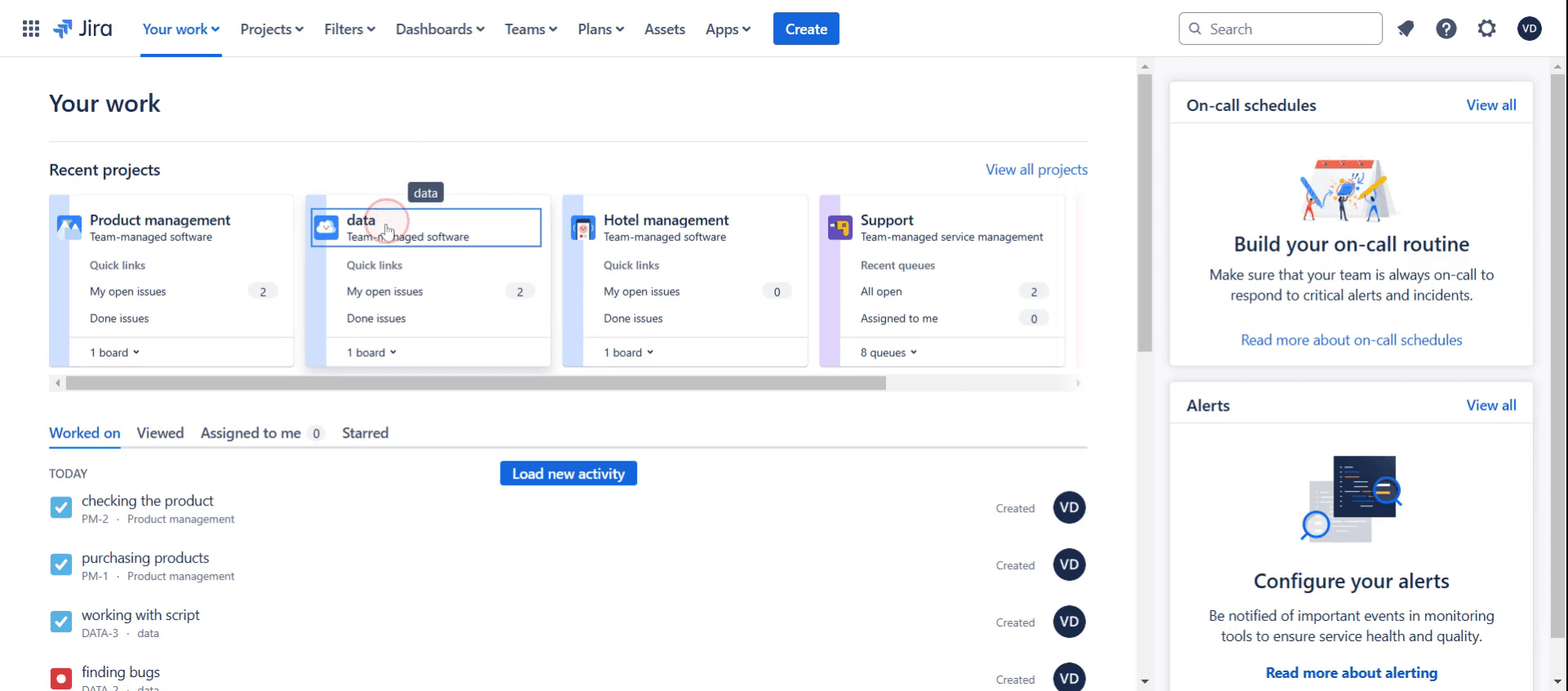
Step 2
Then click on the Project Pages,
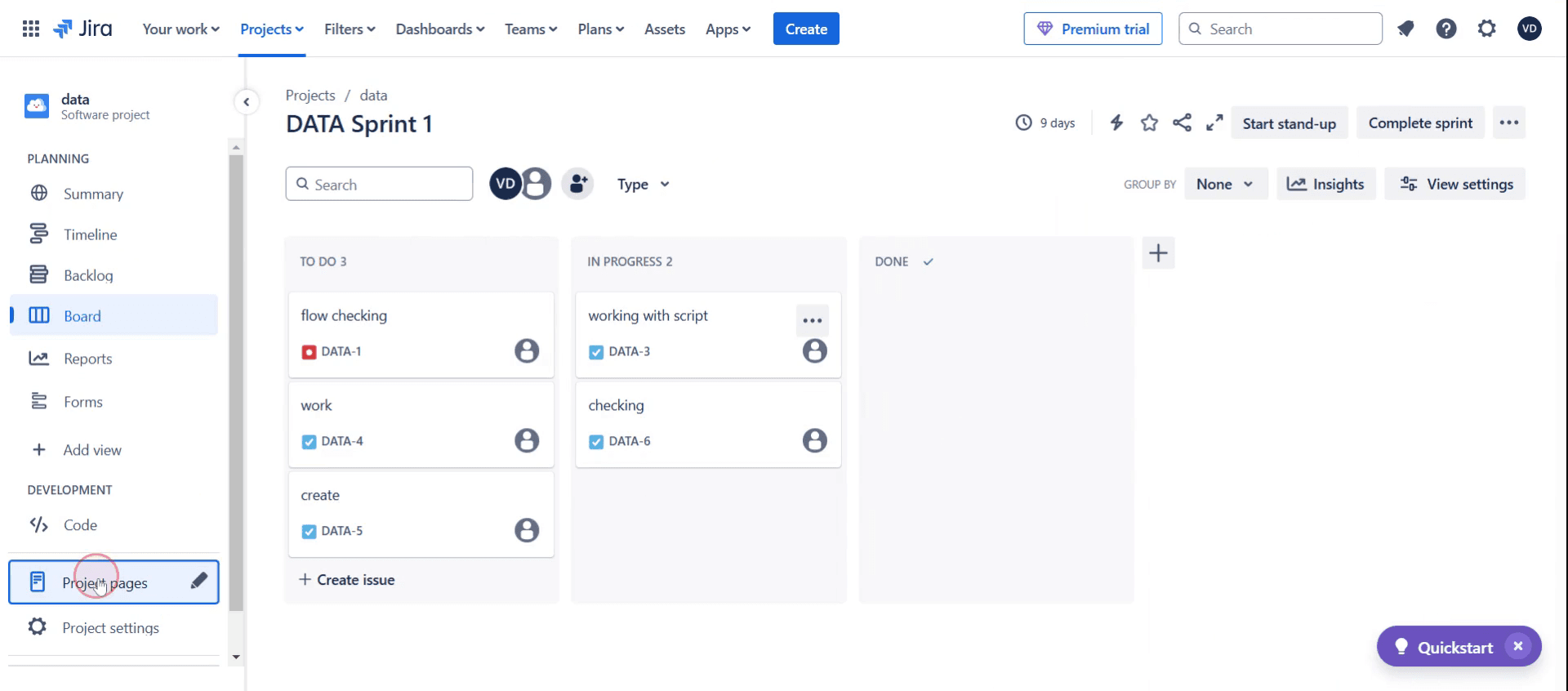
Step 3
Click on the Connect Confluence option.
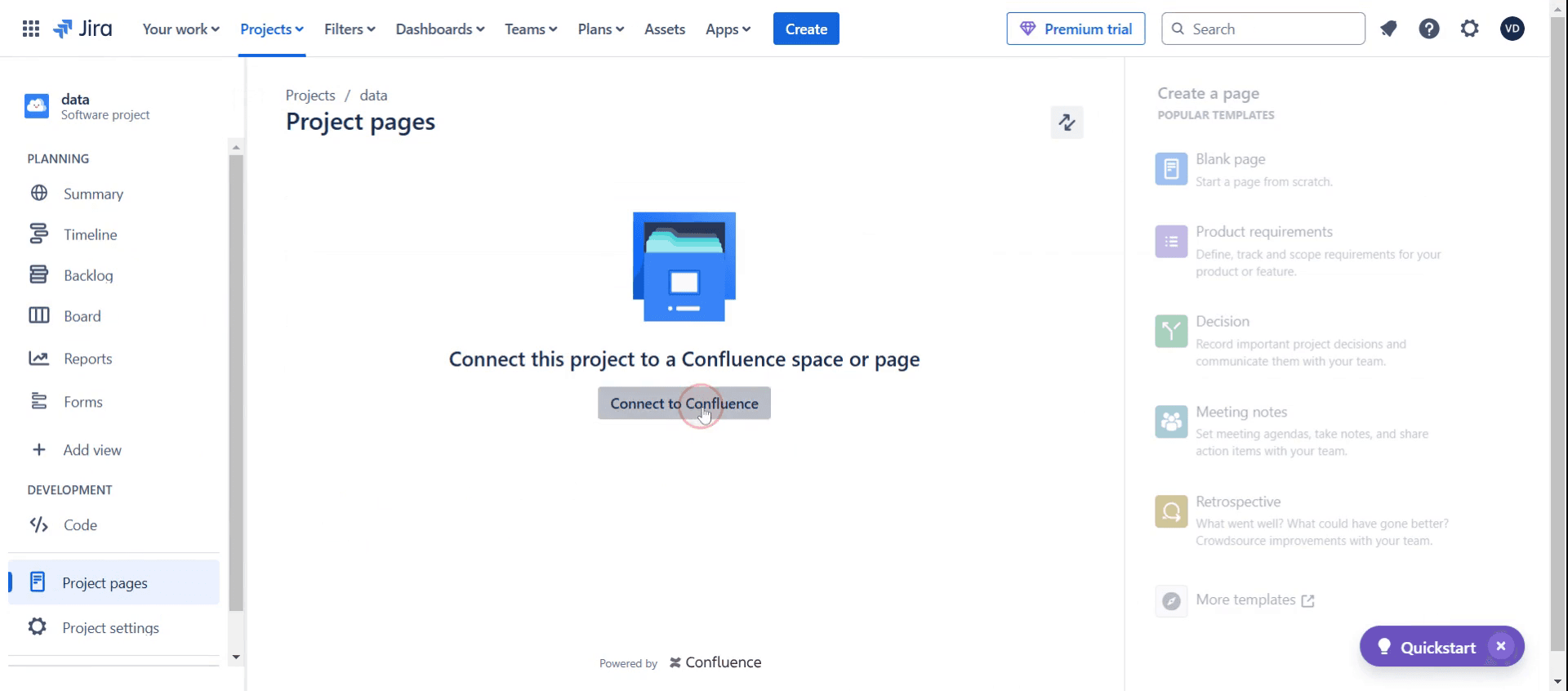
Step 4
Select the project connect with Confluence.
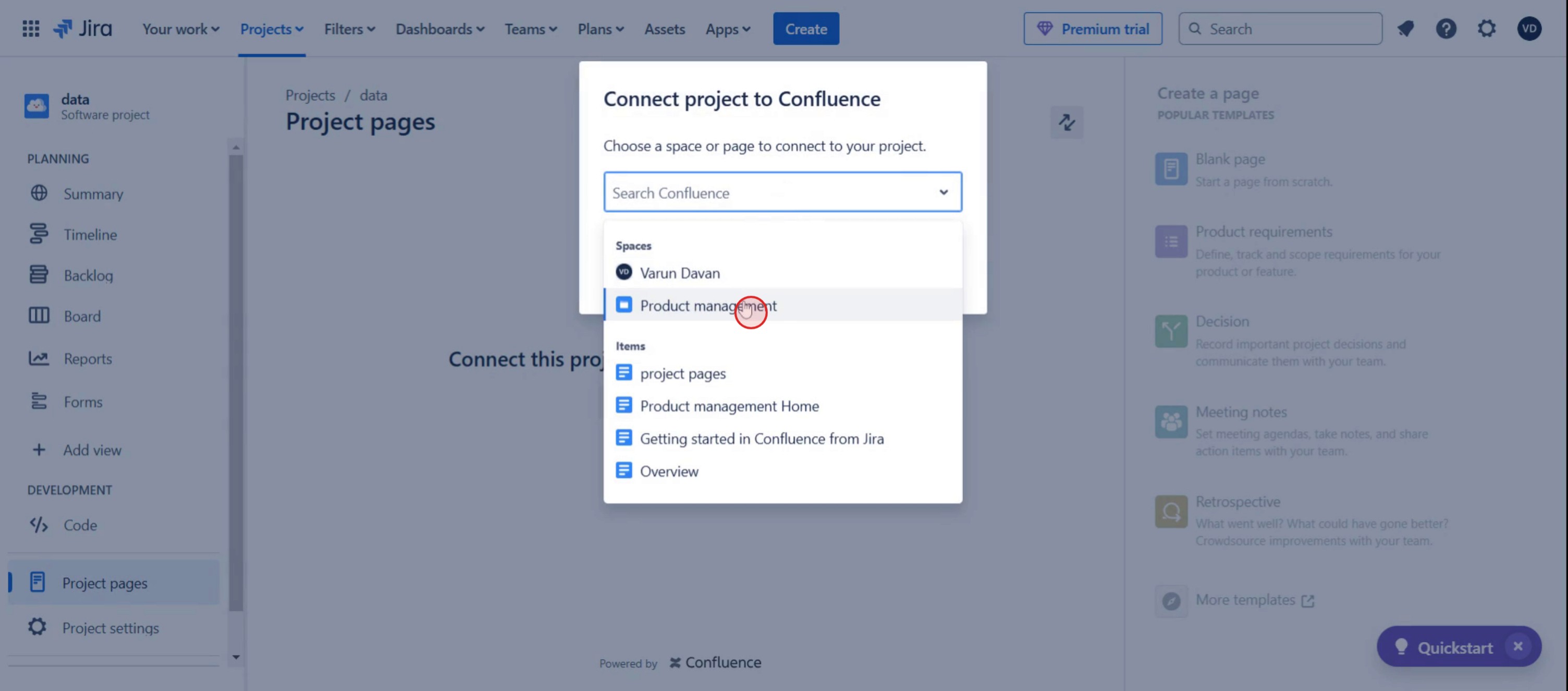
Step 5
And click on connect.
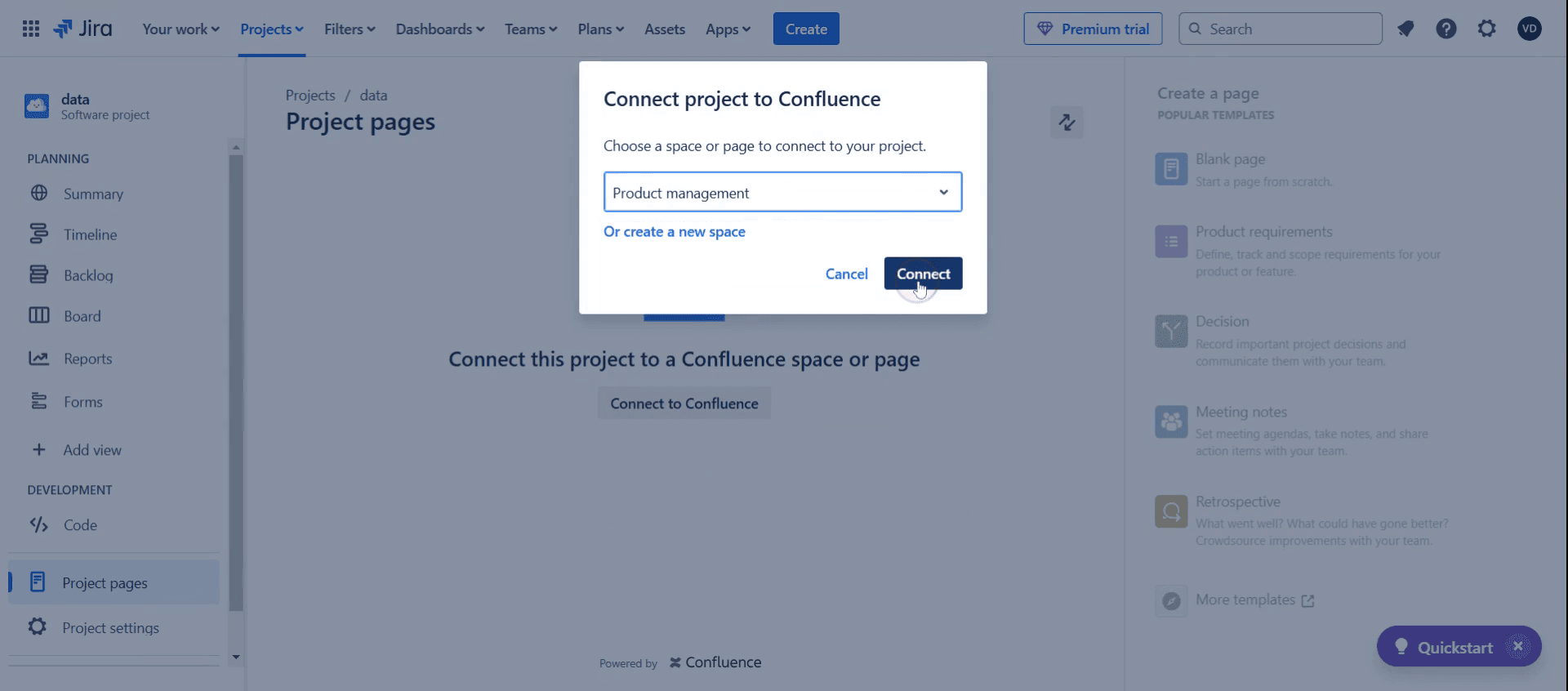
This is a step-by-step guide on how to access confluence from Jira.
Pro tips on how to access confluence from Jira
Use Jira’s Confluence Integration Features: Take full advantage of the Applications menu in Jira to seamlessly link Confluence pages directly to Jira issues.
Enable Single Sign-On (SSO): For quick and easy access, set up SSO between Jira and Confluence, so you don’t have to log in to both platforms separately.
Leverage Jira Issue Links in Confluence: When writing Confluence pages, use Jira Issue Macros to link Jira issues to your Confluence documentation for better collaboration.
Common pitfalls and how to avoid them
Not setting up proper permissions in Confluence can prevent users from accessing linked pages, so always review access settings.
Forgetting to enable integration between Jira and Confluence can make it difficult to link pages, so ensure the integration is correctly configured from the start.
Failing to keep both Jira and Confluence updated can cause errors when accessing Confluence from Jira, so regularly check for updates and compatibility.
Common FAQs on how to access confluence from Jira
Do i need specific permissions to access Confluence from Jira?
Yes, you need the correct permissions in both Jira and Confluence to seamlessly access and link content between the two platforms.Can i access Confluence from Jira Cloud?
Absolutely! Both Jira Cloud and Confluence Cloud support easy integration, allowing you to access Confluence directly from Jira.Why am i unable to access Confluence from Jira?
You might be facing access issues if your Jira-Confluence integration isn’t properly configured or if you lack the necessary permissions. Double-check integration settings and access rights.Can i view Confluence pages directly from Jira issues?
Yes, once the integration is set up, you can easily view Confluence pages linked to Jira issues by clicking on the Confluence links within Jira.
If you're an instructor or content creator looking to make tutorial videos, give a try. It transforms rough screen recordings into polished, studio-style videos that are ready for sharing with your audience. Plus, it automatically generates a step-by-step guide based on the video you create. Fascinating, right? Start by creating your first tutorial for free with trupeer.ai .

