
How to Access Jira Service Desk
Accessing Jira Service Desk made easy! Explore our detailed guide for step-by-step instructions to enhance your service management efficiency.
This document provides a step-by-step procedure to access Jira Service Desk. Follow these instructions carefully to navigate through the interface and view your service management projects efficiently.
Step 1
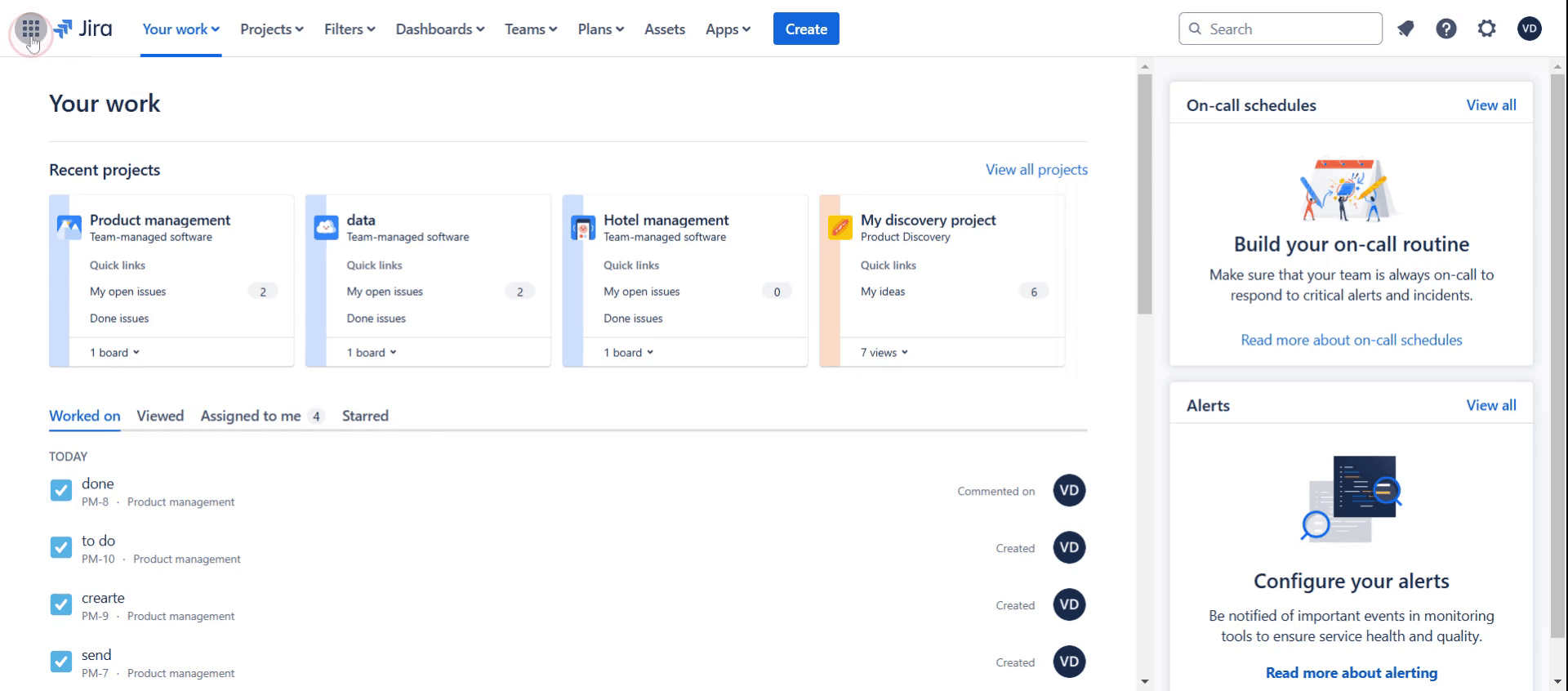
Click on the apps icon.
Step 2
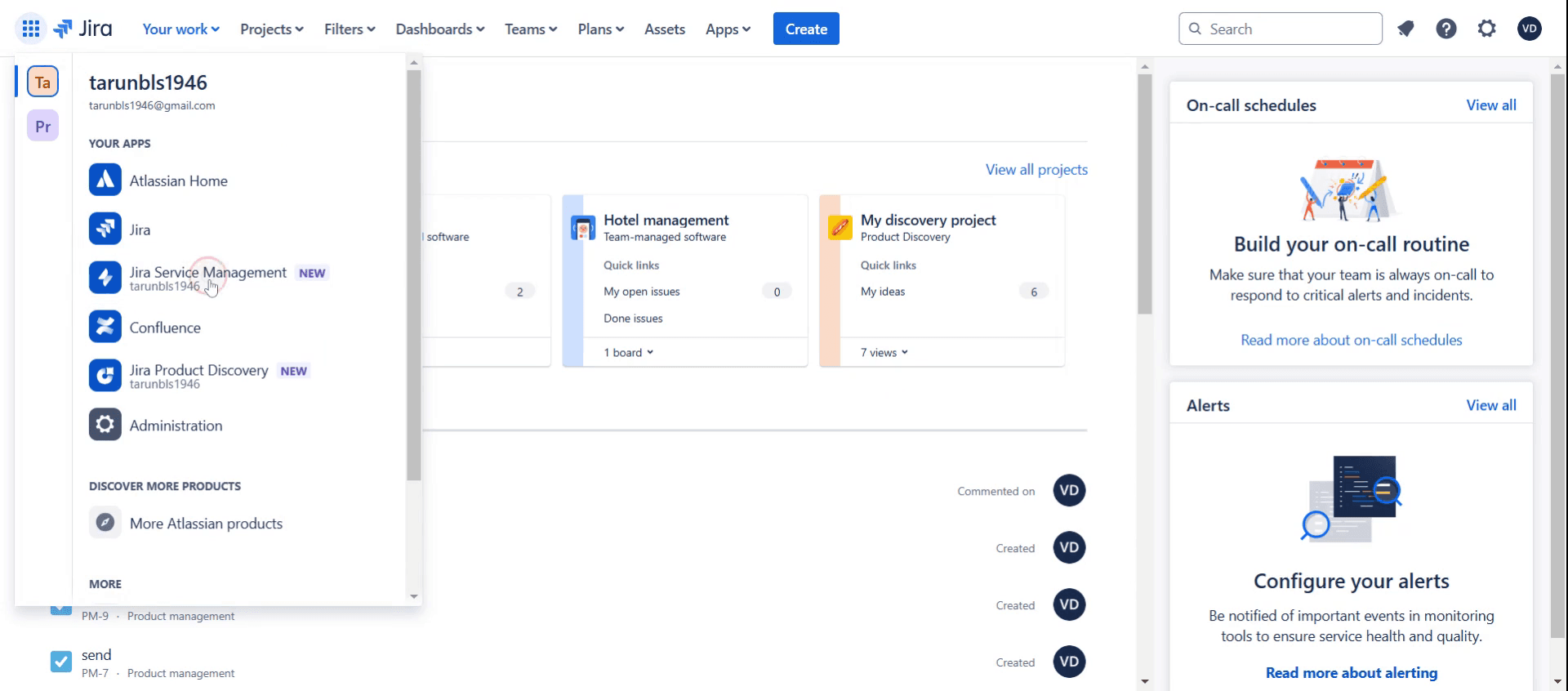
Then select Jira Service Management.
Step 3
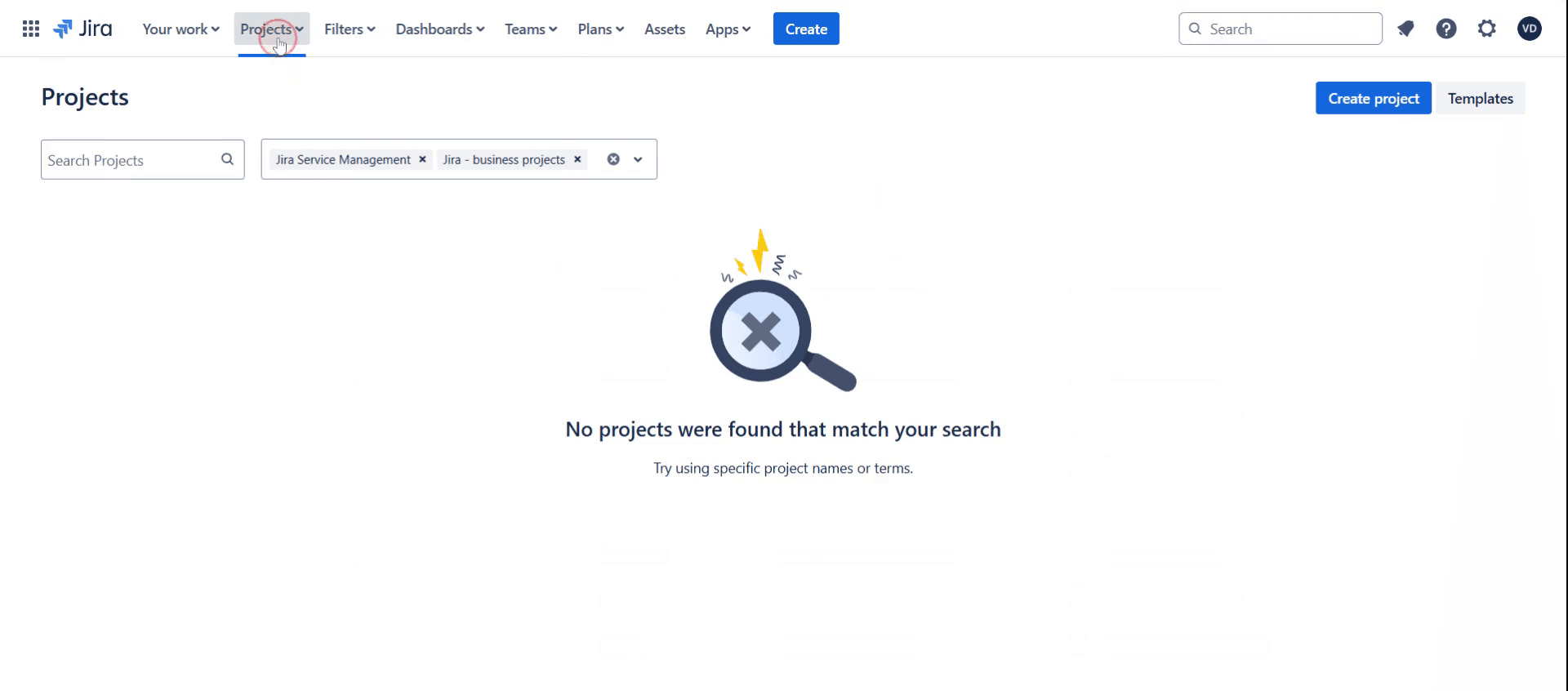
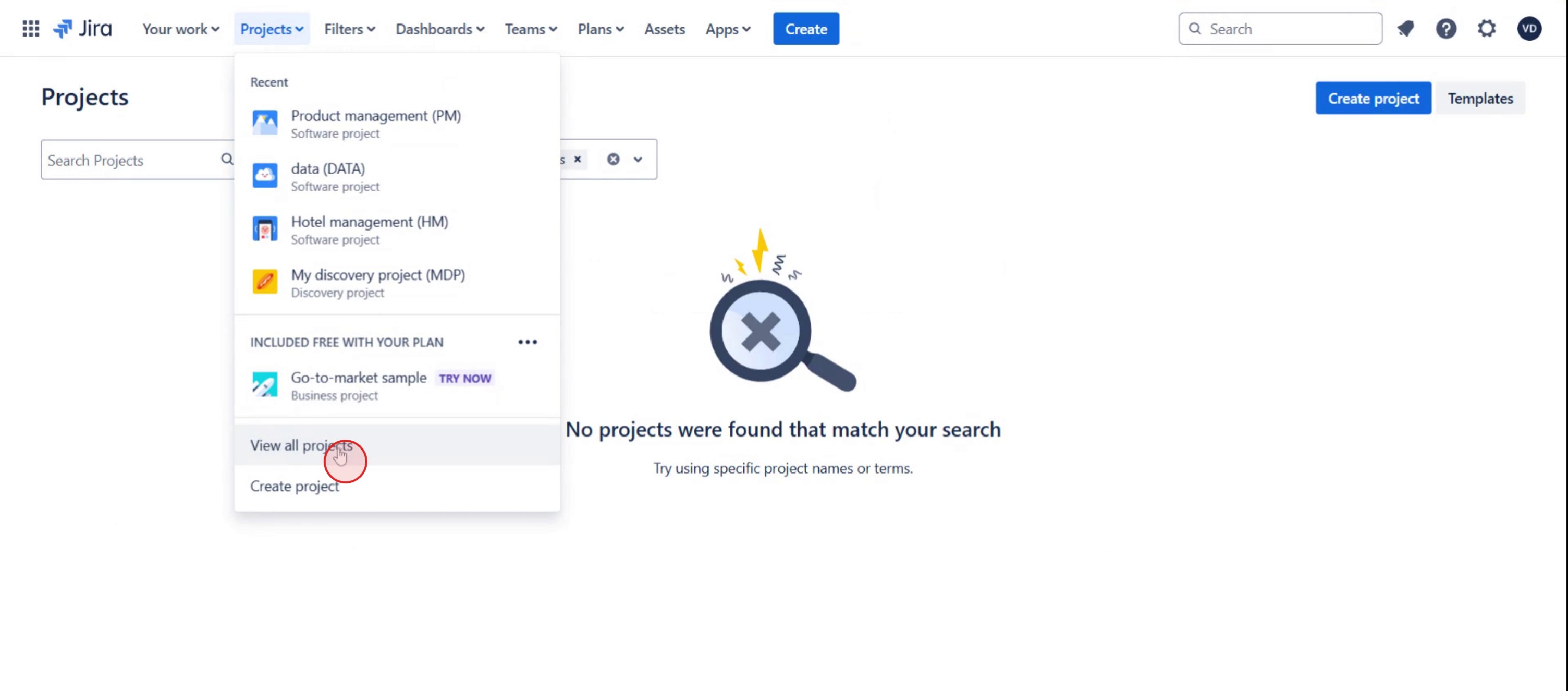
Click on Projects,
Step 4
Select View All Projects.
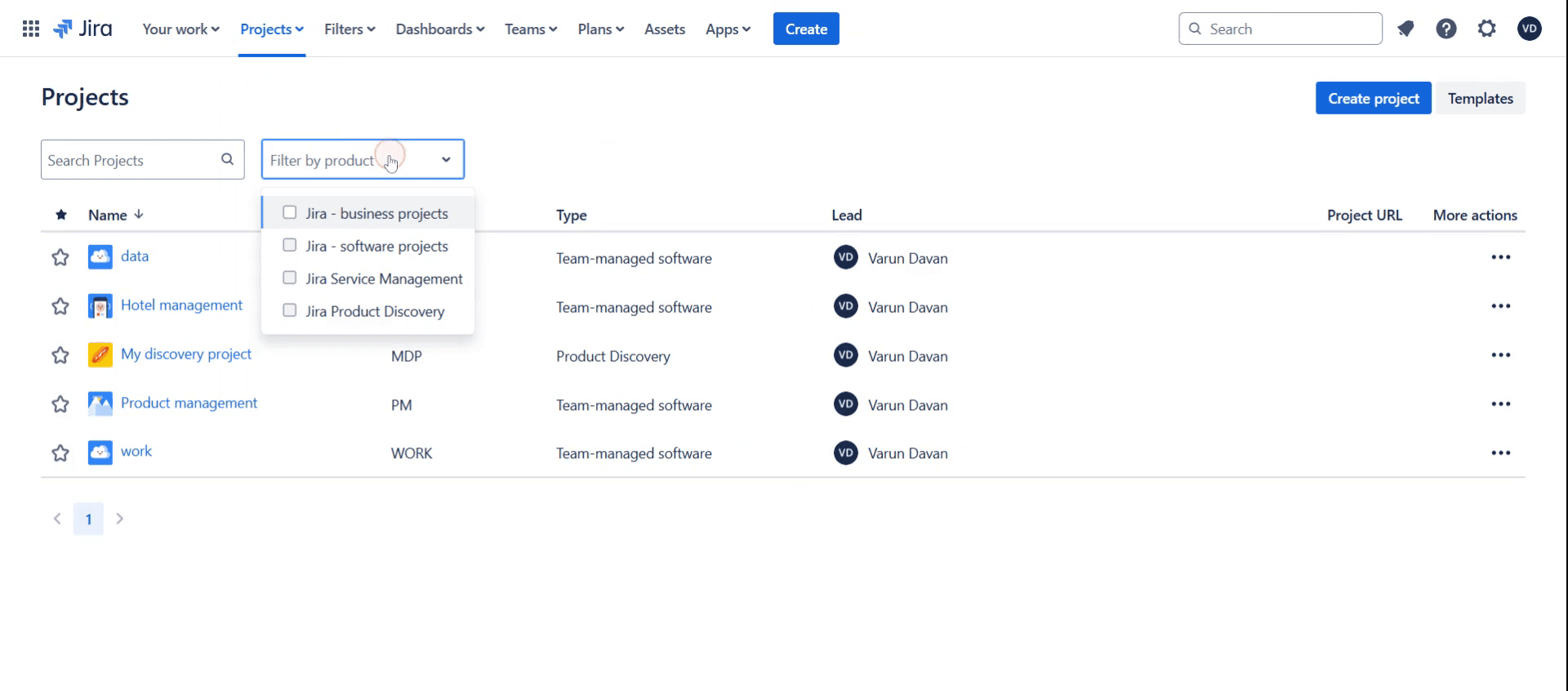
Step 5
Then select the filter by product,
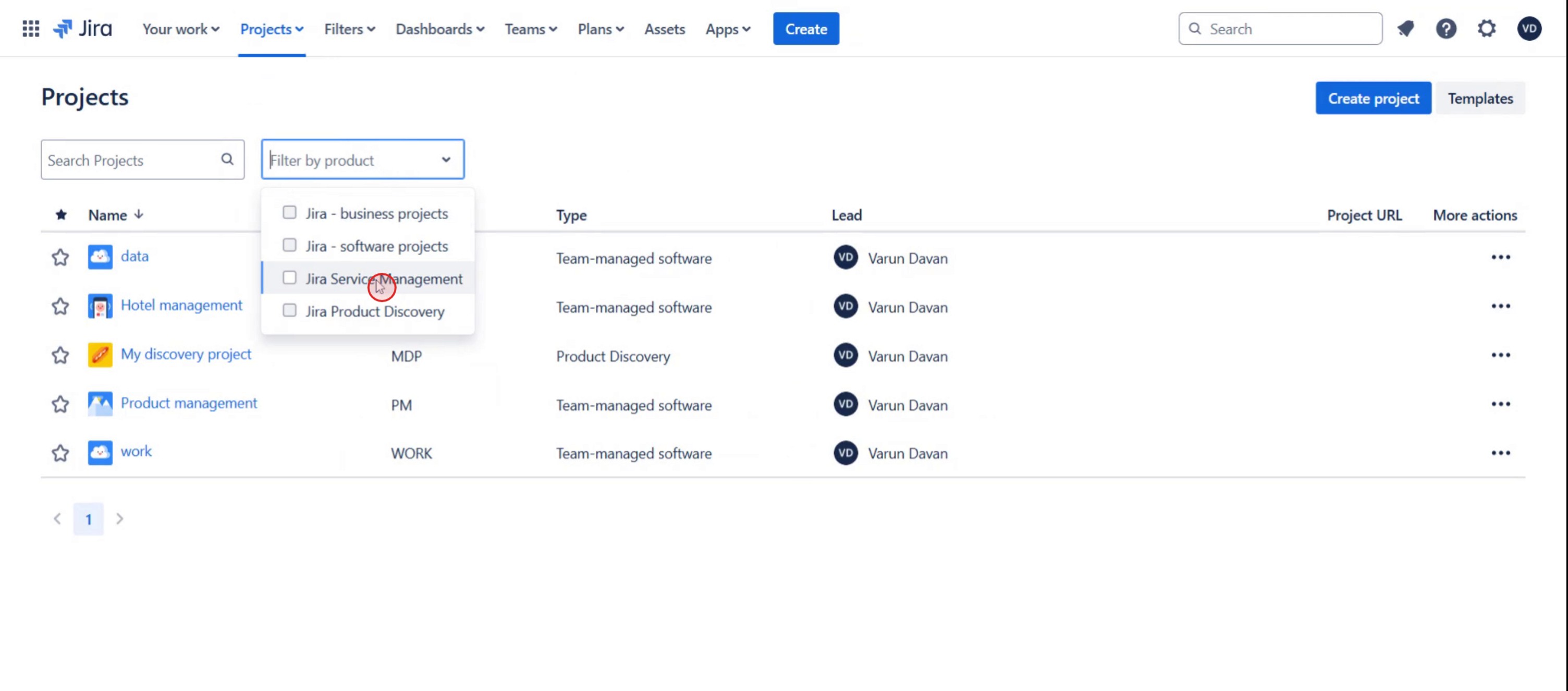
Step 6
And click on the Jira Service Management.
This is a step-by-step guide on how to access Jira Service Desk.
Pro tips on how to access Jira service desk
Ensure you have the correct permissions by verifying your role with the Jira administrator before attempting to access Jira Service Desk.
Use the correct URL format provided by your organization to log in seamlessly and avoid unnecessary access issues.
Bookmark the Jira Service Desk portal for quick access and enable notifications to stay updated on ticket progress.
Common pitfalls and how to avoid them
Trying to access Jira Service Desk without the right user role can lead to errors—always confirm your access rights with an administrator.
Using an incorrect URL or outdated bookmark may prevent login—double-check the provided service desk link.
Forgetting to enable email notifications can lead to missed updates—configure your Jira settings to receive alerts for ticket changes.
Common FAQs on how to access Jira service desk
Why can’t i access Jira Service Desk?
If you can’t access Jira Service Desk, check your permissions, ensure you are using the correct URL, and confirm that your account is active.Do i need special permissions to access Jira Service Desk?
Yes, you need to be added as a customer, agent, or administrator by your Jira admin to access specific service desks.Can i access Jira Service Desk on mobile?
Yes, Jira Service Desk is accessible via the Jira mobile app or a web browser on your mobile device.How do i find the right Jira Service Desk URL?
Your company’s IT team or Jira administrator should provide the correct service desk URL, or you can check your Jira instance for available service desks.
If you're an instructor or content creator looking to make tutorial videos, give a try. It transforms rough screen recordings into polished, studio-style videos that are ready for sharing with your audience. Plus, it automatically generates a step-by-step guide based on the video you create. Fascinating, right? Start by creating your first tutorial for free with trupeer.ai .

