
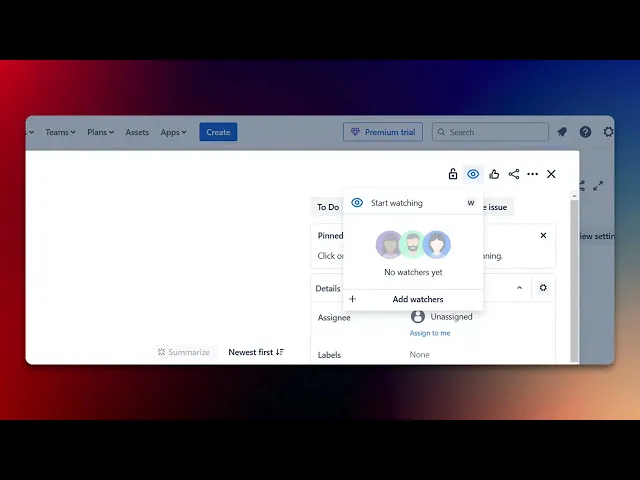
How To Add A Watcher In Jira
Discover the step-by-step process of adding a watcher in Jira. Enhance your project management skills and keep your team informed with our comprehensive guide.
This process outlines the steps to add a watcher in Jira. By following these instructions, you can ensure that the right individuals are notified of updates and changes to specific issues within your project.
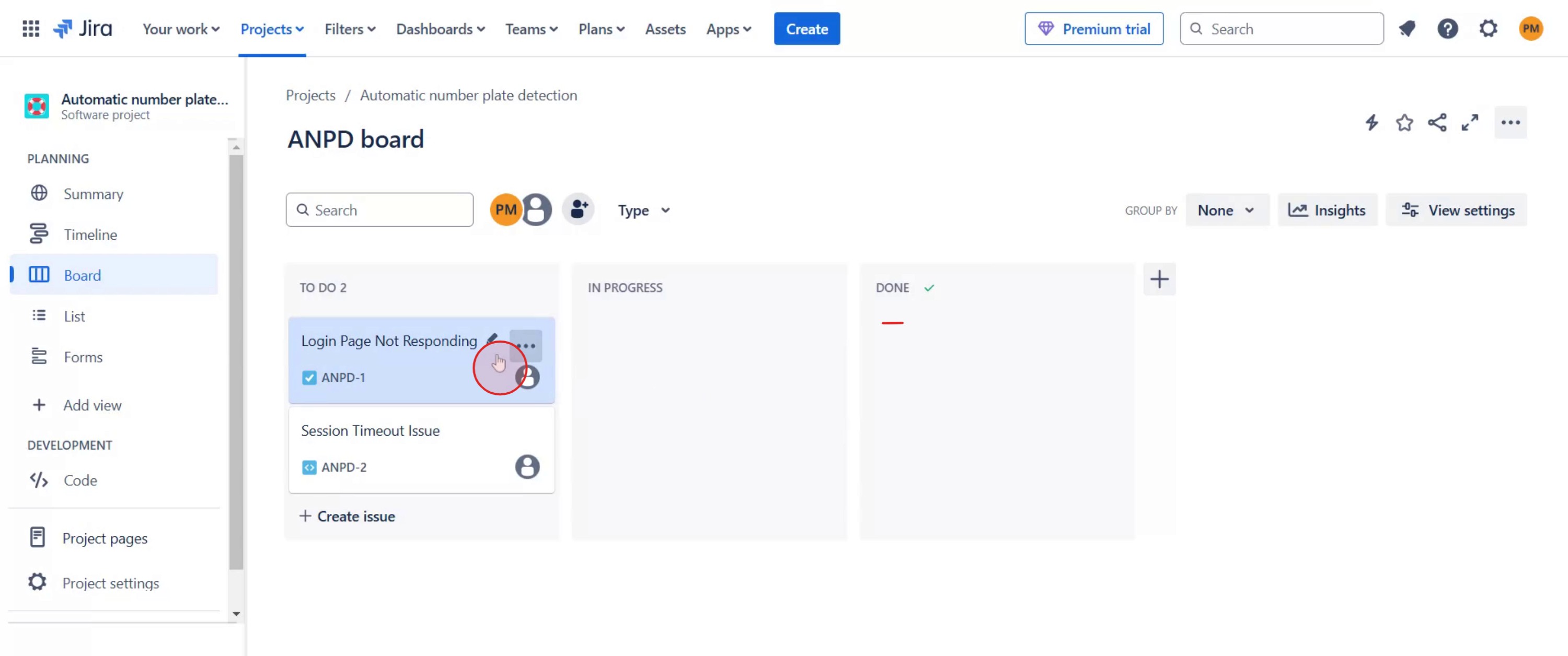
Step 1
Select the specific issue to which you want to add a watcher.
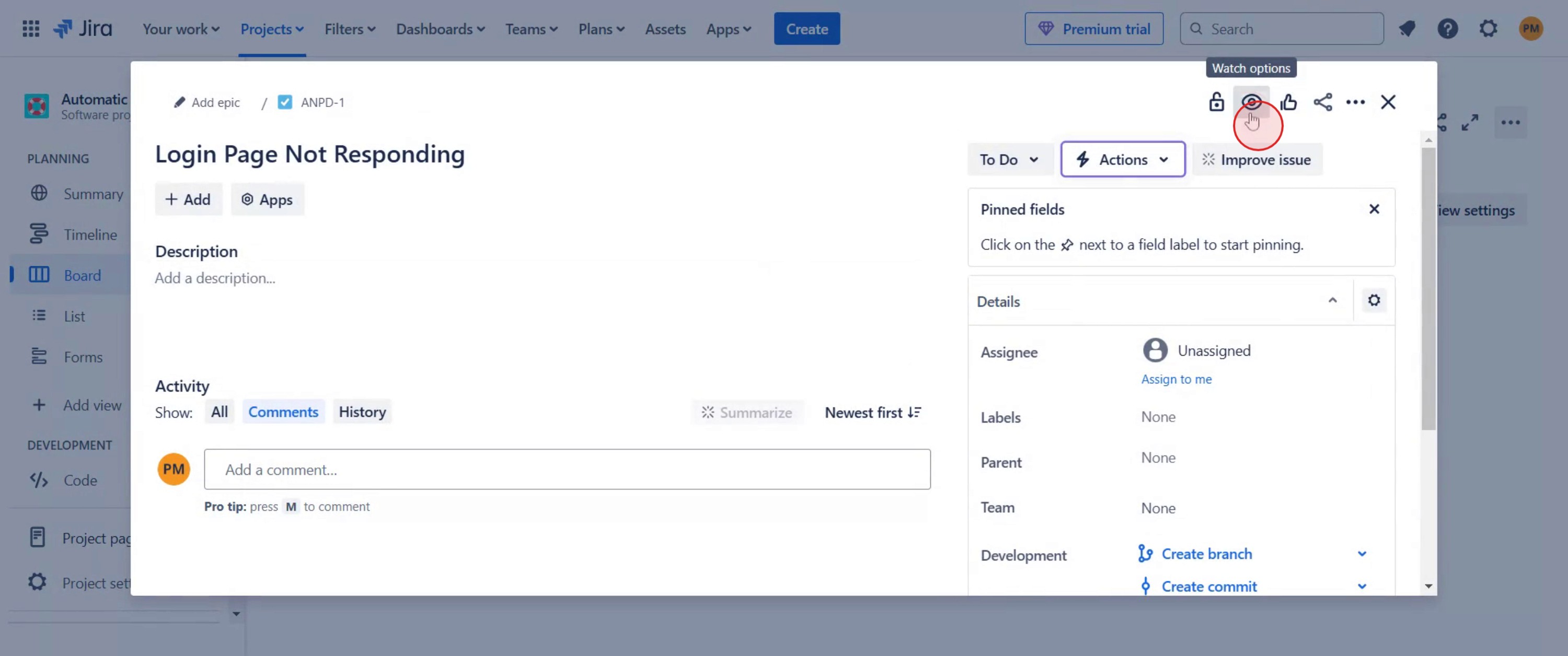
Step 2
Locate the icon intended for managing watchers and click on it.
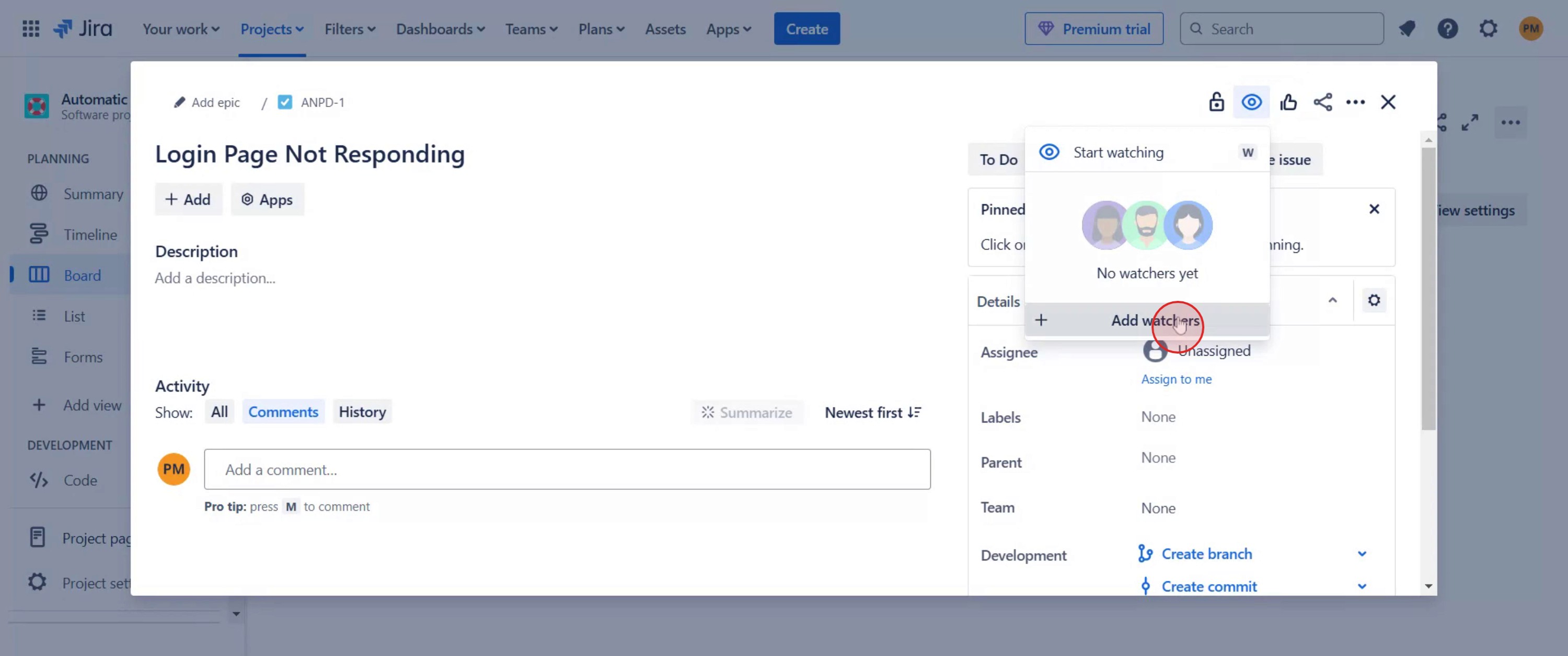
Step 3
Proceed by clicking on "Add Watchers."
Step 4
In the prompt that appears, type the name of the individual you wish to add as a watcher. This completes the process of adding watchers.
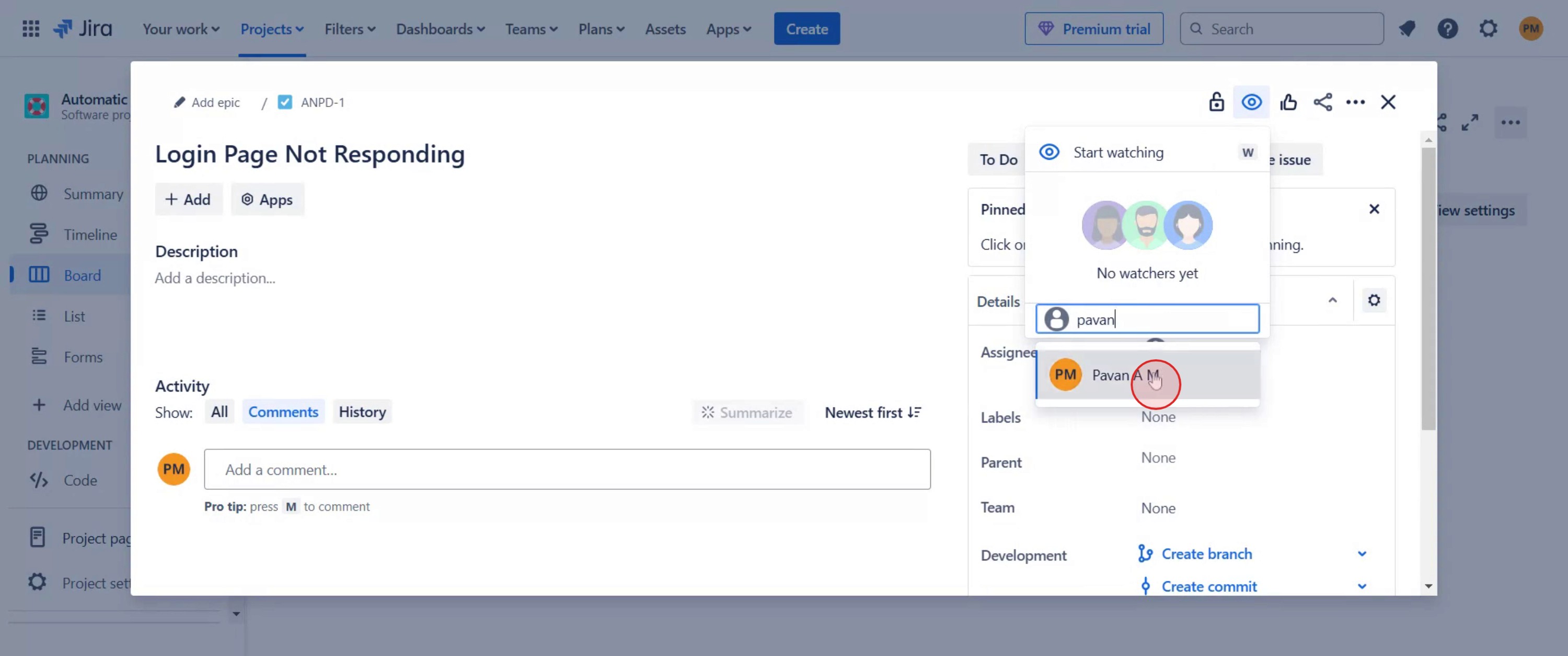
That's it. This is a step-by-step guide on how to add a watcher in Jira.
Pro-tips for adding a watcher in Jira
Open the Jira issue and click on the Watchers section to add a new watcher.
Use the keyboard shortcut W when viewing an issue to quickly add yourself as a watcher.
Manage watchers by going to More actions (•••) > Watchers and adding or removing users as needed.
Common pitfalls & how to avoid them while adding a watcher in Jira
Not having the right permissions – Ensure you have the necessary permissions to add watchers to issues.
Forgetting to notify watchers – Watchers receive updates by default, but double-check notification settings.
Watching too many issues – Avoid unnecessary notifications by only watching relevant issues.
Common FAQs for adding a watcher in Jira
Can I add multiple watchers at once?
Yes, you can add multiple team members to watch an issue.How do I remove a watcher from an issue?
Click on the Watchers section, find the user, and remove them from the list.Can I see who is watching an issue?
Yes, Jira displays a list of watchers in the Watchers section of the issue.Do watchers get email notifications?
Yes, watchers receive updates when changes are made to the issue.
If you're an instructor or content creator looking to make tutorial videos, give Trupeer.ai a try. It transforms rough screen recordings into polished, studio-style videos that are ready for sharing with your audience. Plus, it automatically generates a step-by-step guide based on the video you create. Fascinating, right? Start by creating your first tutorial for free with Trupeer.ai.

