
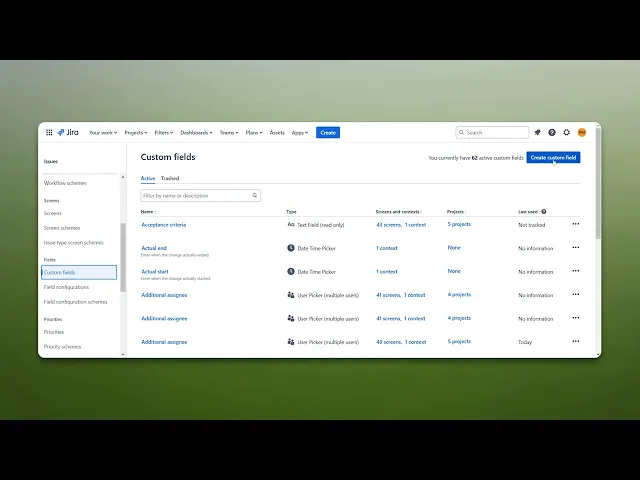
How To Add Additional Assignee In Jira
Learn how to easily add additional assignees in Jira. Streamline your workflow and improve team collaboration with our expert tips and instructions.
This document provides step-by-step instructions on how to add additional Assignee in Jira. Follow these steps to effectively assign tasks to multiple team members within your project.
Step 1
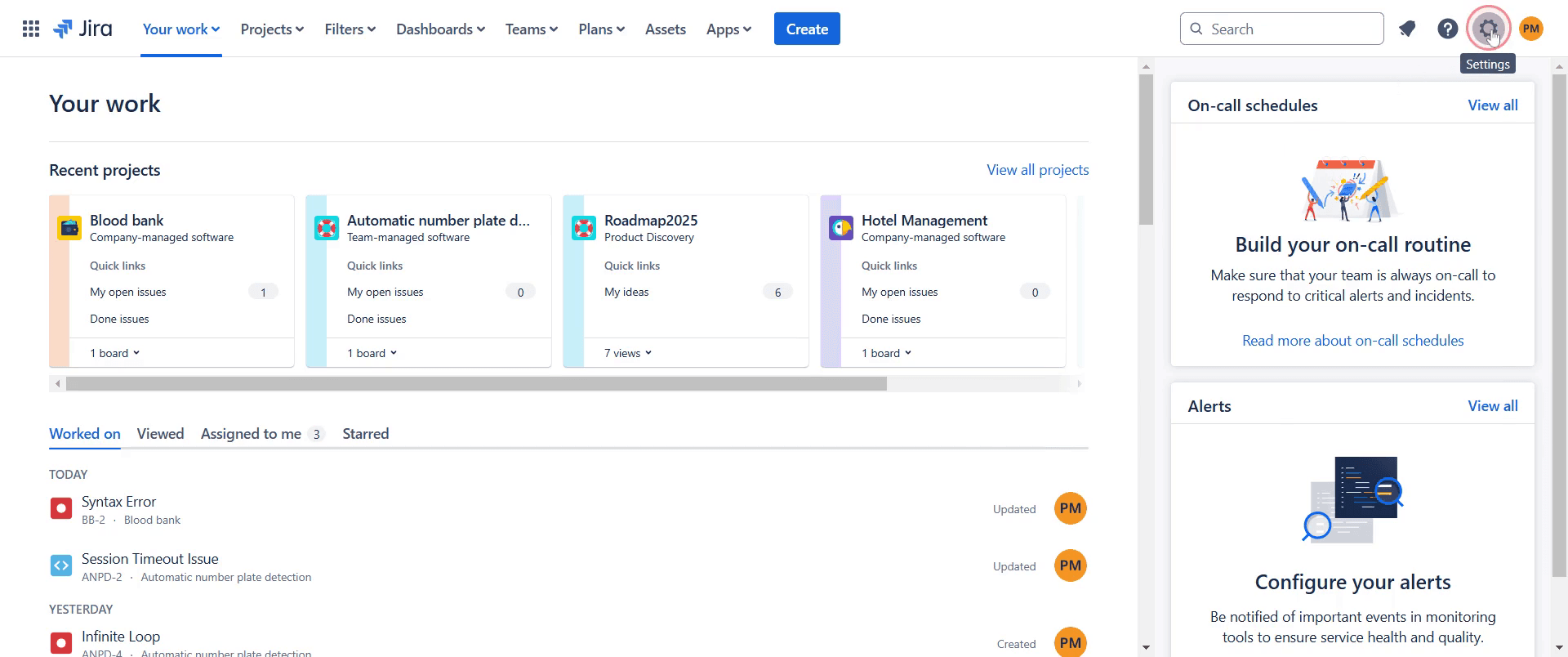
Start by going to the "Settings" option in Jira, click on it.
Step 2
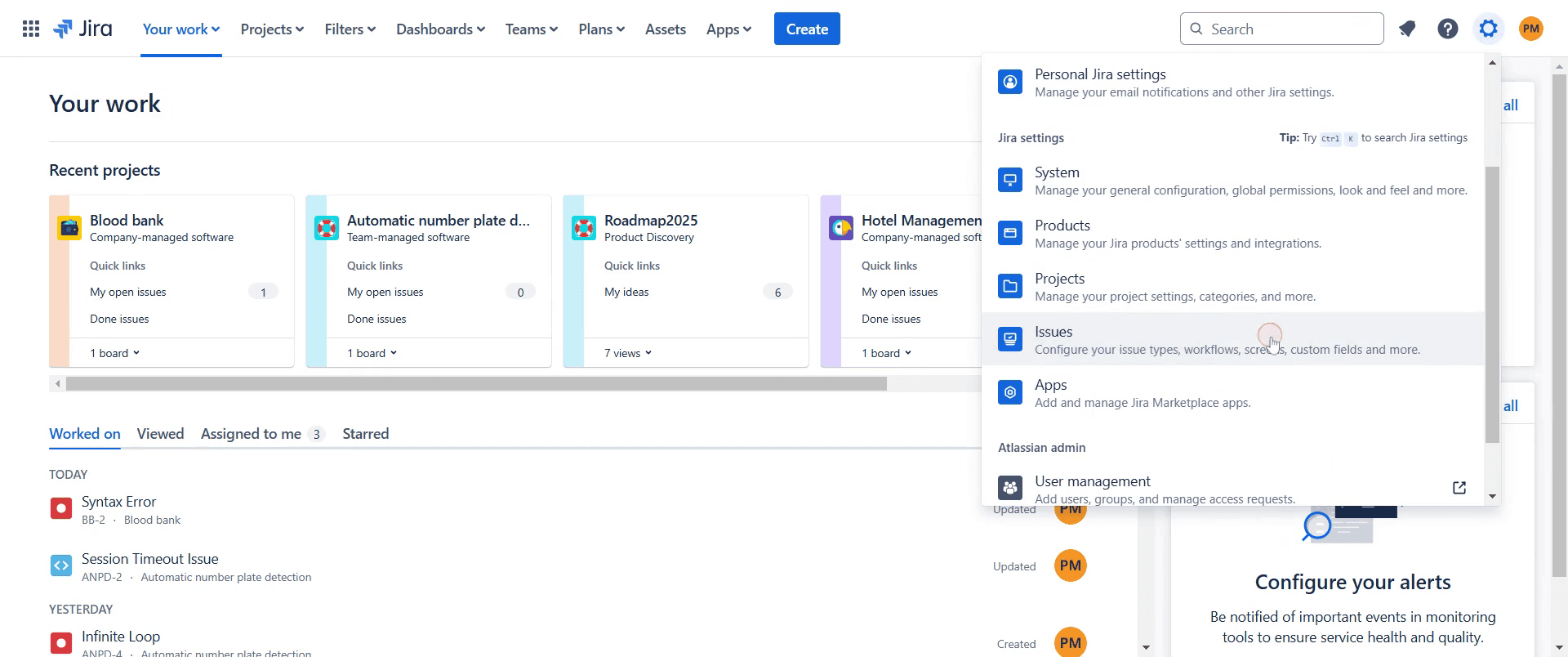
Next, locate and click on the "Issues" option.
Step 3
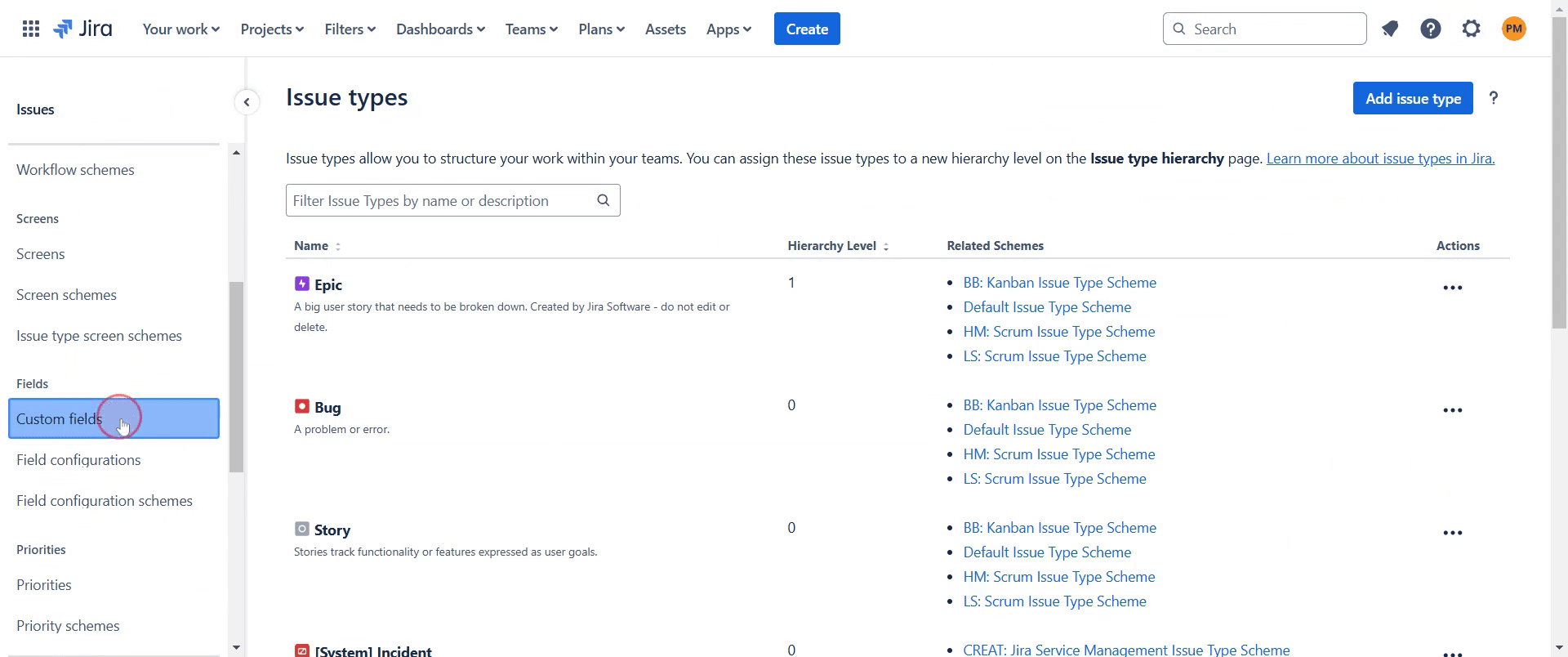
Find and click on the "Custom fields" option.
Step 4
Proceed by selecting "Create custom field."
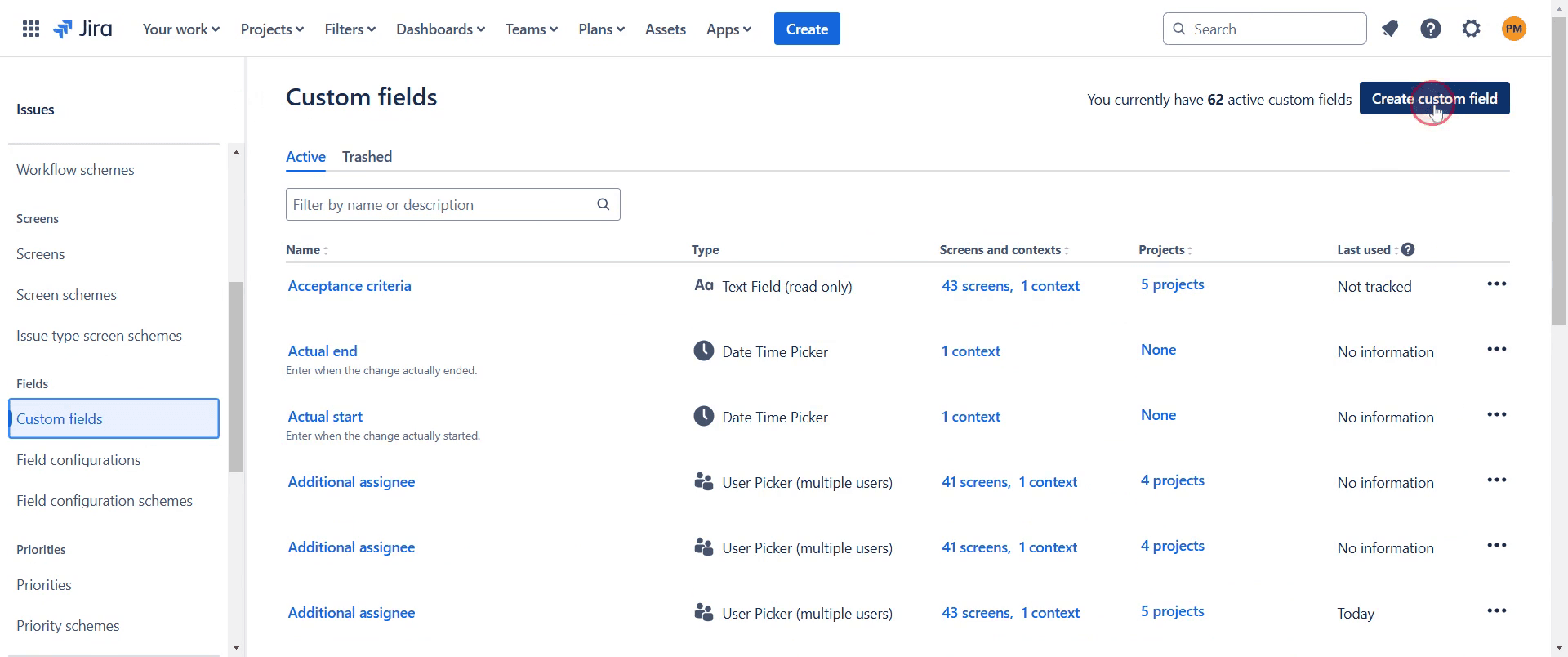
Step 5
Choose the "User picker" option.
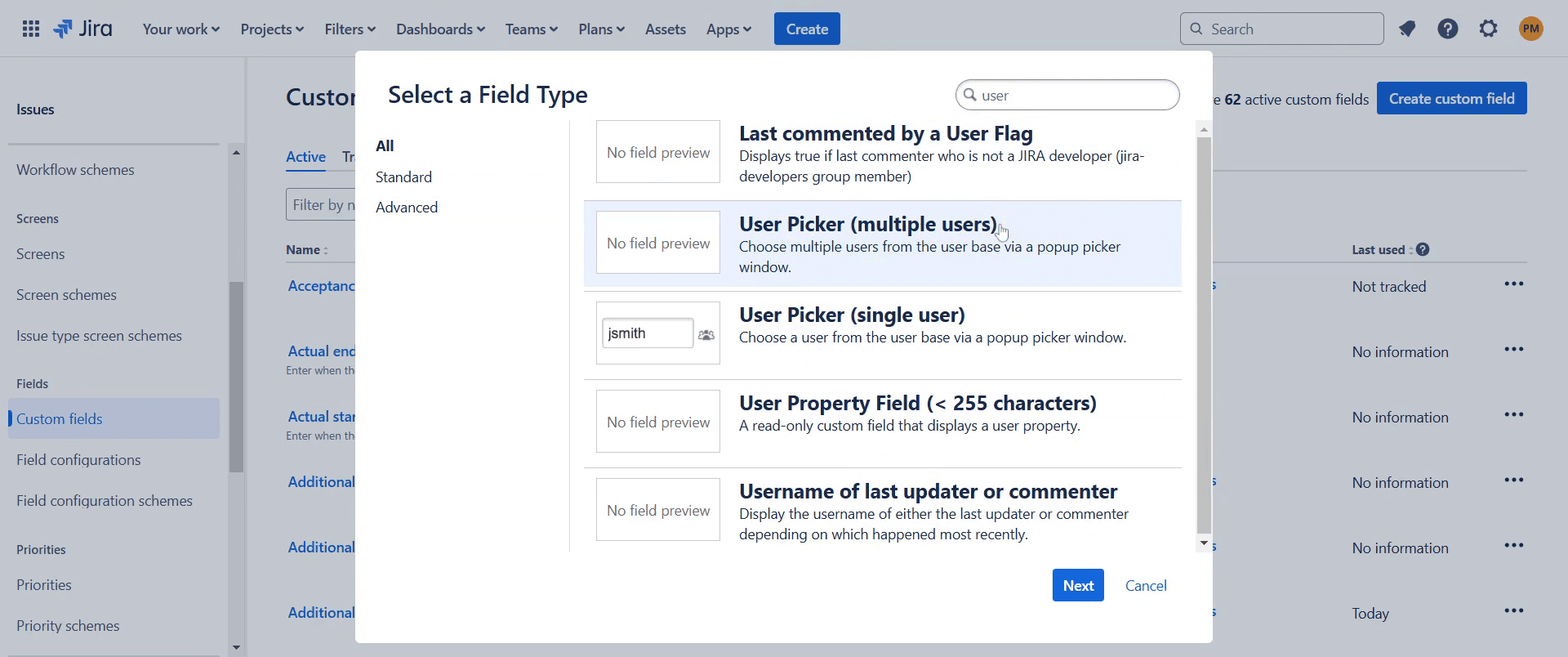
Step 6
And click "Next."
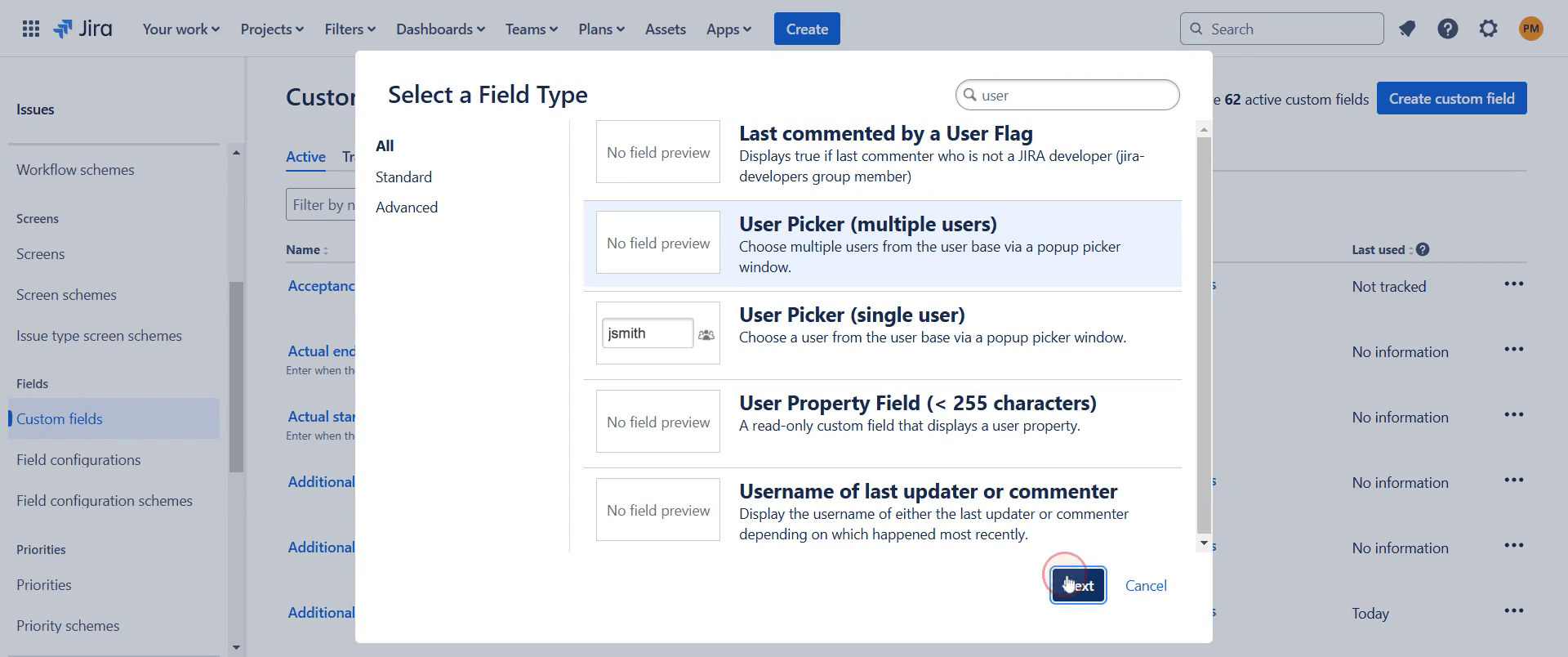
Step 7
Name your user picker field appropriately.
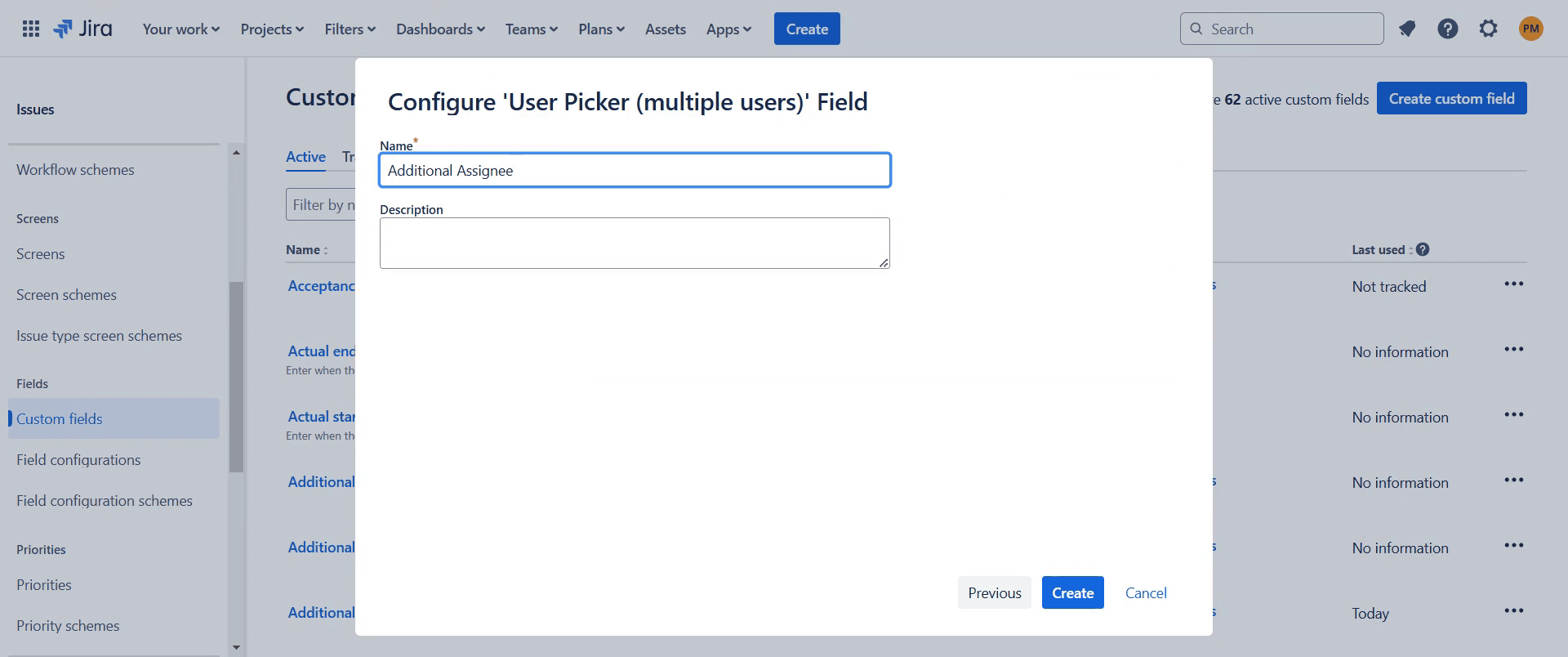
Step 8
And click "Create."
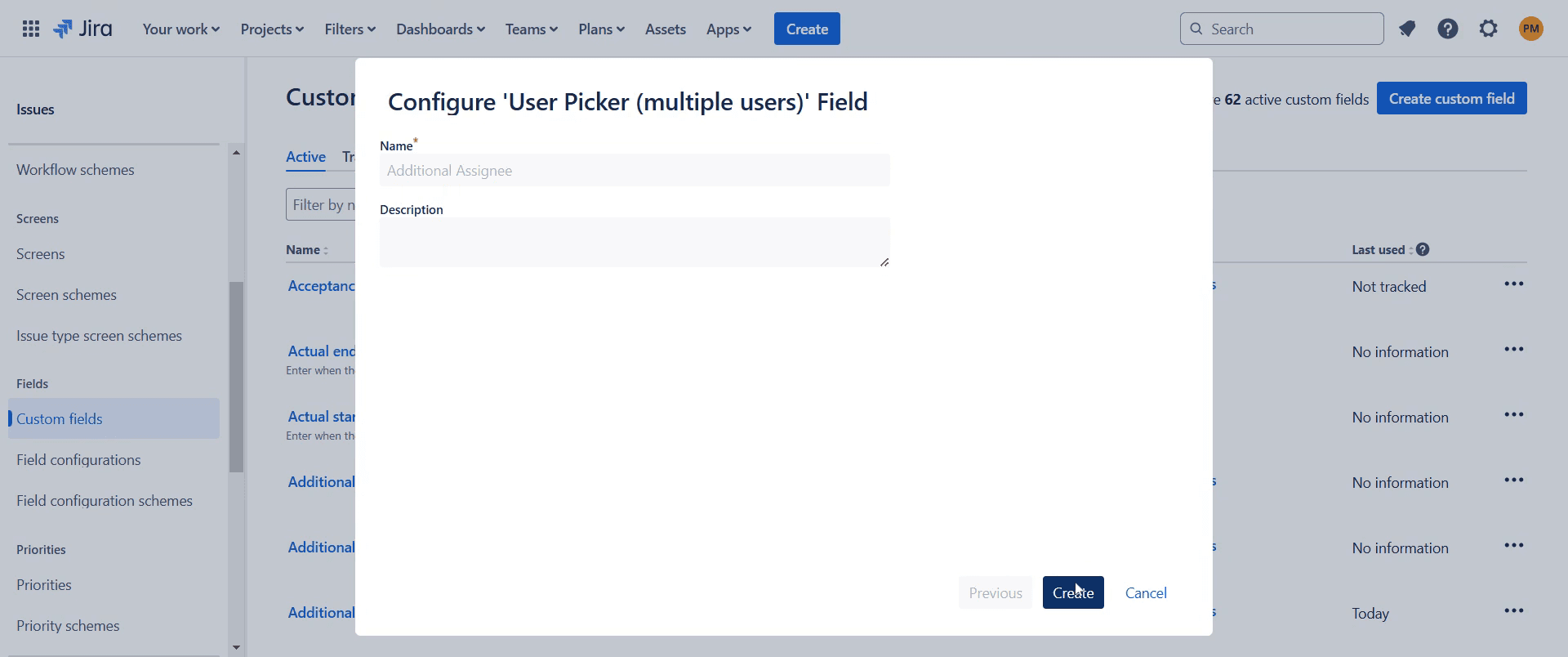
Step 9
After creating the field, configure it as necessary.
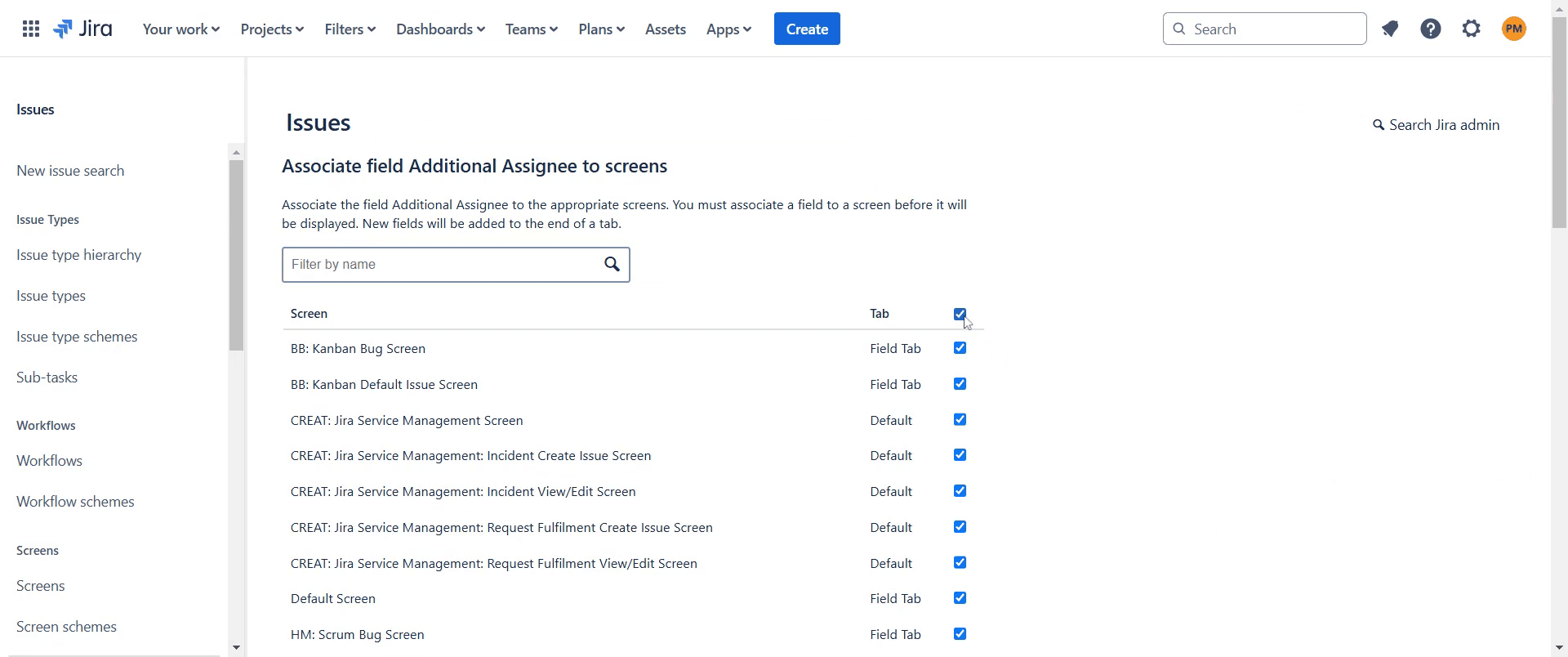
Step 10
Look for the "Update" option and click on it.
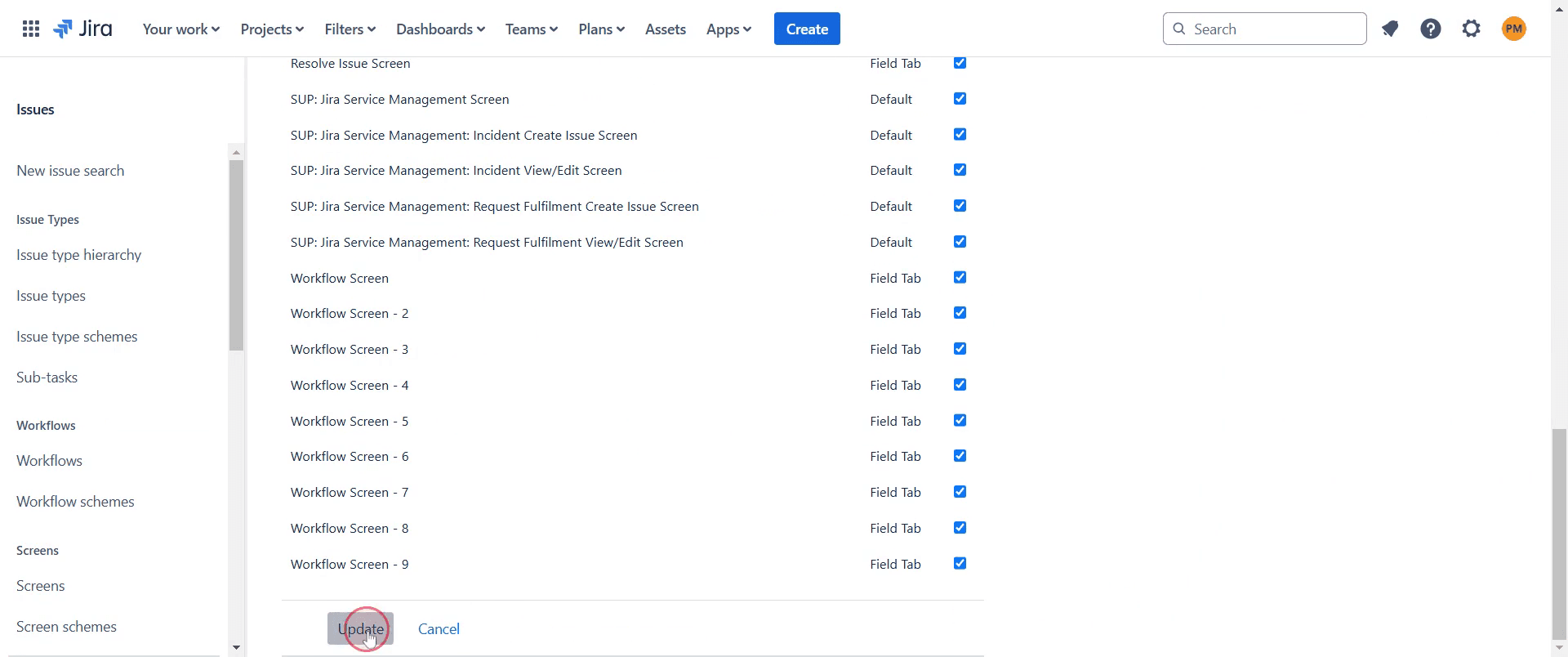
Step 11
Then, navigate to the projects where you intend to apply the changes.
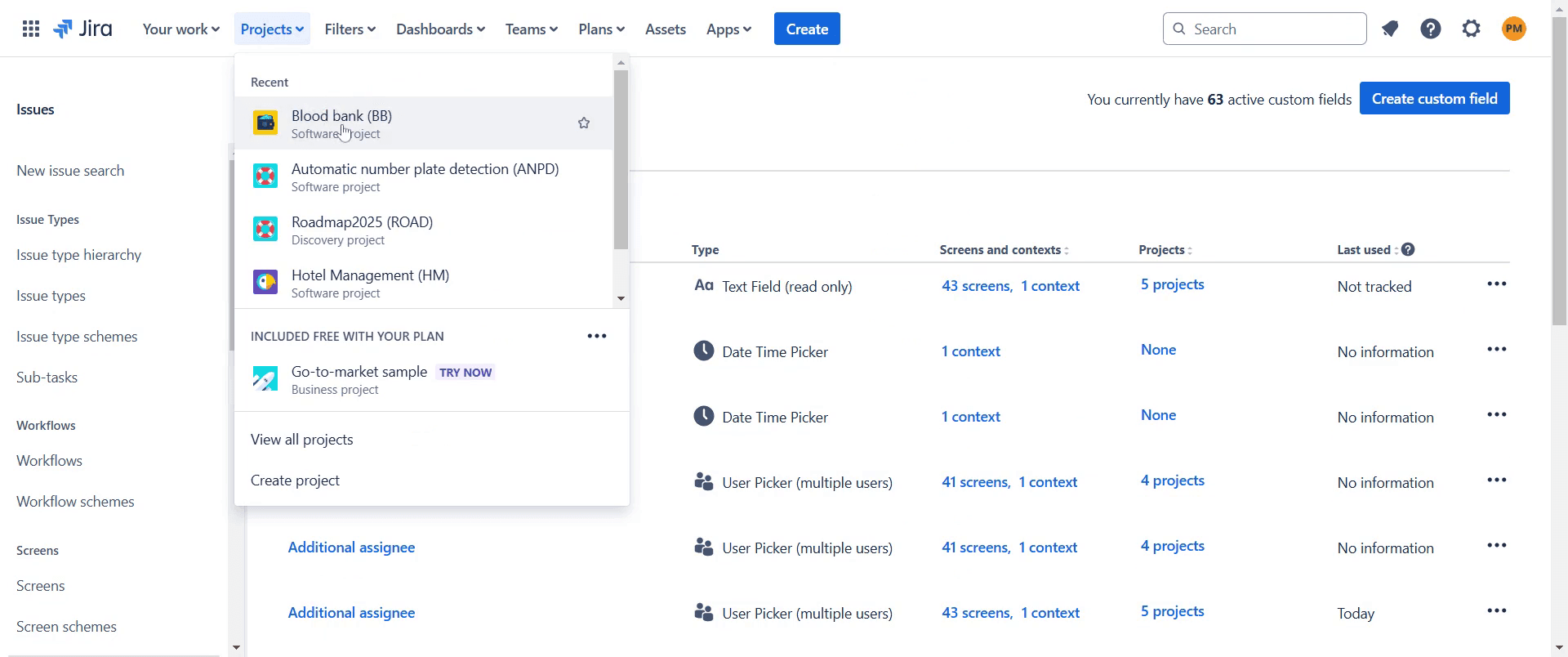
Step 12
Click on the issue you want to modify.
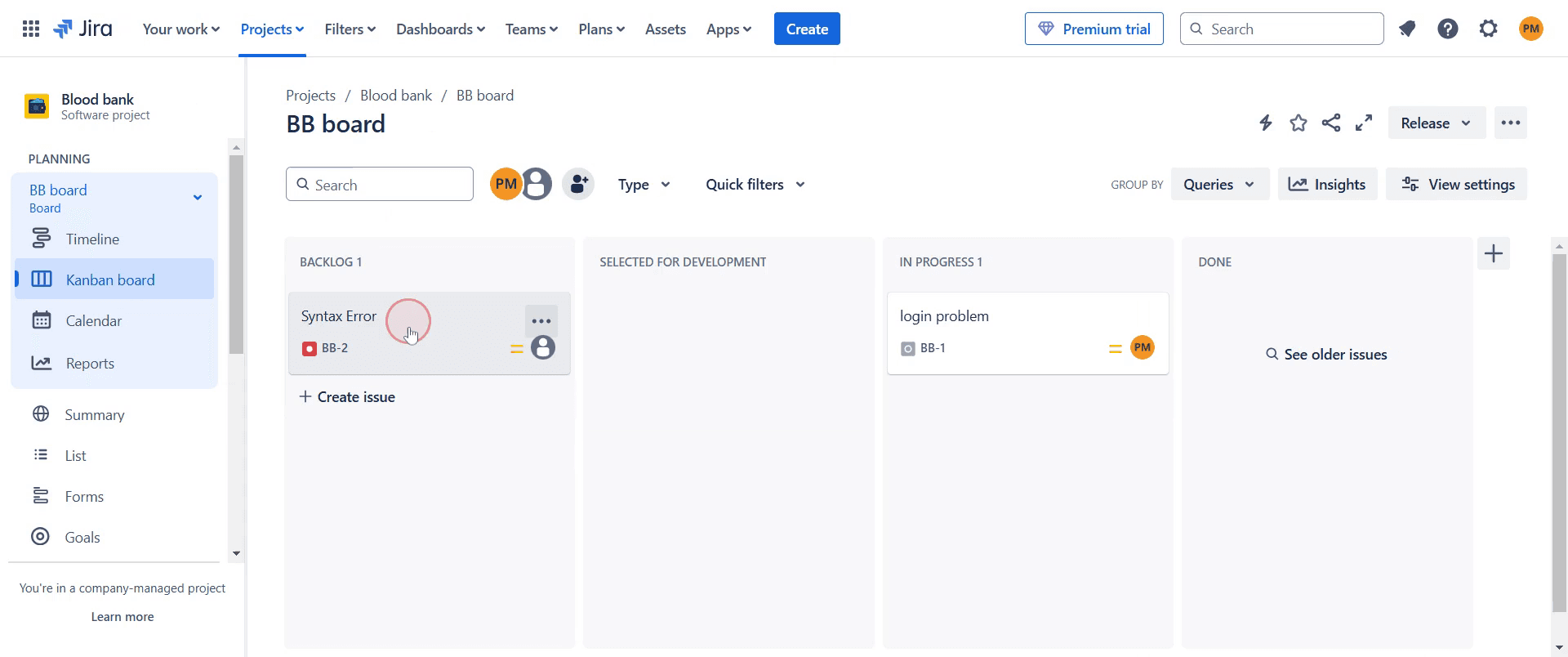
Step 13
In the issue details, look for the "Additional Assignee" option.
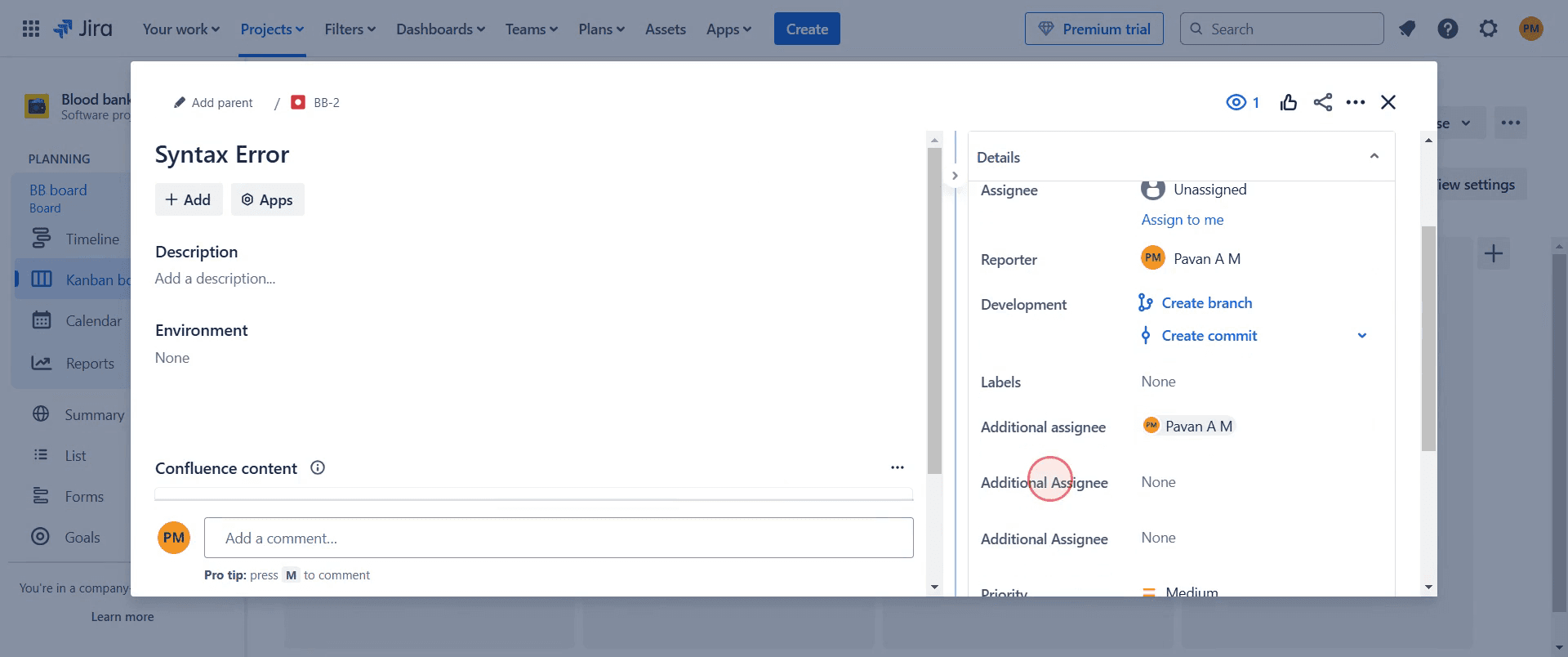
Step 14
Use the "Additional Assignee" option to assign the work to one or multiple team members as required.
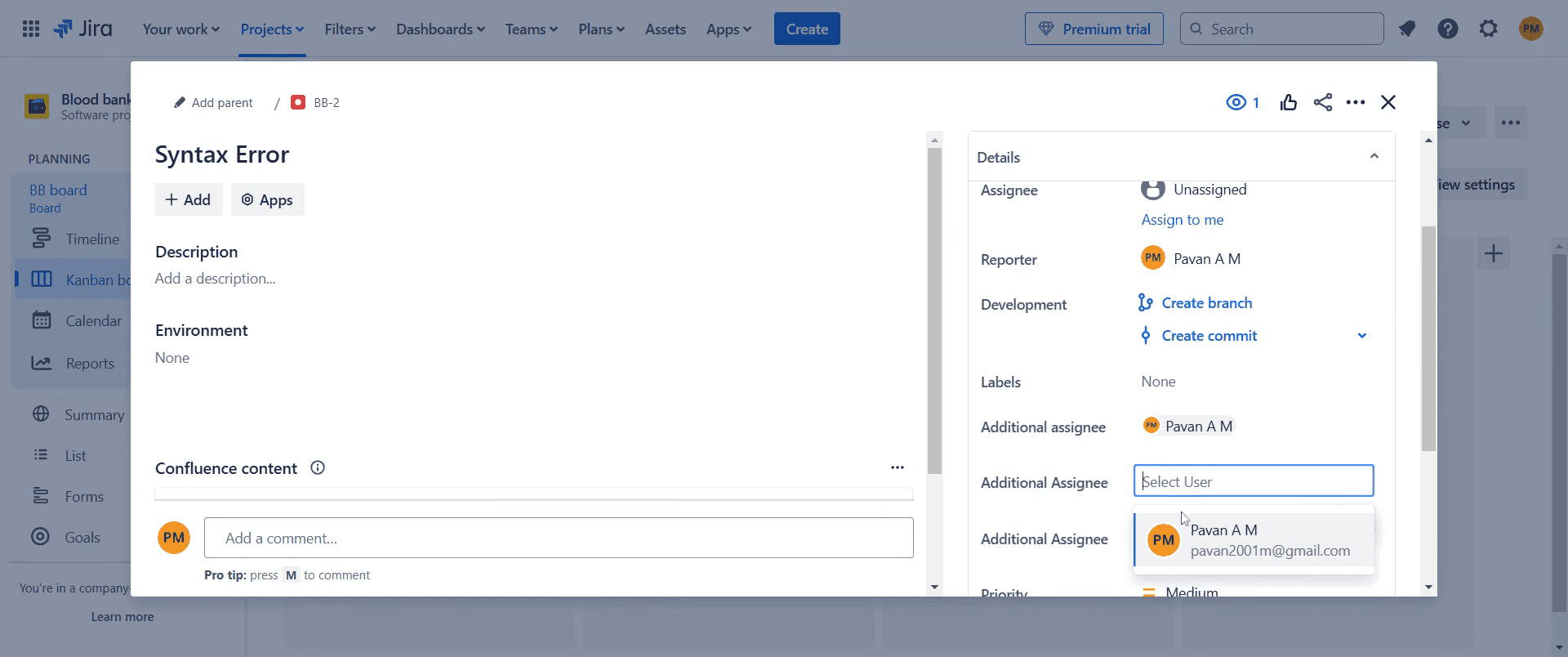
That's it. This is a step-by-step guide on how to add an additional assignee in Jira.
Pro-tips for adding an additional Assignee in Jira
Use the Assignable User permission to allow multiple users to be assigned to issues.
Leverage Jira plugins like Multi-Assignees for Jira to enable multiple assignees.
Use subtasks to break down work and assign specific parts to different team members.
Common pitfalls & how to avoid them while adding an additional Assignee in Jira
Default Jira settings Jira does not support multiple assignees by default; use plugins or workarounds.
Permission issues Ensure users have the Assignable User permission for the project.
Confusion in ownership Clearly define responsibilities when multiple users are assigned.
Common FAQs for adding an additional Assignee in Jira
How do I enable multiple assignees in Jira?
Install a plugin from the Atlassian Marketplace that supports multiple assignees, such as Multi-Assignees for Jira.What is an alternative to adding multiple assignees?
You can use components, labels, or watchers to involve multiple team members in an issue.Can I change the assignee settings in Jira?
Yes, you can configure permissions in Project Settings > Permissions to manage who can assign and be assigned issues.
If you're an instructor or content creator looking to make tutorial videos, give Trupeer.ai a try. It transforms rough screen recordings into polished, studio-style videos that are ready for sharing with your audience. Plus, it automatically generates a step-by-step guide based on the video you create. Fascinating, right? Start by creating your first tutorial for free with Trupeer.ai.

