
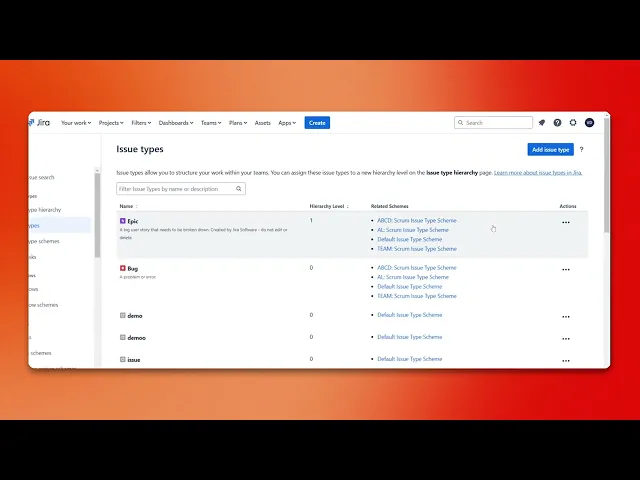
How To Add Initiatives In Jira
Learn how to efficiently add initiatives in Jira with our comprehensive guide. Boost your team's productivity and project organization today.
This process involves accessing Jira settings to create and configure a new issue type specifically for initiatives within your project. Follow these steps to ensure a successful setup and implementation.
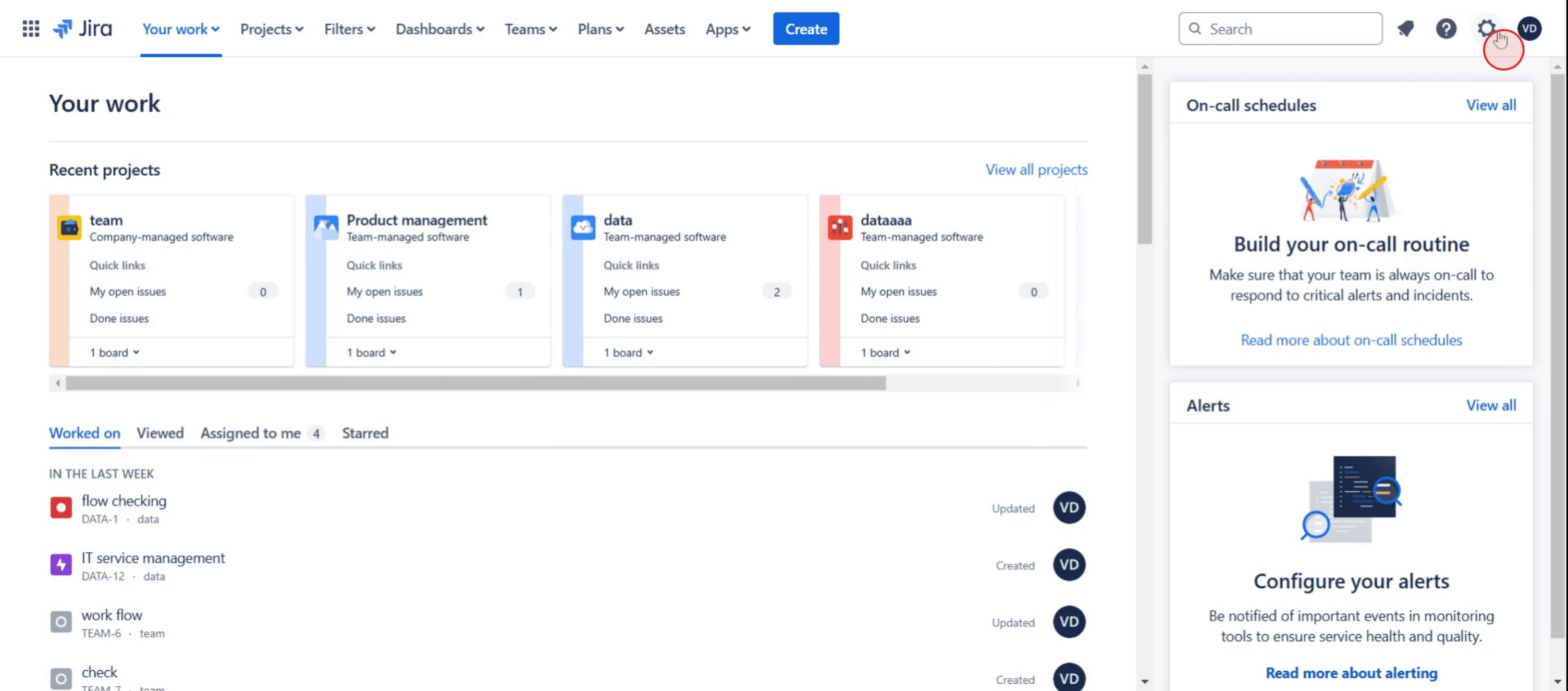
Step 1
Click on Settings option.
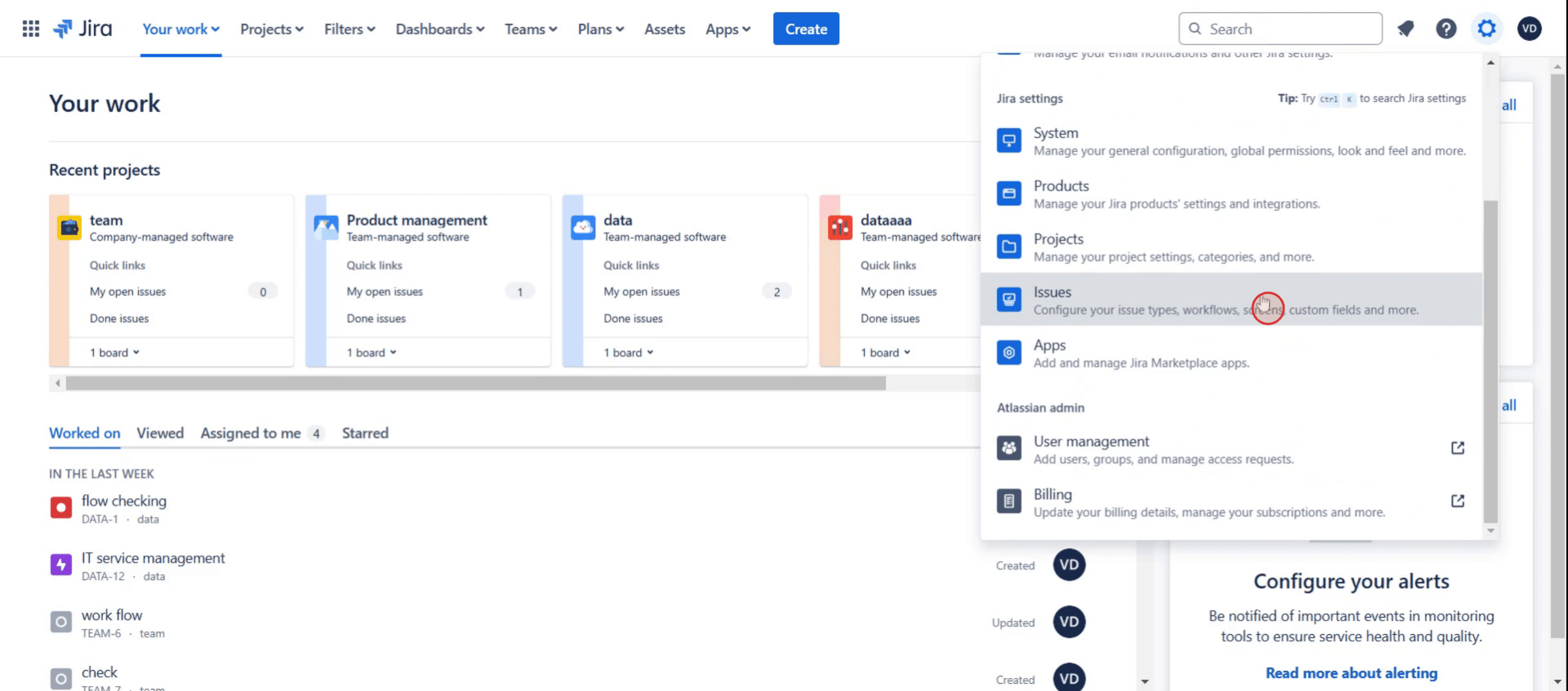
Step 2
Then click on issues section.
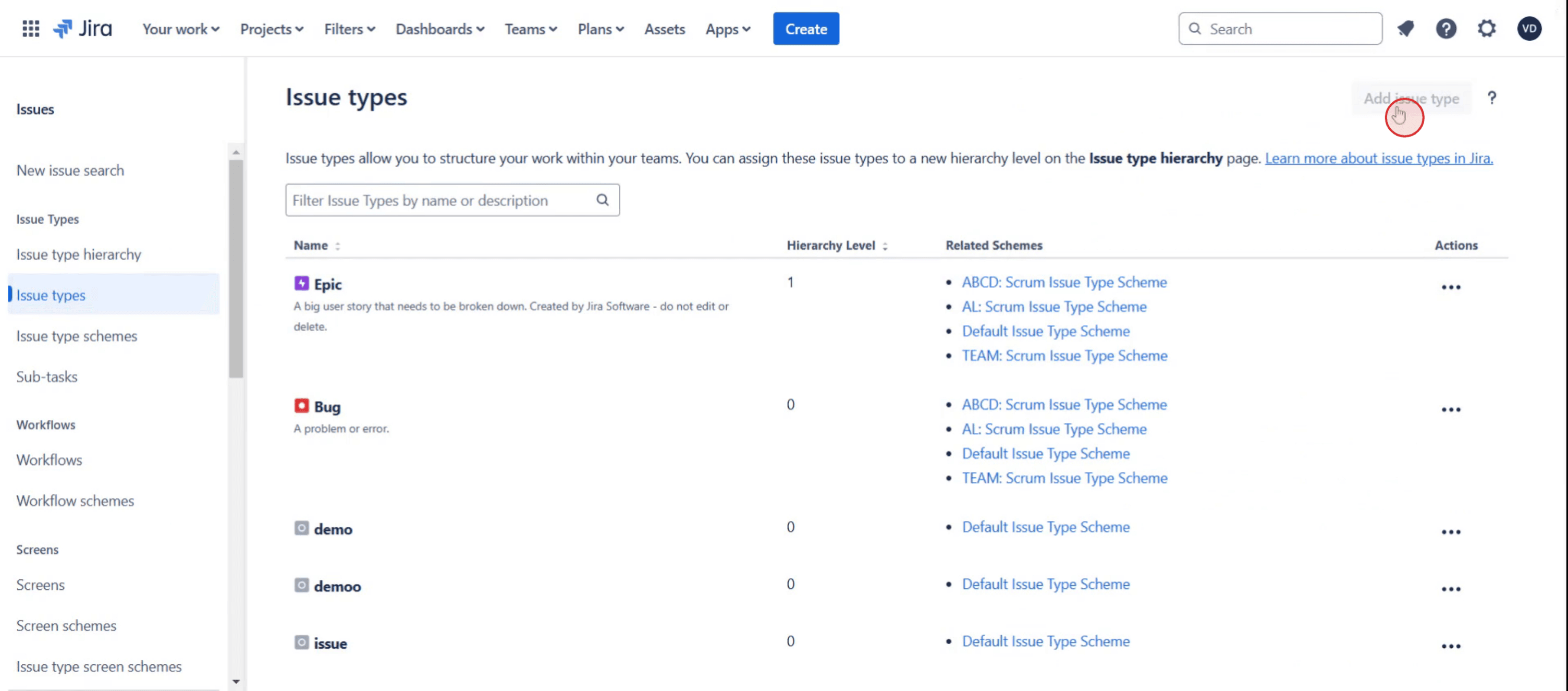
Step 3
Click on the add issue type.
Step 4
Enter name and description,
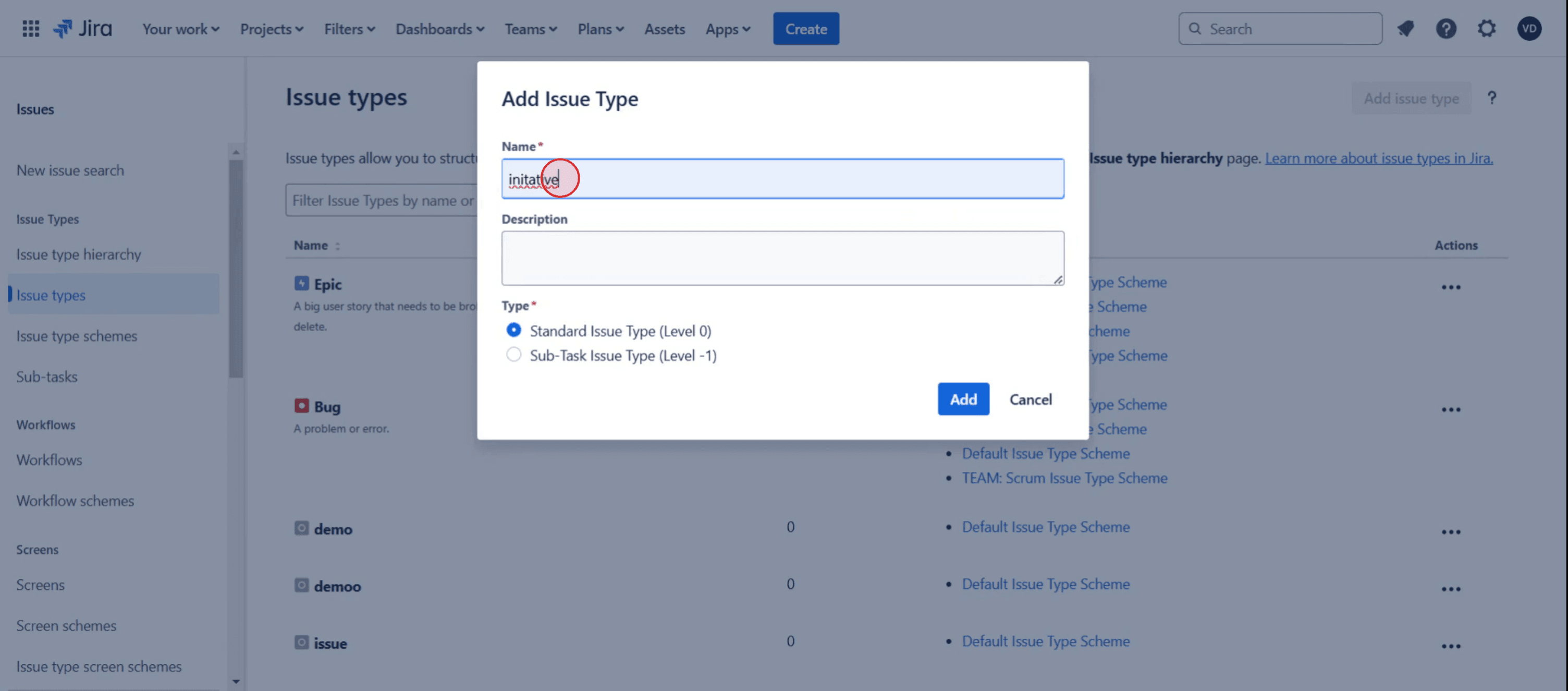
Step 5
Then click Add.
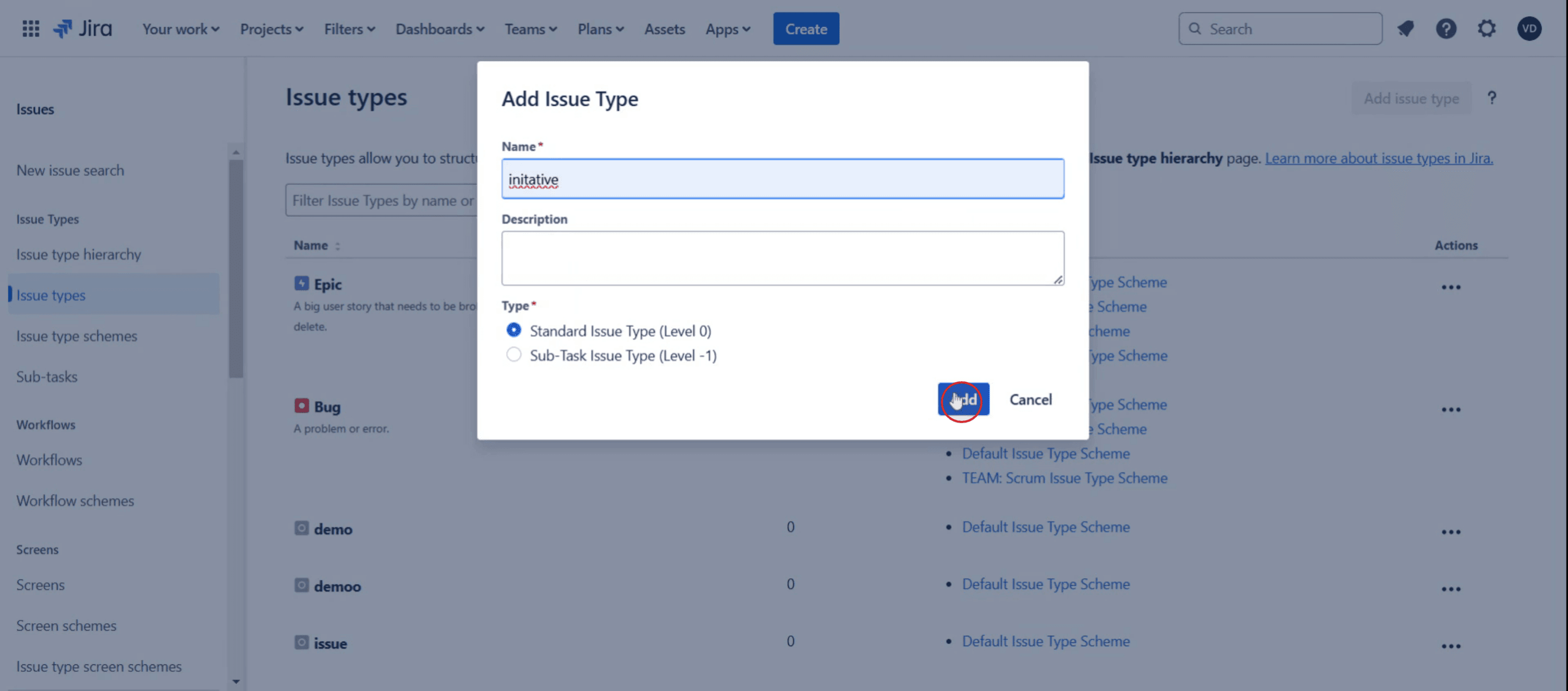
Step 6
Select the project,
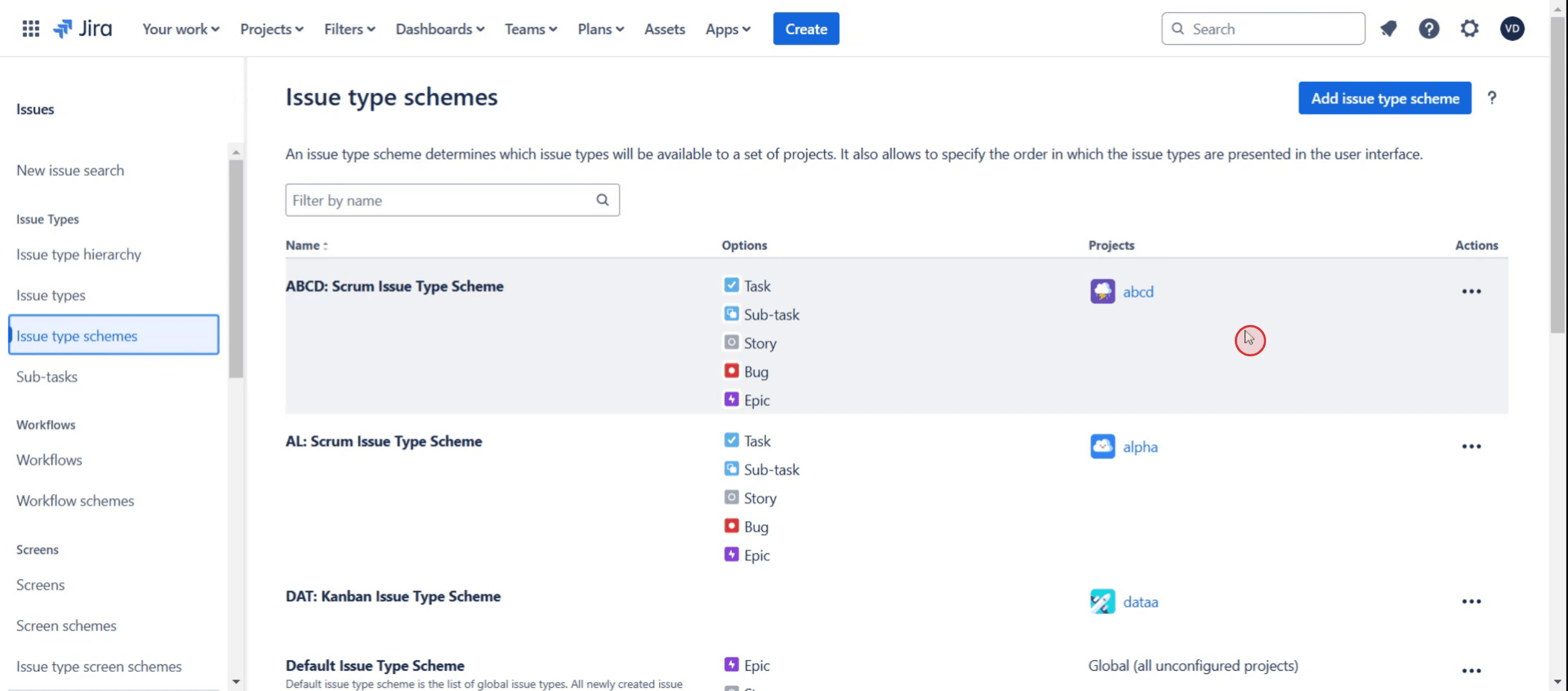
Step 7
Then click on three dots.
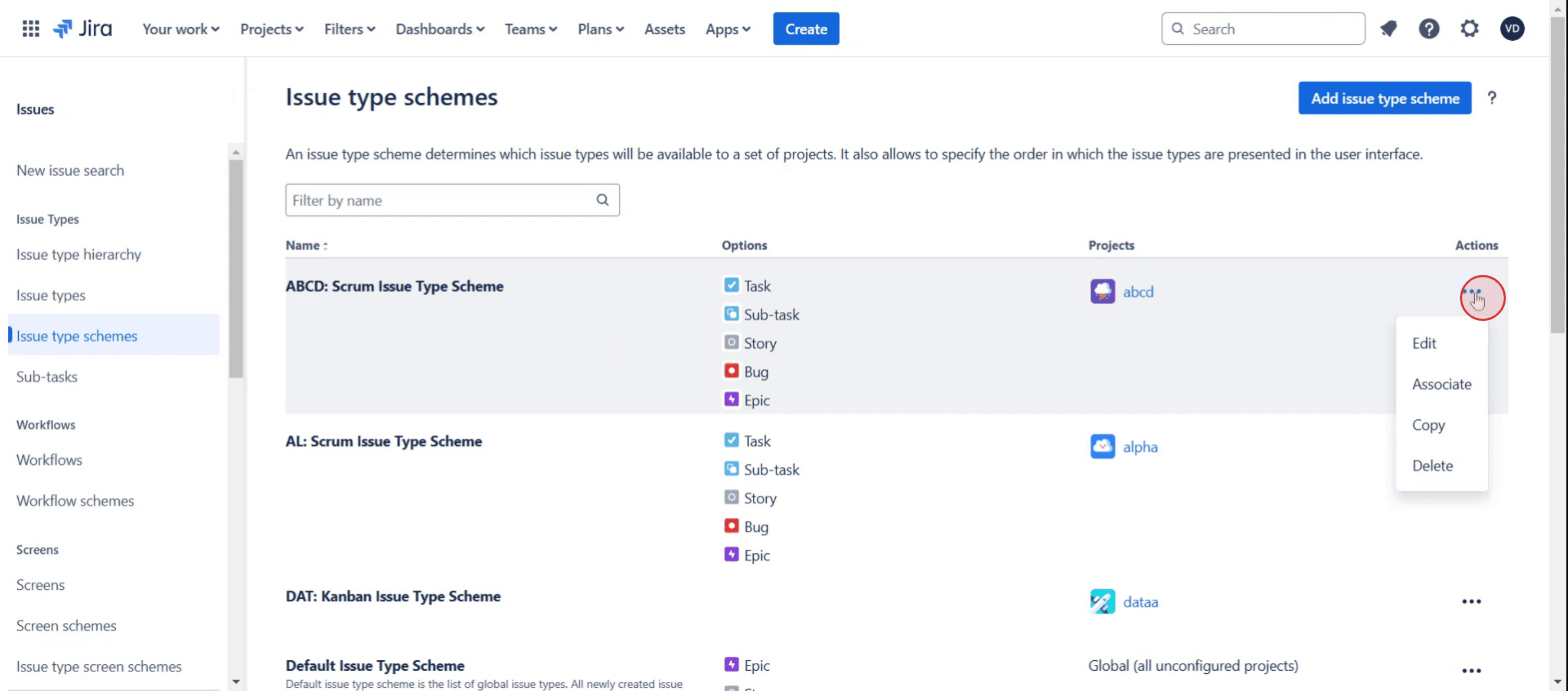
Step 8
And select Edit.
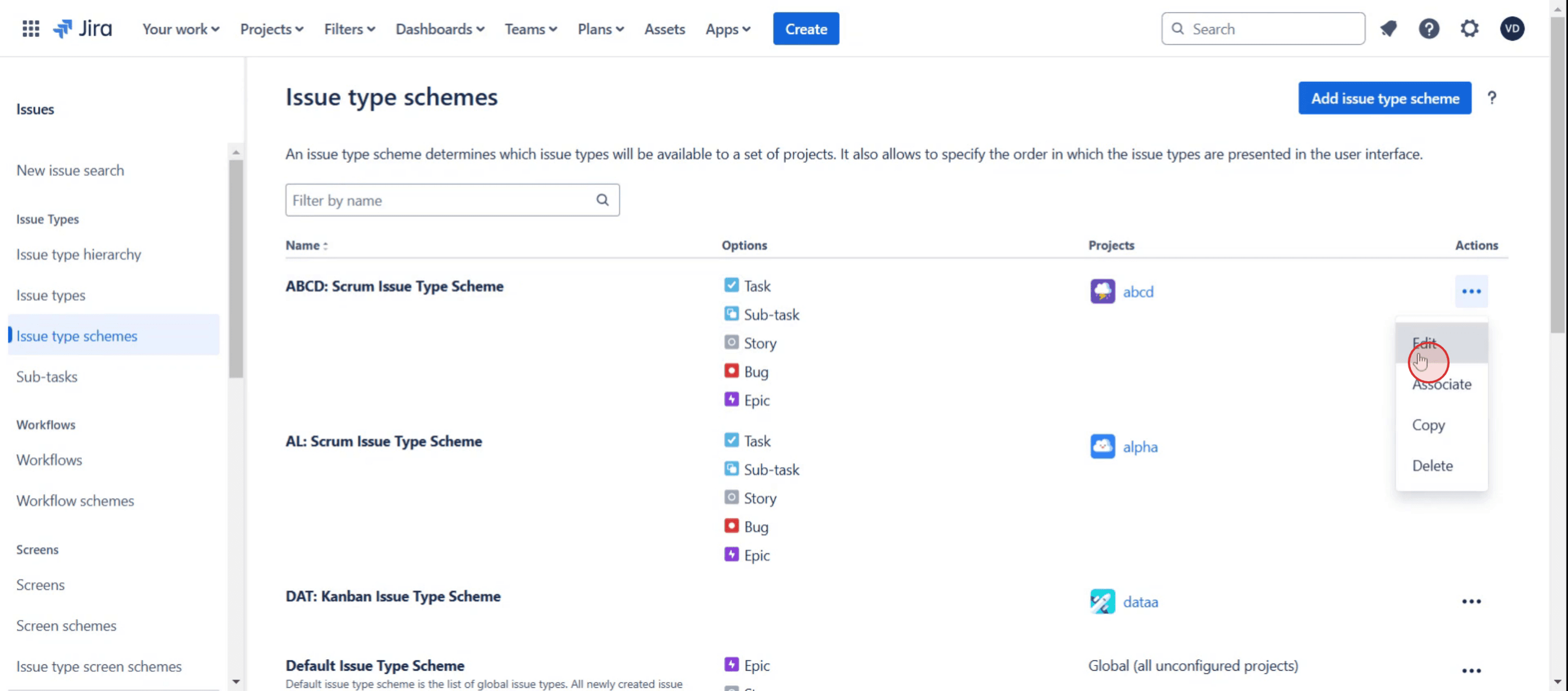
Step 9
Then locate initiative,
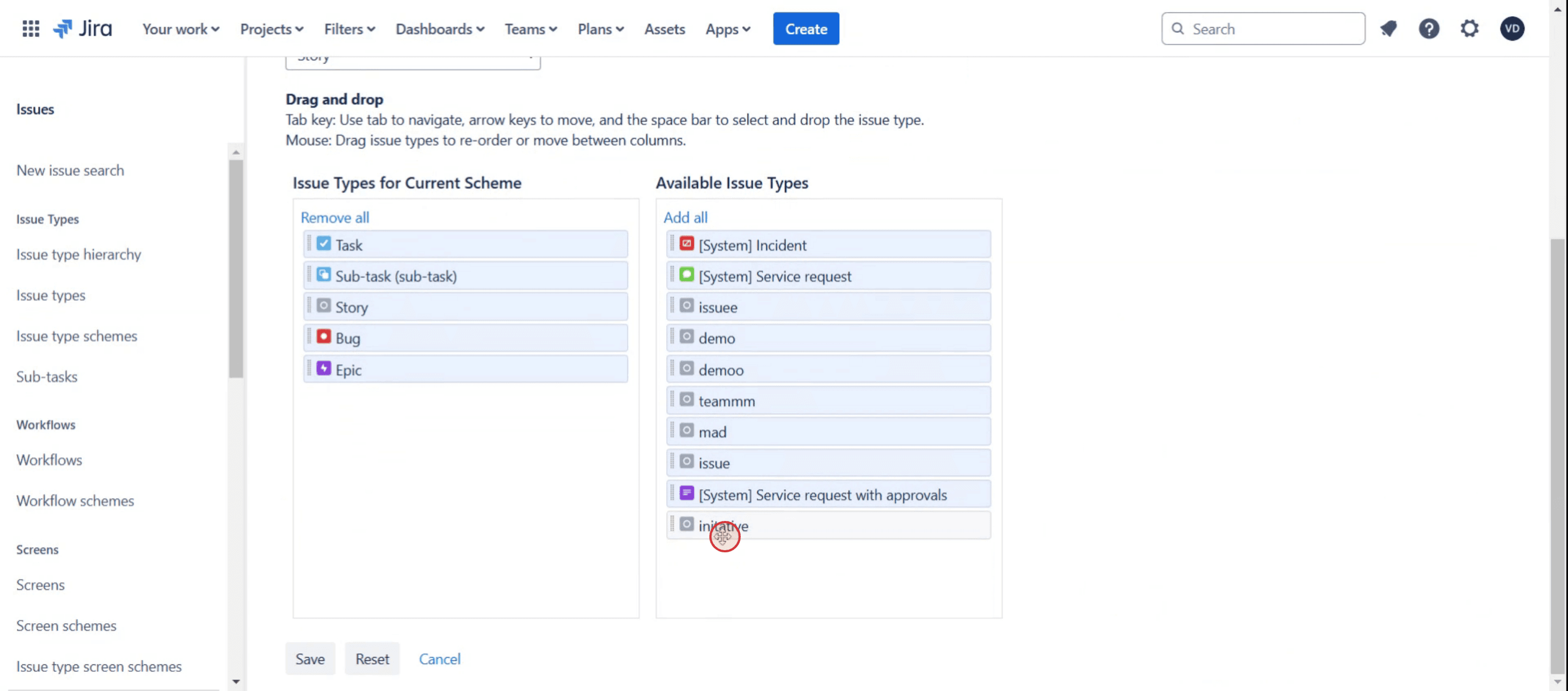
Step 10
And click on Add All option,
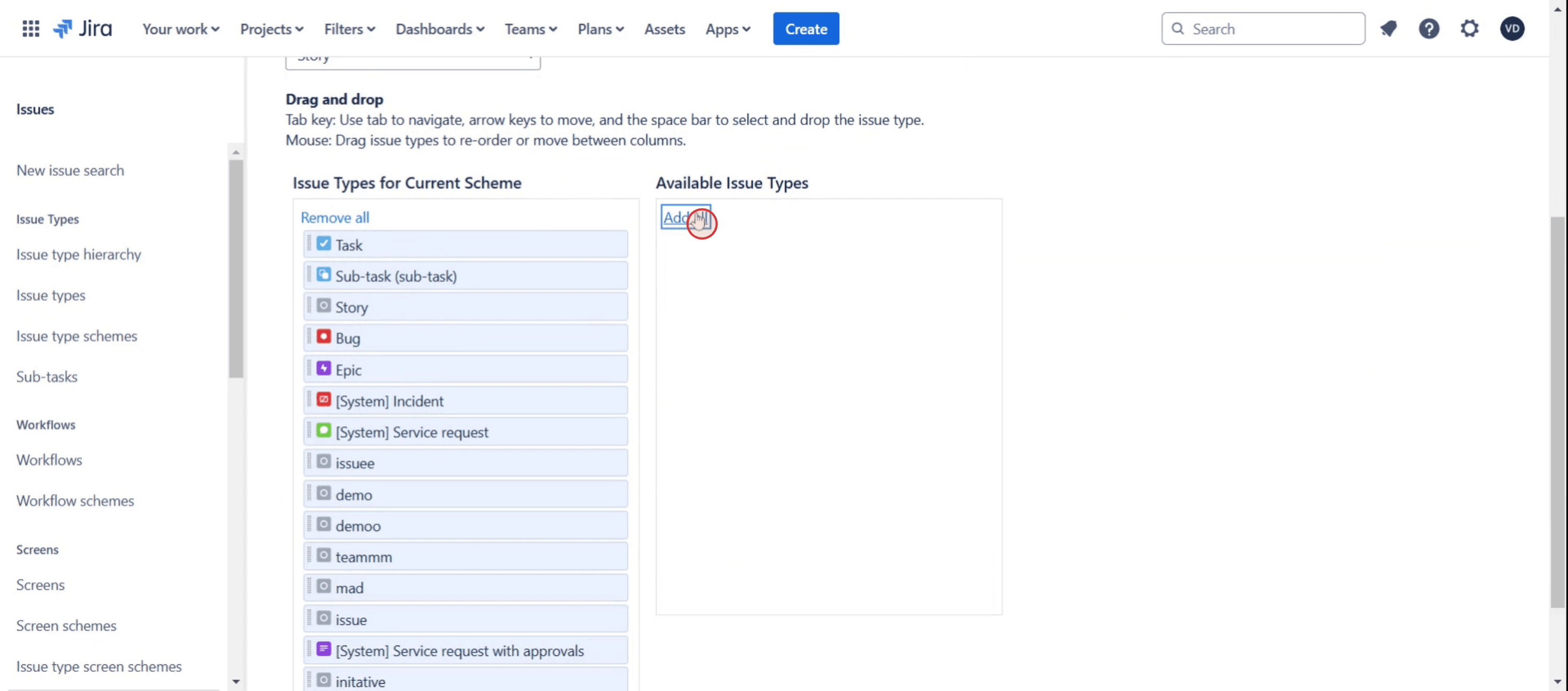
Step 11
Click on Save.
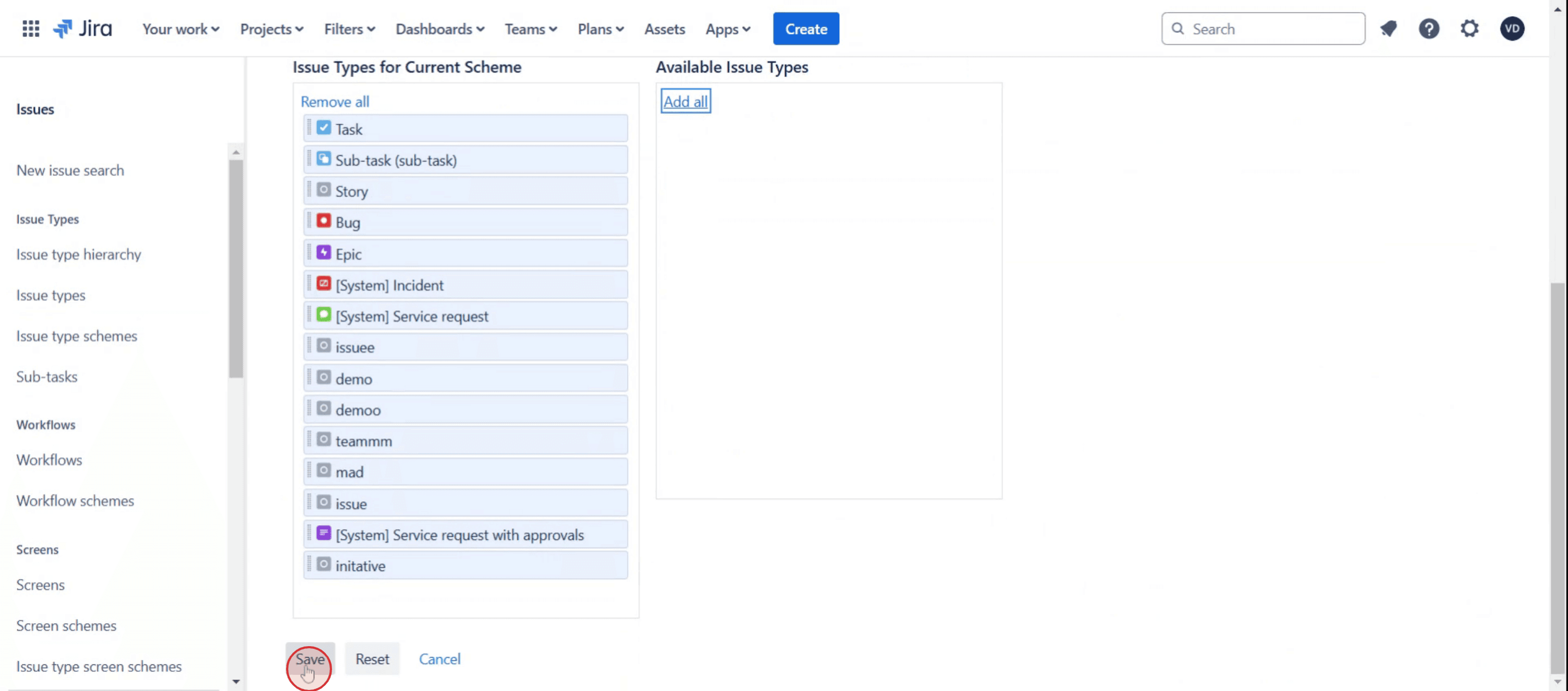
Step 12
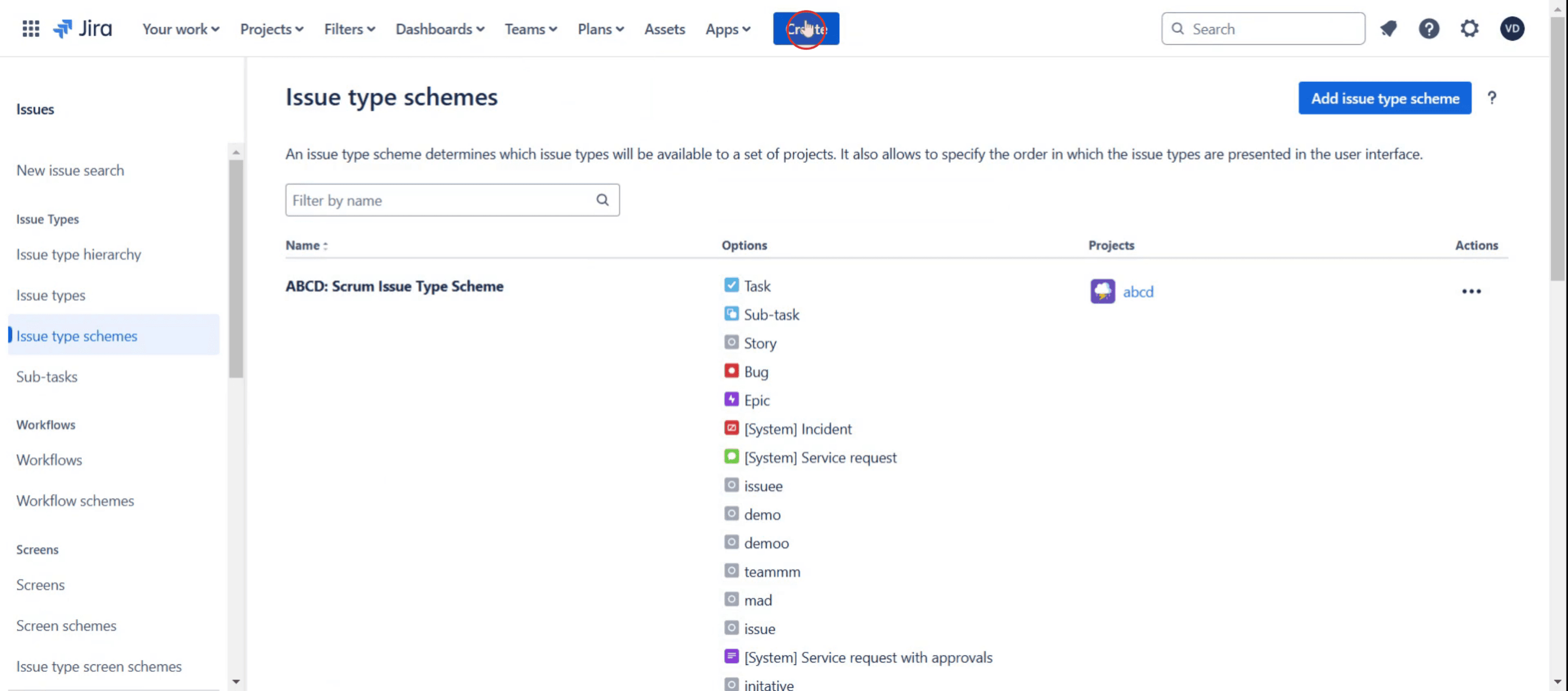
Then select Create.
Step 13
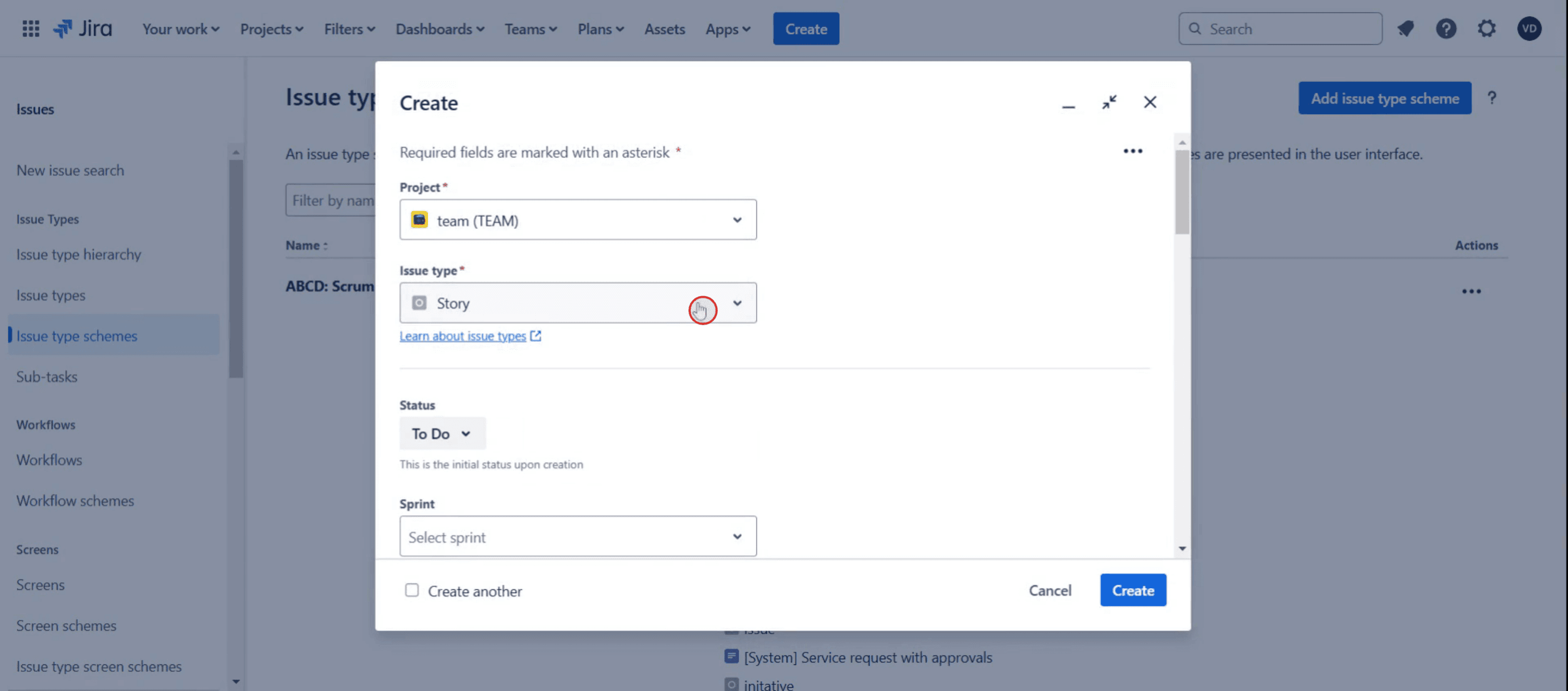
Then click on issue type.
This is the step-by-step process to add initiatives in Jira. Let’s look at some tips for it.
Pro-tips for adding initiatives in Jira
Use Jira Advanced Roadmaps for Hierarchical Structure – Jira does not support Initiatives by default, but you can enable them using Advanced Roadmaps (available in Jira Premium). This helps create a structured hierarchy where Initiatives contain Epics, which then break down into Stories and Tasks.
Create a Custom Issue Type for Initiatives – If you don’t have Jira Premium, manually create an Initiative issue type under Jira Settings > Issues > Issue Types > Add Issue Type.
Link Initiatives to Epics – To ensure a structured workflow, establish a parent-child relationship between Initiatives and Epics using the Issue Links feature or Advanced Roadmaps' Hierarchy Configuration.
Common pitfalls & how to avoid them
Not Enabling Hierarchy in Advanced Roadmaps – If you are using Jira Premium, make sure to configure Hierarchy Settings under Plans > Advanced Roadmaps > Hierarchy Configuration to enable Initiatives.
Not Linking Initiatives Properly to Epics – If Initiatives and Epics are not linked correctly, reporting and tracking will be difficult. Always use Issue Links or Parent-Child relationships in Advanced Roadmaps to maintain structure.
Common FAQs for adding initiatives in Jira
Can i add Initiatives without Jira Premium?
Yes, you can manually create an Initiative issue type and use Issue Links to associate them with Epics. However, you won’t get built-in hierarchy features like in Advanced Roadmaps.How do i link an Initiative to an Epic?
Open the Epic, click More Actions > Link Issue, and choose the Initiative as the parent issue. If using Advanced Roadmaps, ensure Initiatives are configured in Hierarchy Settings.Why are my Initiatives not showing on my Jira board?
Initiatives are typically not included in Scrum/Kanban boards by default. Update board filters to include"issue type = Initiative"or use Advanced Roadmaps for visualization.How do i track Initiative progress?
Use JQL filters to monitor active Initiatives, or create an Advanced Roadmaps plan to see real-time updates on linked Epics and Stories.
If you're an instructor or content creator looking to make tutorial videos, give a try. It transforms rough screen recordings into polished, studio-style videos that are ready for sharing with your audience. Plus, it automatically generates a step-by-step guide based on the video you create. Fascinating, right? Start by creating your first tutorial for free with trupeer.ai

