
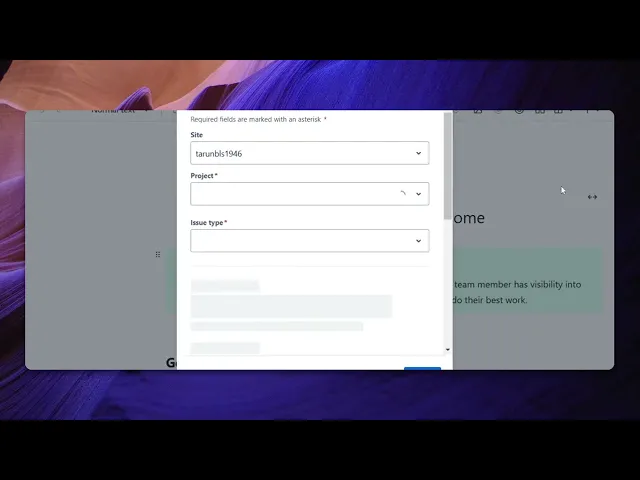
How To Add A Jira Link In Confluence
Discover the step-by-step process of adding a Jira link in Confluence. Enhance your project management experience with our comprehensive guide.
This document provides a concise guide on effectively using Jira in conjunction with Confluence. Follow these simple steps to create a Jira issue directly from Confluence, streamlining your project management workflow.
Step 1
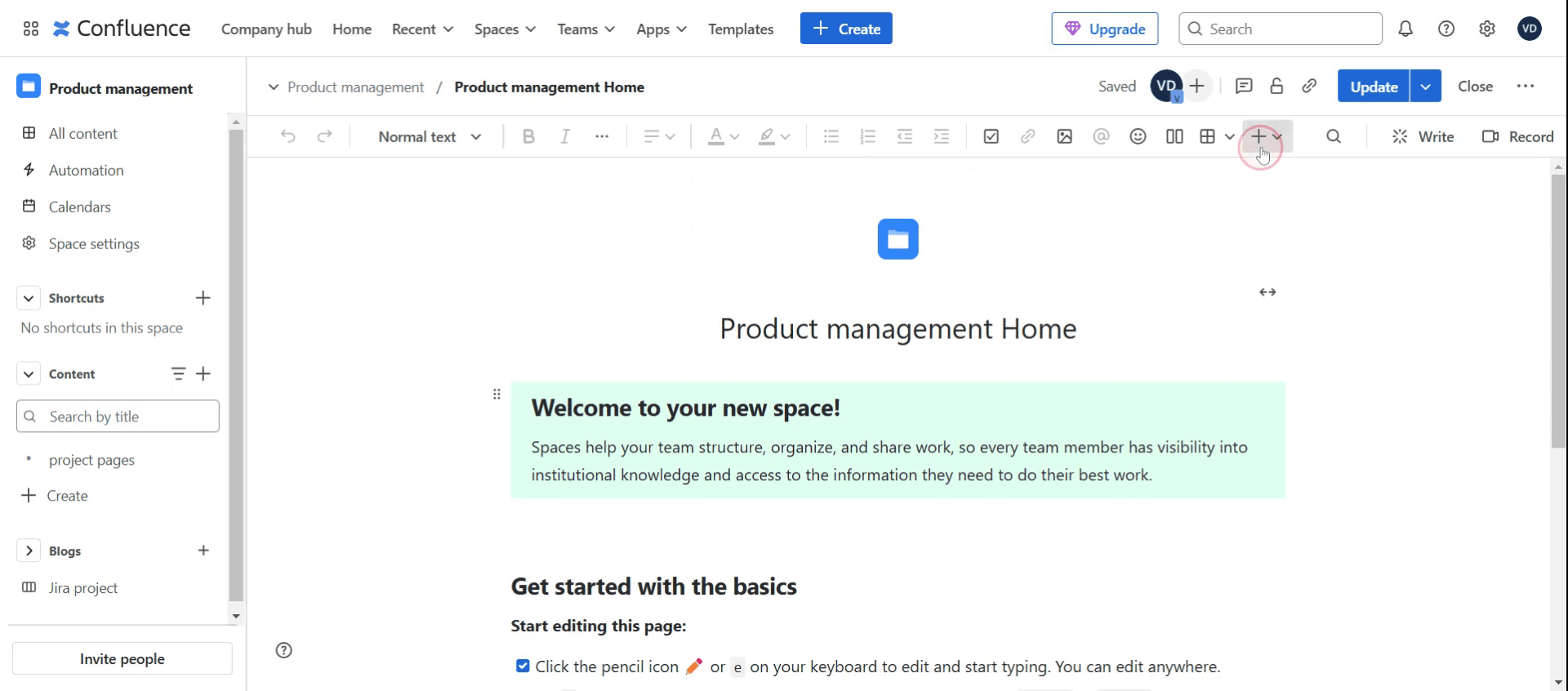
Click on the plus icon,
Step 2
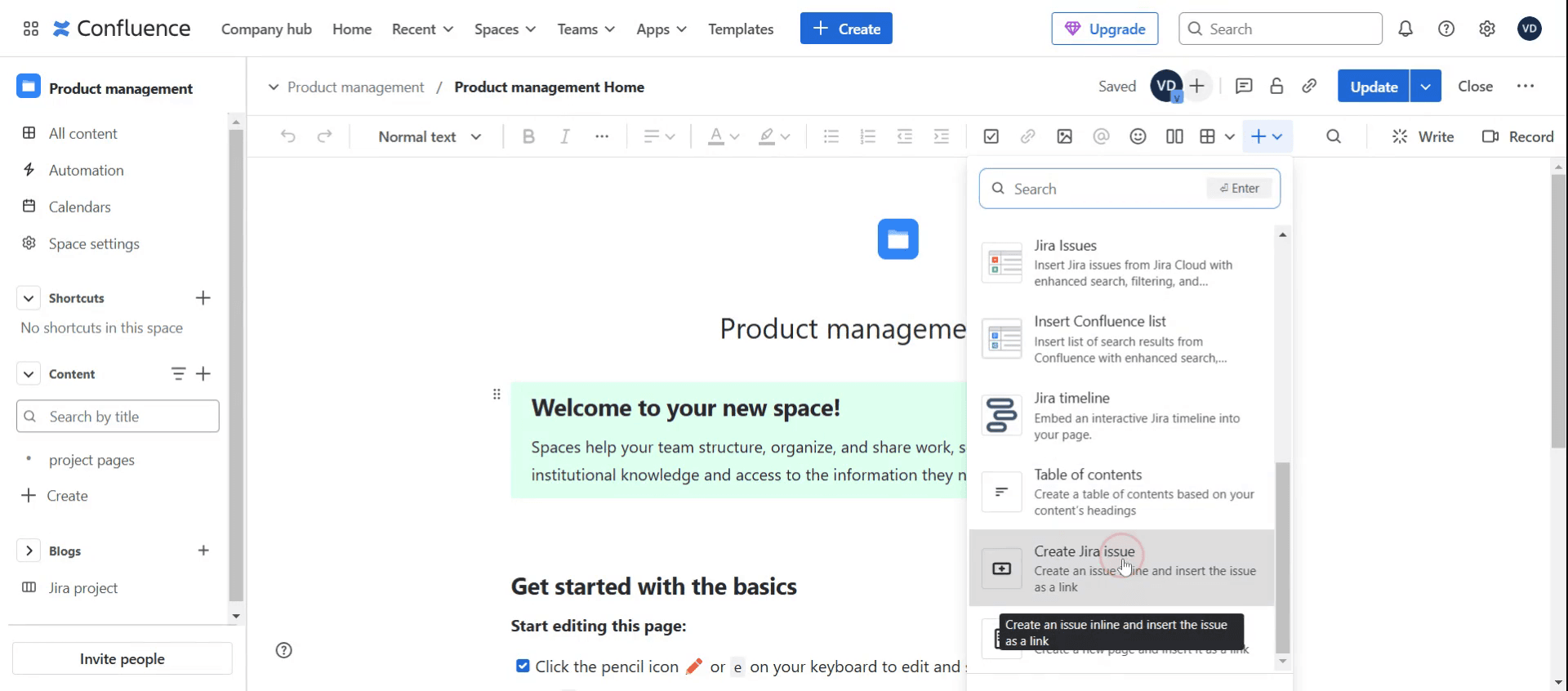
Select the Create Jira Issue option,
Step 3
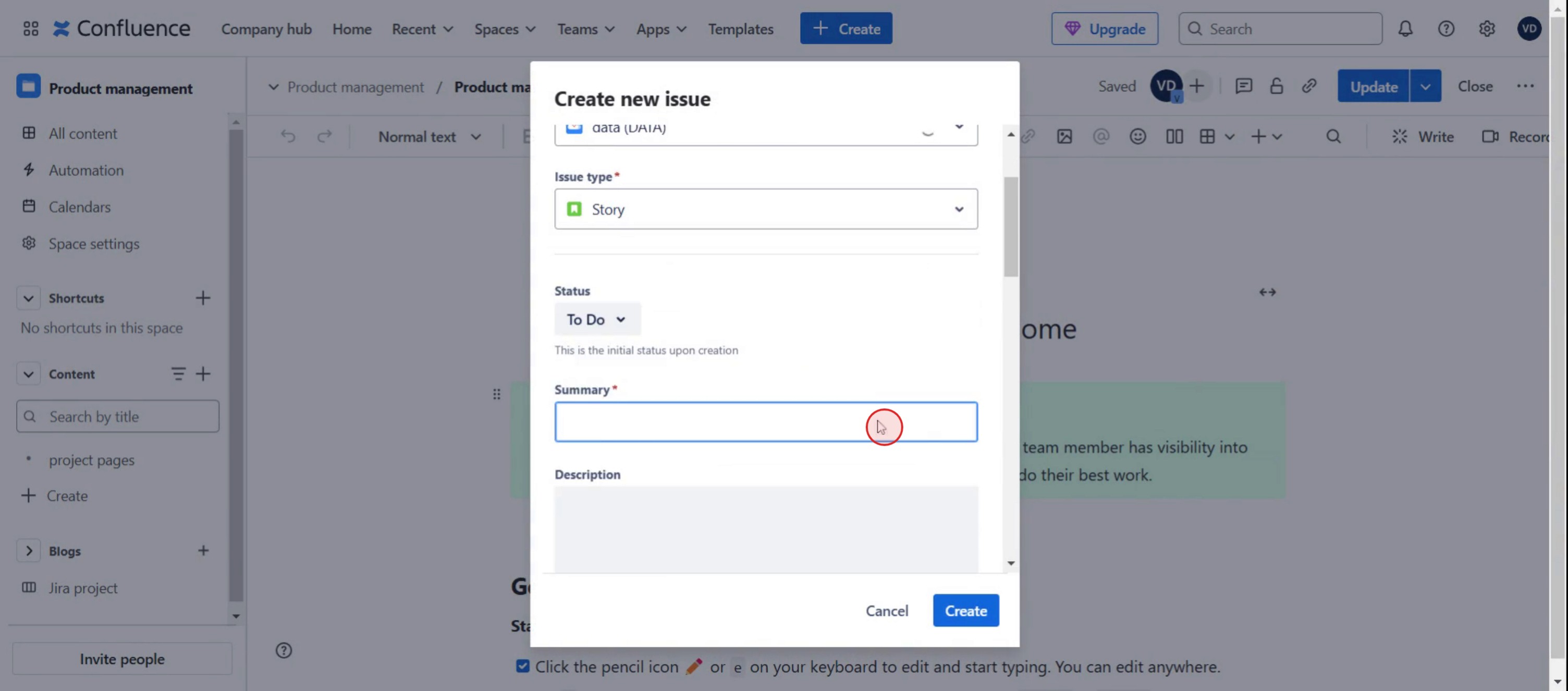
Enter the summary,
Step 4
Then click on create button.
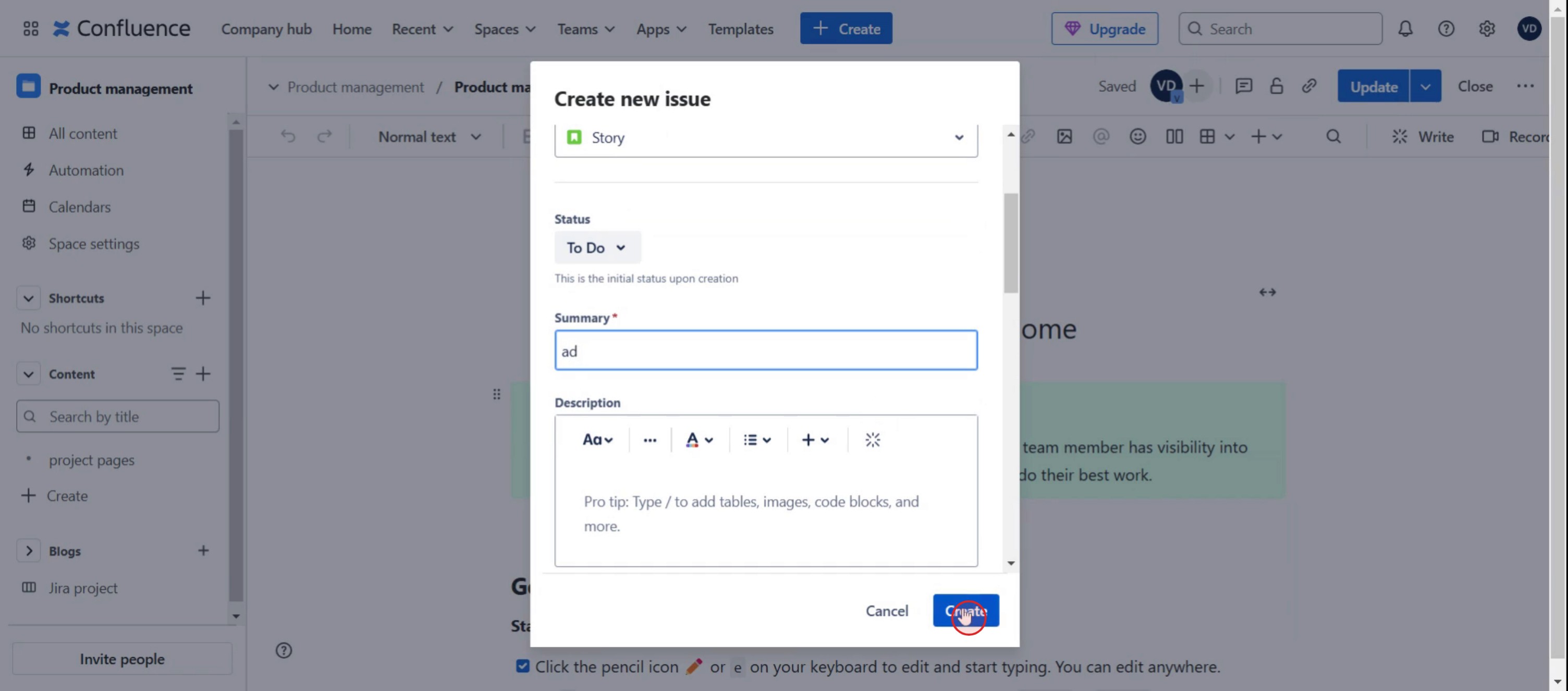
Here was our step by step guide that will help you to add a Jira link in confluence. Check a few tips from the below section.
Pro tips for adding a checklist in Jira
Use Jira add-ons like Issue Checklist for Jira or Smart Checklist to enable checklist functionality.
Create reusable checklist templates for recurring tasks to save time and maintain consistency.
Ensure your team understands how to update and track checklist progress within issues.
Common pitfalls & how to avoid them
Checklist not visible, confirm that a checklist app is installed and properly configured.
Team members forgetting to update checklists, set clear guidelines on marking items as complete.
Overloading checklists with too many items, keep them concise and actionable for better usability.
Common FAQs for adding a checklist in Jira
Can i create multiple checklists in one issue?
Yes, most checklist add-ons allow multiple checklists within a single Jira issue.Does Jira have a built-in checklist feature?
No, Jira does not have a native checklist feature, but you can add one using third-party plugins.Can i use checklists in Jira for Agile workflows?
Yes, checklists help track subtasks, acceptance criteria, and Definition of Done within Agile teams.Are Jira checklists available in all Jira plans?
Checklist functionality depends on the add-on used, but most are available in Jira Cloud, Server, and Data Center.
If you're an instructor or content creator looking to make tutorial videos, give a try. It transforms rough screen recordings into polished, studio-style videos that are ready for sharing with your audience. Plus, it automatically generates a step-by-step guide based on the video you create. Fascinating, right? Start by creating your first tutorial for free with trupeer.ai .

