
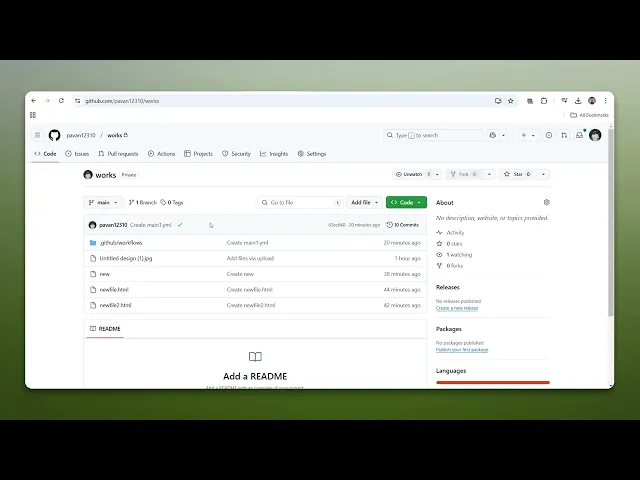
How To Copy Files From GitHub
Discover the essential steps to efficiently copy files from GitHub. Our comprehensive guide provides clear instructions for users of all skill levels.
This document outlines the process of coping files from GitHub, detailing each step required to efficiently retrieve a project's contents.
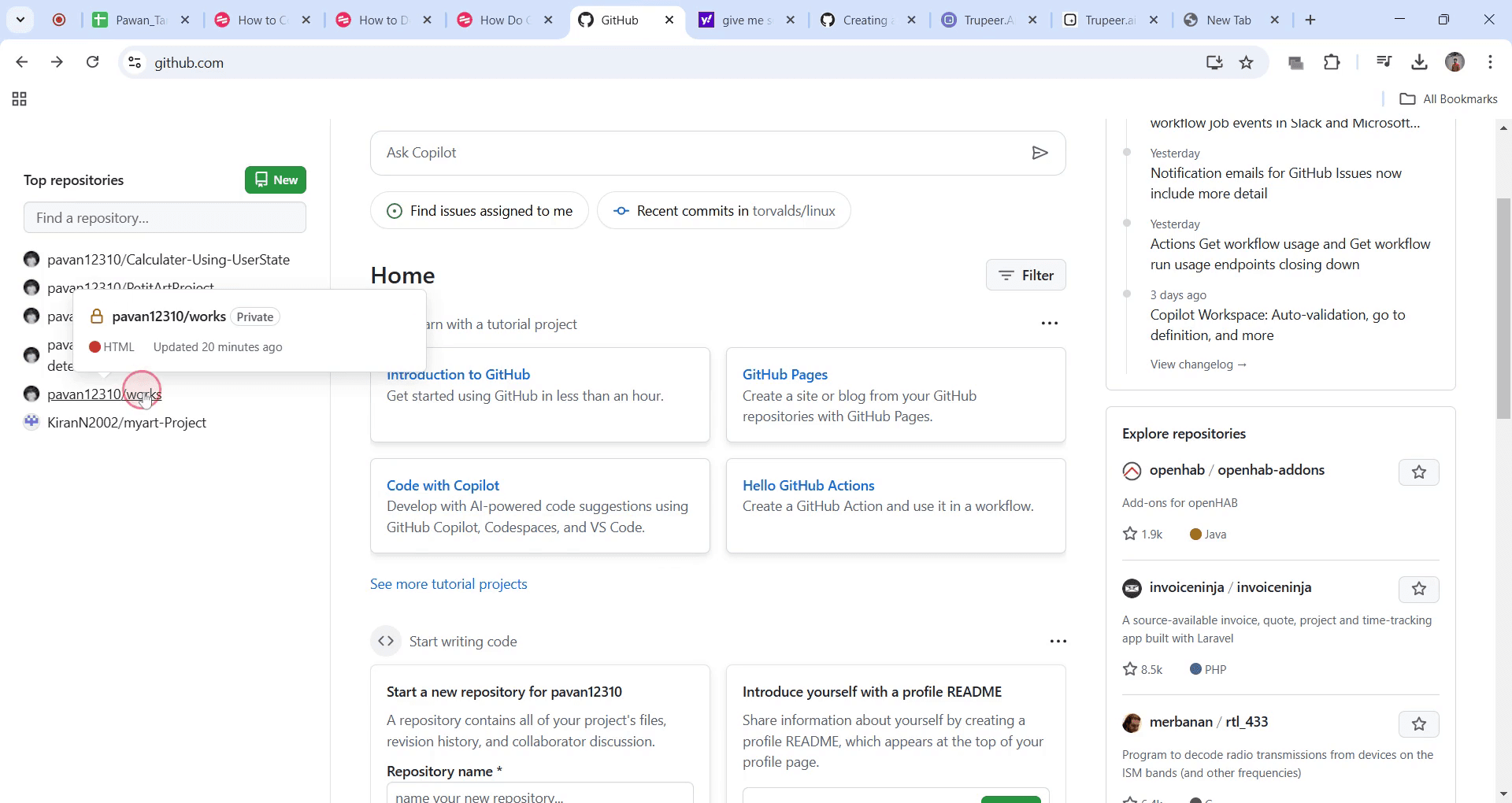
Step 1
Click on the desired repository to access it.
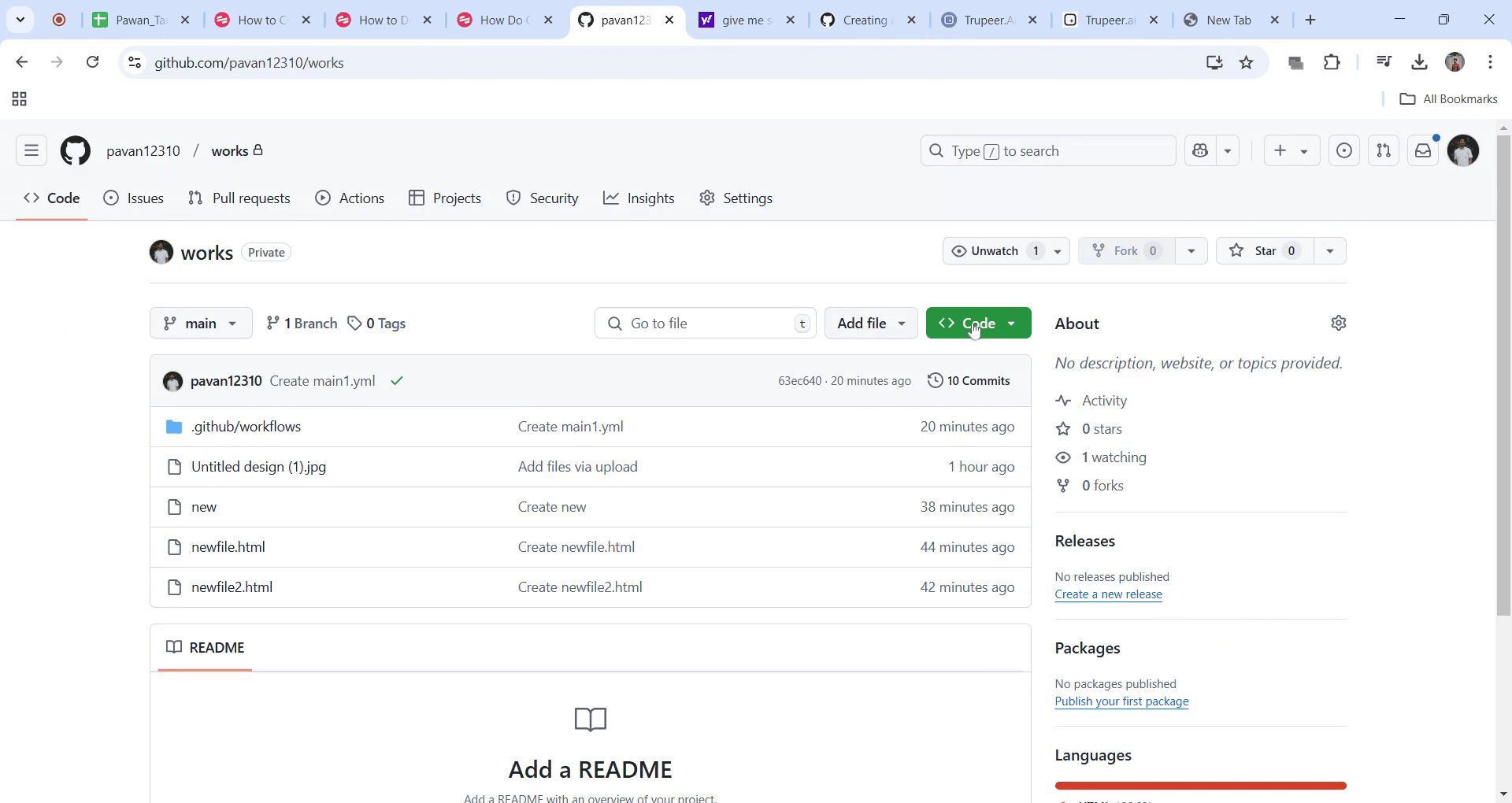
Step 2
locate the 'Code' button and select it.
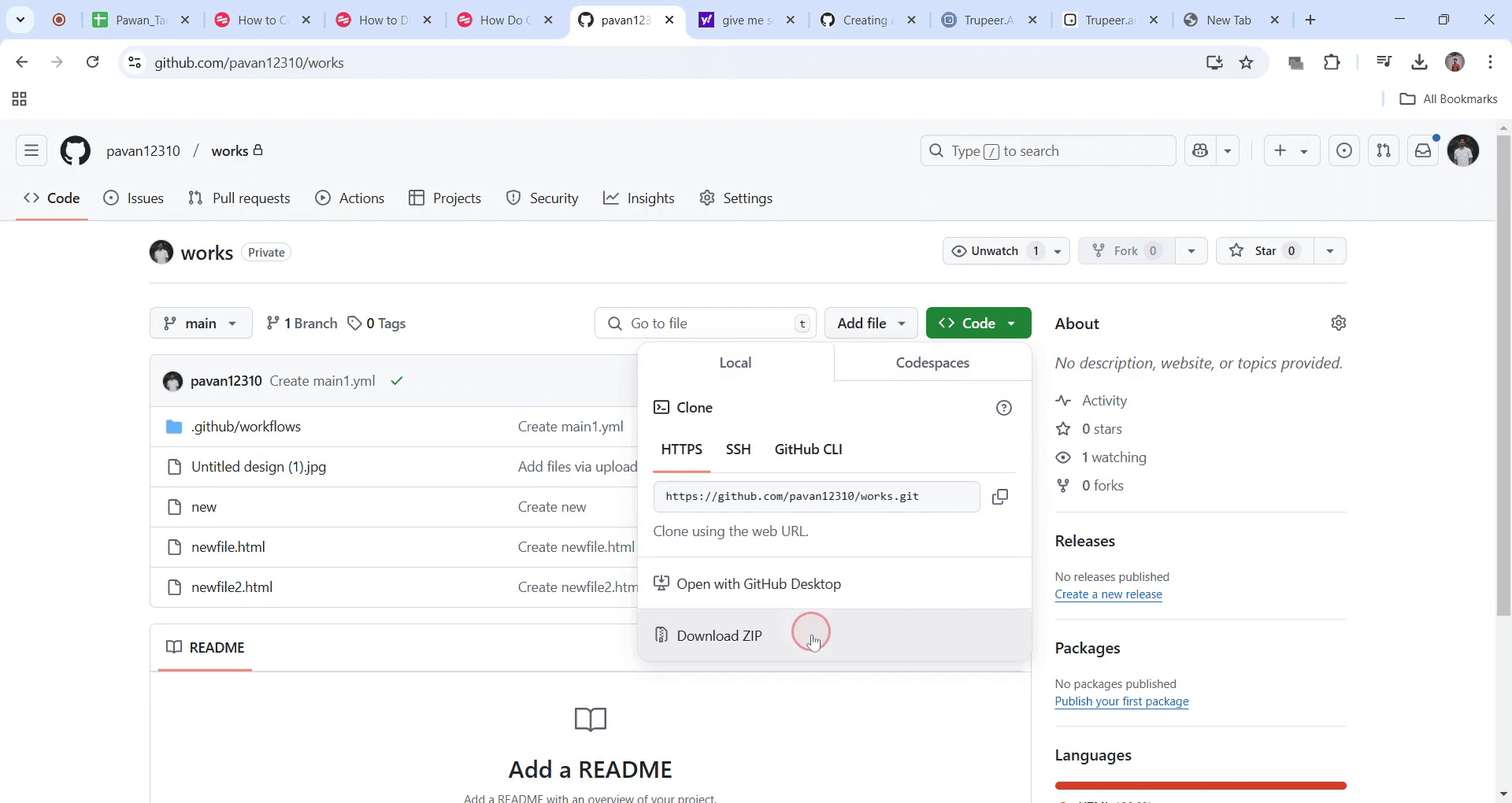
Step 3
Click on the 'Download ZIP' option.
This is a step-by-step guide on How to copy files from GitHub.
Pro-tips for copying files from GitHub
Use the Clone option to get the entire repository and all its files for easier future updates and management.
Copy individual files from a repository by clicking on the file, selecting the Raw button, and copying the contents.
For projects with multiple branches, ensure you're on the correct branch to copy files from the right version.
Common pitfalls & how to avoid them while copying files from GitHub
Forgetting to check if you’re on the correct branch always ensure you’re on the branch containing the files you want to copy.
Not using proper access permissions for private repositories make sure you have the necessary permissions before copying files from a private repository.
Copying raw files without preserving folder structure if you’re copying individual files, ensure you recreate the folder structure locally for better organization.
Common FAQs for copying files from GitHub
How do I copy an entire GitHub repository?
Click the Code button, select Download ZIP, or use the commandgit clone <repository URL>.Can I copy a single file from GitHub?
Yes, open the file, click Raw, then right-click and choose Save As.Can I copy files from a private GitHub repository?
Yes, but you need the correct permissions or authentication to access and download the files.How do I update copied files from GitHub?
If you cloned the repository, rungit pullto fetch the latest updates.
If you're an instructor or content creator looking to make tutorial videos, give Trupeer.ai a try. It transforms rough screen recordings into polished, studio-style videos that are ready for sharing with your audience. Plus, it automatically generates a step-by-step guide based on the video you create. Fascinating, right? Start by creating your first tutorial for free with Trupeer.ai.

