
How To Create A Miro Board
Discover the step-by-step guide on how to create a Miro board. Enhance your collaboration and brainstorming sessions with our expert tips and insights.
This document provides a proper guide on how to create a Miro board from scratch. Follow these steps to successfully set up your Miro board and utilize templates to match your specific needs.
Step 1
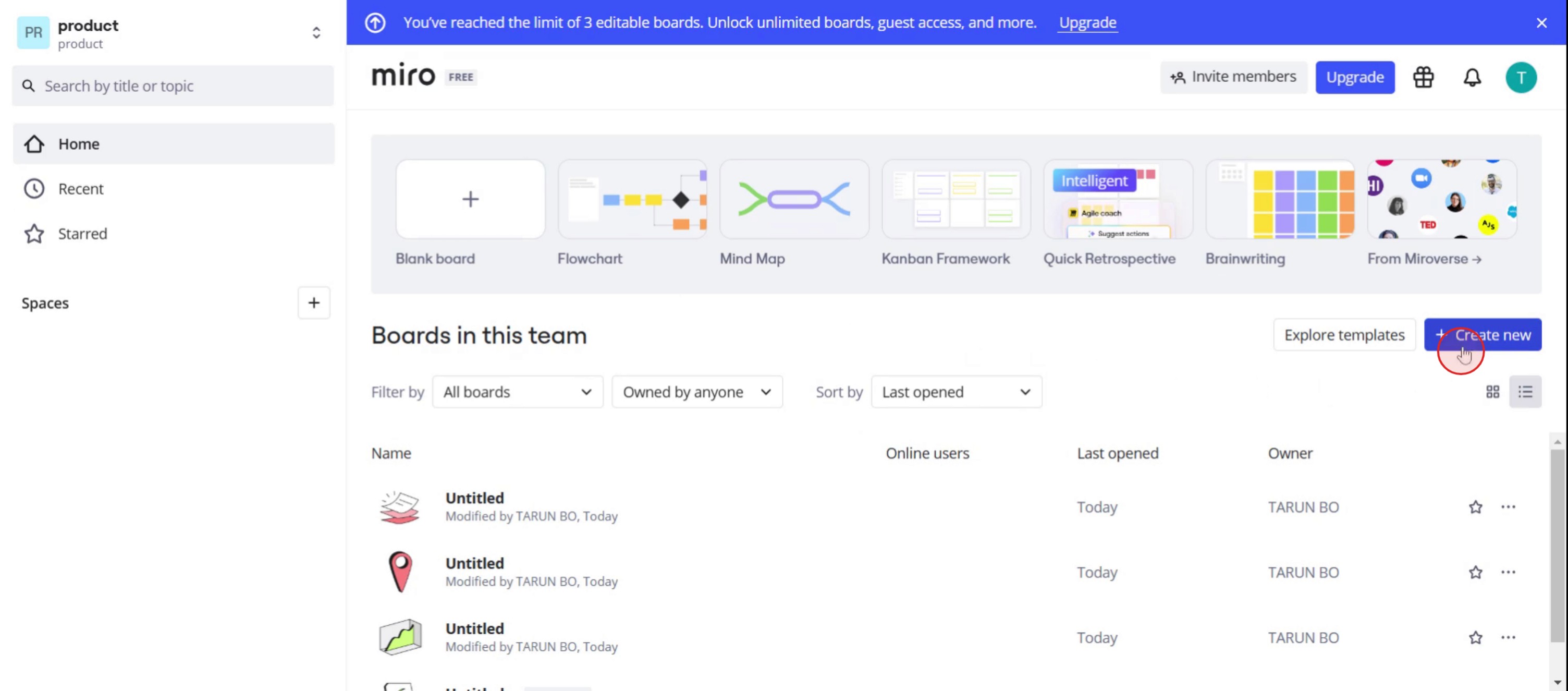
Click on the create new option.
Step 2
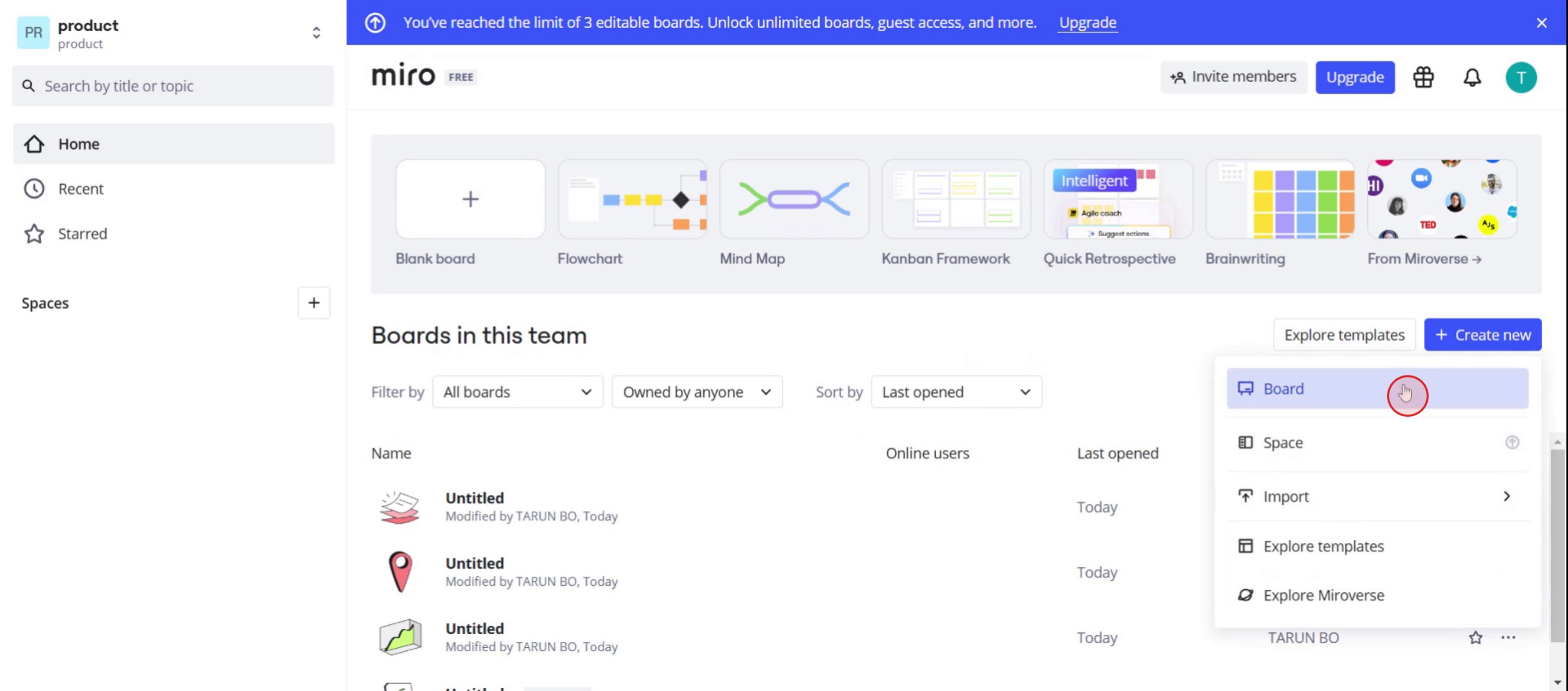
Then, choose the Board option.
Step 3
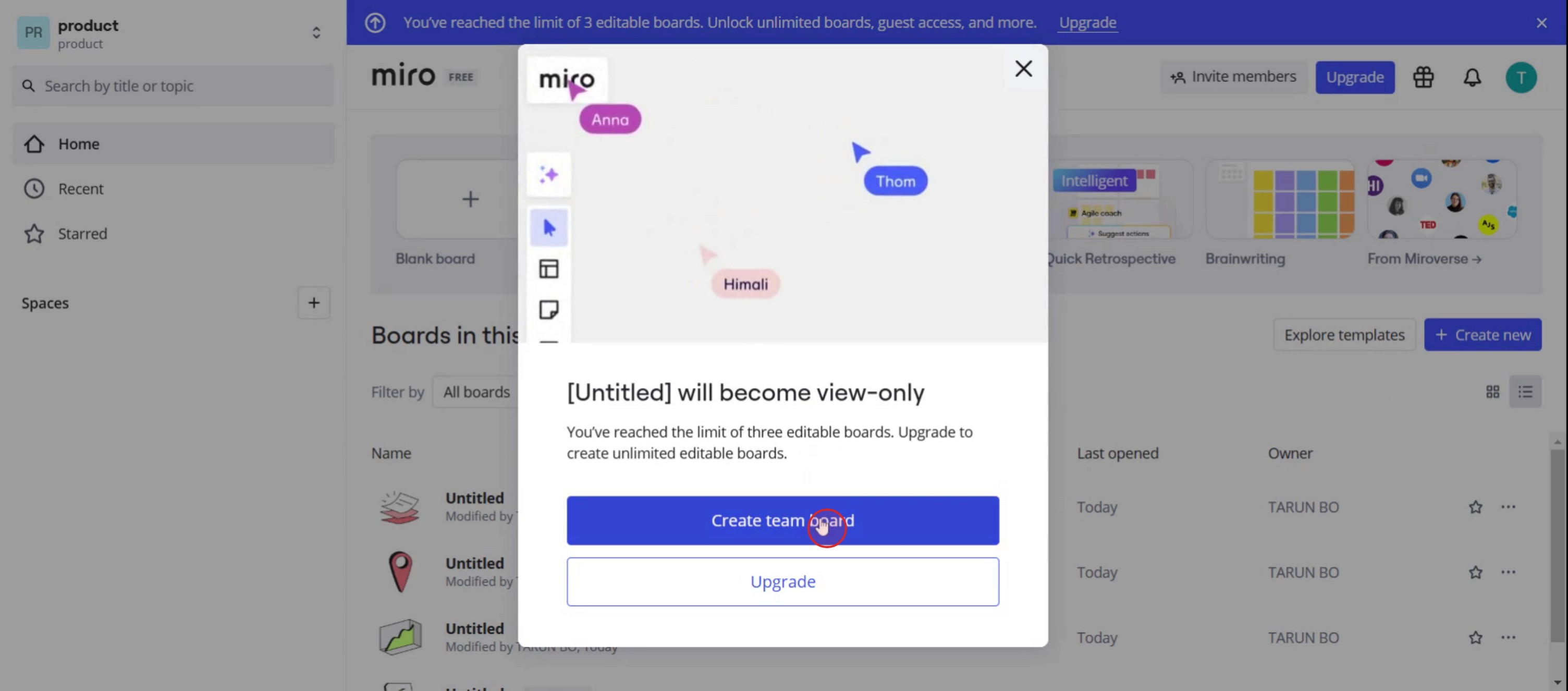
Select Create team Board.
Step 4
Click on the templates option.
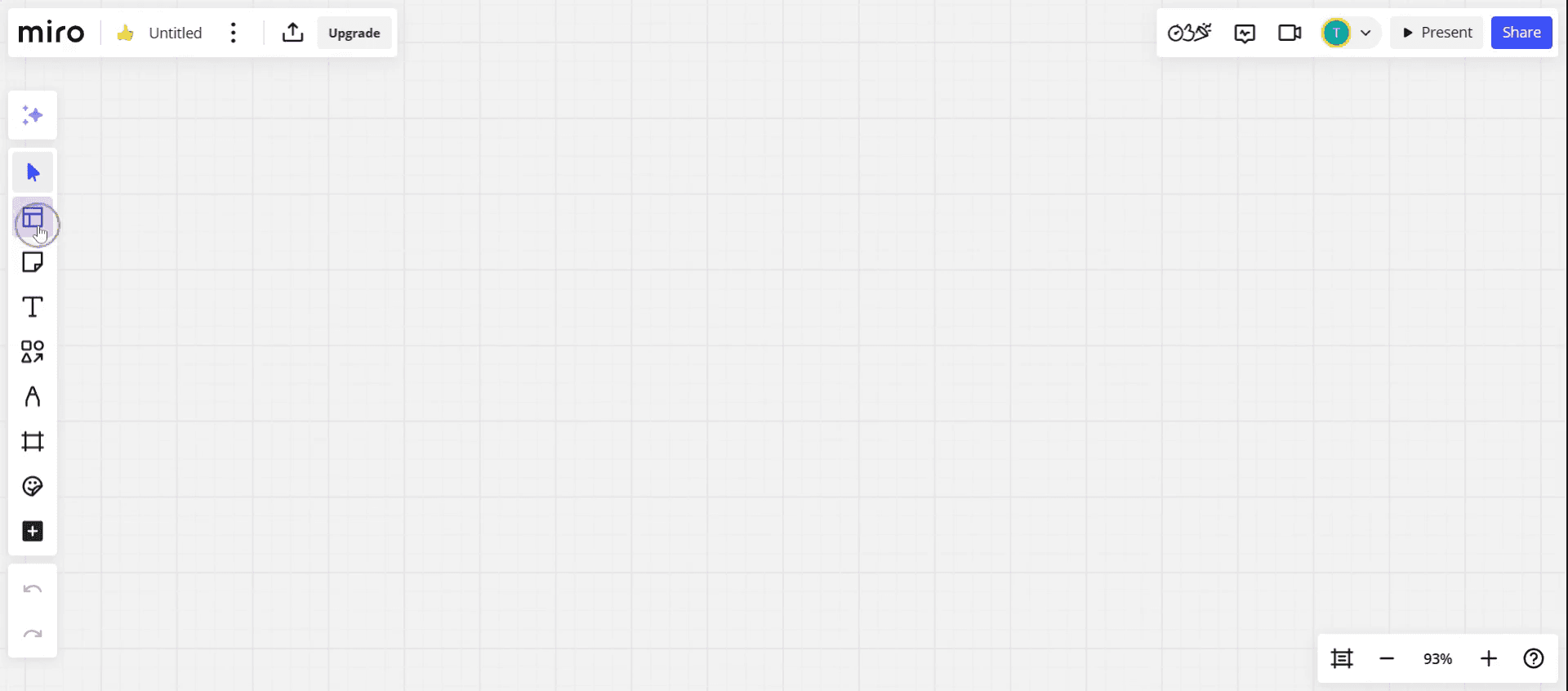
Step 5
Select any template.
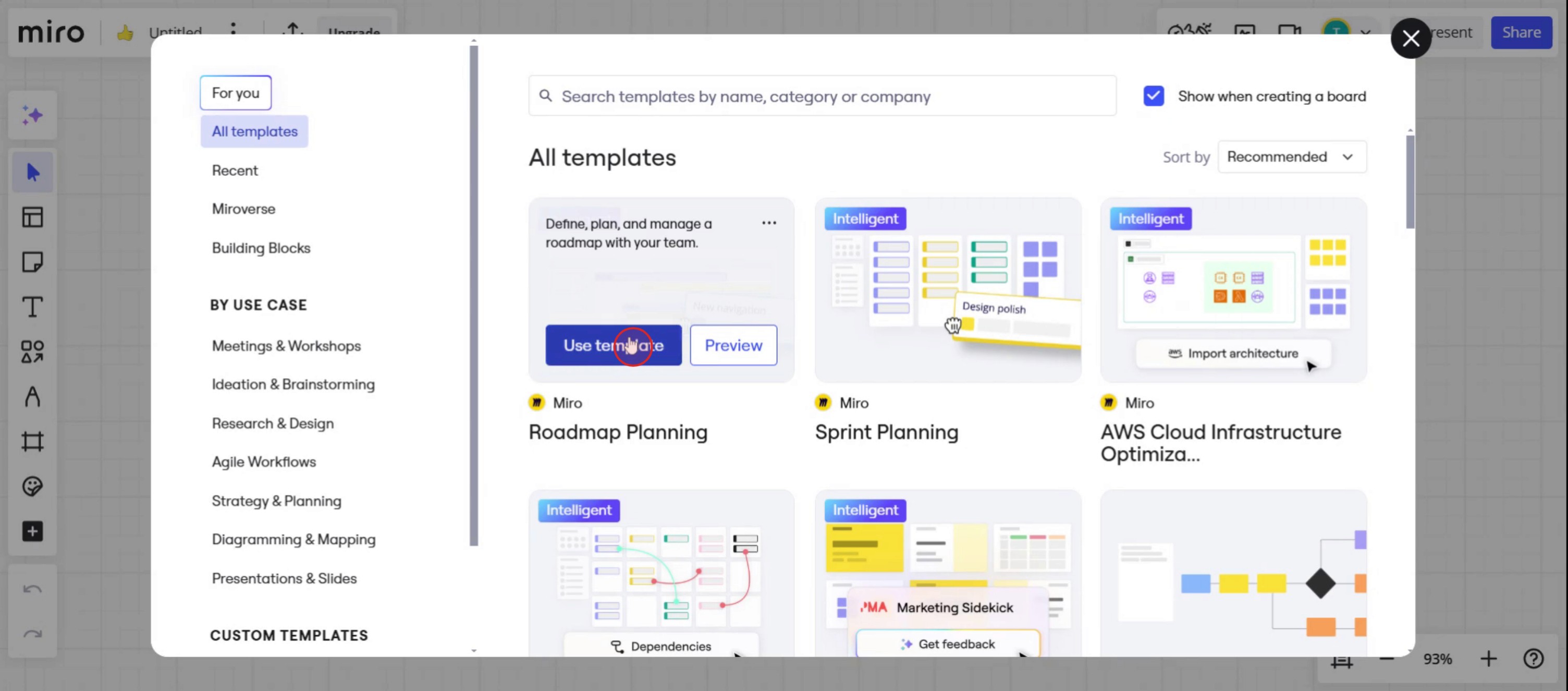
Step 6
Then you can see the Miro board.
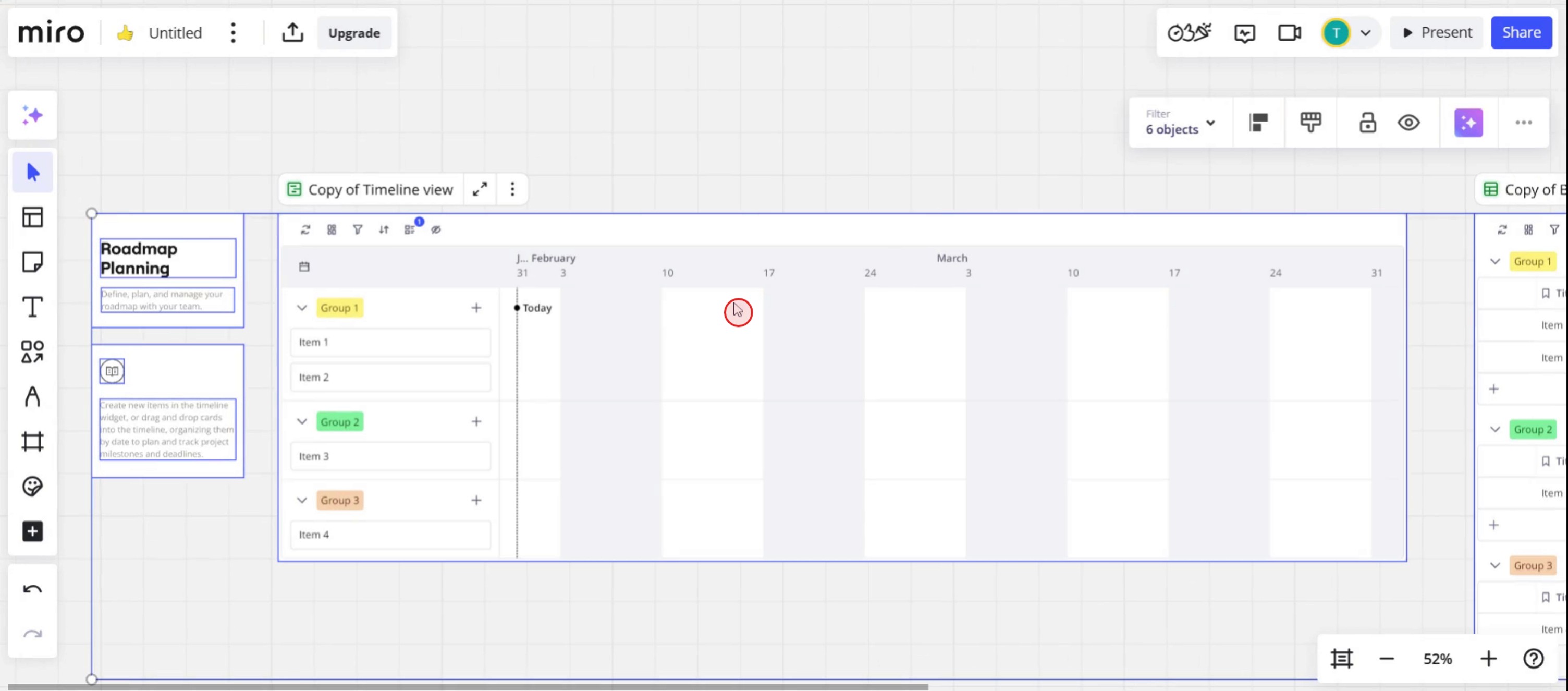
This is a step-by-step guide on how to create a Miro board.
Pro tips for how to create a Miro board
Start by defining your board’s purpose before creating it in Miro to ensure you organize content effectively from the beginning.
Take advantage of Miro’s templates to save time and get inspiration, especially when creating boards for brainstorming, planning, or project management.
Invite collaborators early on and adjust permission settings to ensure the right team members have access to view or edit your Miro board.
Common pitfalls and how to avoid them
Overcrowding your Miro board with too many elements at once may lead to confusion, so focus on adding content progressively and keeping things organized.
Forgetting to save your work frequently can lead to potential data loss, so remember to save your Miro board regularly.
Not adjusting access permissions when inviting team members may cause privacy issues, so make sure to set the correct viewing and editing rights for each user.
Common FAQs for how to create a Miro board
How do i get started with how to create a Miro board?
To start creating a Miro board, simply log in to your Miro account, click on Create New Board, and choose a template or start with a blank canvas to begin designing your board.Can i customize my board after I learn how to create a Miro board?
Yes, once you learn how to create a Miro board, you can fully customize it by adding sticky notes, text, images, shapes, and even other integrated tools like Google Docs or Dropbox.What are the best practices for how to create a Miro board for team collaboration?
For effective team collaboration, it's essential to establish clear guidelines on board usage, invite the right collaborators with appropriate permissions, and regularly update and review content in your Miro board.
If you're an instructor or content creator looking to make tutorial videos, give a try. It transforms rough screen recordings into polished, studio-style videos that are ready for sharing with your audience. Plus, it automatically generates a step-by-step guide based on the video you create. Fascinating, right? Start by creating your first tutorial for free with trupeer.ai .

