
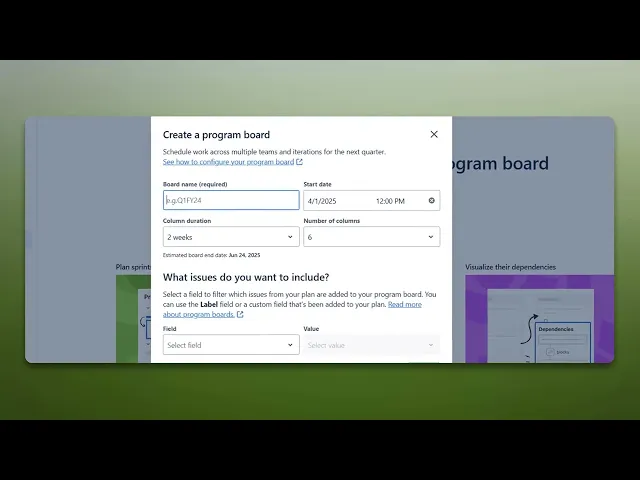
How To Create Program Board In Jira
Discover how to create an effective program board in Jira. Our comprehensive guide provides step-by-step instructions to enhance your project management skills.
This document outlines the steps to create program board in Jira. By following these clear instructions, you can efficiently navigate through the system to set up and customize your board according to your needs.
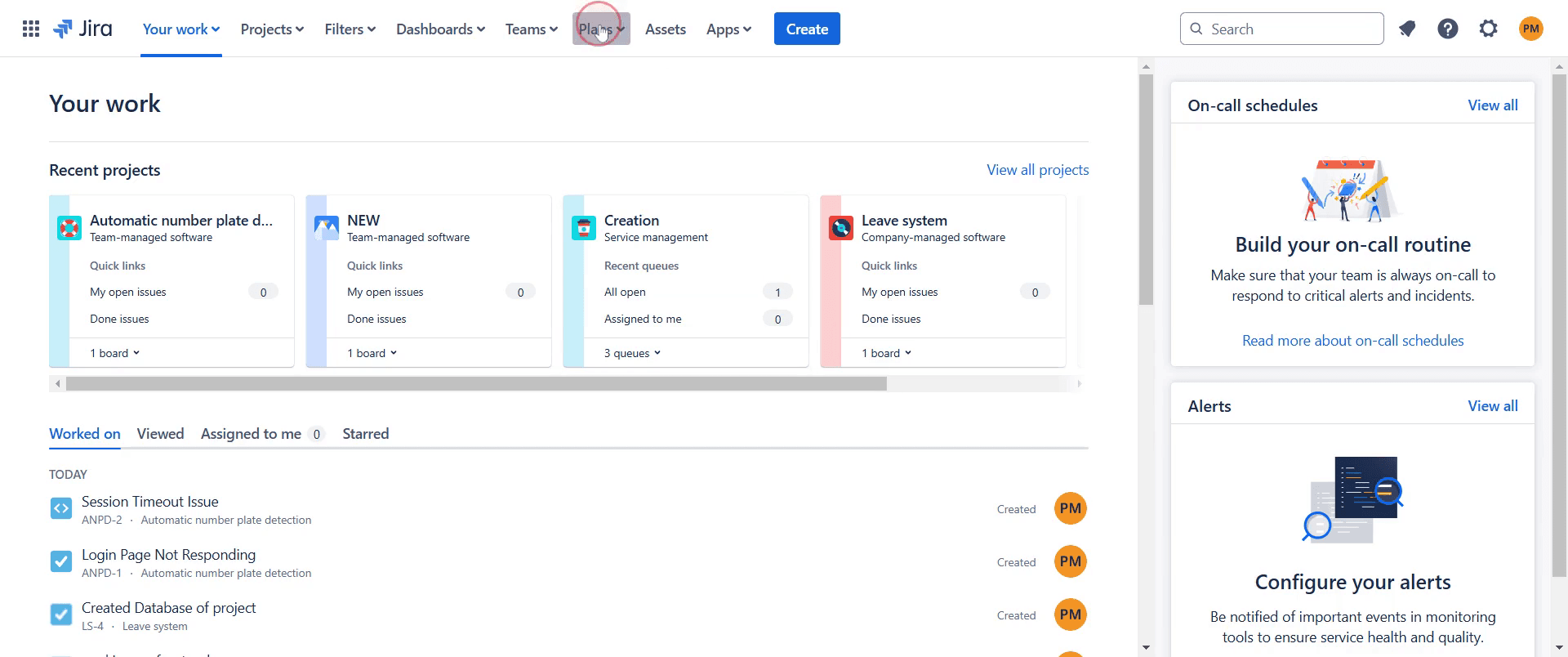
Step 1
Go to the "Plans" section and click on it.
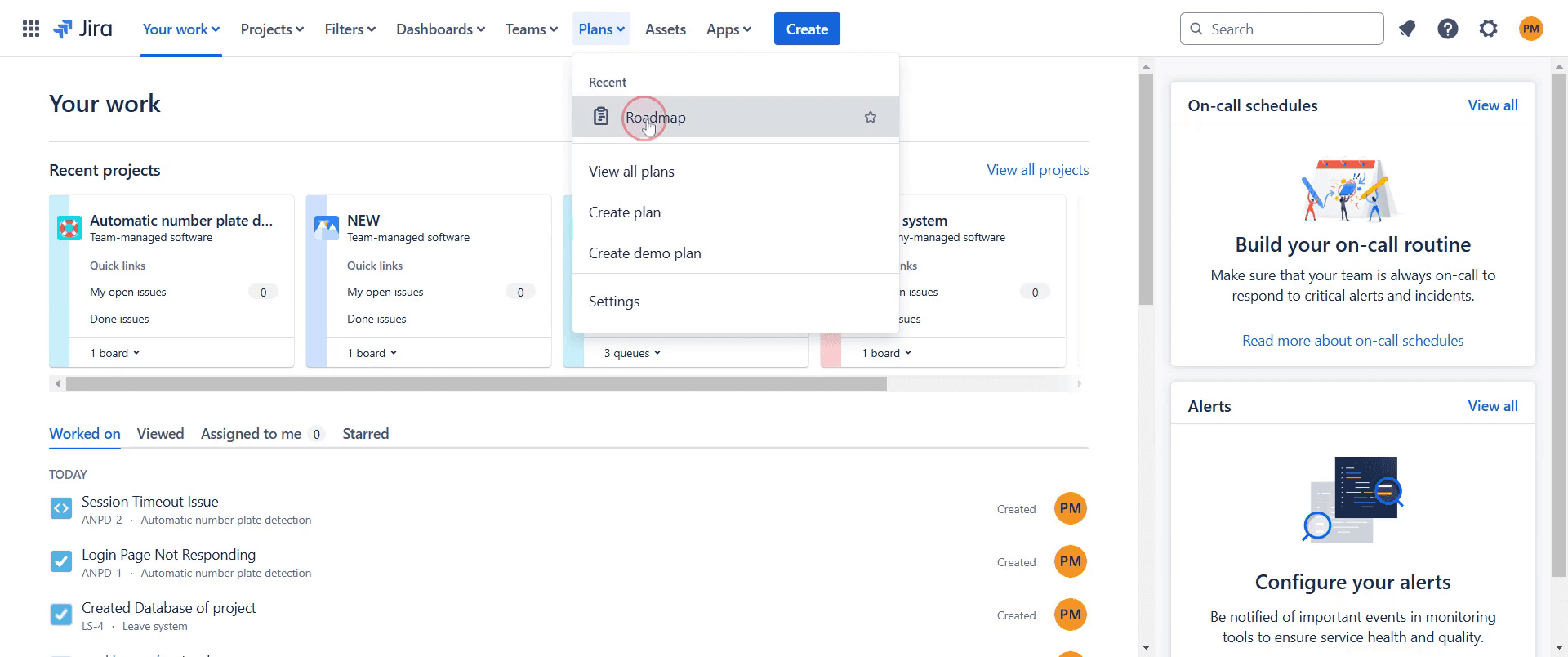
Step 2
Select the specific plan you wish to use.
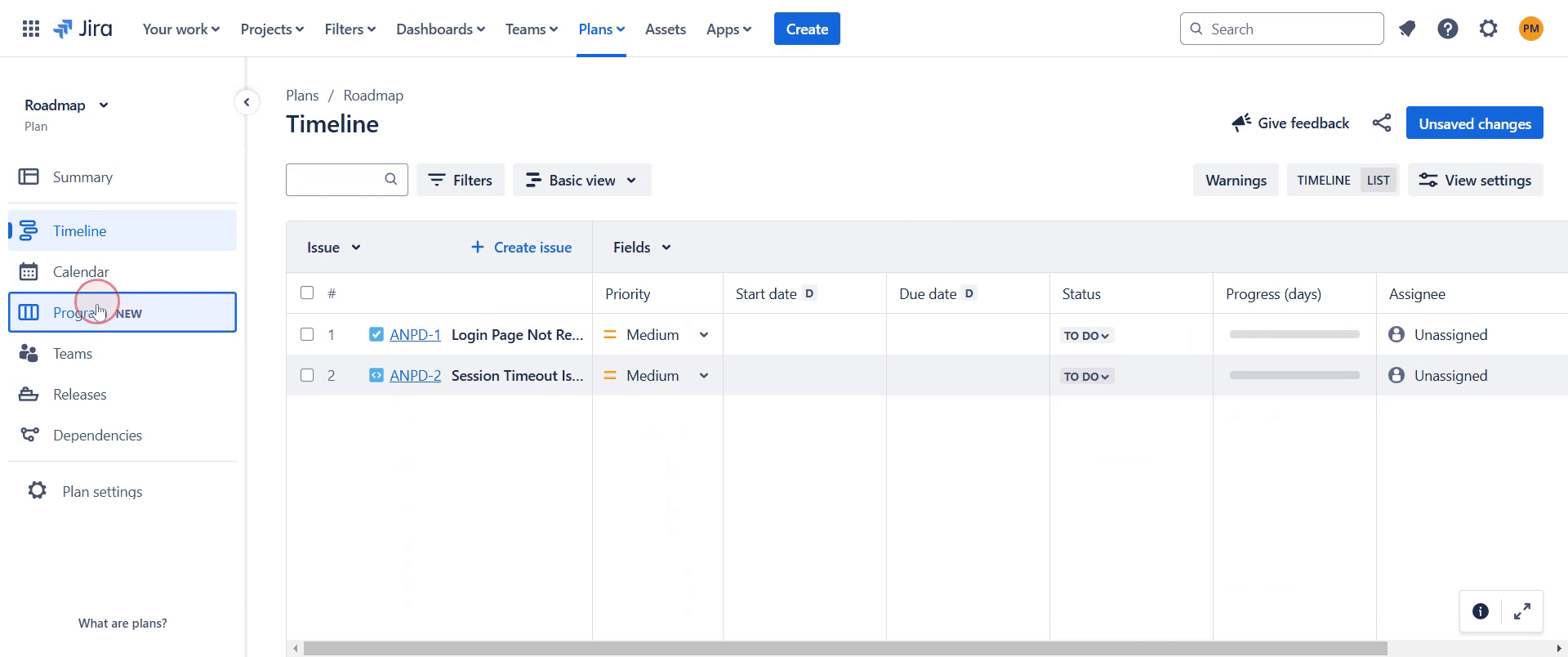
Step 3
Locate the "Program" option and click on it.
Step 4
Click on the "Create Program Board" option.
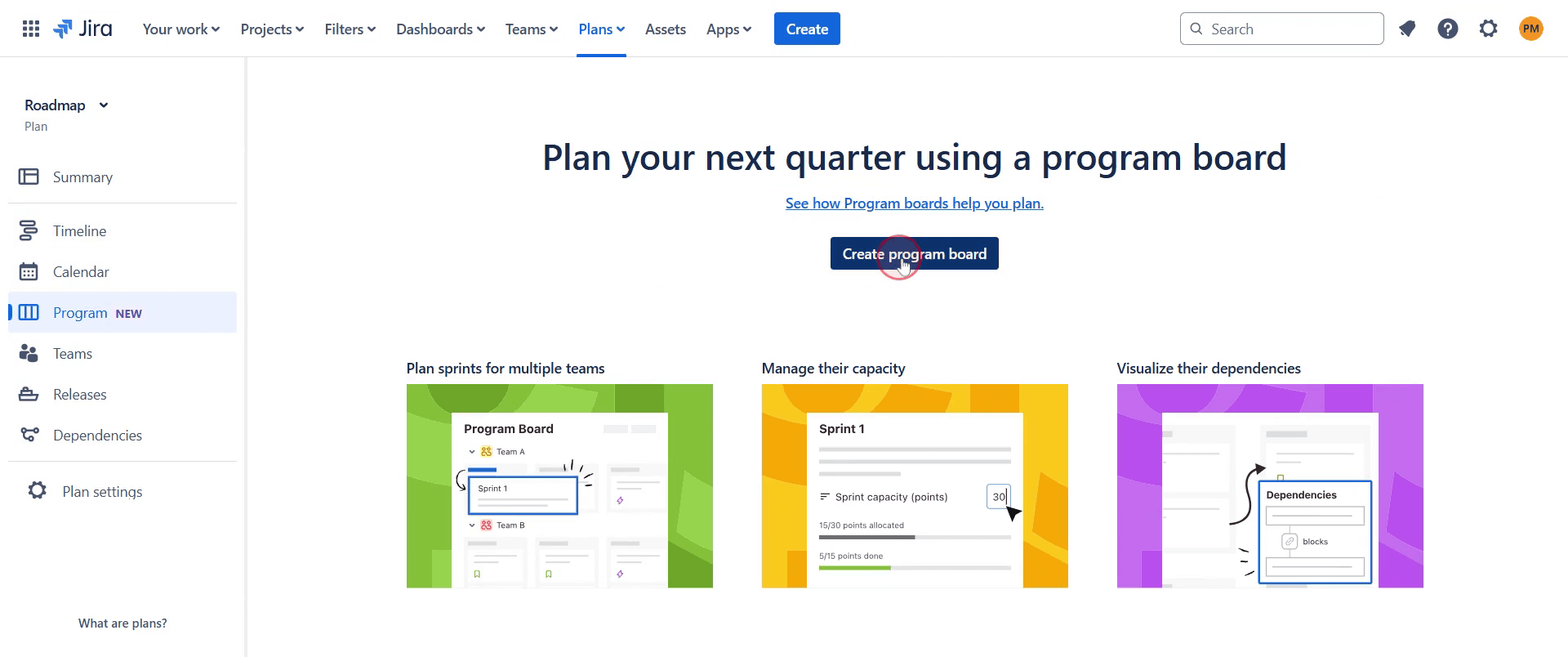
Step 5
Enter a name for your board, such as "Demo", and specify the date and time as needed.
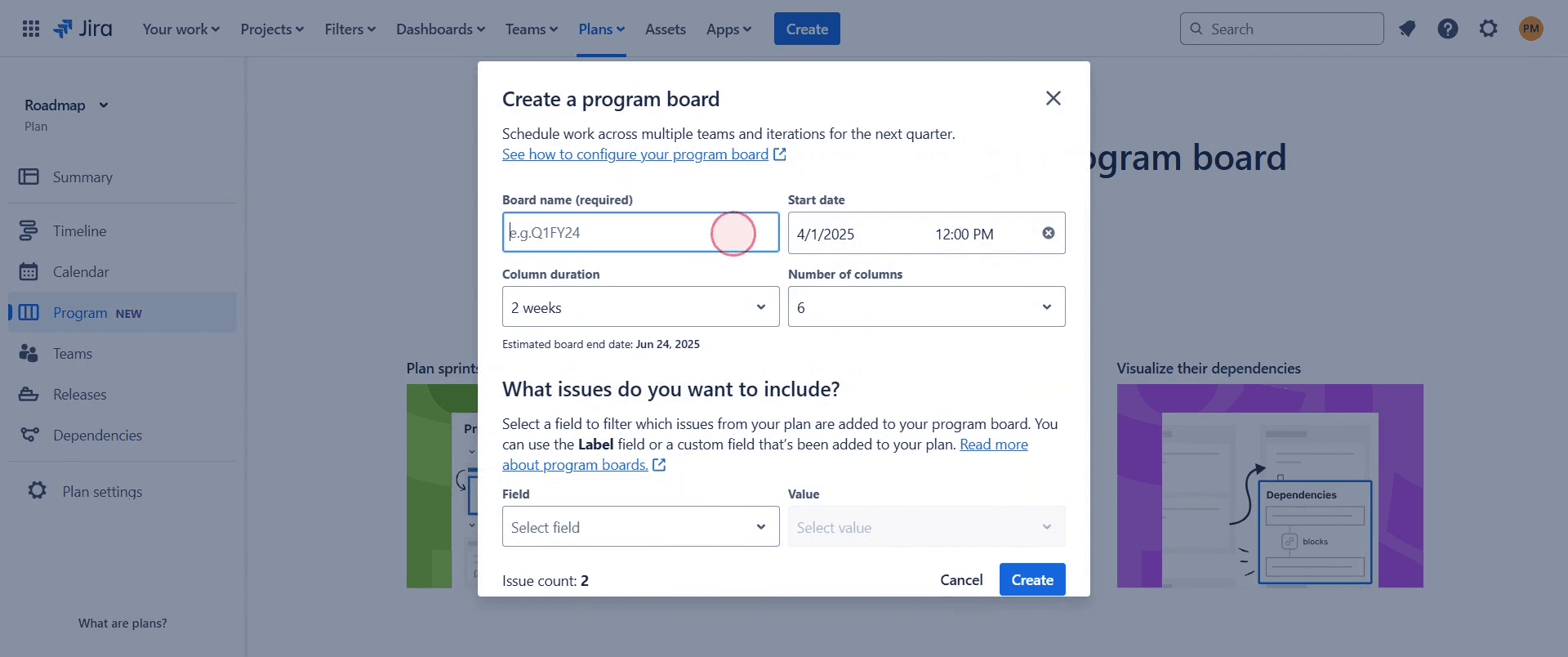
Step 6
Then proceed by clicking on the "Create" button.
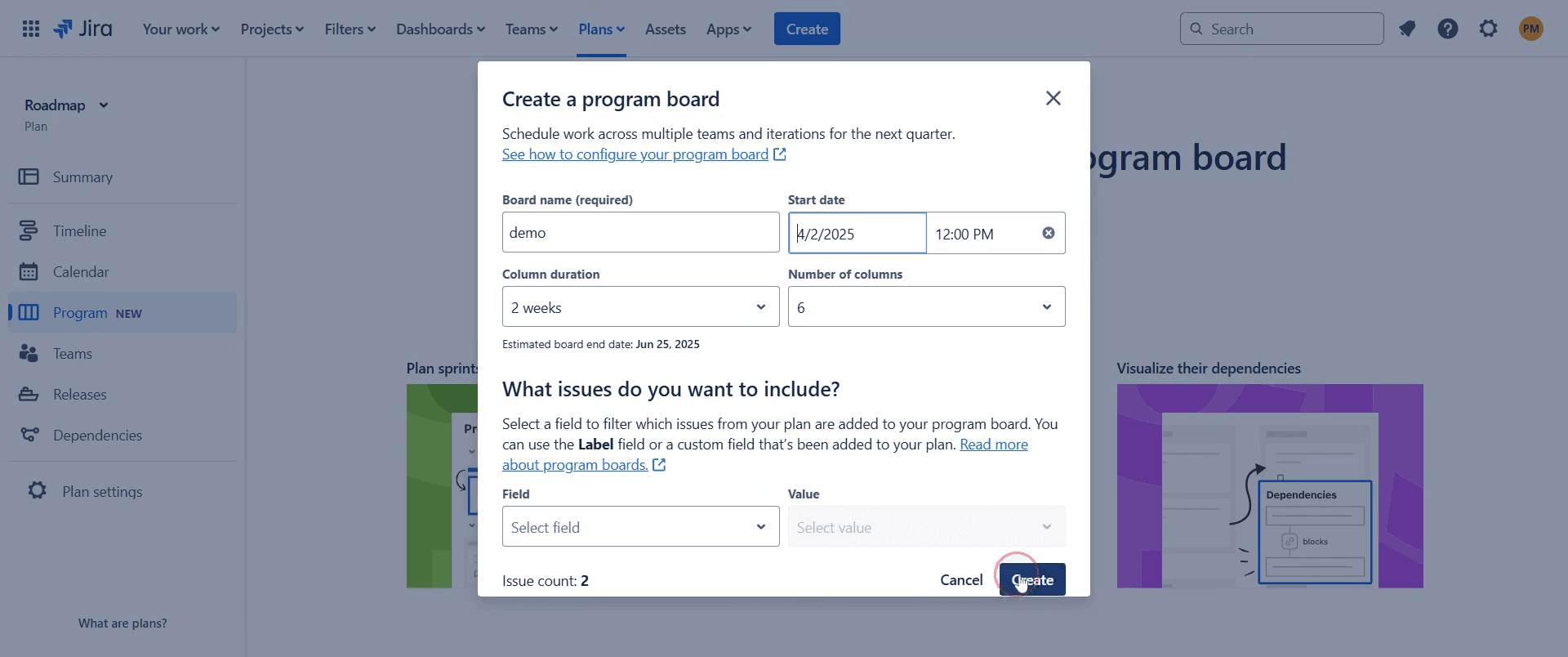
Step 7
Now you can the generated program board.
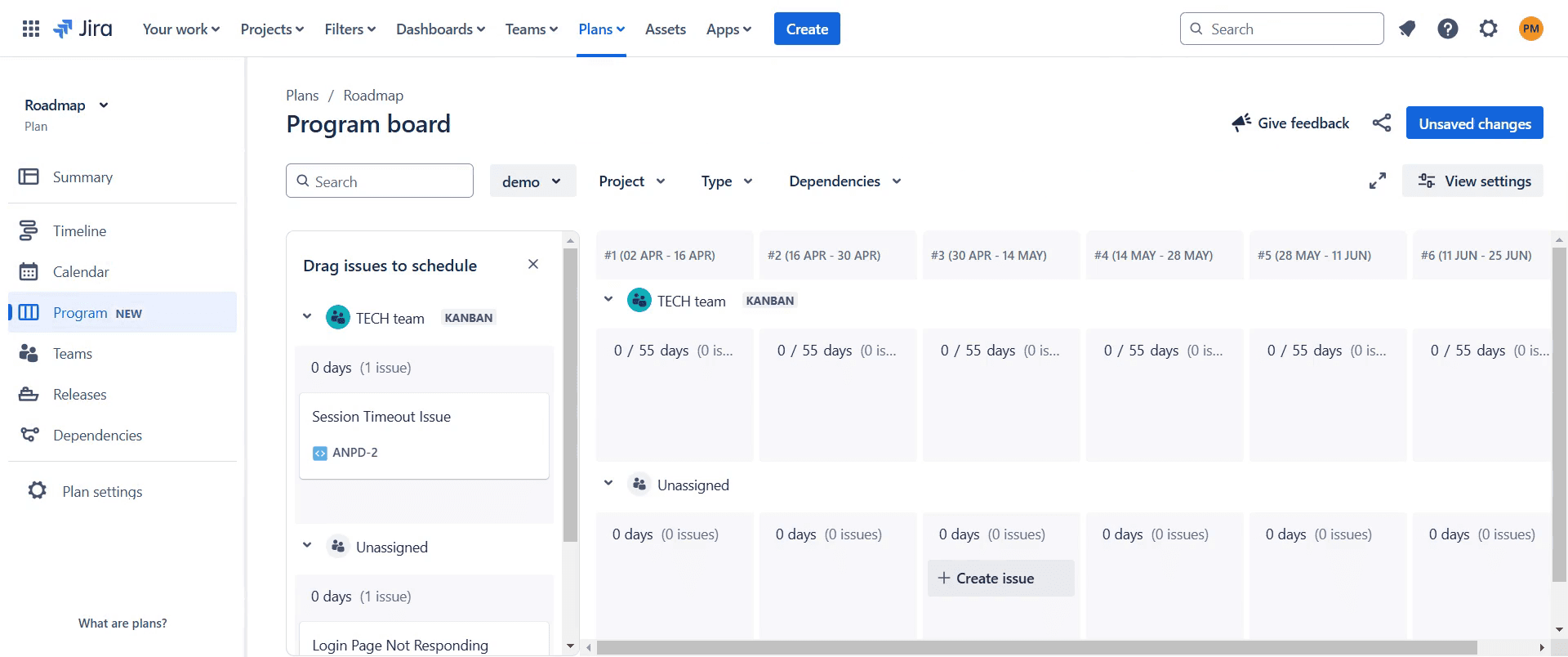
This is a step-by-step guide on how to create a program board in Jira.
Pro-tips for creating a program board in Jira
Use Jira Advanced Roadmaps or Jira Align to visualize dependencies and team progress effectively.
Set clear milestones and link them to corresponding tasks to ensure structured planning.
Customize board filters to display only relevant issues, keeping the view clean and focused.
Common pitfalls & how to avoid them while creating a program board in Jira
Not mapping dependencies correctly, ensure all dependencies between tasks are well-defined to avoid misalignment.
Overloading the board with too much information, keep it streamlined to enhance readability and usability.
Ignoring sprint and team capacity, consider workload balancing to avoid unrealistic scheduling.
Common FAQs for creating a program board in Jira
Can I modify the program board layout?
Yes, Jira allows customization of columns, filters, and displayed fields to match your project needs.How do I show dependencies on a program board?
Make sure that linked issues are properly mapped, so their relationships are visible on the board.Why aren’t all my tasks appearing on the program board?
Check board settings and filters to ensure that all relevant issues are included in the view.
If you're an instructor or content creator looking to make tutorial videos, give Trupeer.ai a try. It transforms rough screen recordings into polished, studio-style videos that are ready for sharing with your audience. Plus, it automatically generates a step-by-step guide based on the video you create. Fascinating, right? Start by creating your first tutorial for free with Trupeer.ai.

