
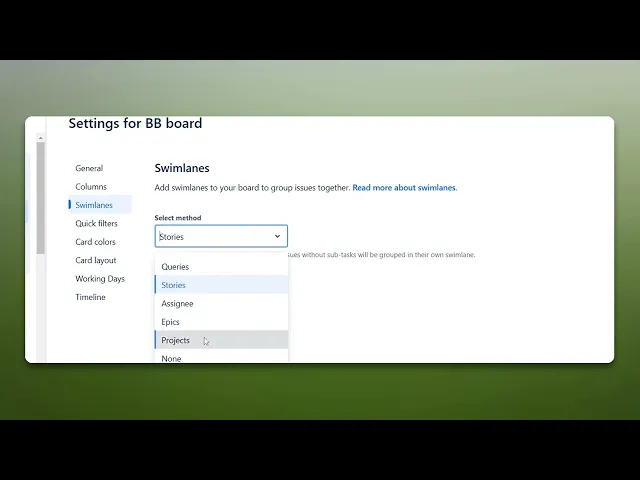
How To Create Swimlanes In Jira
Learn to create swimlanes in Jira effortlessly. Our comprehensive guide provides tips and tricks to optimize your project management experience.
This guide offers a simple walkthrough for creating Swimlanes in Jira. Follow the steps below to efficiently customize your Jira board with swimlanes.
Step 1
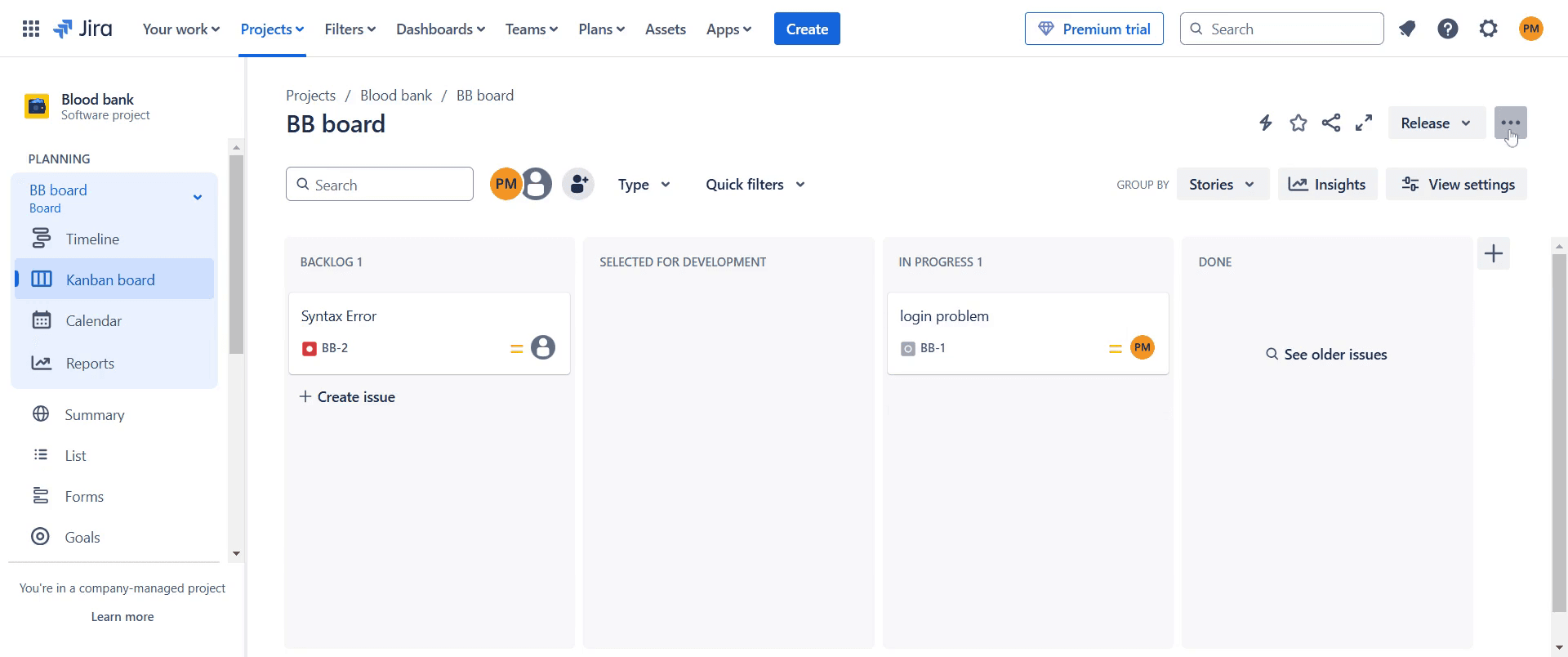
Start by moving to the top right corner of the Jira interface. Click on the three dots.
Step 2
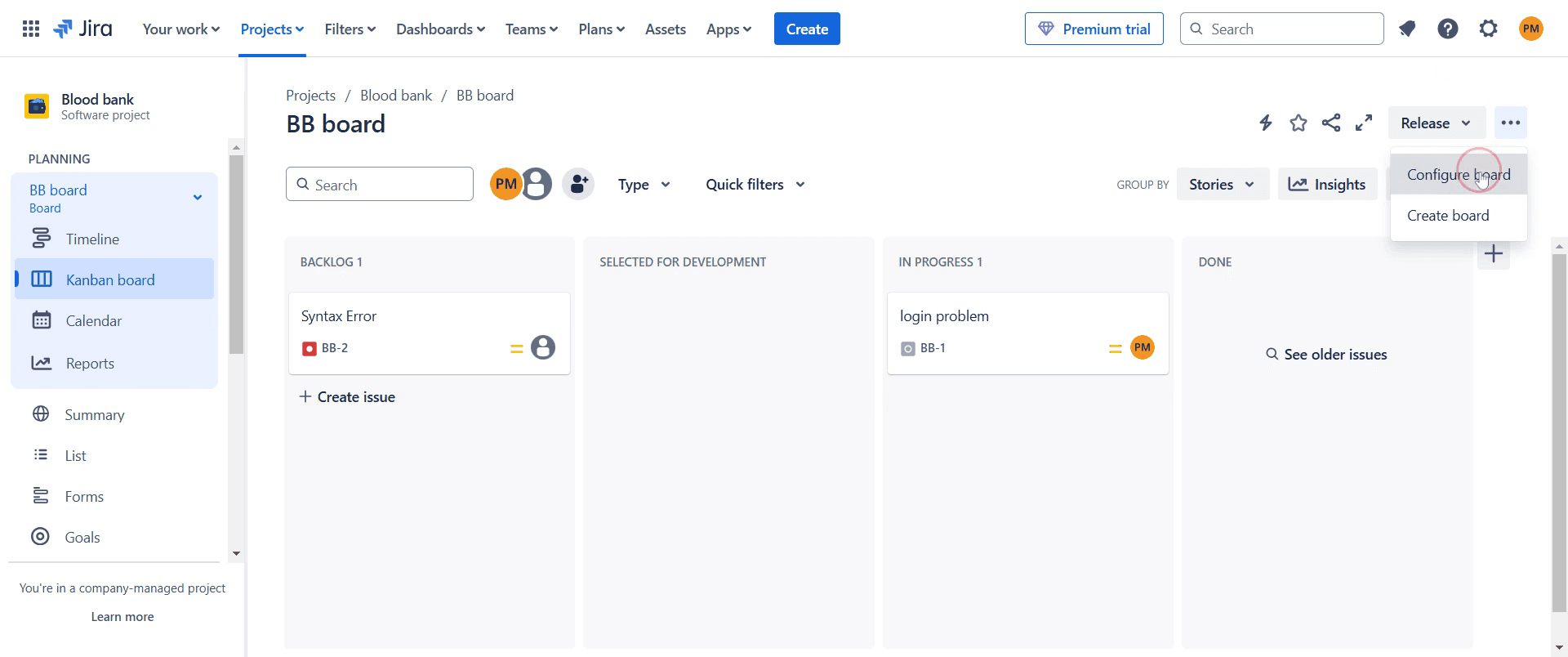
Select "Configure Board." option.
Step 3
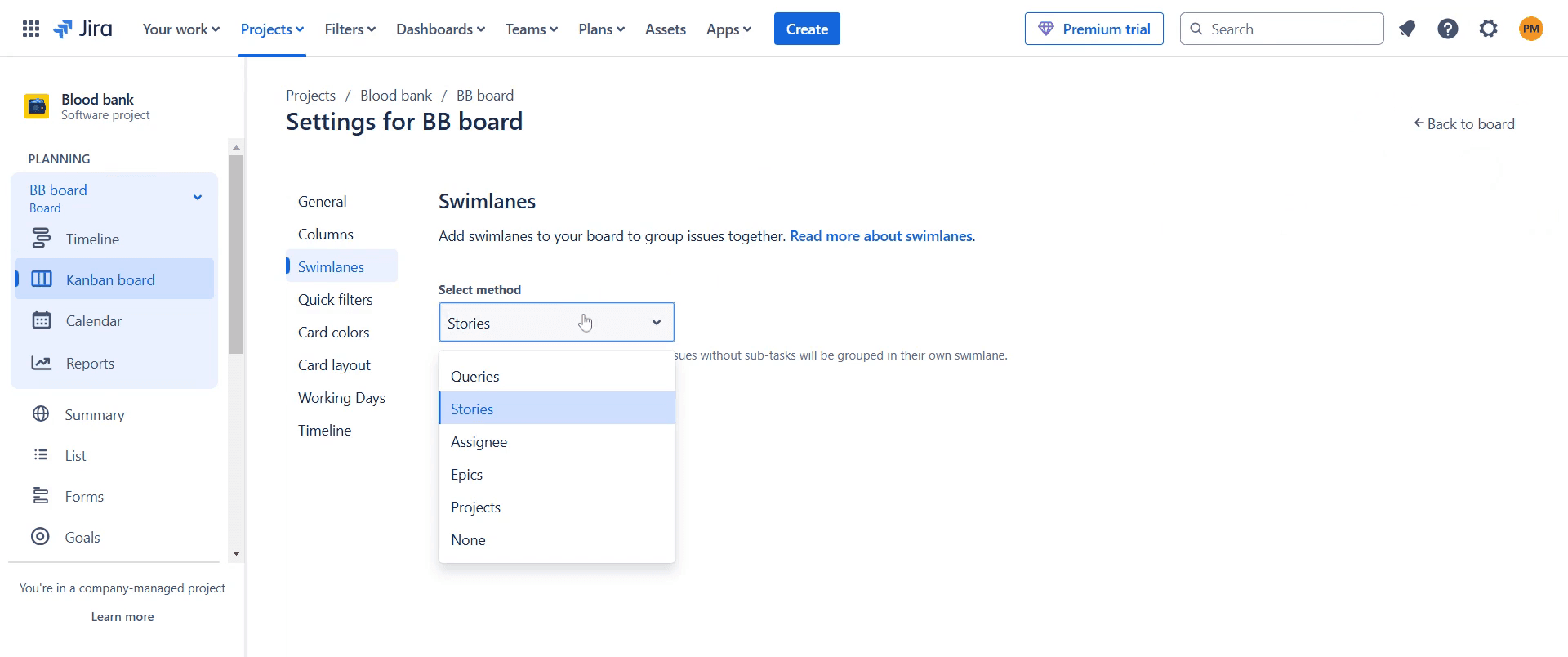
Find the " Select method" option and click on it.
Step 4
Select the option that best suits your needs from this list.
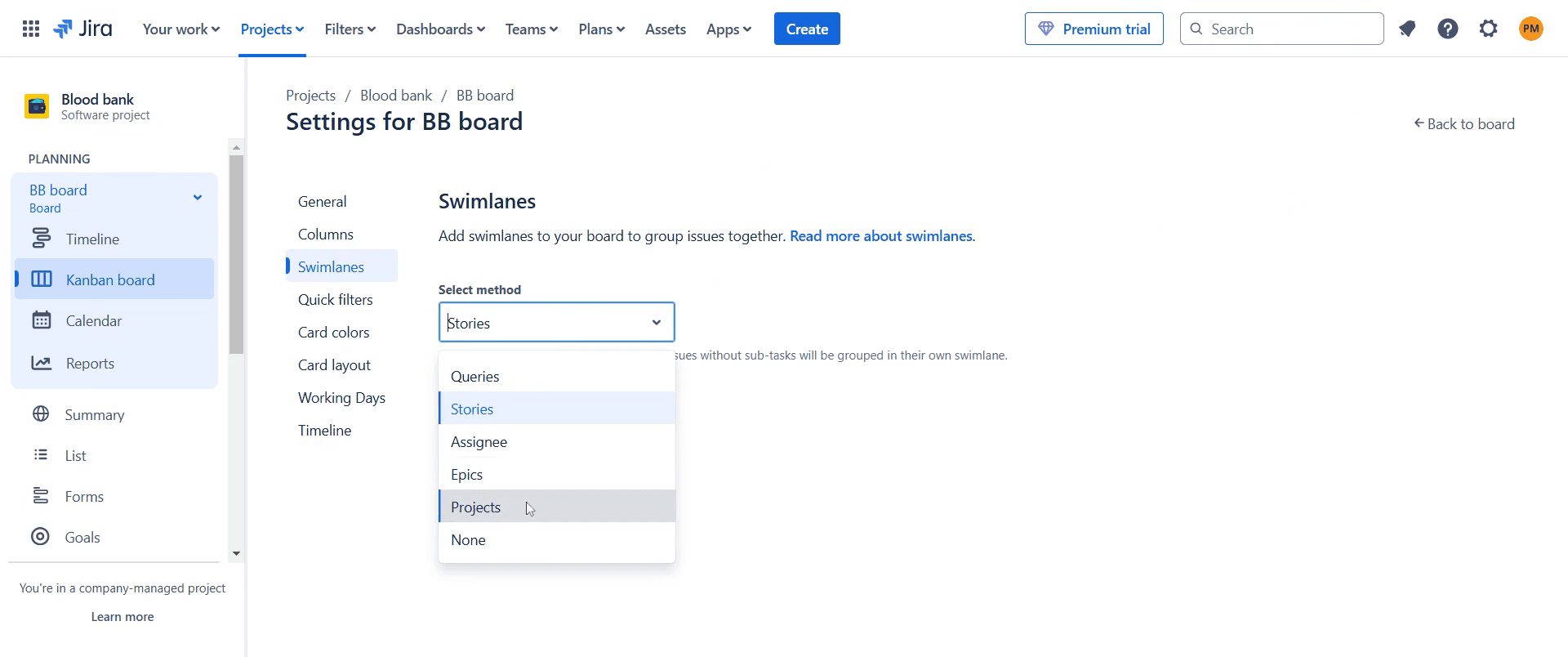
Step 5
A pop-up window will appear on your screen, click on that.
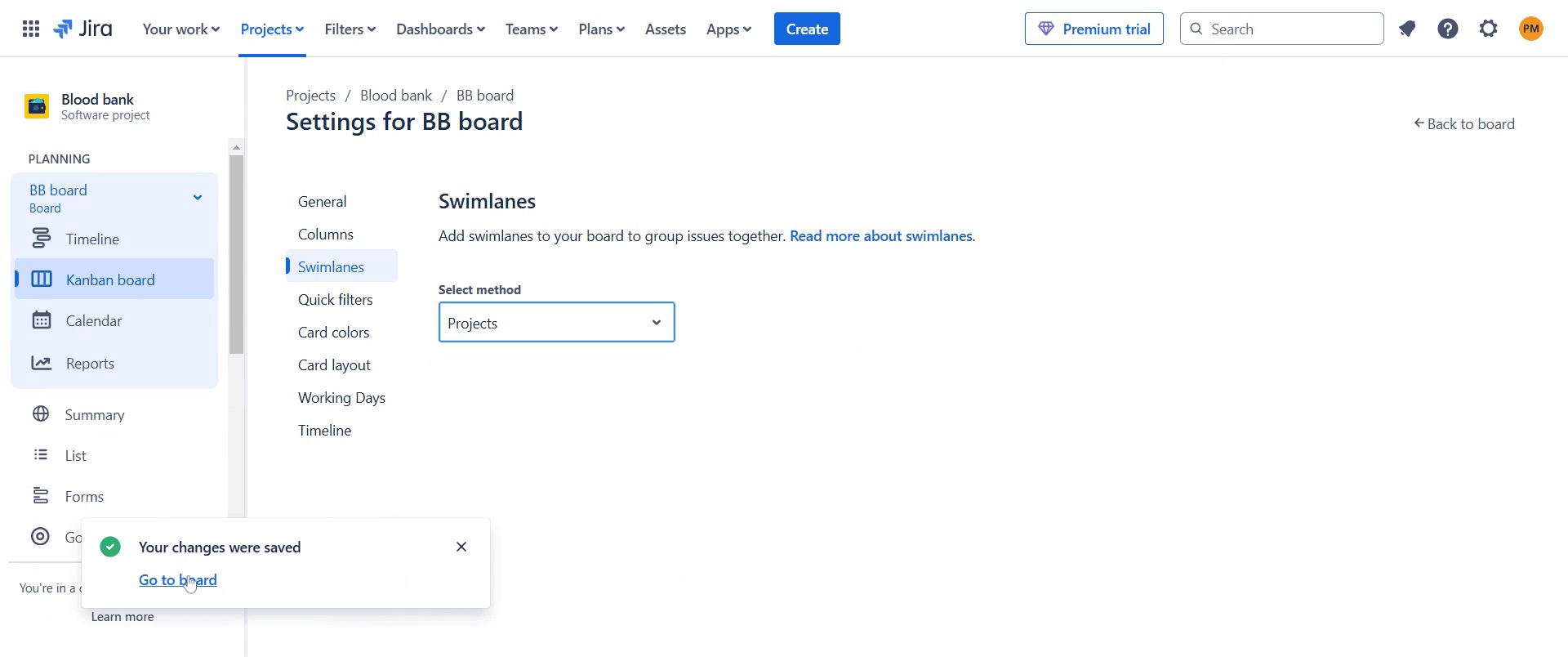
Step 6
Now, your board has been changed according to your specifications.
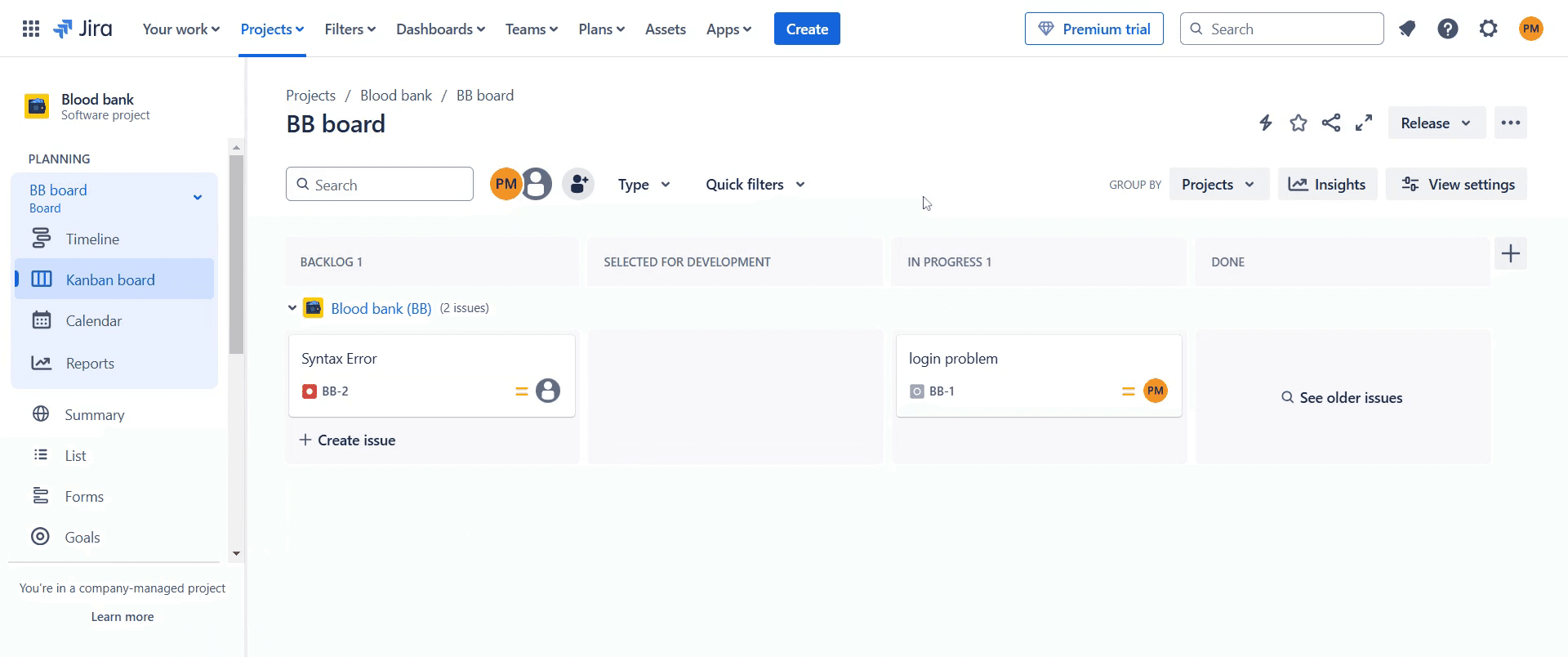
That's it. This is a step-by-step guide on how to create Swimlanes in Jira.
Pro-tips for creating Swimlanes in Jira
Use JQL (Jira Query Language) to define custom swimlanes based on specific criteria.
Organize swimlanes by priority, assignee, or issue type for better workflow visibility.
Regularly review and adjust swimlane settings to match changing project needs.
Common pitfalls & how to avoid them while creating Swimlanes in Jira
Incorrect JQL queries Double-check syntax and filters to ensure accurate results.
Too many swimlanes Keep them concise to maintain clarity and avoid clutter.
Misconfigured board settings Verify swimlane configurations under board settings for correct display.
Common FAQs for creating Swimlanes in Jira
Can I create custom swimlanes in Jira?
Yes, Jira allows custom swimlanes using JQL to filter issues based on specific conditions.How do I organize swimlanes in Jira?
You can organize swimlanes by assignee, priority, or other criteria depending on your workflow.Can I use swimlanes in all Jira boards?
Swimlanes are available in Kanban and Scrum boards but need configuration under board settings.
If you're an instructor or content creator looking to make tutorial videos, give Trupeer.ai a try. It transforms rough screen recordings into polished, studio-style videos that are ready for sharing with your audience. Plus, it automatically generates a step-by-step guide based on the video you create. Fascinating, right? Start by creating your first tutorial for free with Trupeer.ai.

