
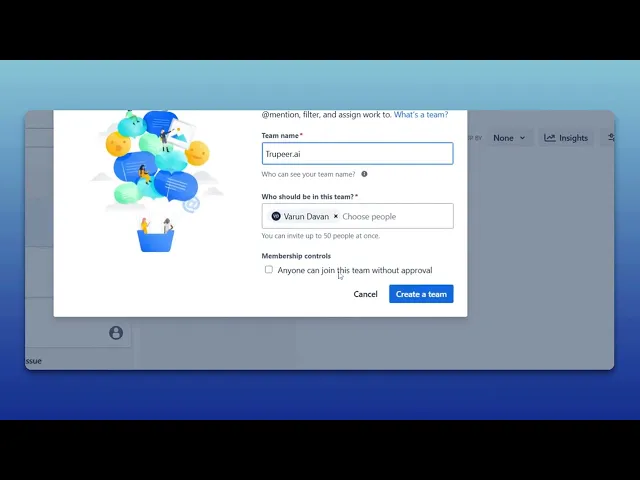
How To Create A Team In Jira
Learn how to create a team in Jira with our comprehensive guide. Optimize your project management and improve team collaboration effortlessly.
This document provides a step-by-step process on how to create a team in Jira. Follow these instructions to efficiently set up a new team for collaboration.
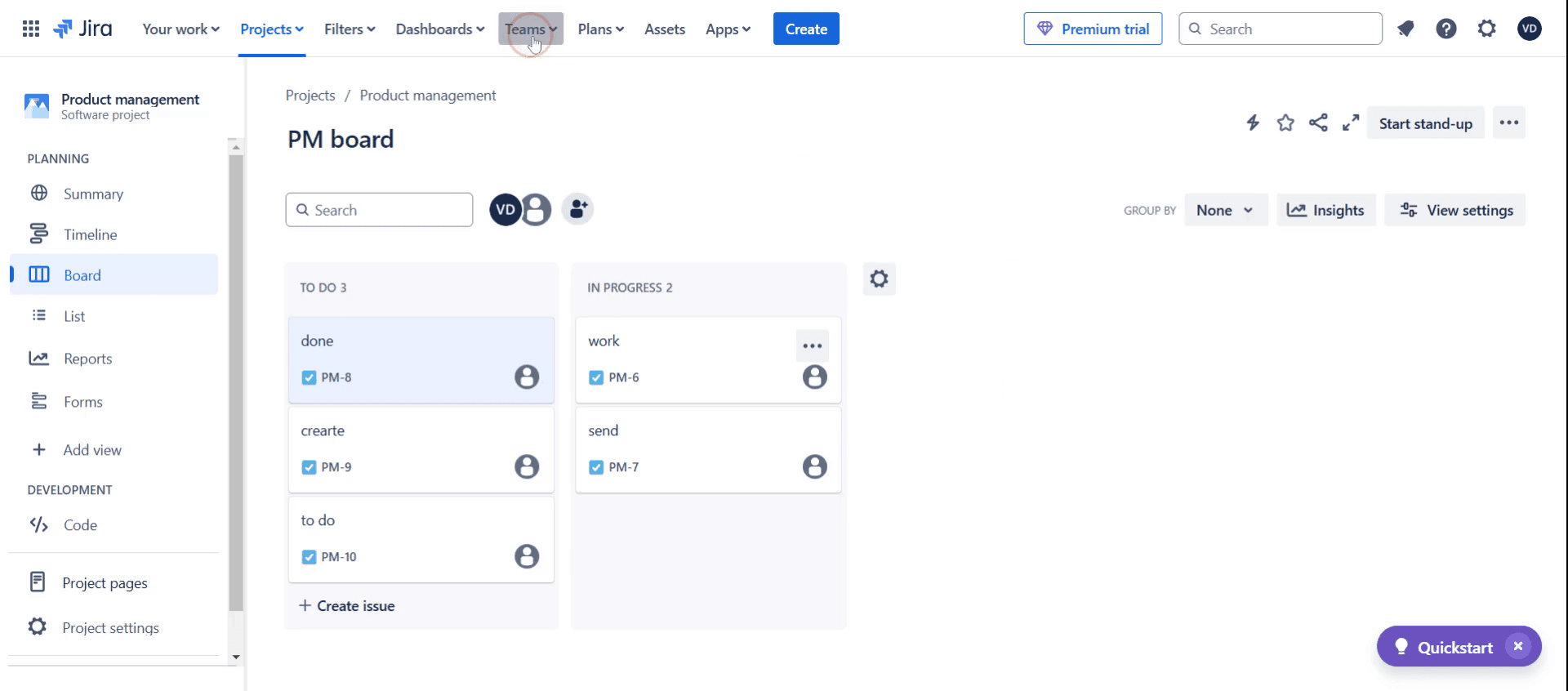
Step 1
Click on the Teams.
Step 2
Then select the create team,
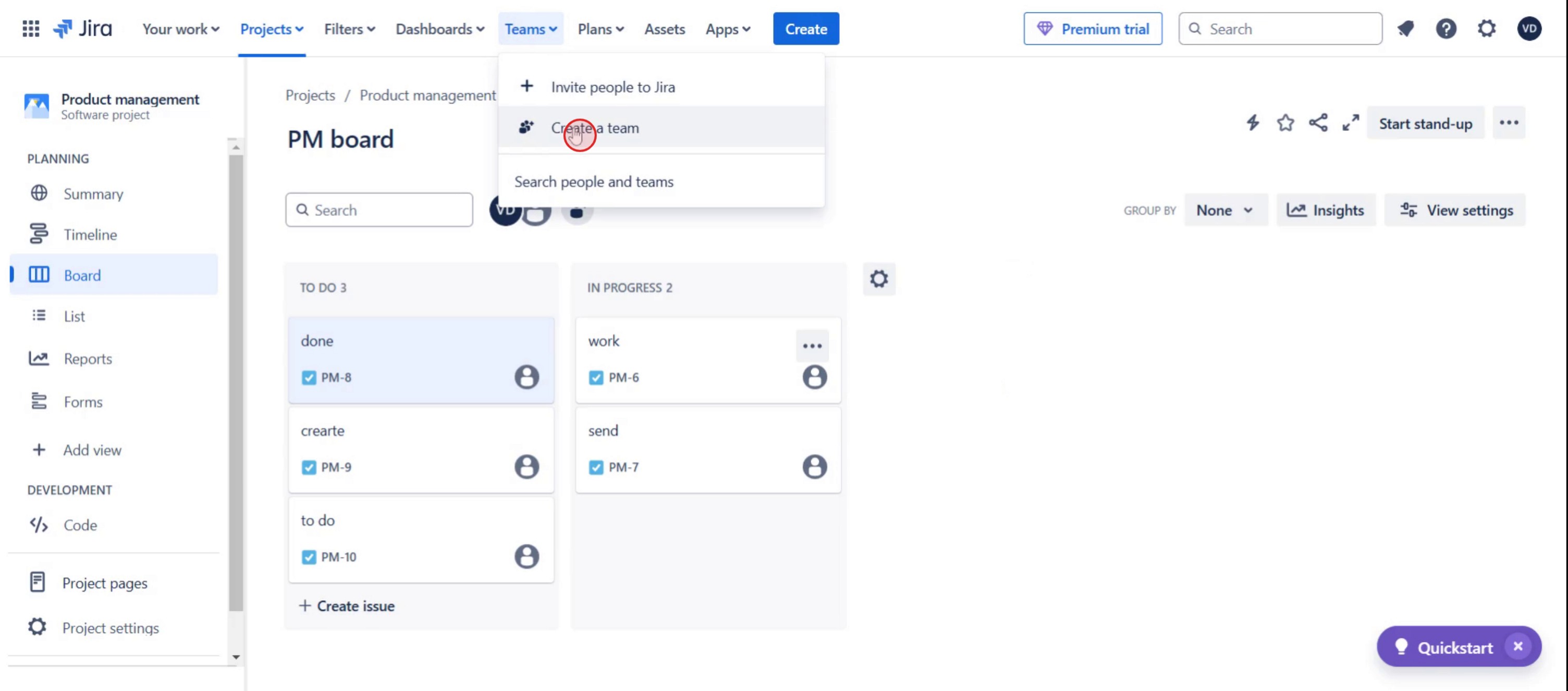
Step 3
And enter the team name.
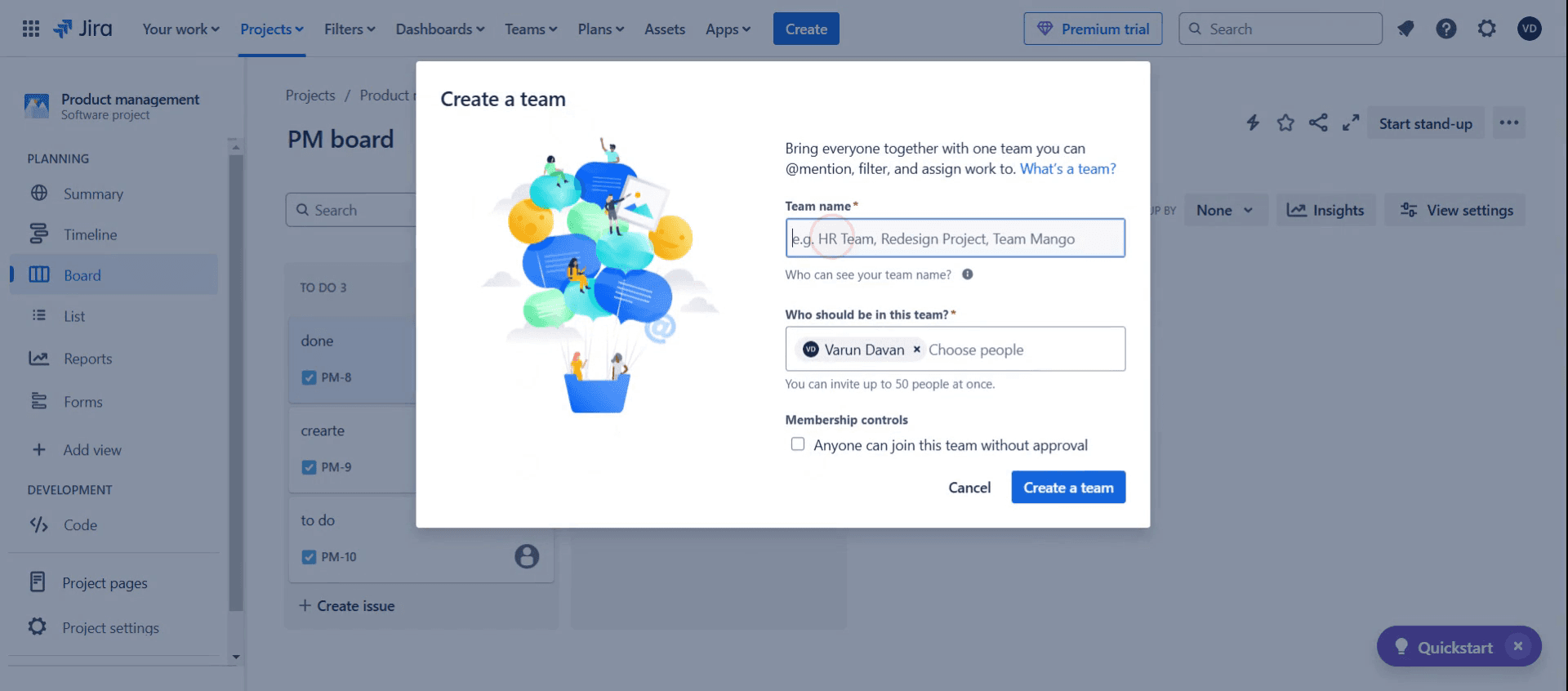
Step 4
Then click on the create a team.
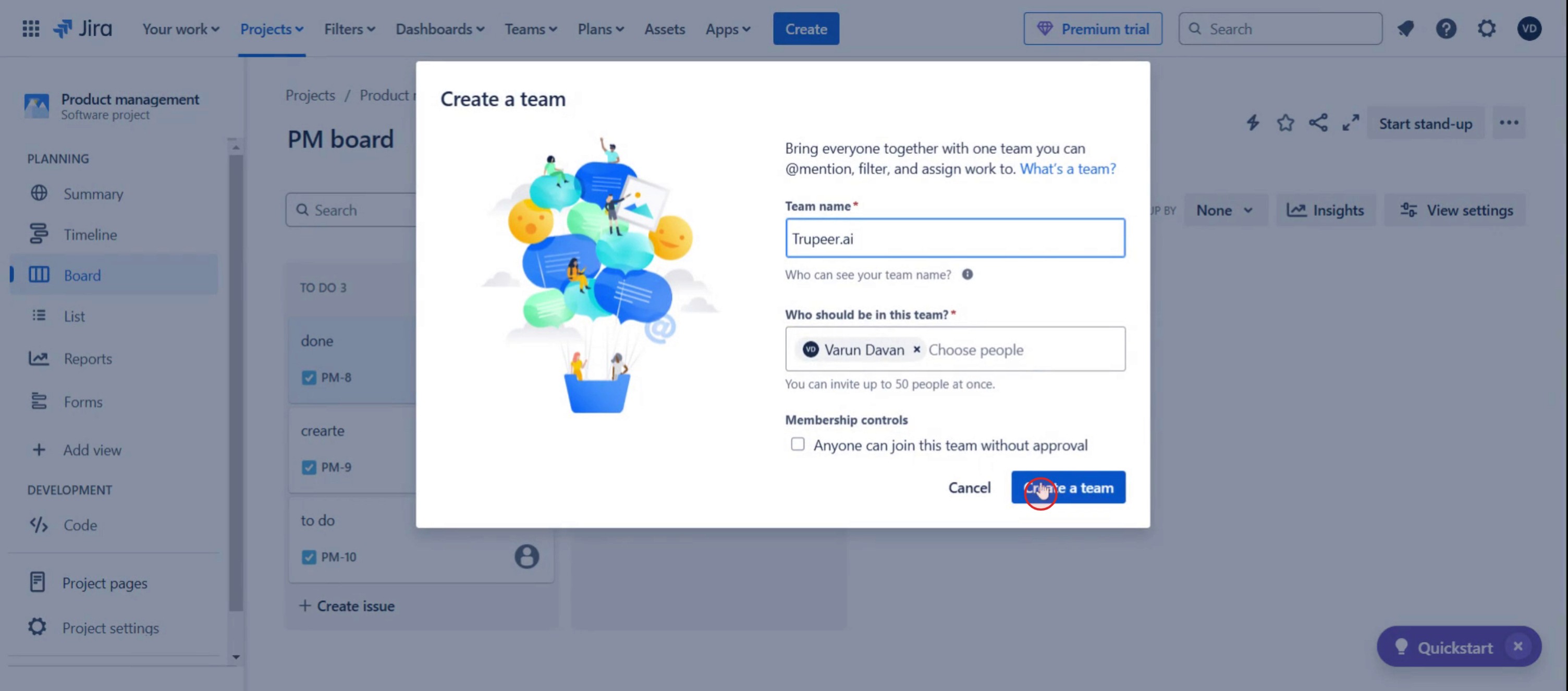
This is a step-by-step guide on how to create a Team in Jira.
Pro tips on how to create a team in Jira
Assign appropriate roles and permissions to team members while creating a team to ensure efficient collaboration.
Use Jira groups to streamline access control, making it easier to manage large teams and project assignments.
Set up team-specific dashboards and filters to improve workflow visibility and task tracking.
Common pitfalls and how to avoid them
Adding team members without assigning roles can cause access issues—ensure each user has the necessary permissions.
Creating a team without defining clear objectives may lead to confusion—establish goals and workflows from the start.
Overlooking notification settings can result in excessive emails—customize notifications to avoid unnecessary alerts.
Common FAQs on how to create a team in Jira
Can i add members to a team after creating it in Jira?
Yes, you can add or remove team members at any time by accessing the team settings under Jira administration.What permissions do i need to create a team in Jira?
To create a team, you typically need Jira Administrator or Project Administrator permissions, depending on the team’s scope.Can a team in Jira be linked to multiple projects?
Yes, a Jira team can work across multiple projects, and you can assign team members specific roles for each project.How do i manage team settings after creating a team in Jira?
You can manage team settings by navigating to the Teams page, where you can update roles, permissions, and associated projects.
If you're an instructor or content creator looking to make tutorial videos, give a try. It transforms rough screen recordings into polished, studio-style videos that are ready for sharing with your audience. Plus, it automatically generates a step-by-step guide based on the video you create. Fascinating, right? Start by creating your first tutorial for free with trupeer.ai .

