

How To Delete Classes In Webflow
Discover the essential steps to delete classes in Webflow. Streamline your projects and improve your design efficiency with our comprehensive tutorial.
This document provides a concise and straightforward method for deleting unused classes within Web flow. Follow these steps to efficiently manage and remove unnecessary styles in your Web flow project.
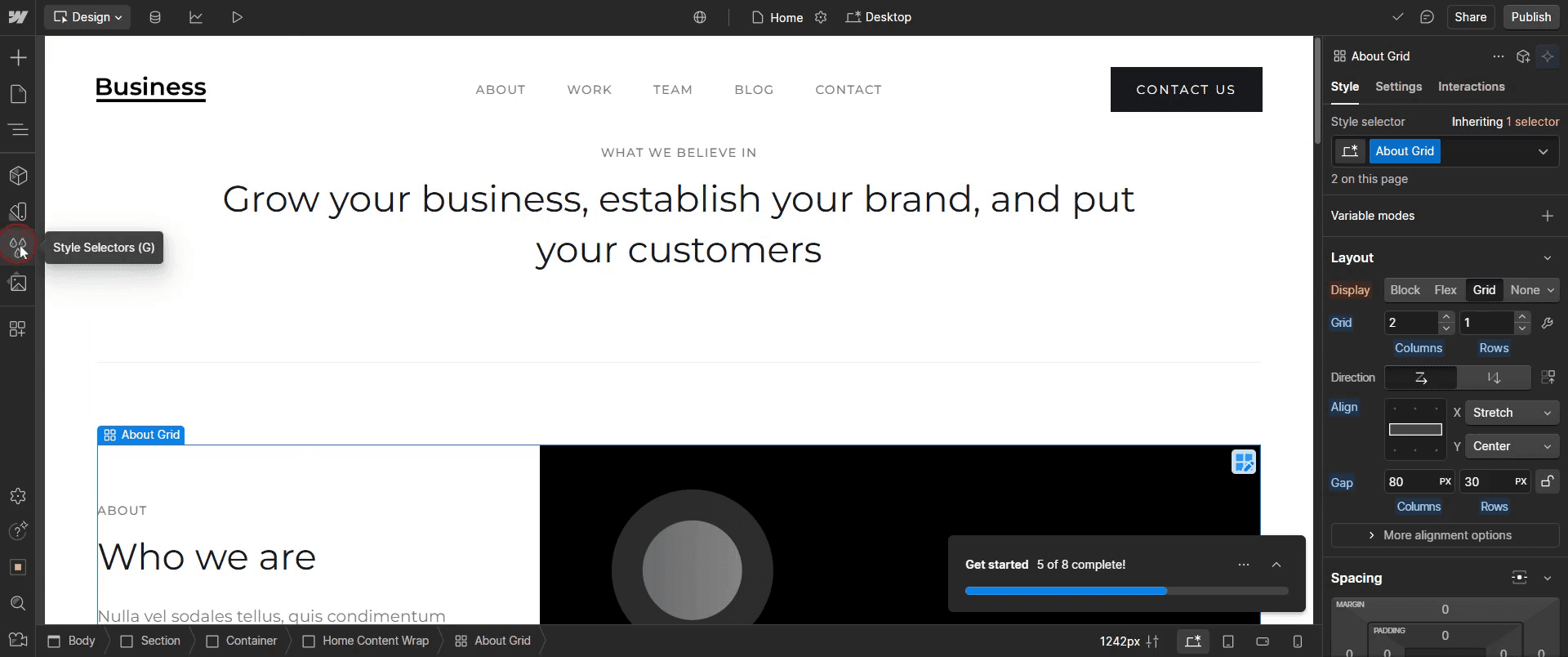
Step 1
Select the style selectors.
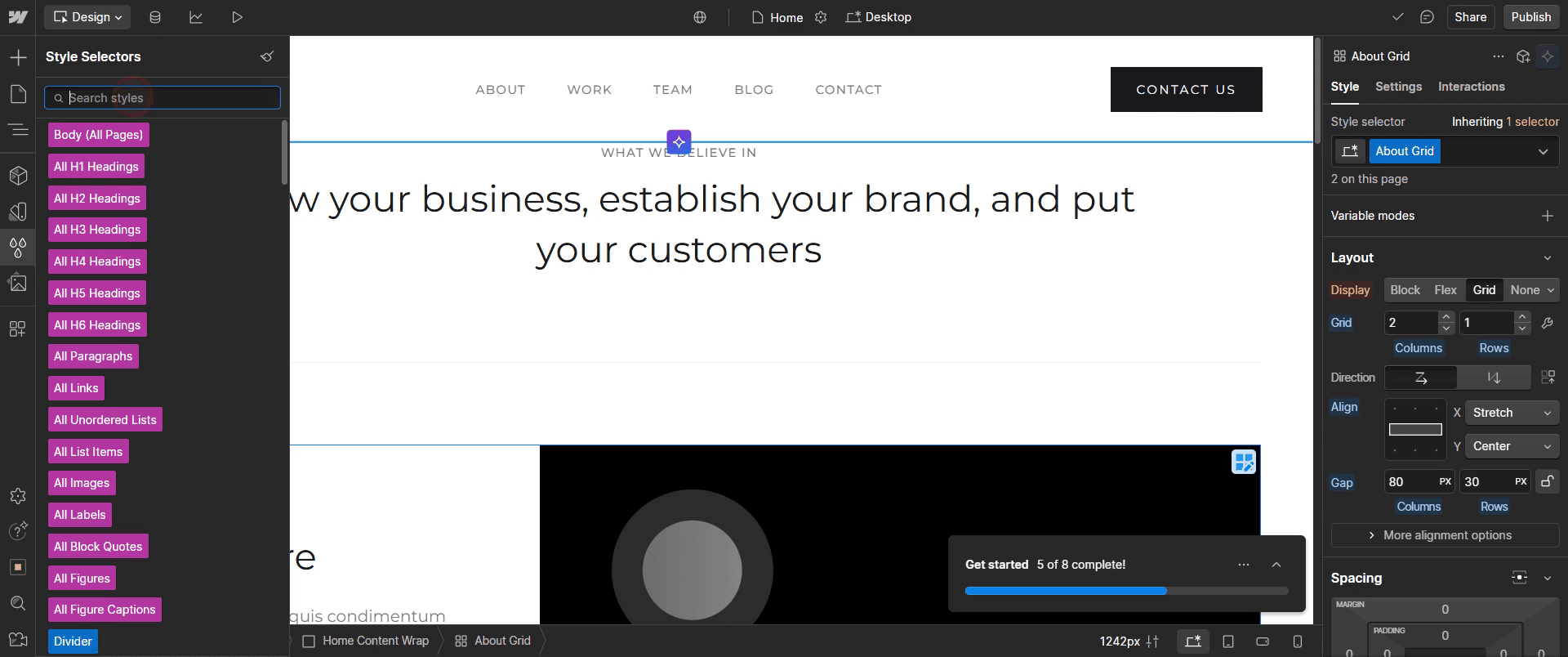
Step 2
Enter the name of the specific class,
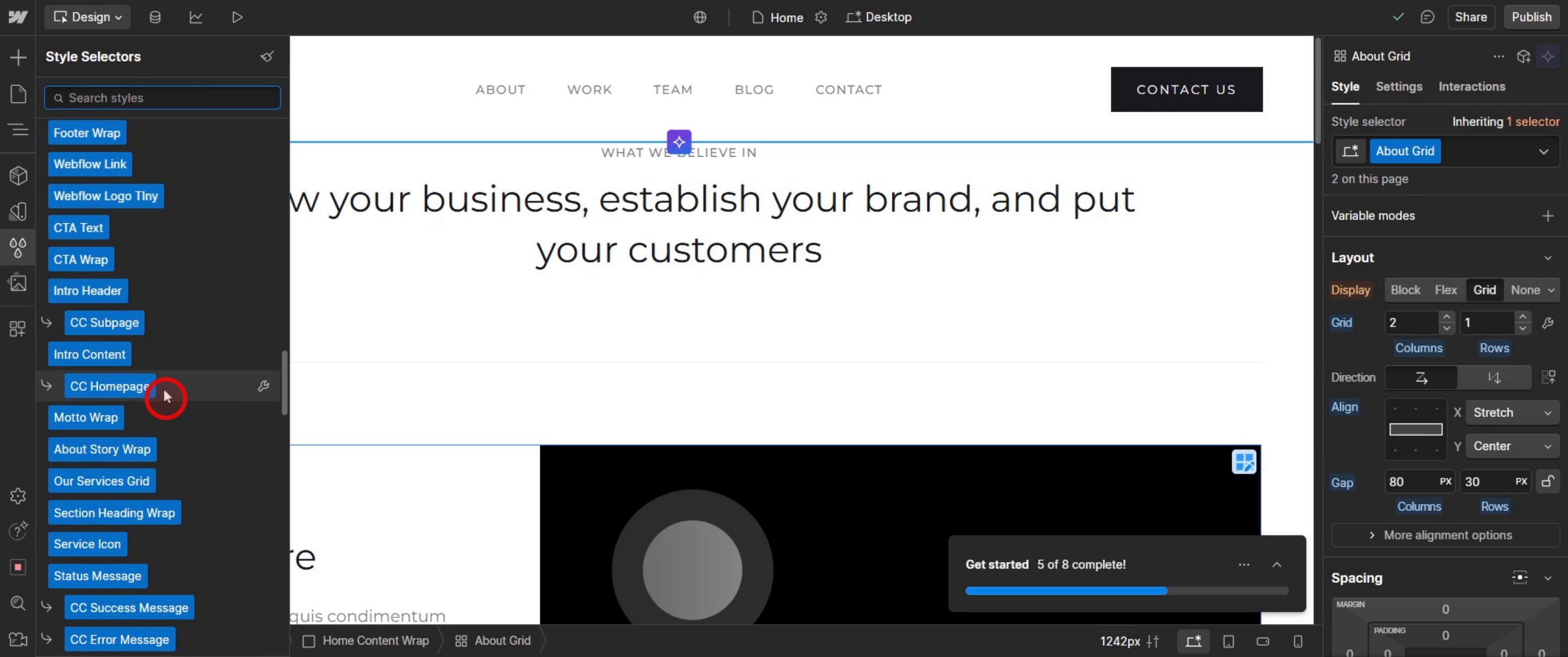
Step 3
Identify classes that are not in use,
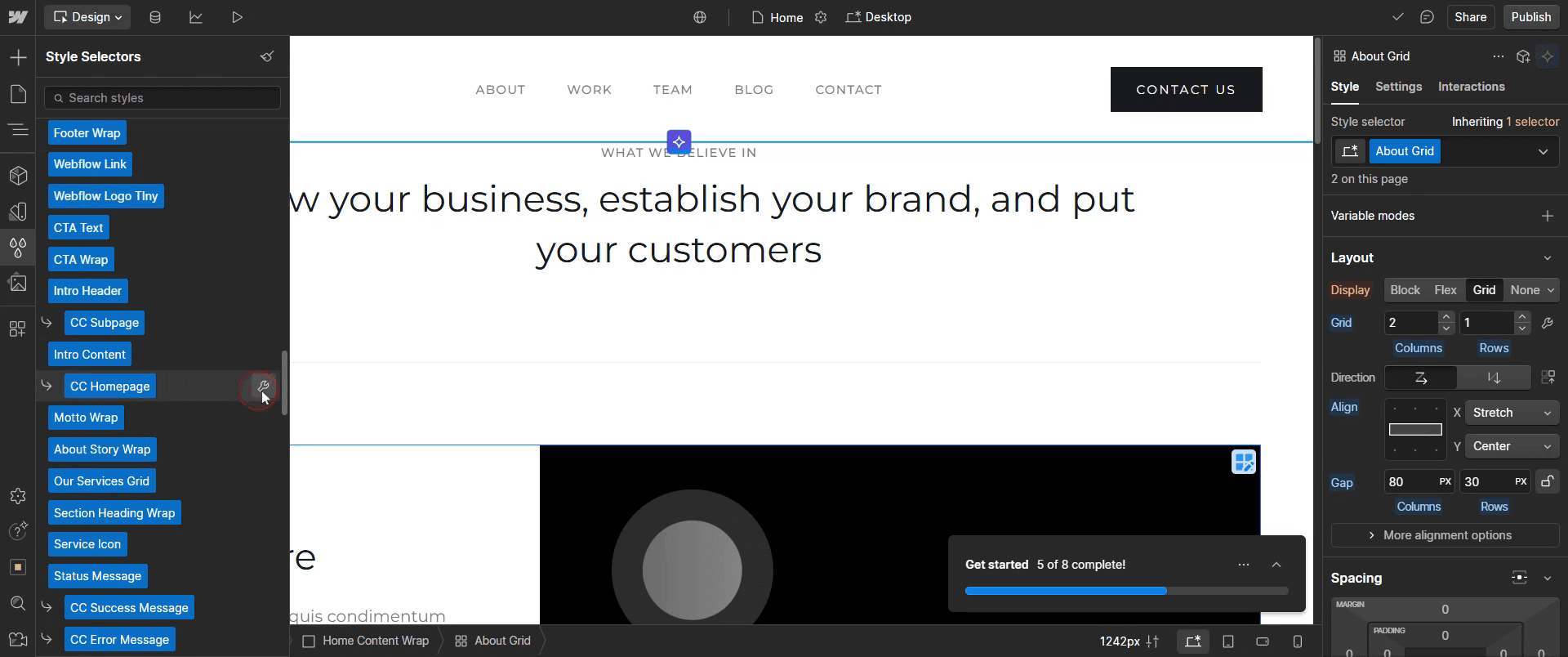
Step 4
Click on the icon.
Step 5
Then click on the delete.
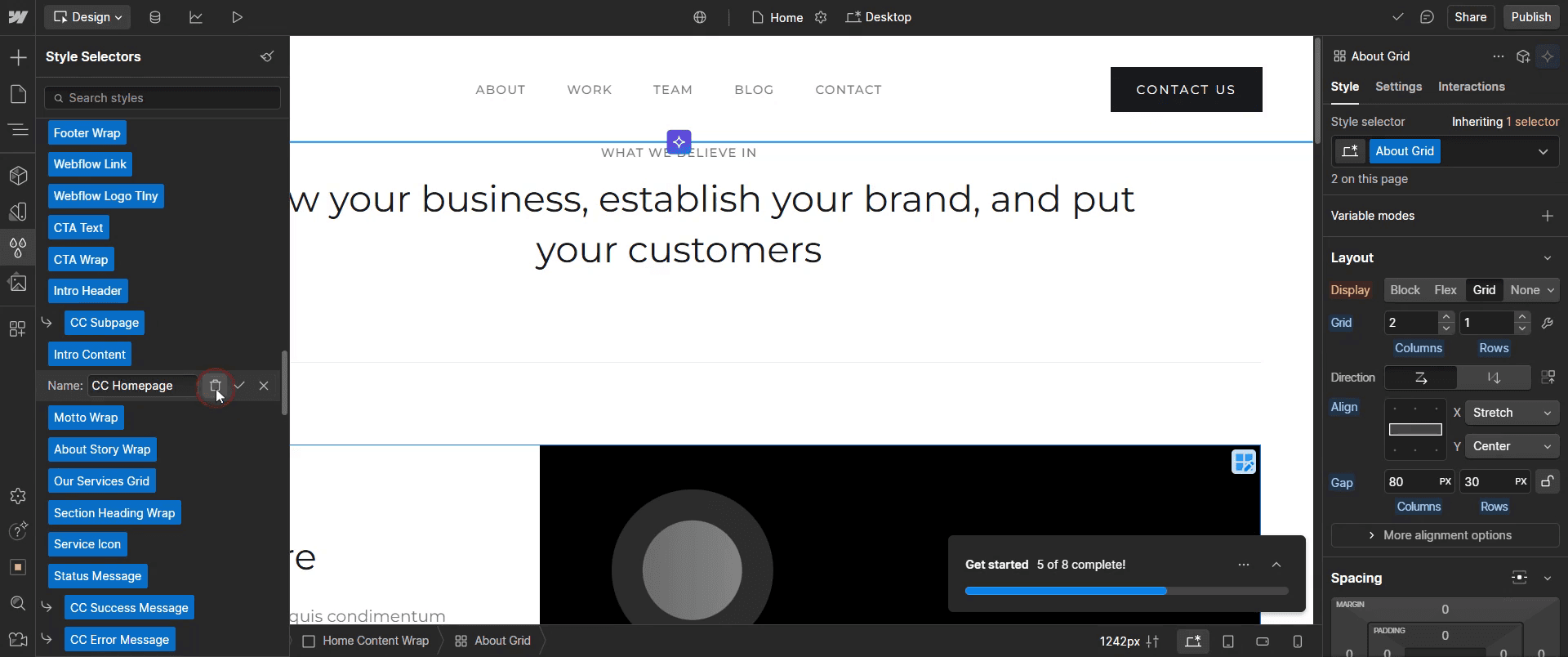
This is the step-by-step process to delete classes in Web flow. Let’s explore some tips for it.
Pro-tips for deleting classes in Web flow
Understand What a Class Is – In Web flow, a class is a reusable styling definition applied to elements like text, buttons, and containers. Deleting a class removes it from the Style Manager but does not delete the elements themselves.
Check if the Class is Being Used – Before deleting a class, check whether it's still applied to elements on your site. If a class is in use, removing it may affect your design and layout.
Use the Style Manager for Bulk Cleanup – Navigate to Style Manager (Shortcut: G) to find unused classes and delete them in bulk instead of manually removing them from elements.
Common pitfalls & how to avoid them
Accidentally Deleting Active Classes – If you delete a class that is still applied to elements, those elements will lose their styles. Always check before deletion.
Deleting a Class Without Checking Responsive Views – Some classes may be styled specifically for tablet or mobile views. Deleting them may cause layout issues on smaller screens.
Not Using the Clean Up Option – Instead of manually searching for unused classes, use web flow Clean Up feature in the Style Manager to quickly remove unnecessary styles.
Common FAQs for deleting classes in Web flow
What happens when I delete a class in Web flow?
Any elements using the deleted class will lose their associated styles, reverting to default browser styles.Can i restore a deleted class in Web flow?
No, Web flow does not have a built-in restore feature for deleted classes. You must reapply styles manually or use version history to revert changes.How do i remove unused classes in Web flow?
Go to the Style Manager and click Clean Up to remove all unused styles from your project.Can i delete a class without affecting other elements?
If the class is applied to multiple elements, deleting it will remove styling for all of them. To avoid this, remove the class from individual elements manually before deletion.
If you're an instructor or content creator looking to make tutorial videos, give a try. It transforms rough screen recordings into polished, studio-style videos that are ready for sharing with your audience. Plus, it automatically generates a step-by-step guide based on the video you create. Fascinating, right? Start by creating your first tutorial for free with trupeer.ai .

