
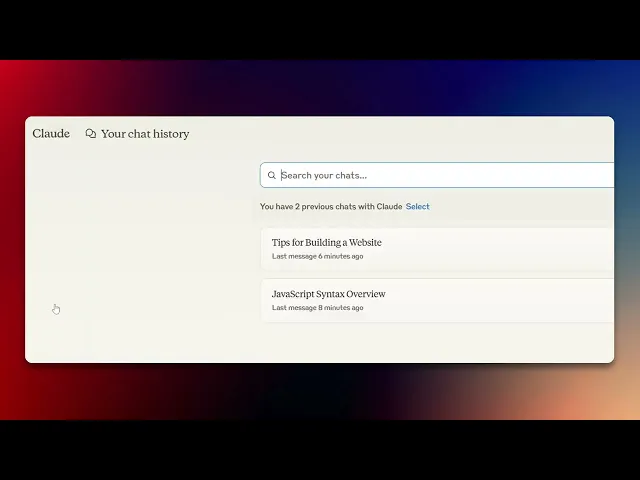
How To Delete Claude AI History
Learn how to delete your Claude AI history effortlessly. Follow our step-by-step guide to ensure your data privacy and manage your AI interactions effectively.
This document outlines a step-by-step process to help users securely delete their Cloud AI interaction history. Follow these instructions to ensure complete removal.
Step 1
In the 'Recent' section, click on 'View All.'
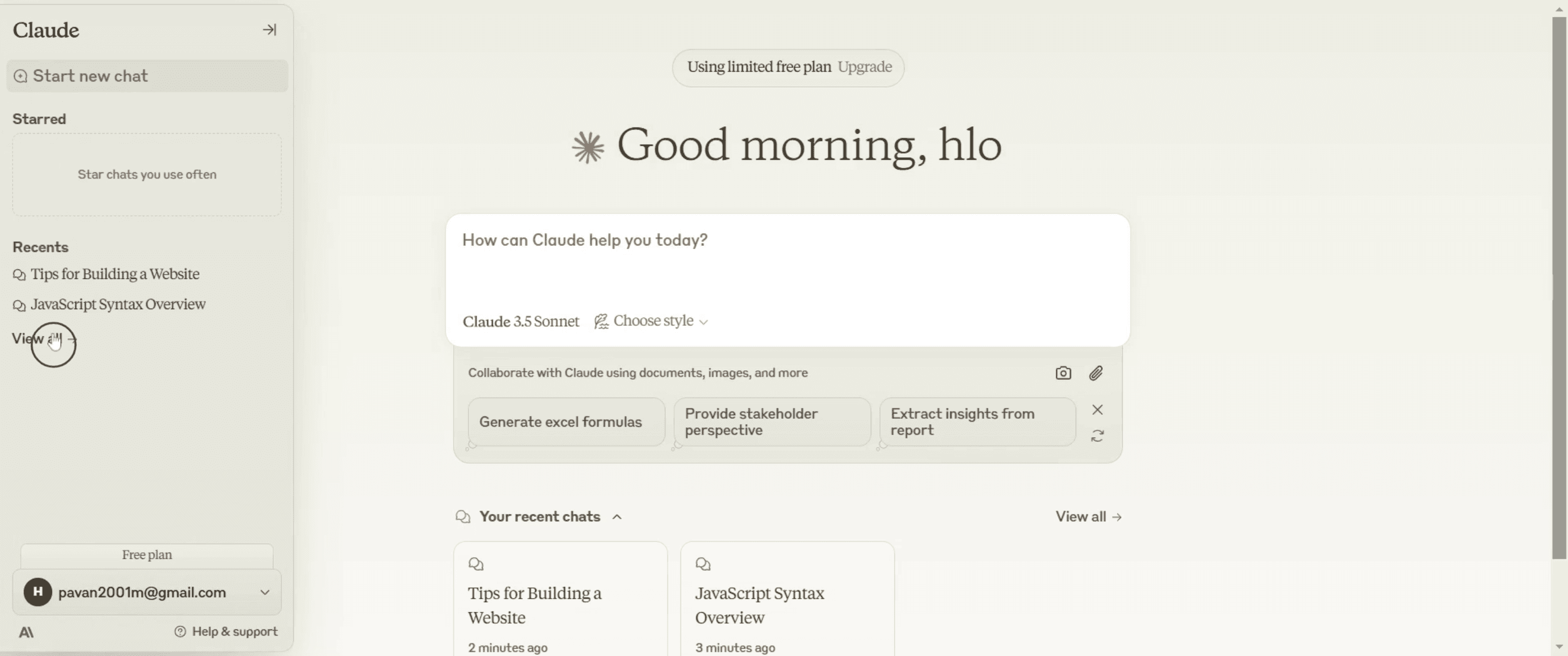
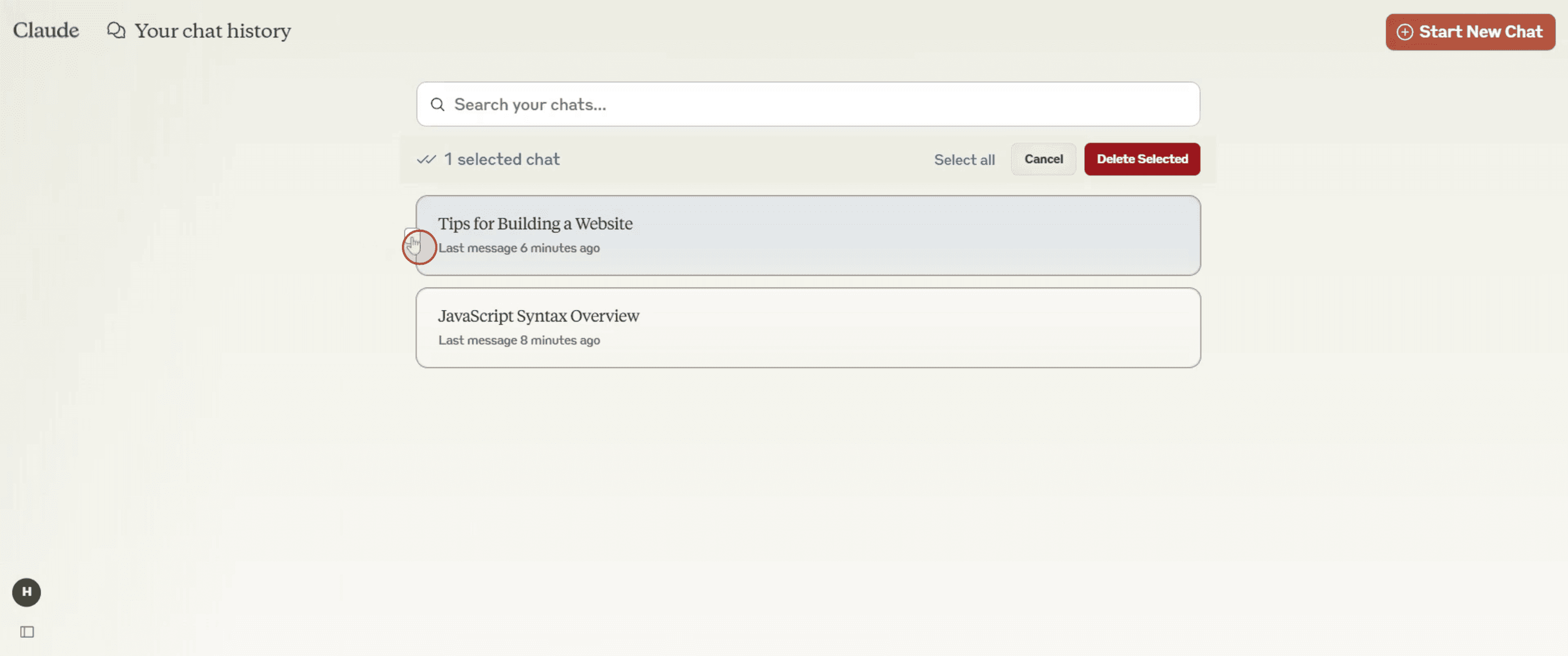
Step 2
Select the interaction that you wish to delete.
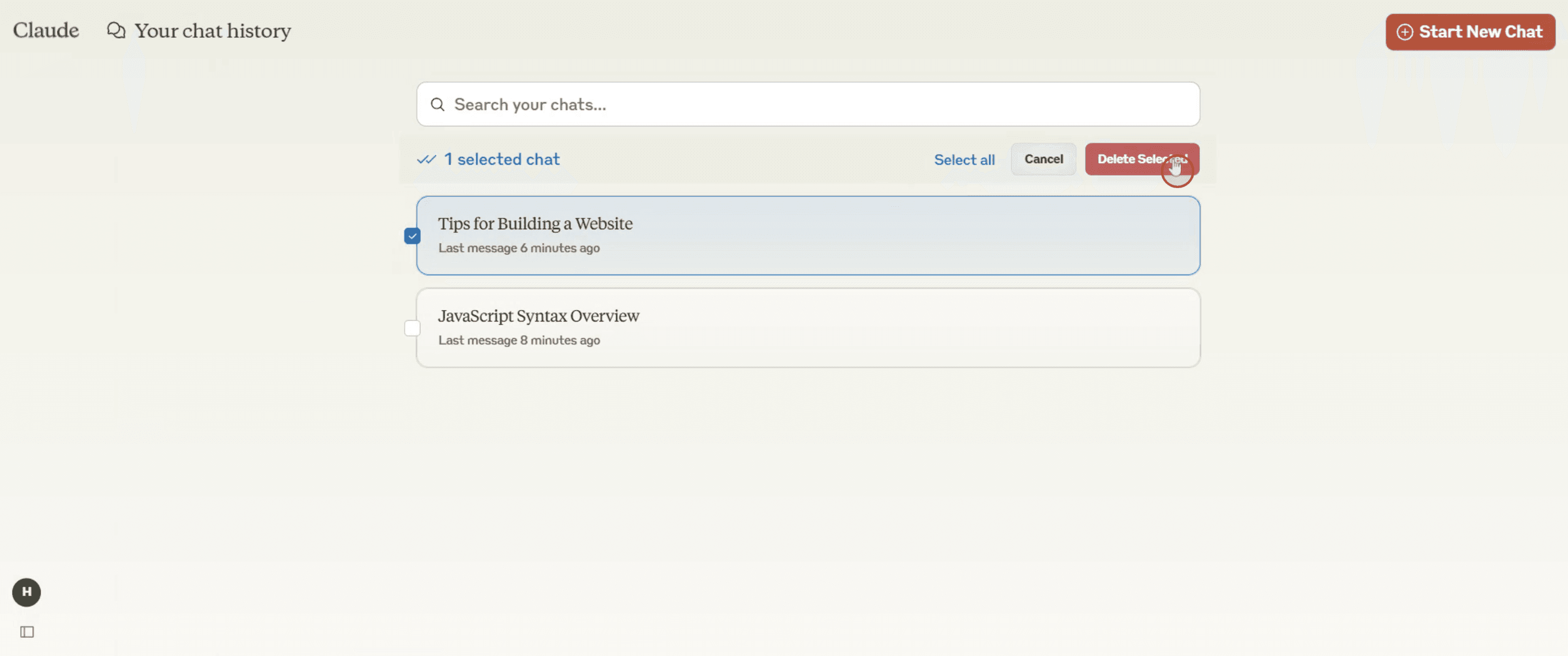
Step 3
Click on 'Delete selected'.
Step 4
And confirm your action by clicking 'Delete' once more.
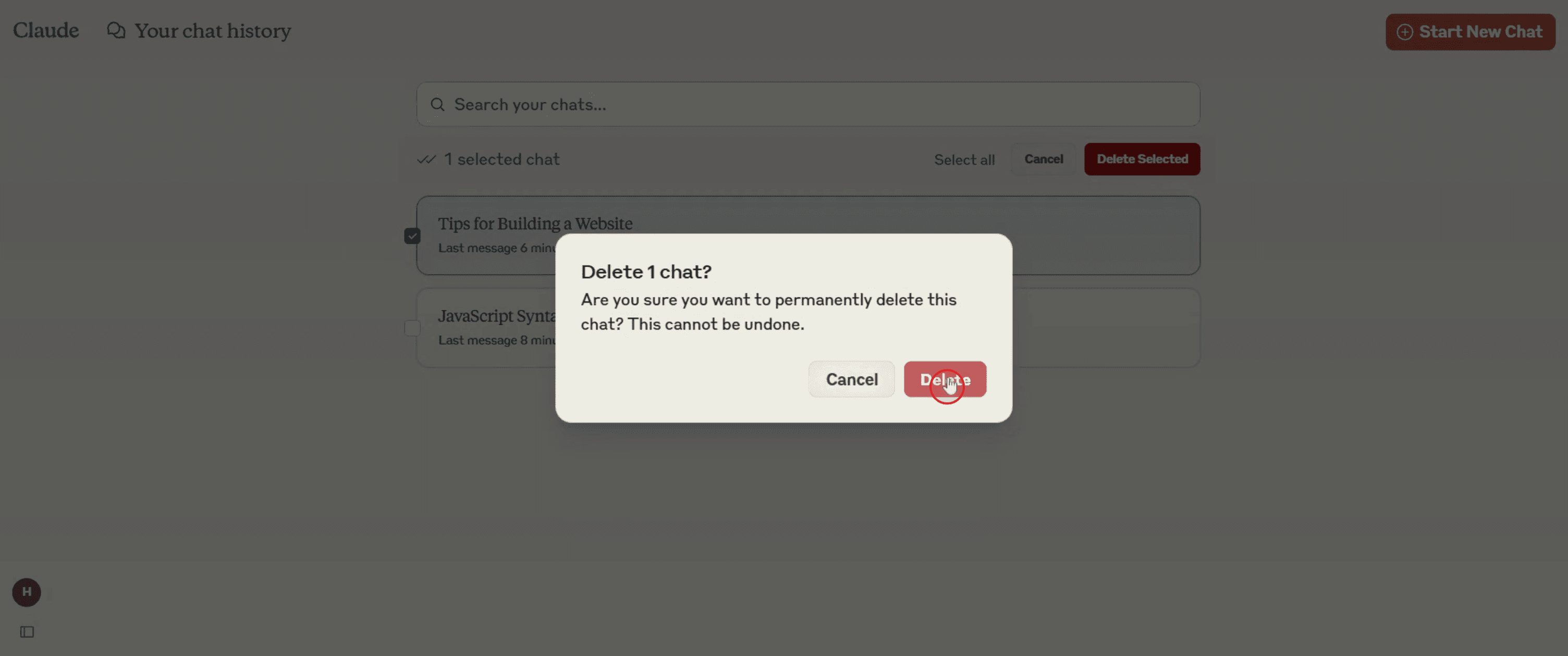
That's it. This is a step-by-step guide on how to delete Claude AI history.
Pro-tips for deleting Claude AI history
Check Claude AI settings for any privacy options that allow automatic history deletion.
If no delete option is available, try contacting Claude AI support for further guidance.
Use incognito mode when chatting to prevent storing history in your browser.
Common pitfalls & how to avoid them while deleting Claude AI history
No delete option available – Some AI chat platforms do not store history permanently. Check settings for auto-clear options.
Browser still displaying history – Clear cookies and cache to ensure local storage is removed.
History accessible on multiple devices – If you use Claude AI across different devices, delete history on each one separately.
Common FAQs for deleting Claude AI history
Can I disable history tracking in Claude AI?
Some AI platforms allow users to turn off chat logging check if Claude AI provides this option.Does Claude AI automatically delete conversations?
It depends on the platform’s policy some AI tools delete chats after a session, while others retain them for a set period.Can Claude AI store my data even after I delete it?
Some AI systems retain cached or backup data temporarily check the platform’s data retention policy for specifics.What should I do if there’s no option to delete Claude AI history?
Contact Claude AI’s customer support or review the privacy policy to see if manual deletion is possible.
If you're an instructor or content creator looking to make tutorial videos, give Trupeer.ai a try. It transforms rough screen recordings into polished, studio-style videos that are ready for sharing with your audience. Plus, it automatically generates a step-by-step guide based on the video you create. Fascinating, right? Start by creating your first tutorial for free with Trupeer.ai.

