
How To Duplicate A Component In Webflow
Learn how to easily duplicate components in Webflow with our comprehensive guide. Boost your design process and create stunning layouts effortlessly.
This document provides a step-by-step approach to duplicating a component in Web flow. Follow these instructions to effectively manage and manipulate components within your Web flow projects.
Step 1
Click on the component.
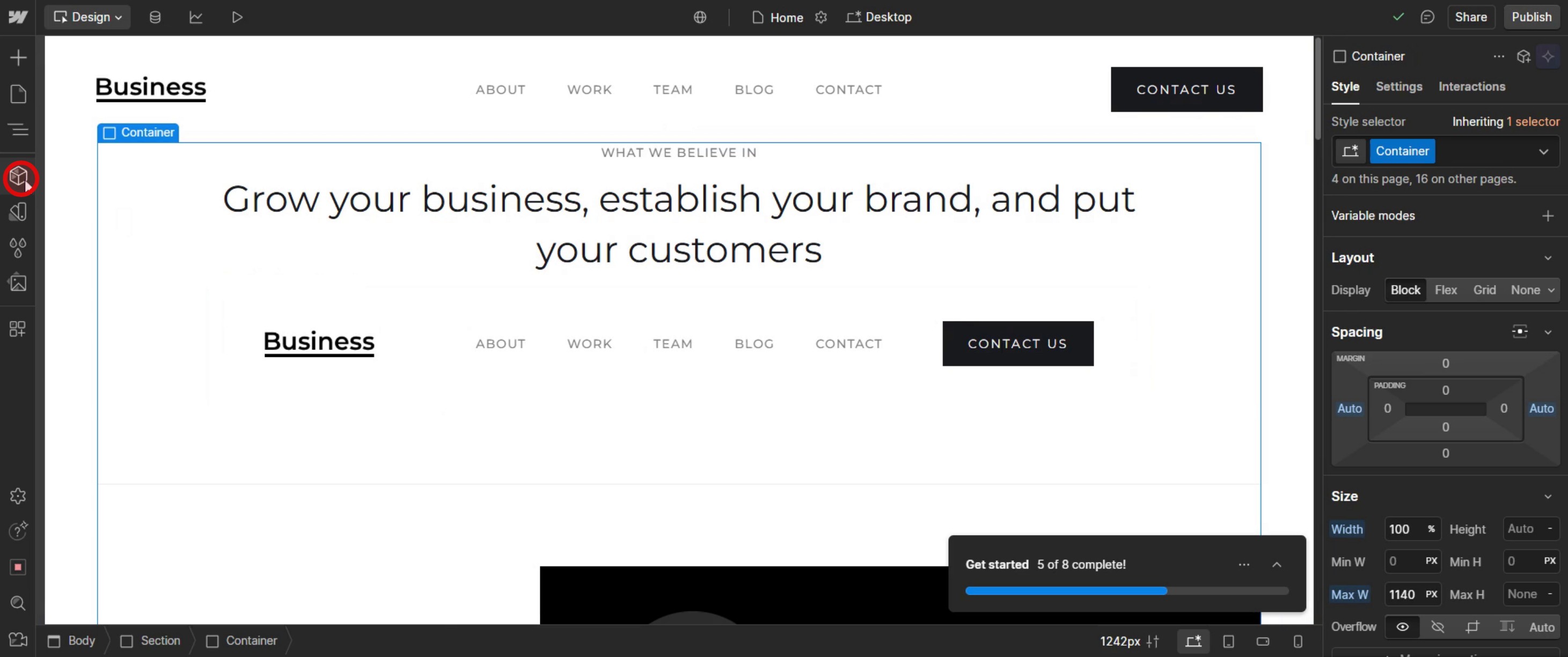
Step 2
Select the component that you intend to duplicate.
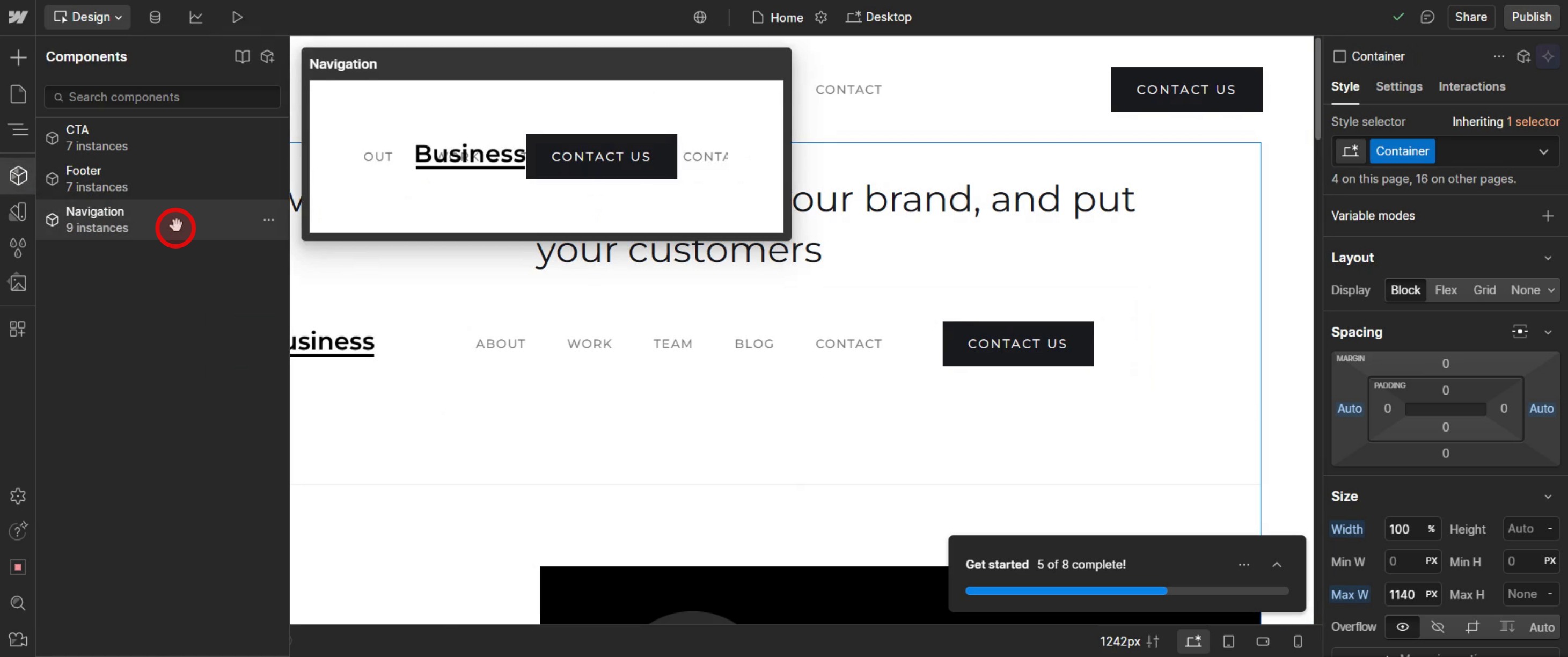
Step 3
Right-click on the mouse. select the unlink option,
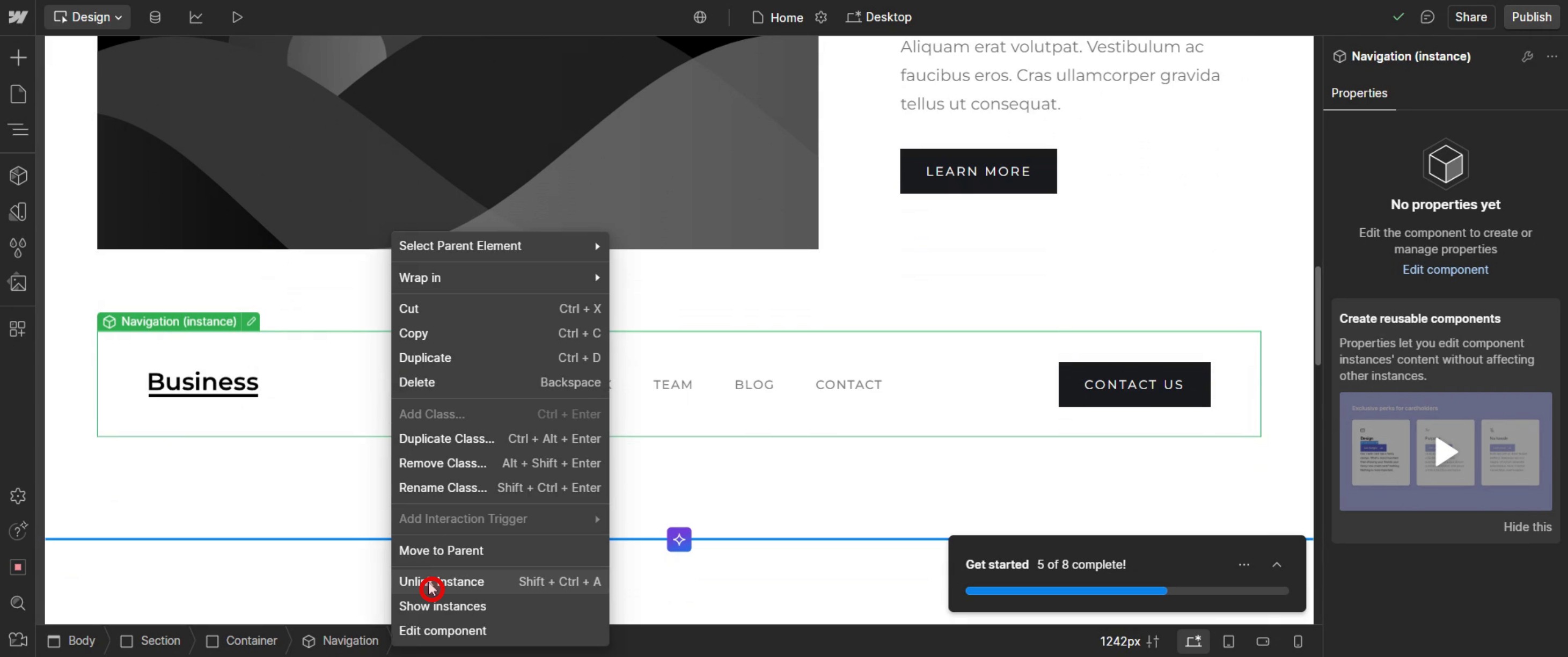
Step 4
You will see that the component is now unlinked.
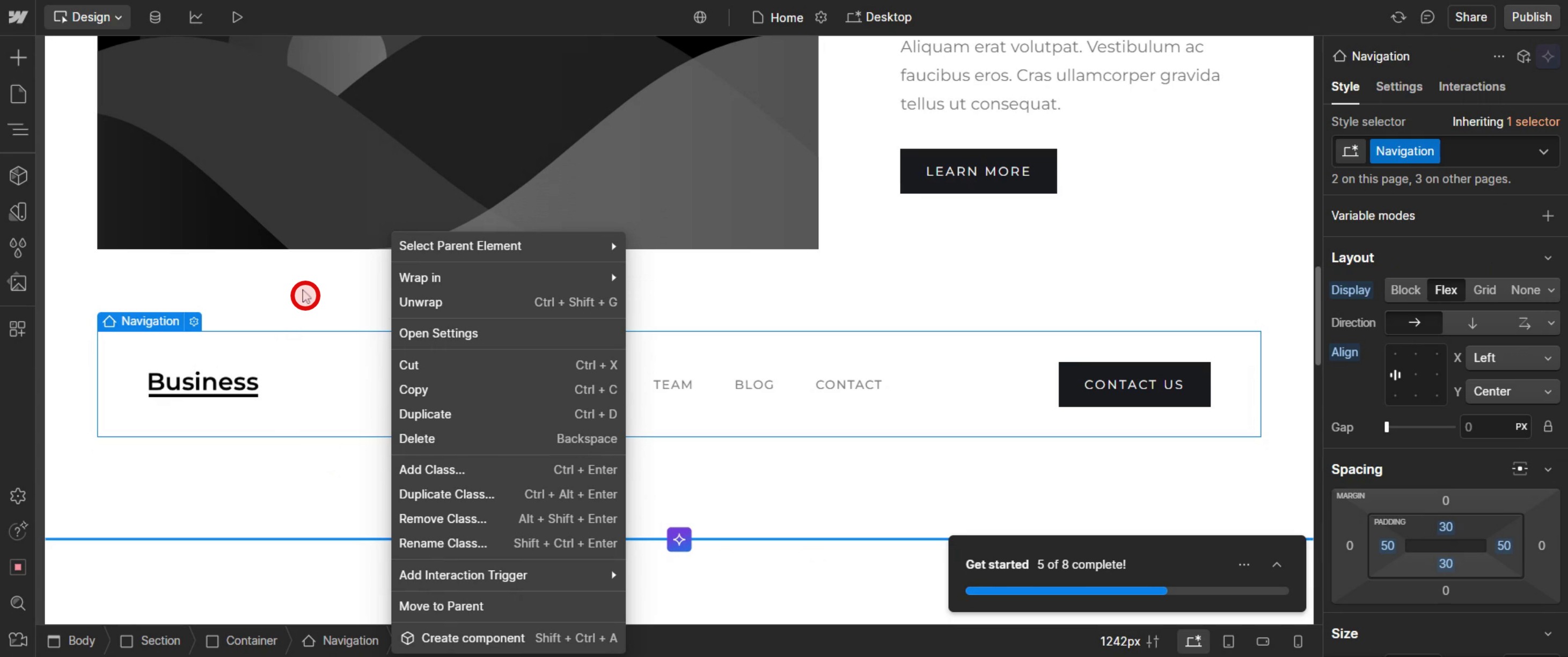
This is the step-by-step process to duplicate a component in Web flow. Let’s explore some tips for it.
Pro-tips for duplicating a component in Web flow
Understand What a Component Is – In Web flow, components (formerly known as symbols) allow you to reuse elements across multiple pages while keeping them synchronized. Duplicating a component lets you create a separate version that can be modified independently.
Use Duplicate Instead of Unlink – If you want to create a new version of a component without affecting the original, use the Duplicate option rather than unlinking it.
Rename Duplicated Components for Organization – After duplicating a component, rename it in the Components Panel to avoid confusion between different versions.
Common pitfalls & how to avoid them
Accidentally Editing the Original Component – If you edit a linked component instead of a duplicated one, changes will be applied globally. Always duplicate first before making edits.
Not Renaming the Duplicated Component – Without renaming, it’s easy to mix up components, leading to confusion when editing. Always name duplicates clearly in the Components Panel.
Unnecessarily Duplicating When Not Needed – If you need a component to remain the same across multiple pages, use the same instance instead of duplicating.
Common FAQs for duplicating a component in Web flow
What happens when i duplicate a component?
The duplicated component becomes a new, independent version, meaning edits will not affect the original component.Can i unlink a component instead of duplicating it?
Yes, but unlinking converts the component back to regular elements, which removes the ability to sync changes across instances.How do i rename a duplicated component?
After duplicating, go to the Components Panel, find the new component, and rename it for better organization.Does duplicating a component copy interactions and animations?
Yes, any interactions or animations within the component will also be duplicated. Review them to ensure they work as expected in the new version.
If you're an instructor or content creator looking to make tutorial videos, give a try. It transforms rough screen recordings into polished, studio-style videos that are ready for sharing with your audience. Plus, it automatically generates a step-by-step guide based on the video you create. Fascinating, right? Start by creating your first tutorial for free with trupeer.ai .

