
How To Edit Drop Down Menu In Webflow
Learn how to effectively edit drop-down menus in Webflow. Our detailed tutorial provides tips and tricks for a seamless user experience.
This document provides a comprehensive guide on how to effectively edit the drop-down menu in Web flow. By following these steps, you will be able to customize the menu settings and ensure that the appropriate links are displayed as desired.
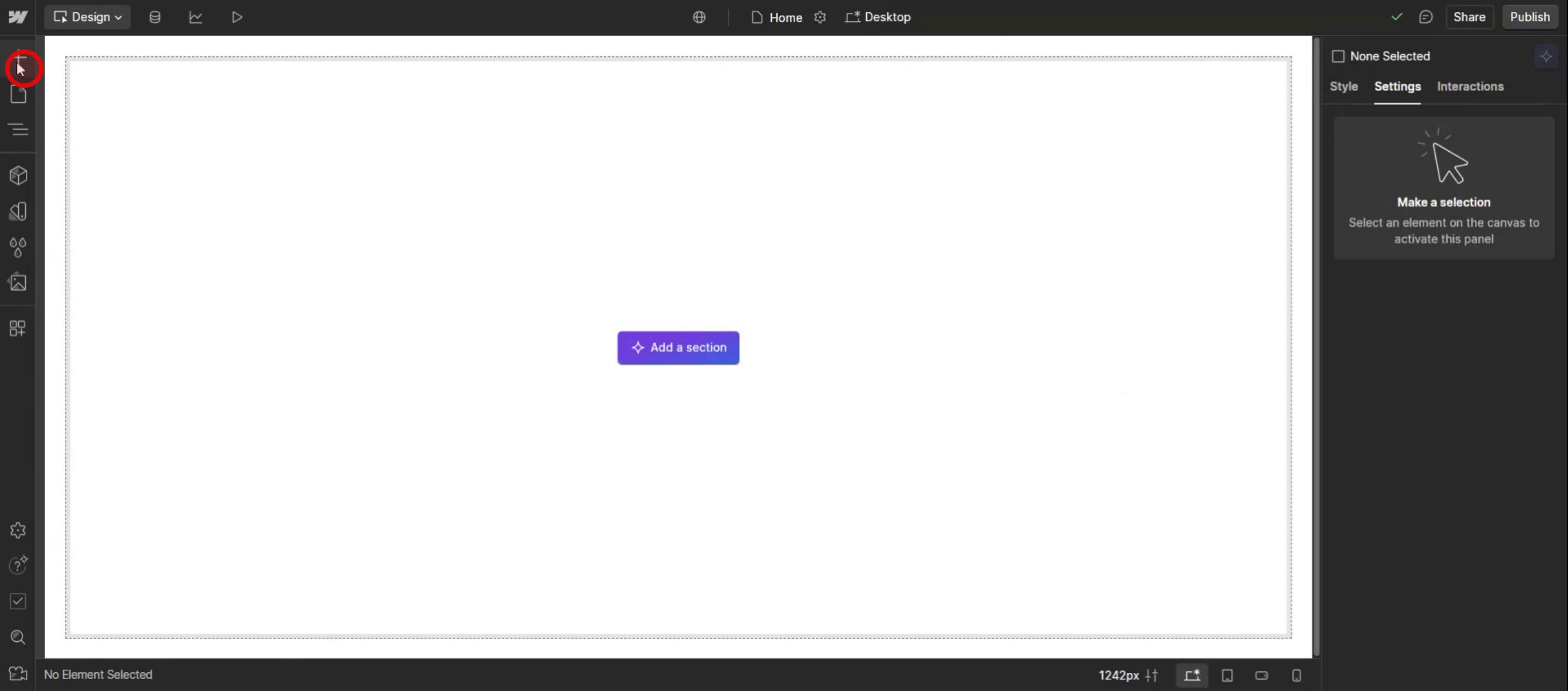
Step 1
Click on the Add Elements,
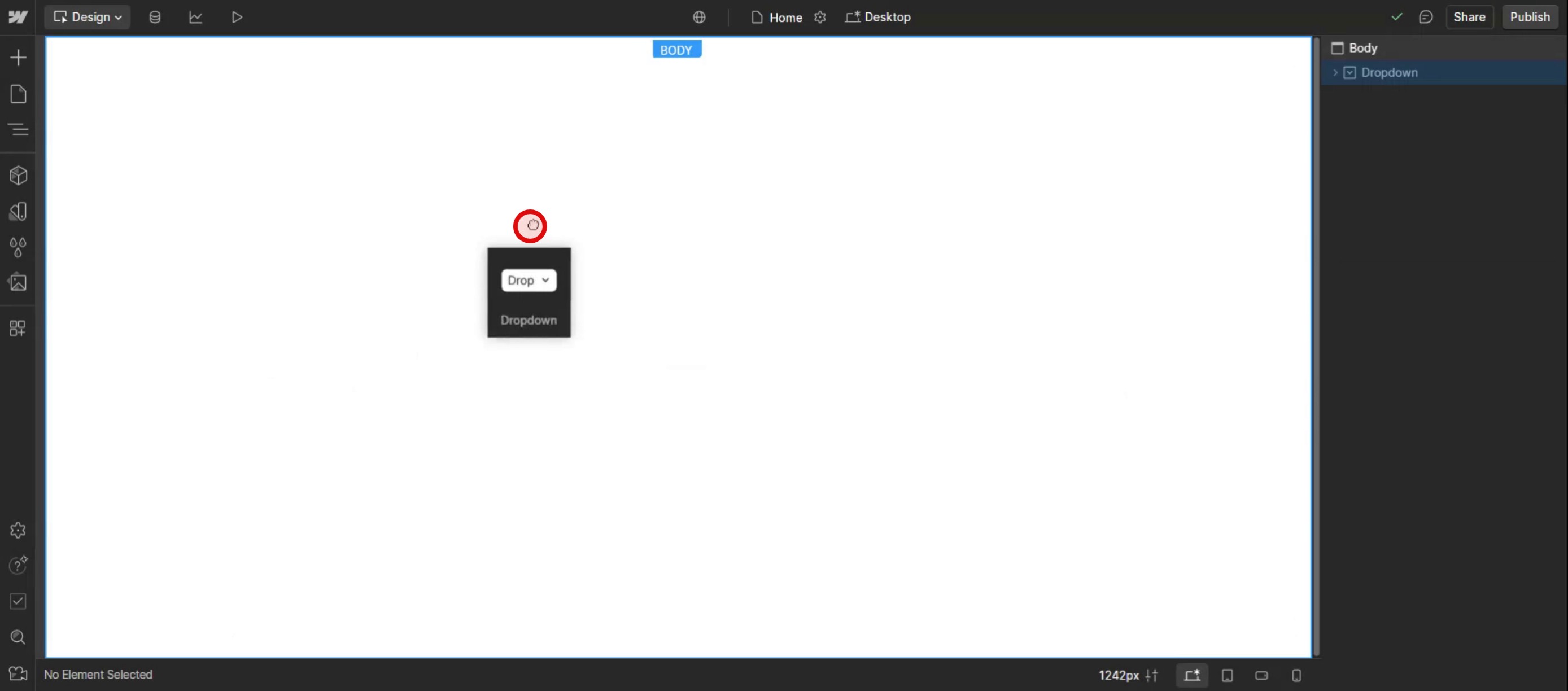
Step 2
Drag and drop the drop-down menu into your site.
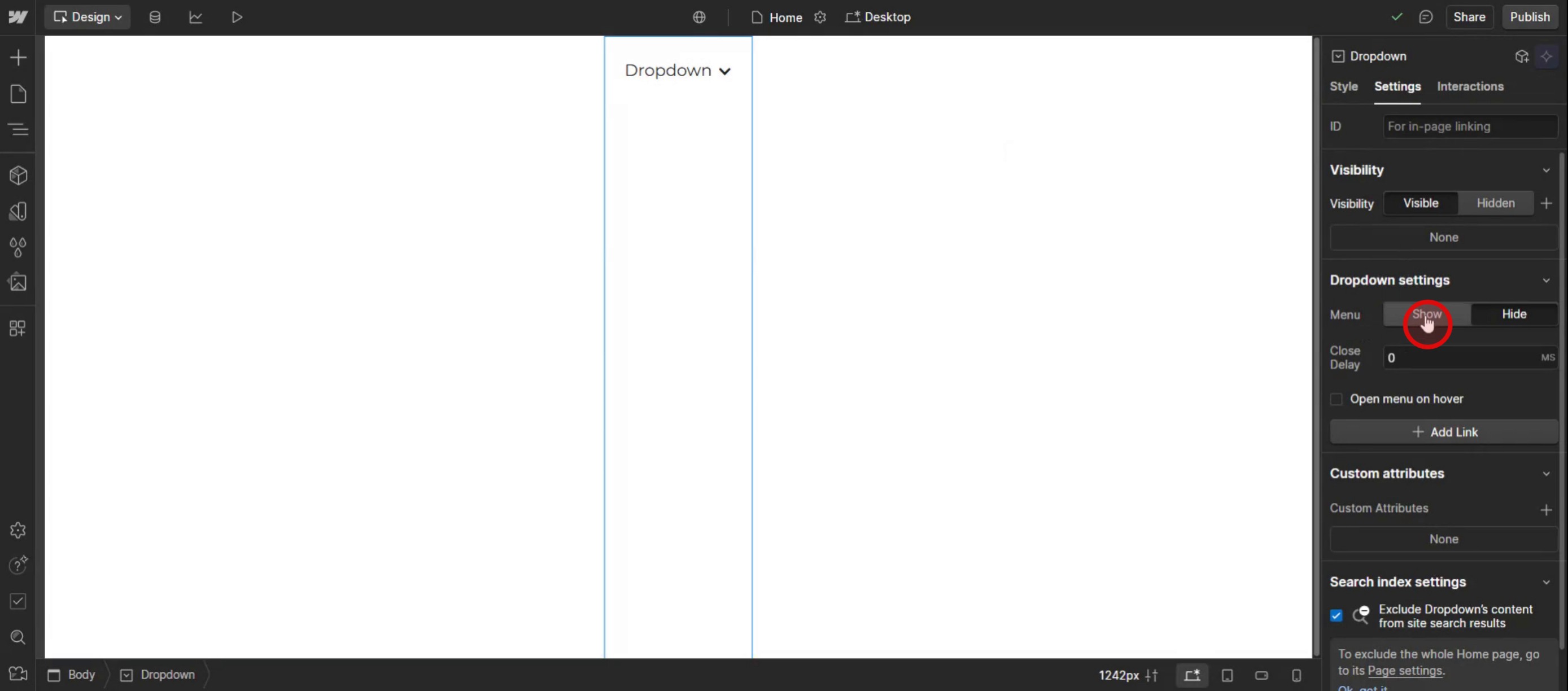
Step 3
Click on the show option to make the links visible.
Step 4
Then edit the drop down menu.
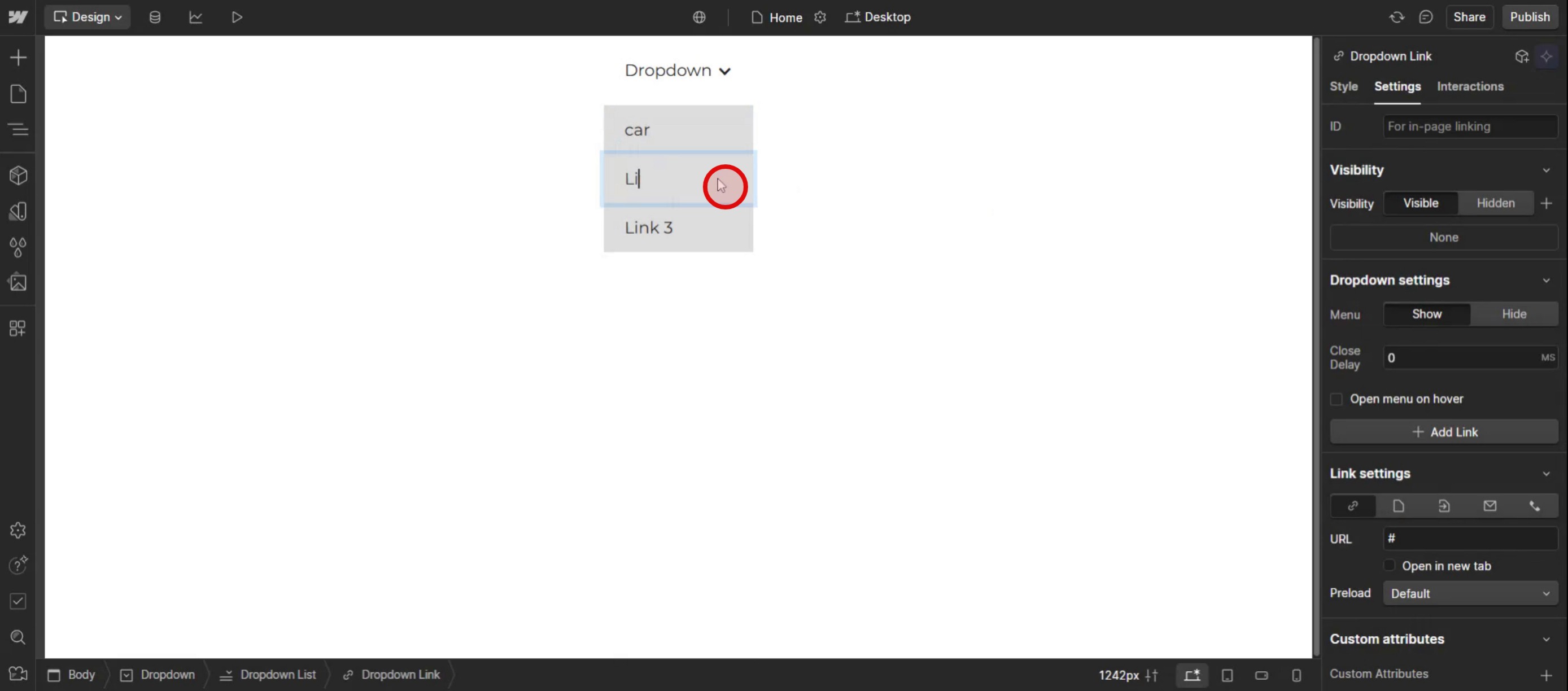
This is the step-by-step process to edit a dropdown menu in Web flow. Let’s explore some tips for it.
Pro-tips for editing a drop down menu in Web flow
Use Web flow's Built-in Navbar Component – Web flow provides a pre-built Navbar with a Drop Down Menu that can be customized easily using the Designer panel.
Adjust Dropdown Interactions for Smooth Animations – Use Web flow Interactions to control how the menu appears, such as fade-in, slide-down, or hover effects for better user experience.
Customize Menu Styles for Branding – Modify the background color, text style, and hover states to align the dropdown menu with your website’s design.
Common pitfalls & how to avoid them
Dropdown Not Expanding Properly – Check that the menu button is correctly linked to the dropdown list and that interactions are set to display: block when active.
Menu Overlapping Other Content – If the dropdown covers important sections, use Z-index adjustments to keep it properly layered.
Inconsistent Hover or Click Behavior – Make sure that menu interactions are not conflicting with other animations or global styles.
Common FAQs for editing a drop down menu in Web flow
Can i animate a dropdown menu in Web flow?
Yes. Use Web flow Interactions to create custom fade, slide, or bounce effects when the menu opens or closes.How do i make my dropdown menu responsive?
In Tablet and Mobile views, adjust the dropdown size, position, and tap-friendly settings to ensure a seamless experience on smaller screens.Why is my dropdown menu not appearing on hover?
Check if the dropdown trigger setting is set to Click instead of Hover in the Web flow panel. Change it to Hover if you want it to expand automatically.
If you're an instructor or content creator looking to make tutorial videos, give a try. It transforms rough screen recordings into polished, studio-style videos that are ready for sharing with your audience. Plus, it automatically generates a step-by-step guide based on the video you create. Fascinating, right? Start by creating your first tutorial for free with trupeer.ai .

