
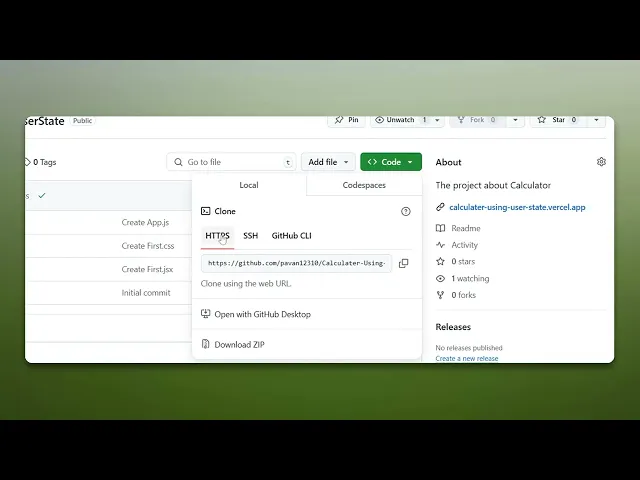
How To Get GitHub Link
Discover the essential steps to obtain your GitHub link effortlessly. Our guide provides clear instructions for beginners and experienced users alike.
This document outlines the procedure to get GitHub link. Follow these steps to quickly copy the repository link.
Step 1
Locate the specific repository for which you need the link.
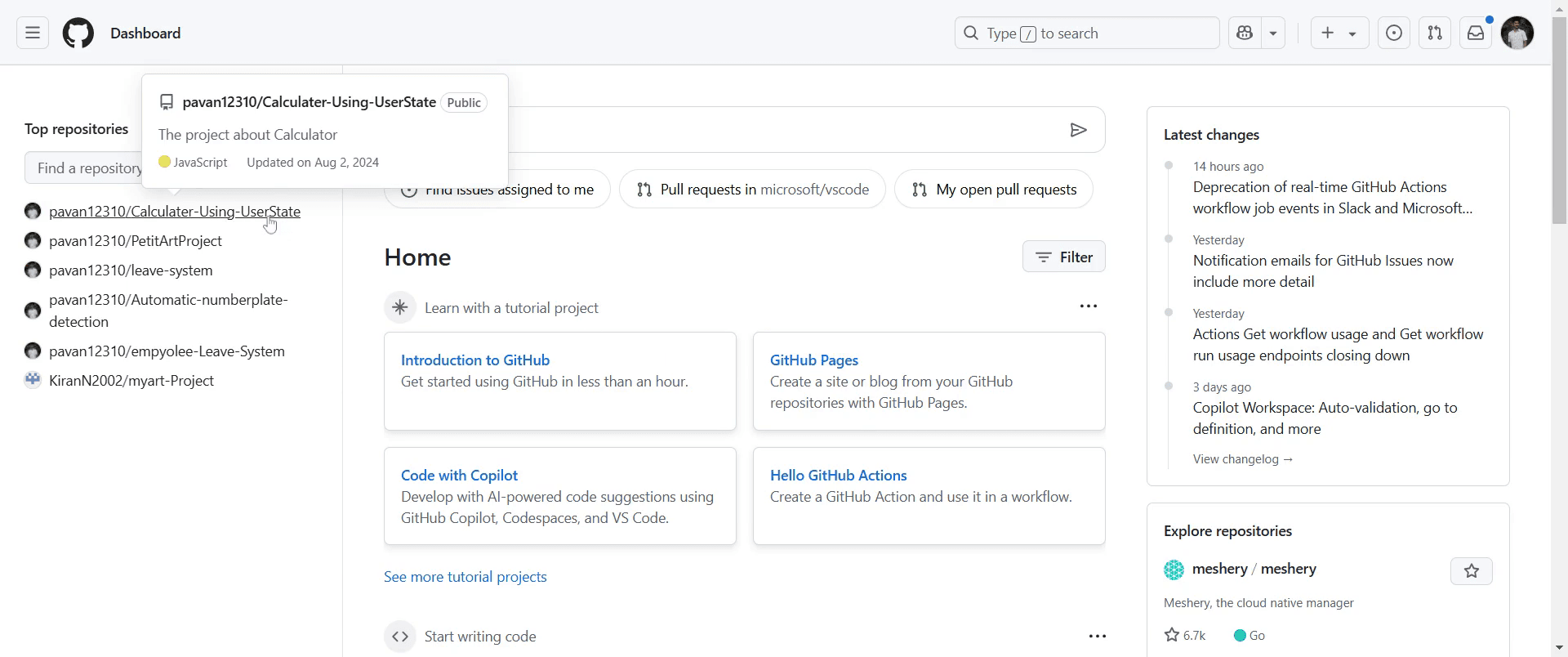
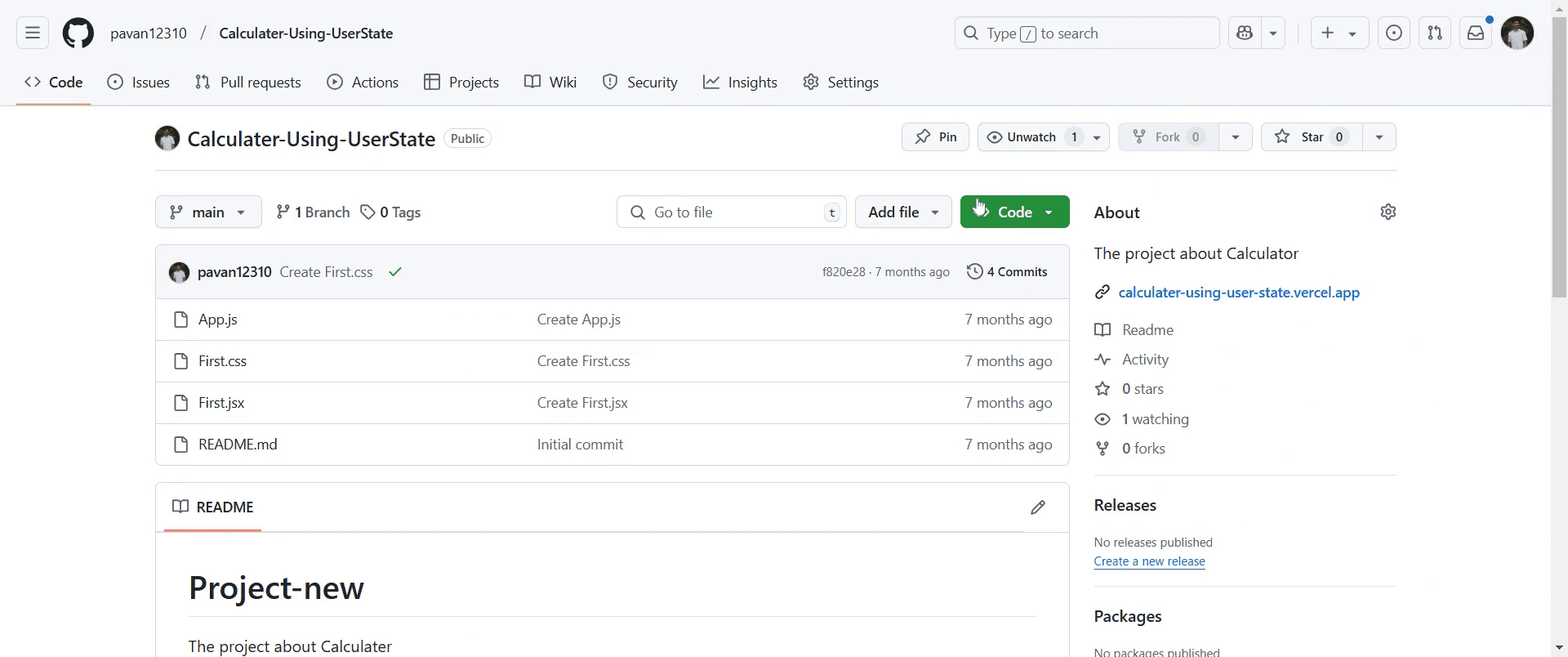
Step 2
Click on the "Code" button.
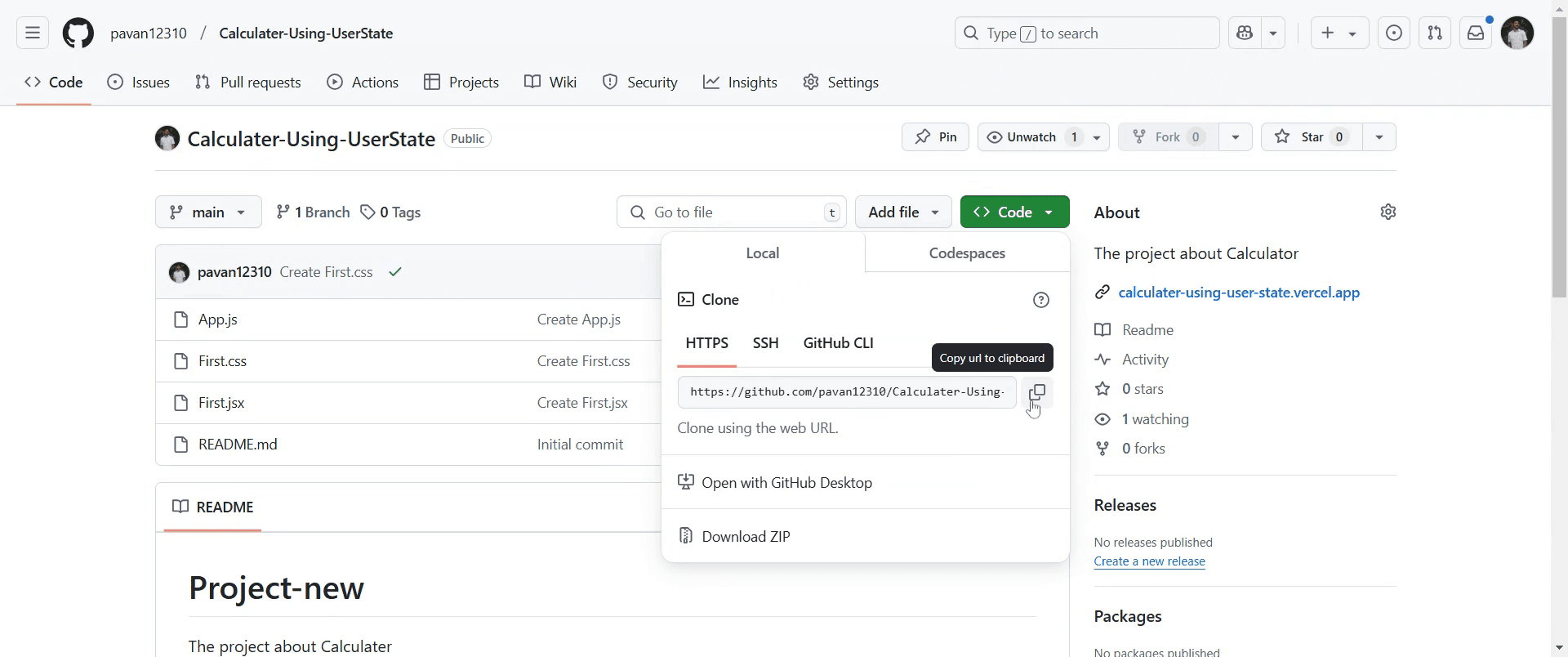
Step 3
Click on the "Copy" button to copy the GitHub repository link to your clipboard.
This is a step-by-step guide on how to get a GitHub link.
Pro-tips for getting a GitHub link
To get a repository link, go to the repository page and click the Code button to copy the HTTPS or SSH URL.
For a specific file, open the file, click Raw, and copy the browser URL for a direct link.
To share a specific commit, go to the Commits section, click on the commit hash, and copy the URL.
Common pitfalls & how to avoid them while getting a GitHub link
Copying the repository URL without the .git extension when cloning always use the full URL provided under Code.
Sharing a private repository link without giving access ensure the recipient has the necessary permissions.
Linking to the main branch when referencing a specific file version use Permalink for stable file URLs.
Common FAQs for getting a GitHub link
Can I share a GitHub link for a specific file?
Yes, open the file, click Raw, and copy the link from the address bar.How do I get a link to a specific commit?
Go to the Commits section, click on a commit, and copy the URL from the browser.Can I get a GitHub link for a private repository?
Yes, but only authorized users can access it; ensure they have the correct permissions.How do I copy a GitHub link to clone a repository?
Click the Code button, copy the HTTPS or SSH link, and usegit clone <URL>in the terminal.
If you're an instructor or content creator looking to make tutorial videos, give Trupeer.ai a try. It transforms rough screen recordings into polished, studio-style videos that are ready for sharing with your audience. Plus, it automatically generates a step-by-step guide based on the video you create. Fascinating, right? Start by creating your first tutorial for free with Trupeer.ai.

