
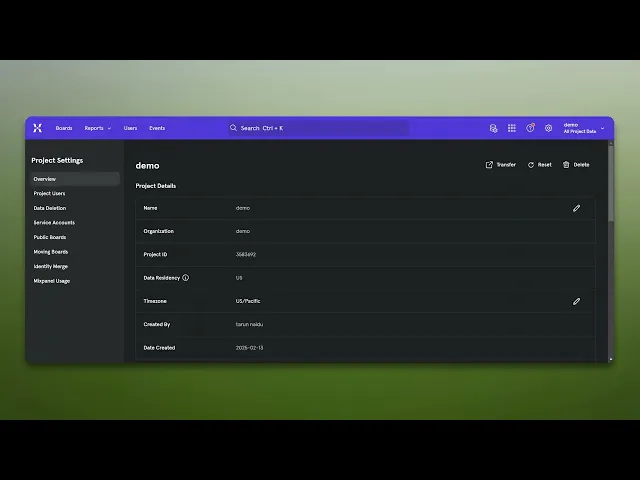
How To Get Mixpanel Project Token
Learn how to easily get your Mixpanel project token with our comprehensive guide. Unlock the full potential of your analytics and improve your insights.
This document outlines the process to efficiently obtain a project token from Mixed Panel. Follow these steps to seamlessly navigate the settings and access the required information.
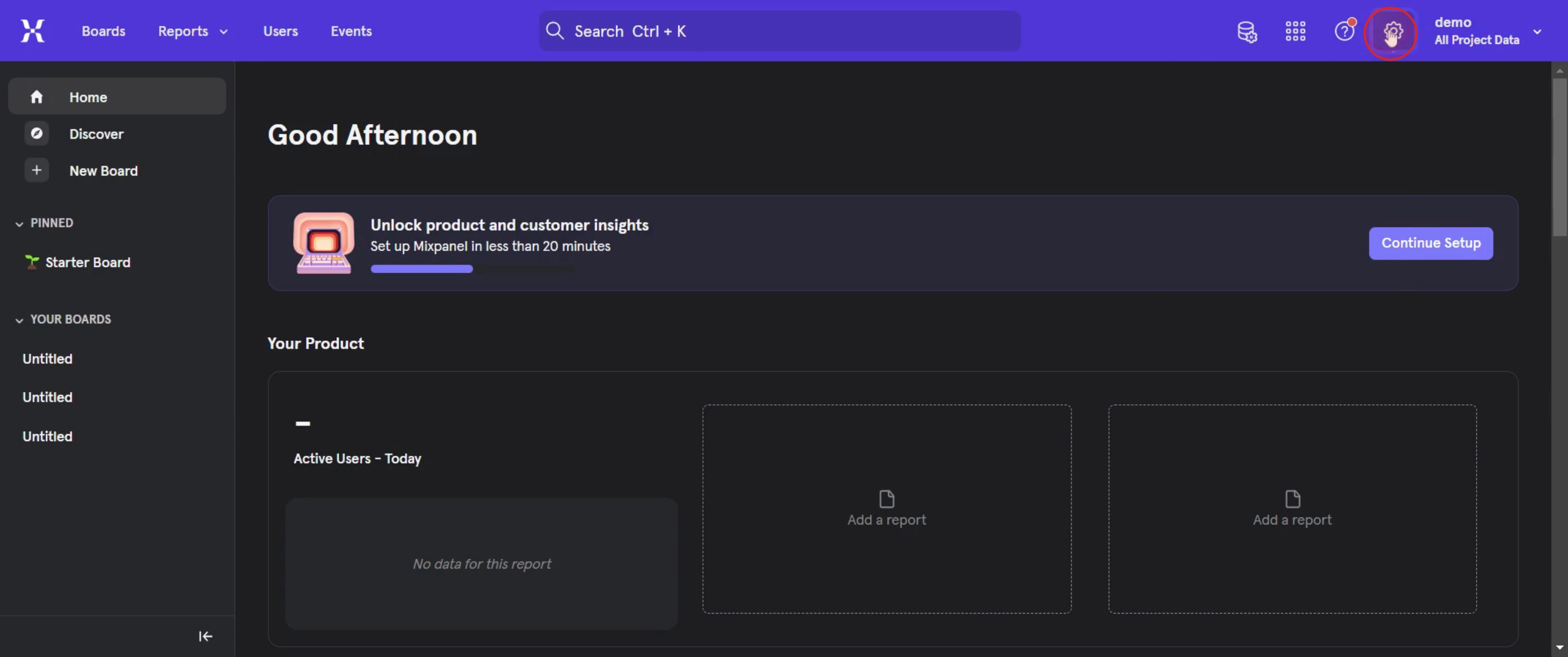
Step 1
Click on the Settings option.
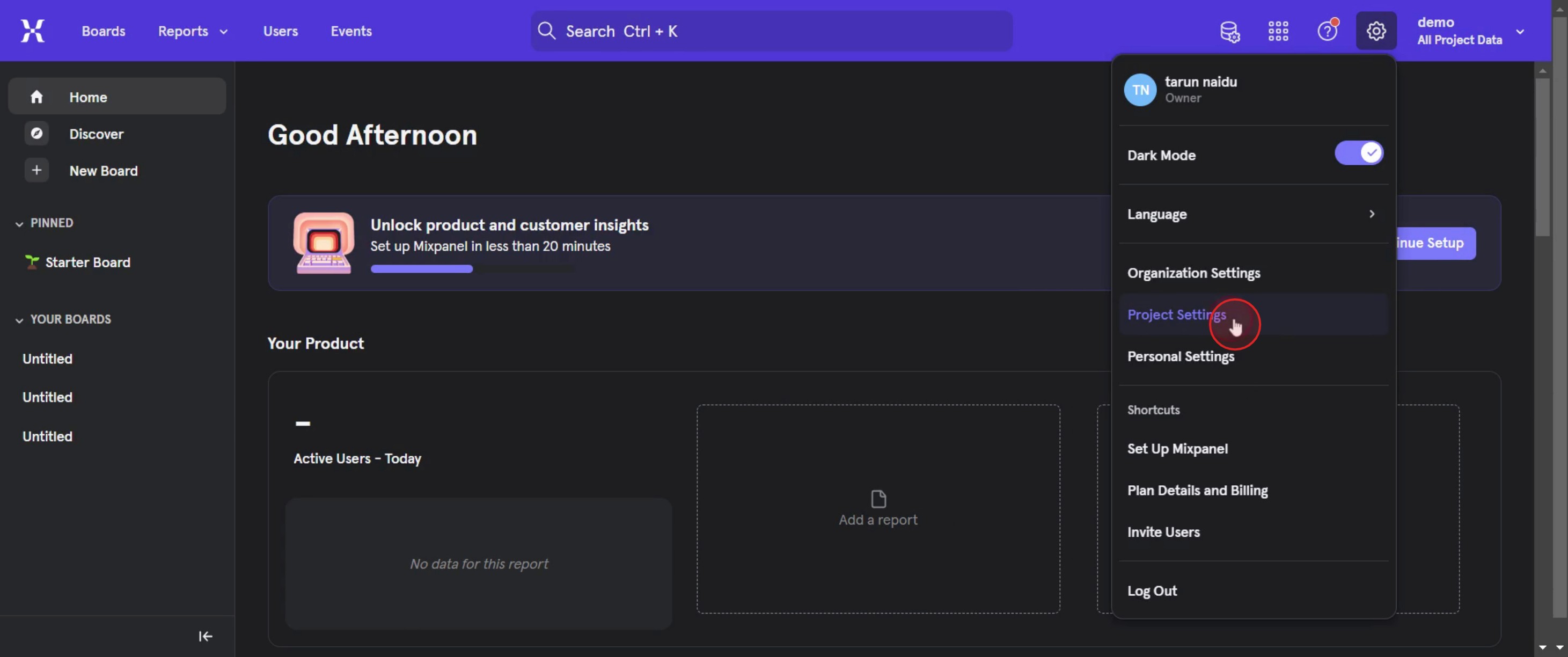
Step 2
Then select Project Settings,
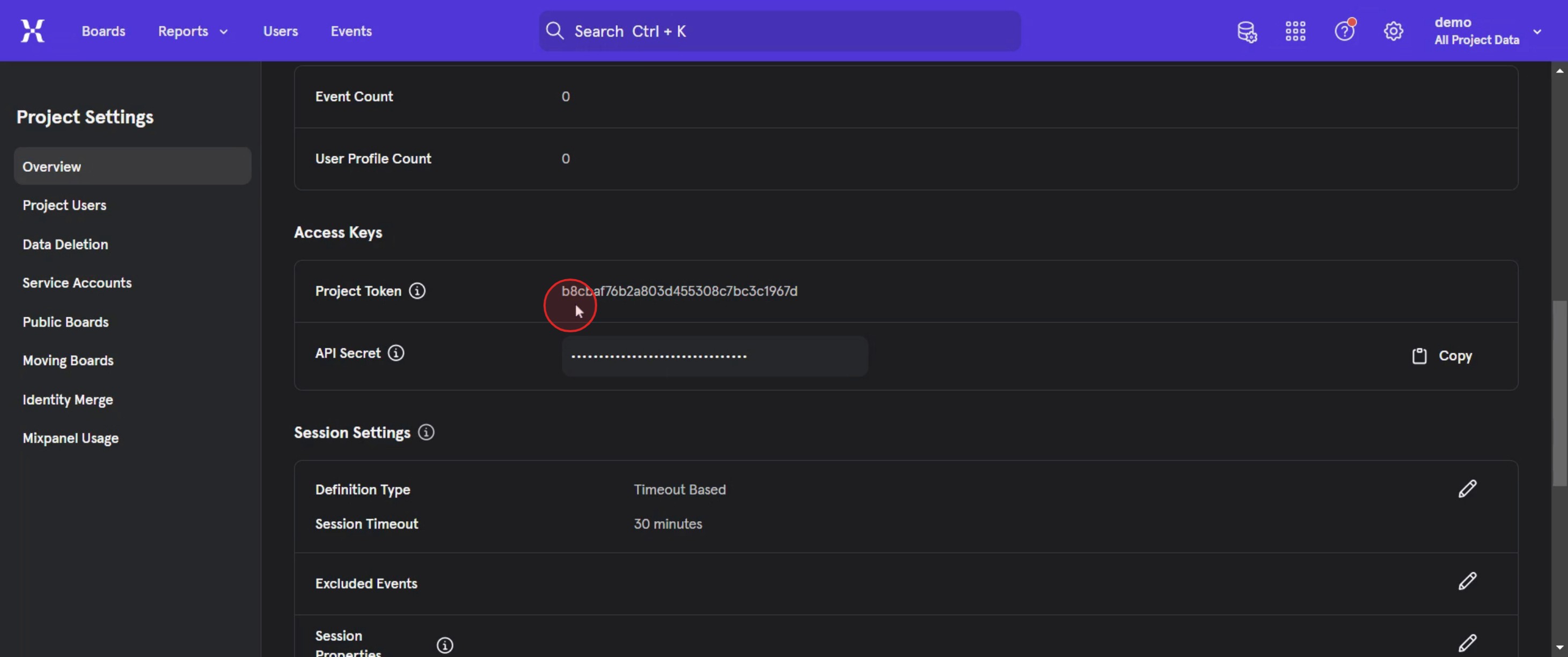
Step 3
Then select the project token.
This is the step-by-step process to get a Mix panel project token. Let’s look at some tips for it.
Pro-tips for getting your Mix panel project token
Access the Mix panel Project Settings – The Project Token is found in your Mix panel Project Settings under the Manage Project section.
Use the Token for API Integrations – The Project Token is essential for sending data to Mix panel via API. Ensure you copy it correctly when integrating with third-party applications.
Check Permissions Before Accessing the Token – Only users with admin or developer permissions can view the Project Token in Mix panel. If you can’t find it, ask an admin for access.
Common pitfalls & how to avoid them
Not Having the Right Permissions – If you cannot find the Project Token, check your Mix panel role. You might need admin or developer access.
Confusing Project Token with API Secret – The Project Token is used for data tracking, while the API Secret is for server-side authentication. Make sure you use the correct one.
Exposing the Token in Public Repositories – Never hardcode or expose the Project Token in public GitHub repositories, as it can be misused. Store it in a secure environment variable instead.
Common FAQs for getting a Mix panel project token
Why do i need a Mix panel Project Token?
The Project Token is required to send data to Mix panel, whether through API requests, SDKs, or third-party integrations.Can i regenerate a Mix panel Project Token?
No, the Project Token is fixed per project. If you suspect it has been exposed, create a new Mix panel project and migrate data accordingly.Is the Project Token the same as the API Secret?
No. The Project Token is for client-side data tracking, while the API Secret is used for server-side authentication in Mix panel.Can i use the same Project Token for multiple applications?
Yes, as long as the applications send data to the same Mix panel project, they can use the same Project Token.
If you're an instructor or content creator looking to make tutorial videos, give a try. It transforms rough screen recordings into polished, studio-style videos that are ready for sharing with your audience. Plus, it automatically generates a step-by-step guide based on the video you create. Fascinating, right? Start by creating your first tutorial for free with trupeer.ai .

