
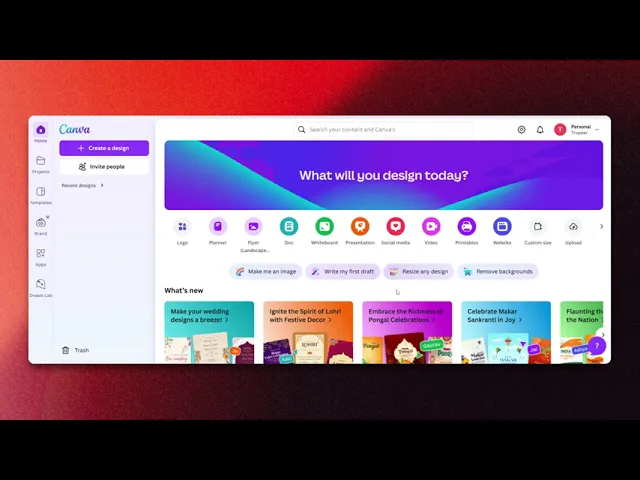
How to integrate Canva with Chat-GPT
Discover how to seamlessly integrate Canva with Chat-GPT. Enhance your design process and boost creativity with our comprehensive guide and tips.
This process outlines the steps to integrate Canva with Chat-GPT. By following these instructions, users can utilize Chat-GPT's capabilities within their Canva designs, enhancing their creativity and workflow.
Step 1
Click on Apps option within the interface.
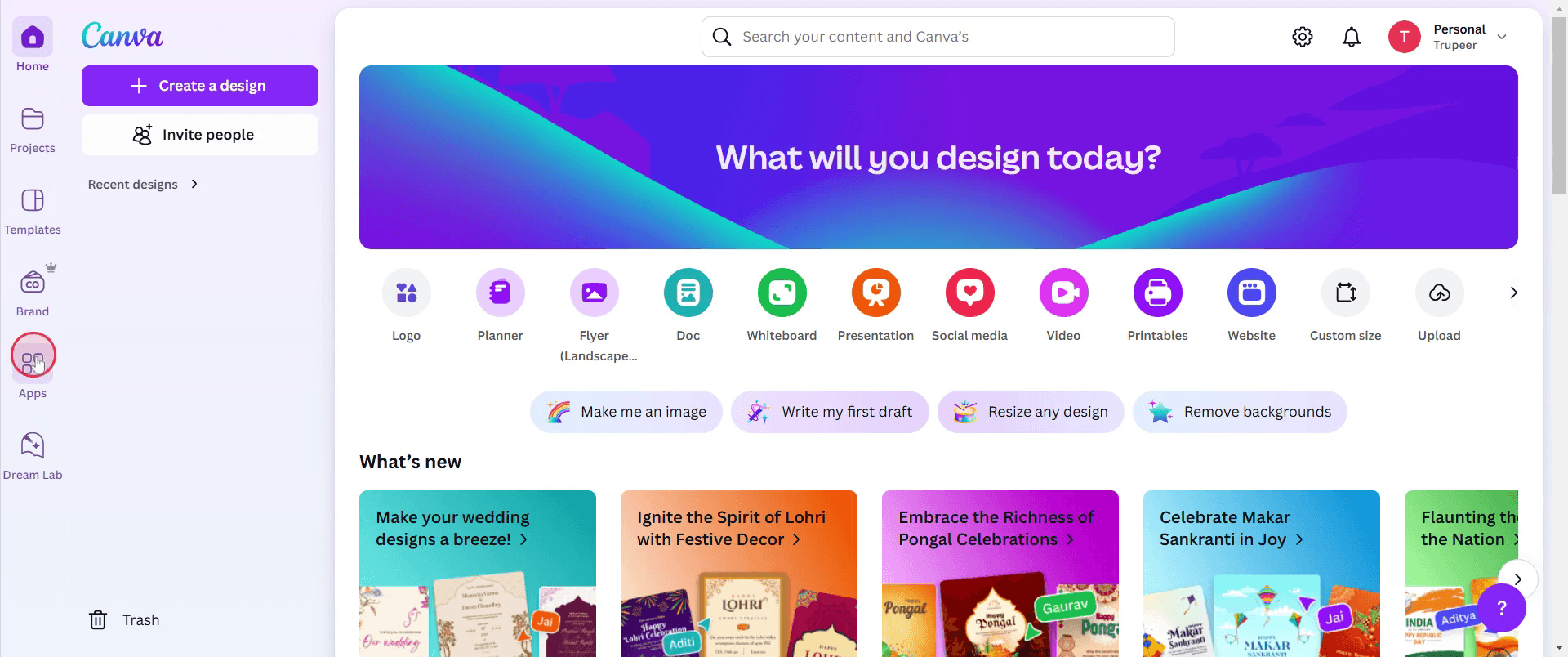
Step 2
In the search bar, type Chat-GPT and select it from the search results.
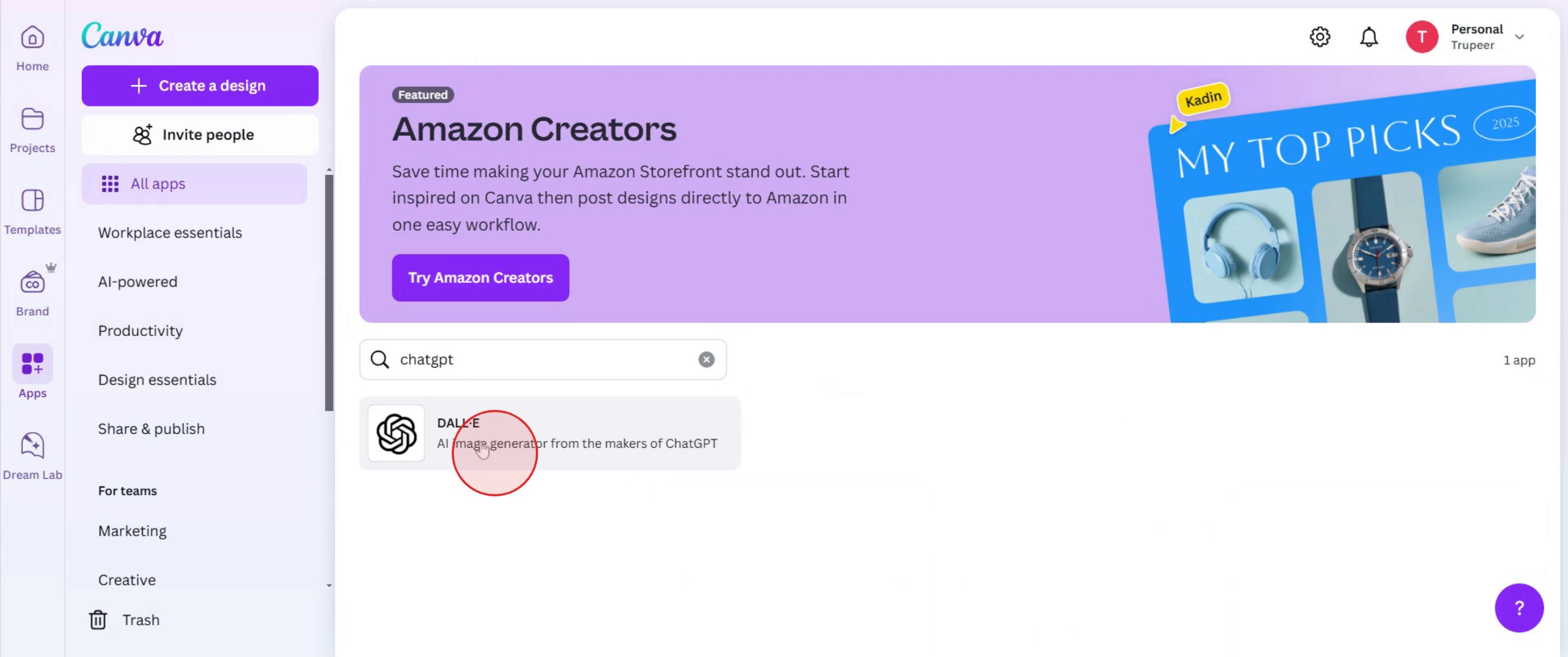
Step 3
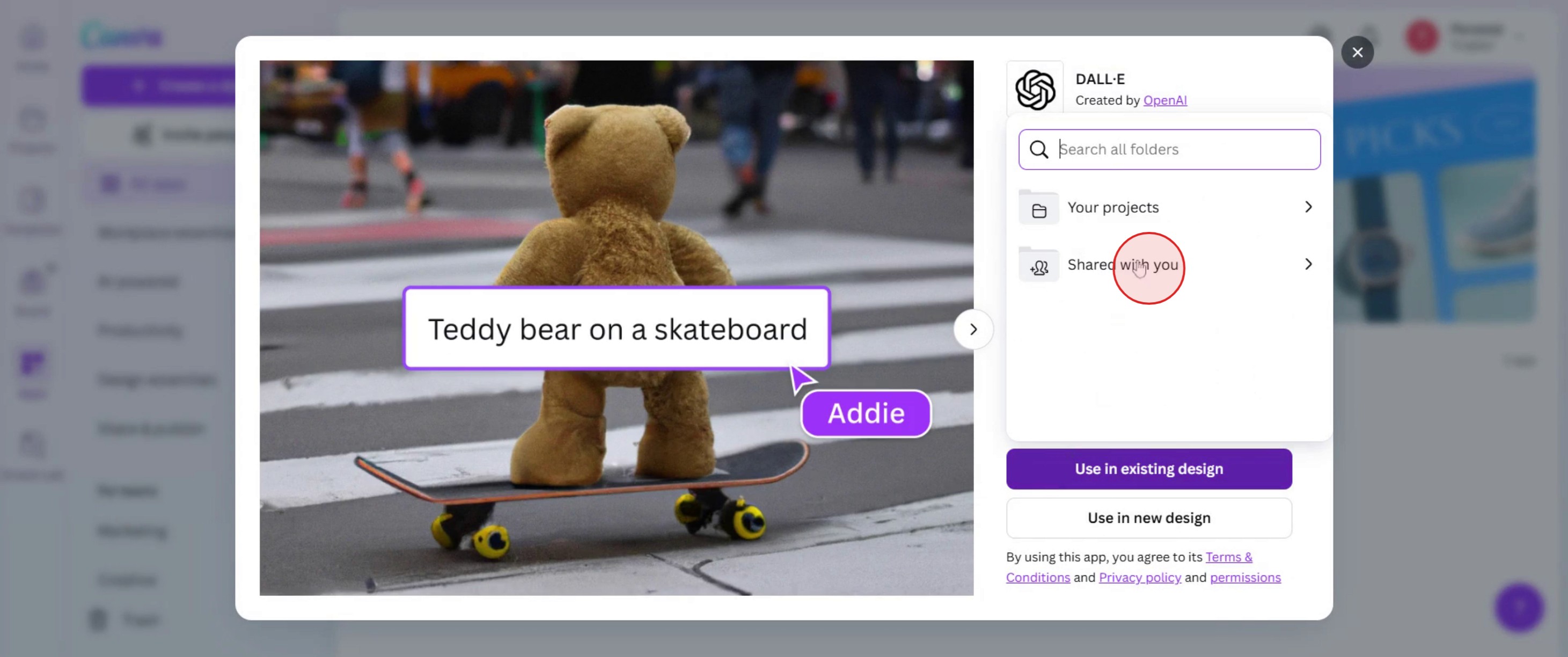
Click on Use in existing design .
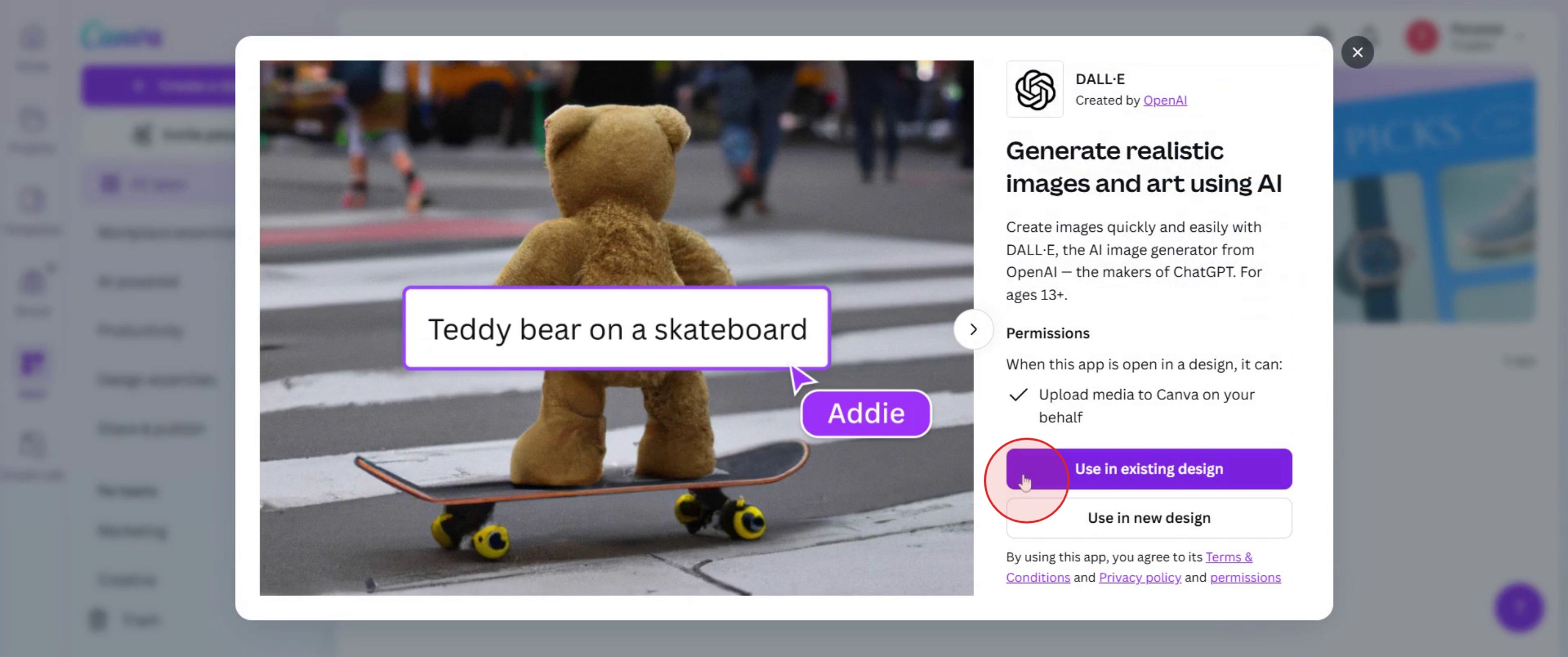
Step 4
Choose the design you wish to integrate with Chat-GPT.
Step 5
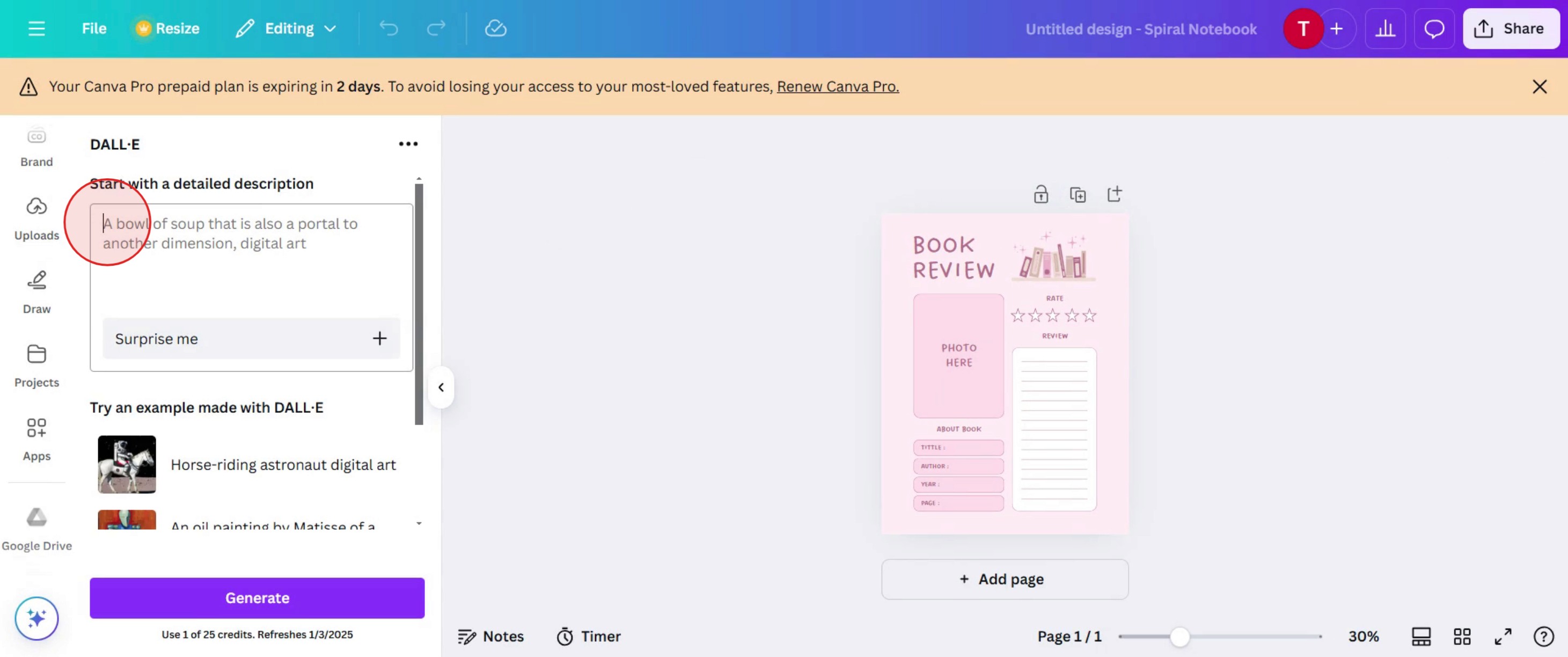
In the description box, enter a description for the image you wish to generate.
Step 6
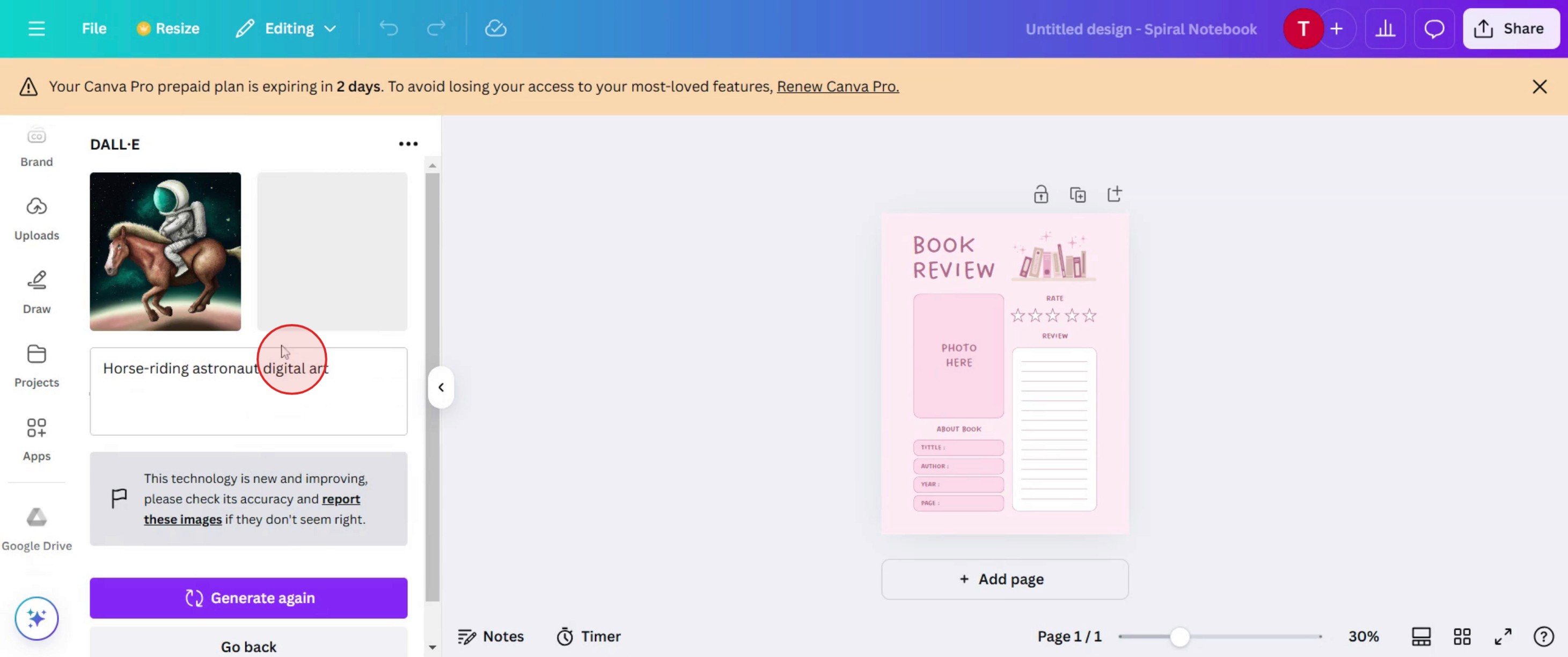
You will see the generated image based on the description provided.
This is the step-by-step process to integrate Canva with Chat-GPT. Let’s look at some tips for it.
Pro tips for how to integrate Canva with Chat-GPT
Use Chat-GPT for content ideas – Generate text prompts, headlines, or descriptions using Chat-GPT before adding them to your Canva designs.
Leverage AI for design suggestions – Ask Chat-GPT for color scheme ideas, font pairings, or layout tips to enhance your Canva projects.
Automate workflow with third-party tools – Use Zapier or similar automation tools to connect Chat-GPT responses directly into your Canva designs for seamless integration.
Common pitfalls and how to avoid them
Copy-pasting unedited AI-generated text can lead to inconsistencies always review and refine content before adding it to Canva.
Overloading Chat-GPT with vague prompts may result in generic output be specific with your queries to get high-quality responses.
Forgetting to format AI-generated content in Canva can affect readability use proper fonts, spacing, and alignments to maintain a professional look.
Common FAQs for how to integrate Canva with Chat-GPT
Can Chat-GPT generate text directly inside Canva?
No, Chat-GPT does not integrate directly with Canva, but you can copy AI-generated text and paste it into your design.Is there an automation tool to connect Canva with Chat-GPT?
Yes, third-party tools like Zapier can automate workflows between Chat-GPT and Canva, making content creation more efficient.What are the best ways to use Chat-GPT for Canva designs?
Chat-GPT can help with content generation, brainstorming creative ideas, and refining design elements like headlines, taglines, and social media captions.
If you're an instructor or content creator looking to make tutorial videos, give a try. It transforms rough screen recordings into polished, studio-style videos that are ready for sharing with your audience. Plus, it automatically generates a step-by-step guide based on the video you create. Fascinating, right? Start by creating your first tutorial for free with trupeer.ai .

