
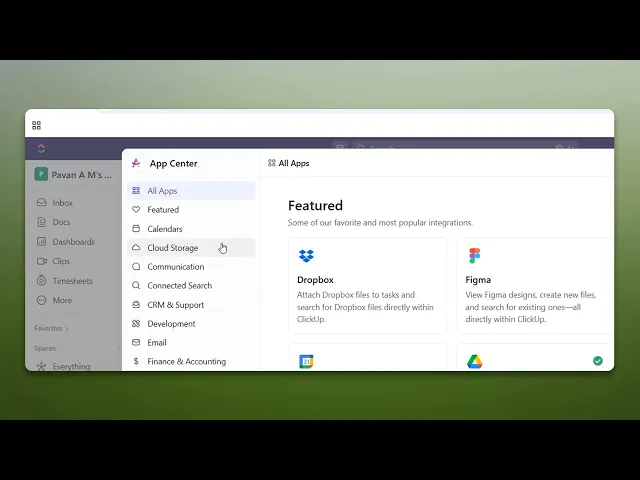
How To Integrate ClickUp With GitHub
Discover how to seamlessly integrate ClickUp with GitHub. Enhance your project management and streamline workflows with our step-by-step guide.
This document explains how to integrate ClickUp with GitHub. Follow these simple steps to connect your ClickUp workspace to your GitHub account for seamless collaboration and improved productivity.
Step 1
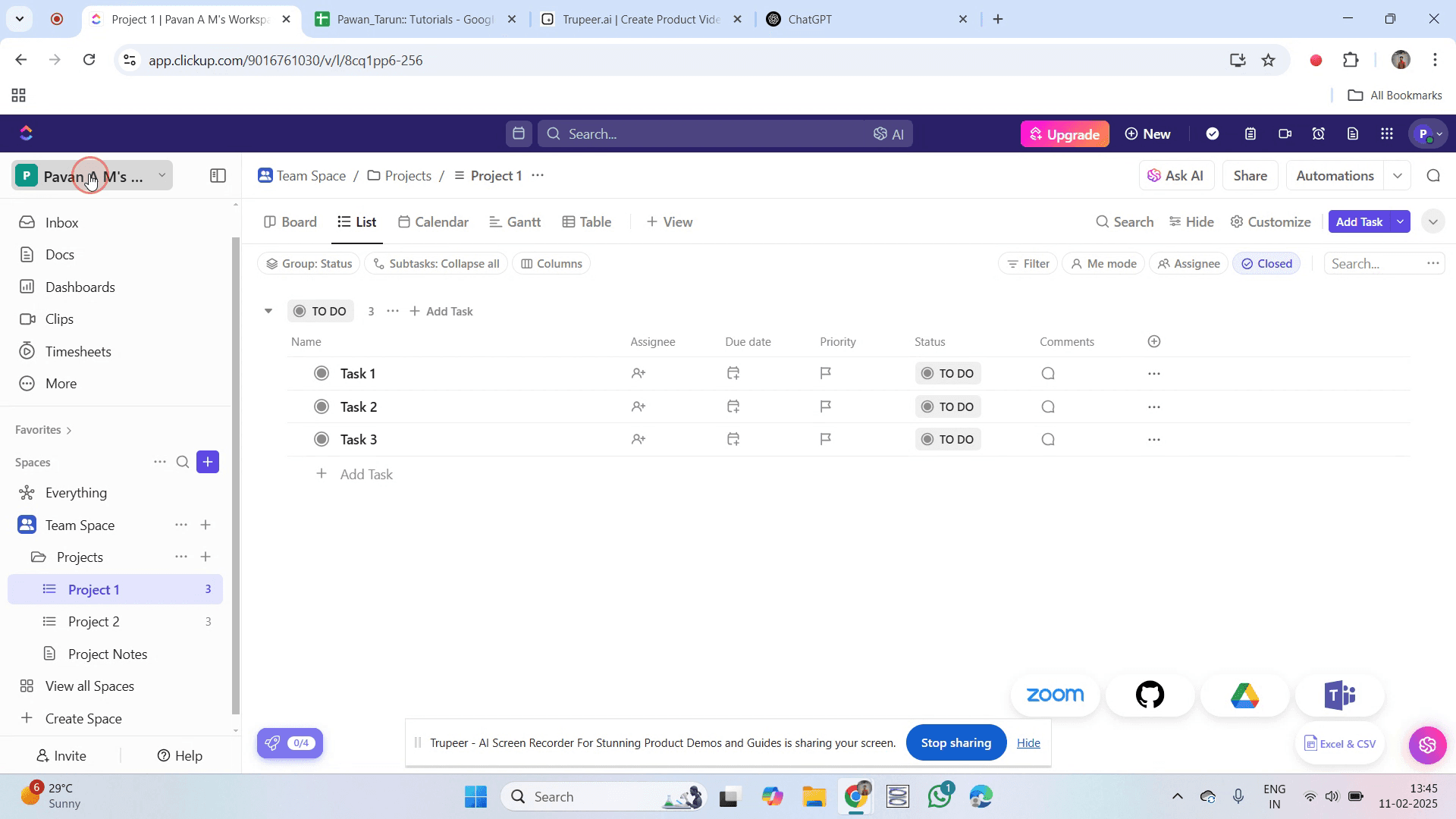
Go to your workspace name and click on it.
Step 2
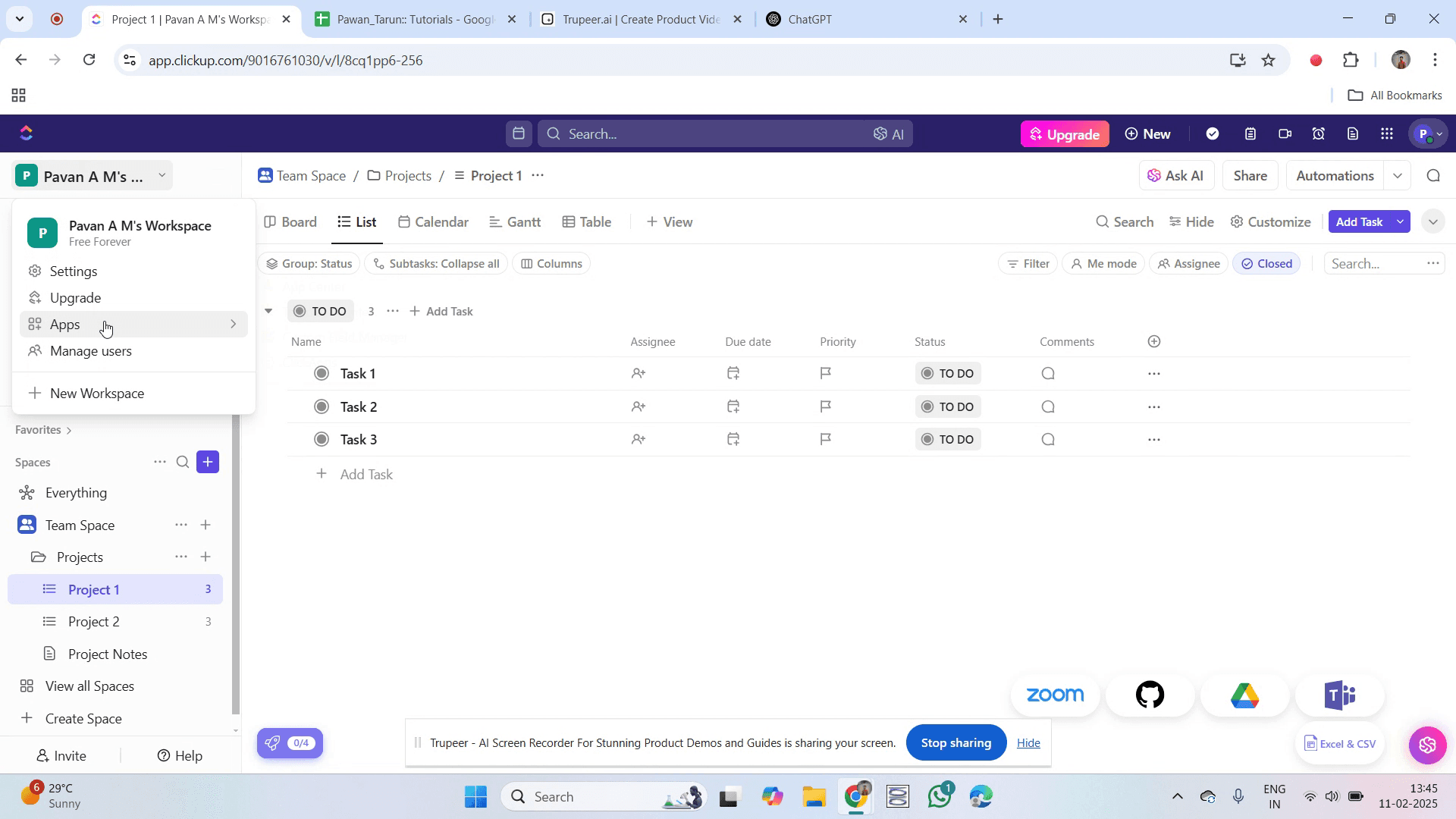
Then, select "Apps".
Step 3
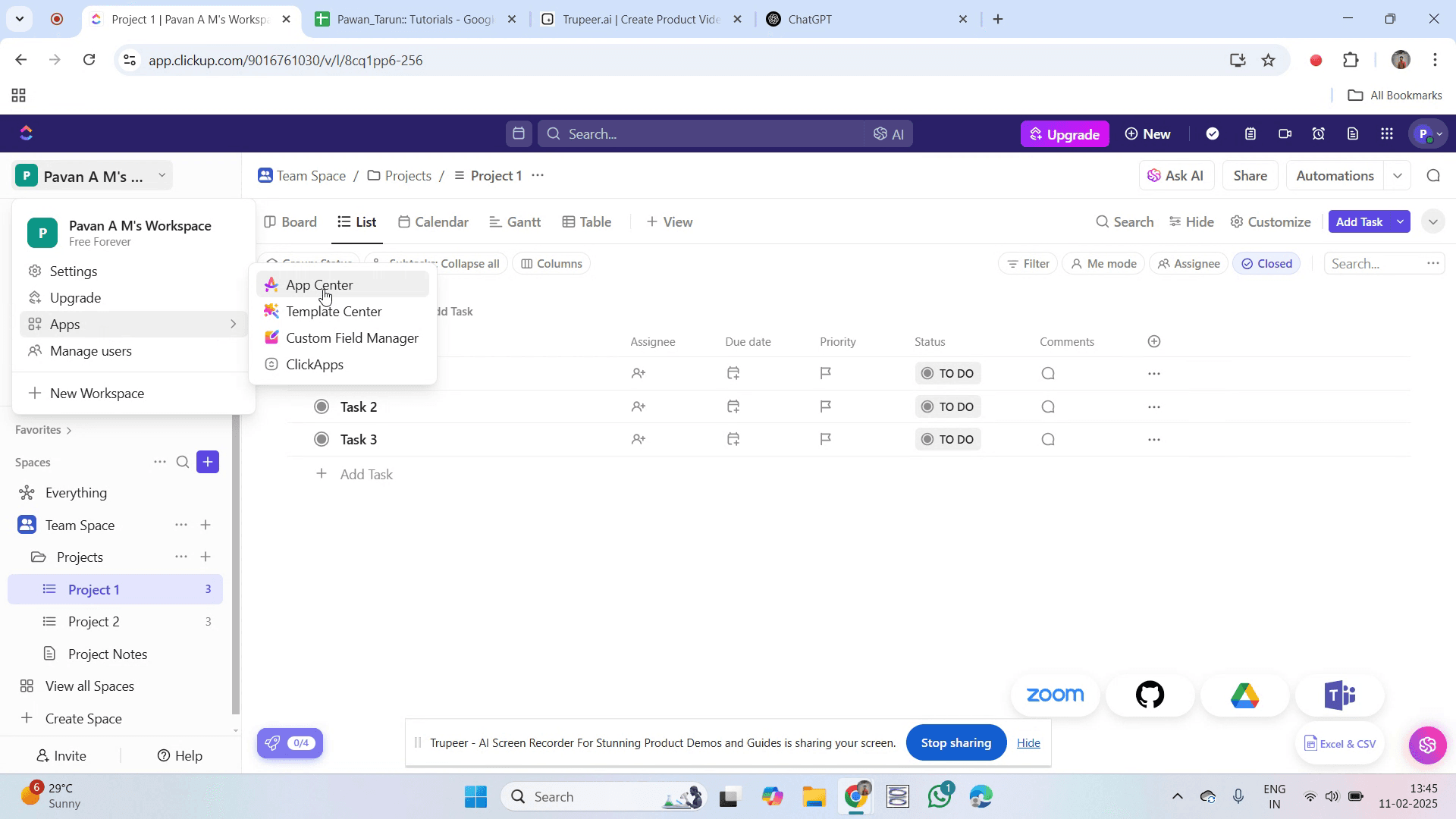
Next, click on "App Center".
Step 4
Find the option labeled "GitHub" and click on it.
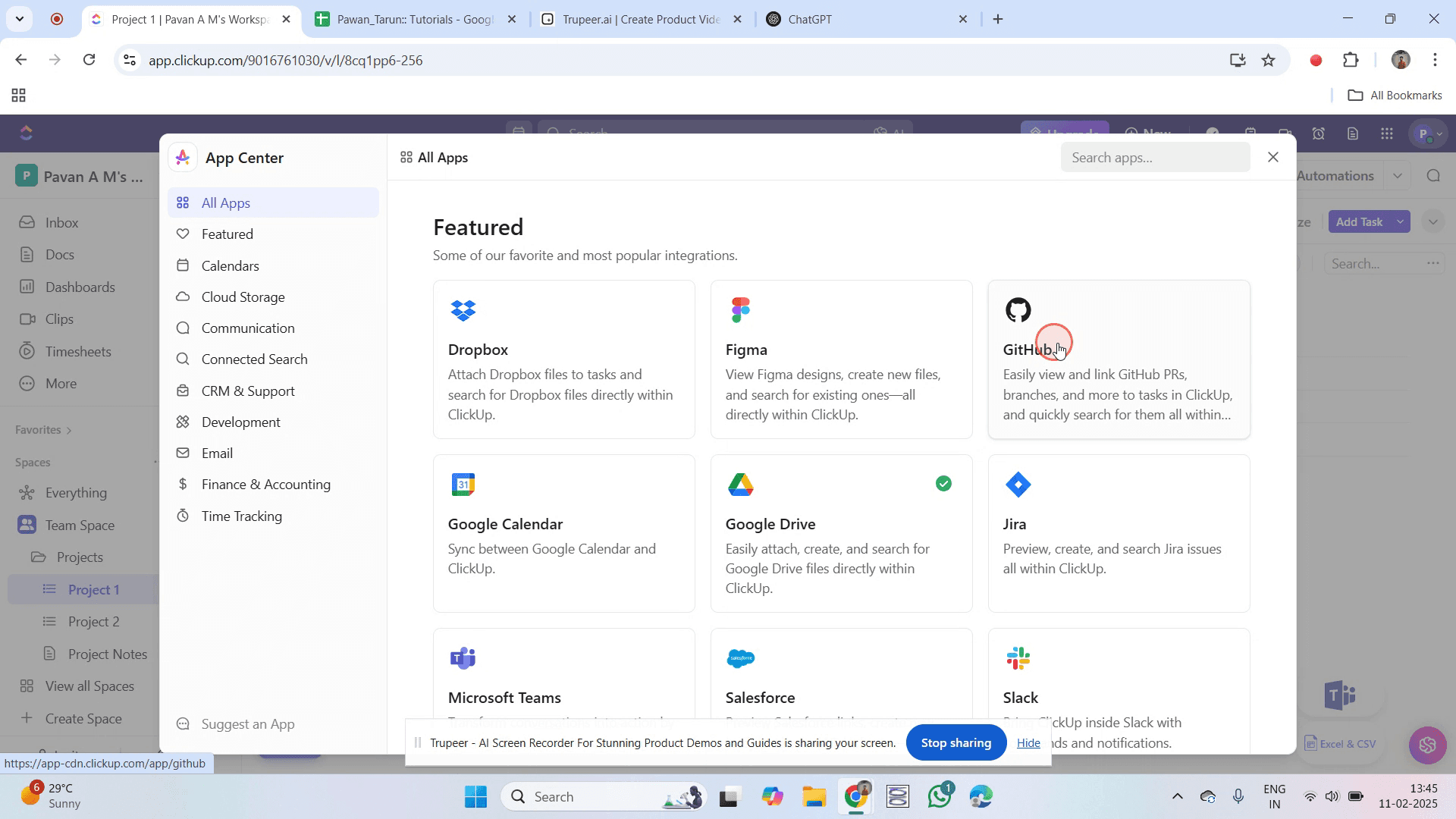
Step 5
Next, click on "Connect" to start the integration process.
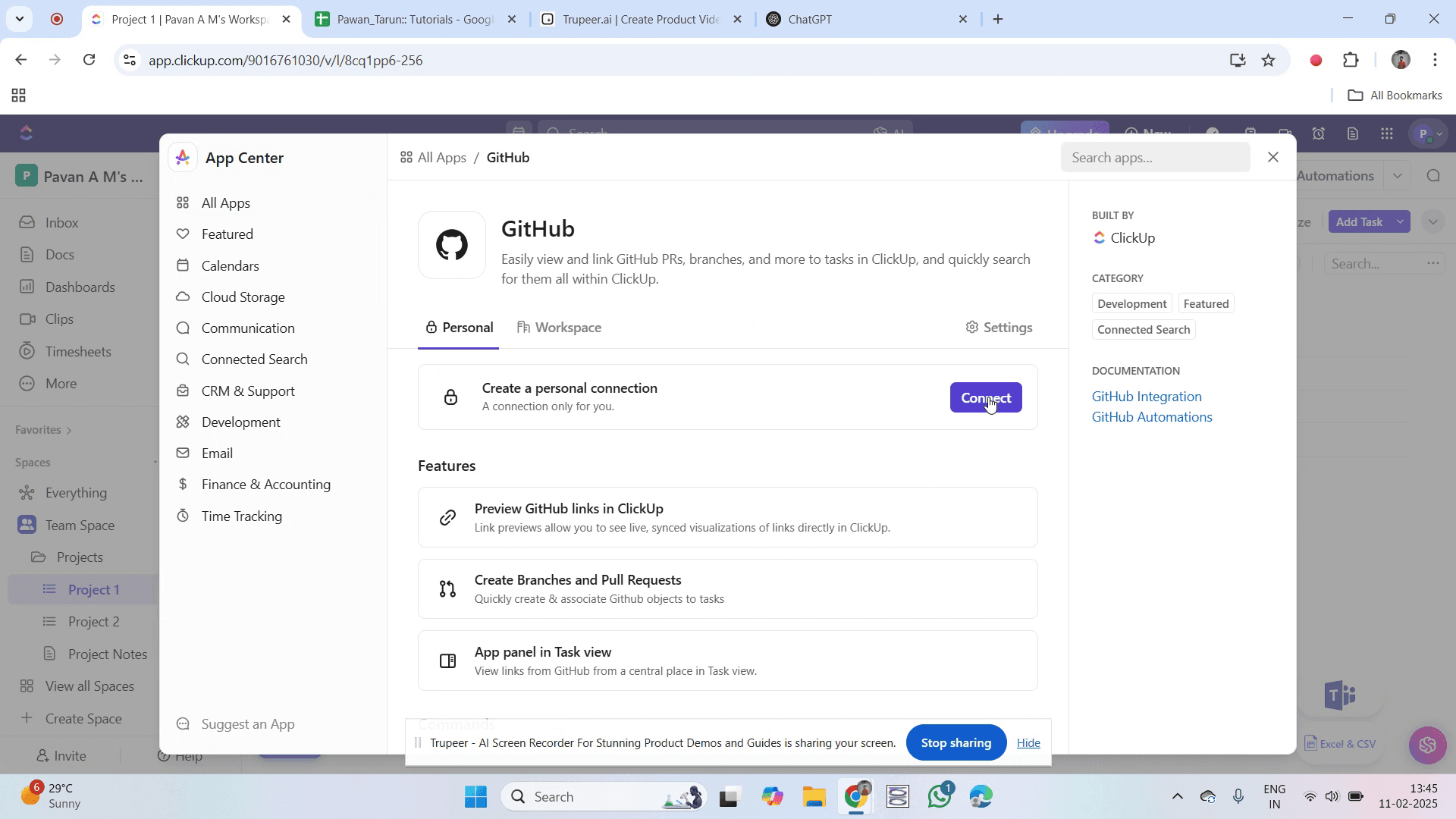
Step 6
A prompt will appear asking you to authorize ClickUp. Click on it.
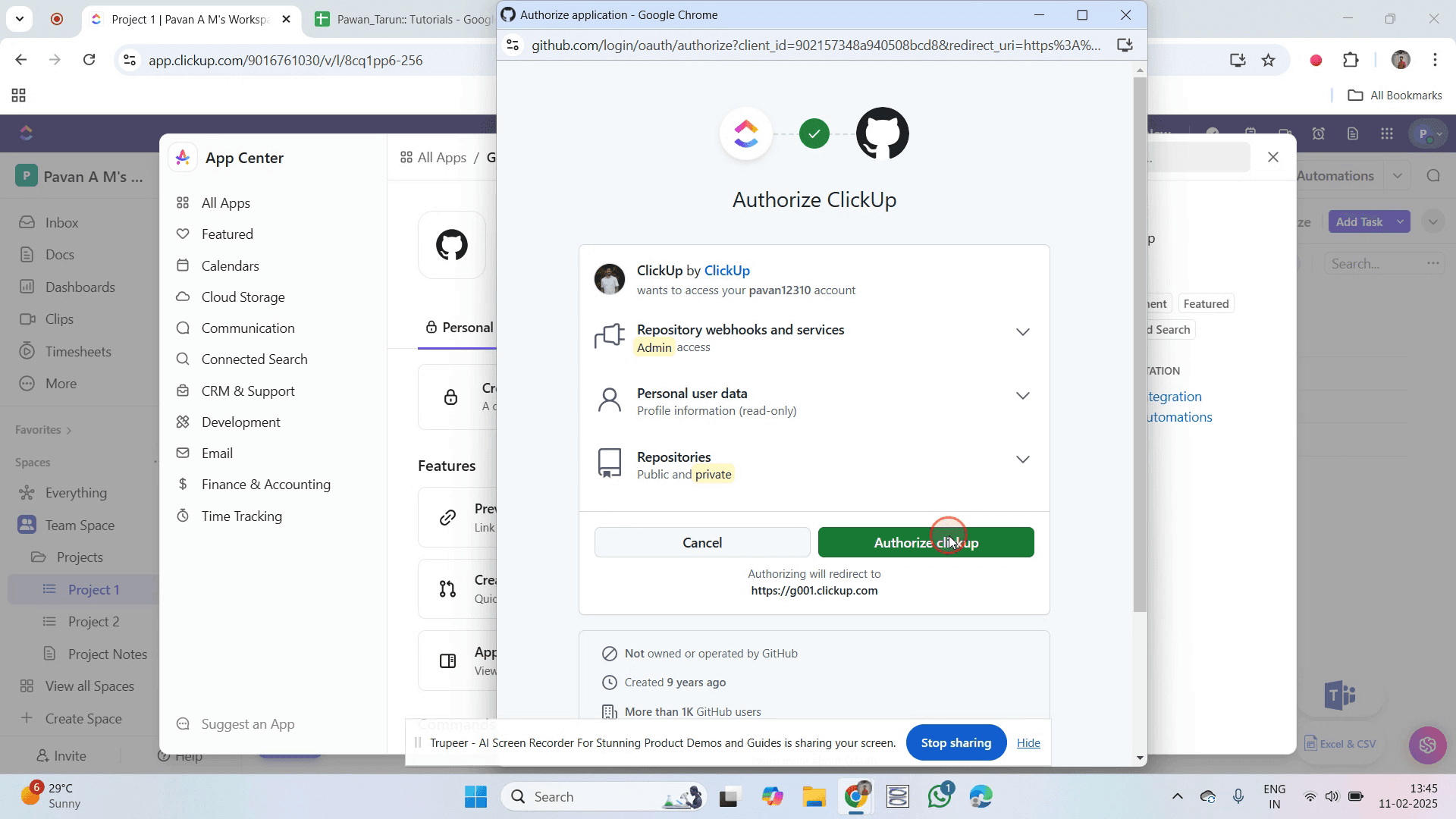
Step 7
You will see a green checkmark confirming the successful integration.
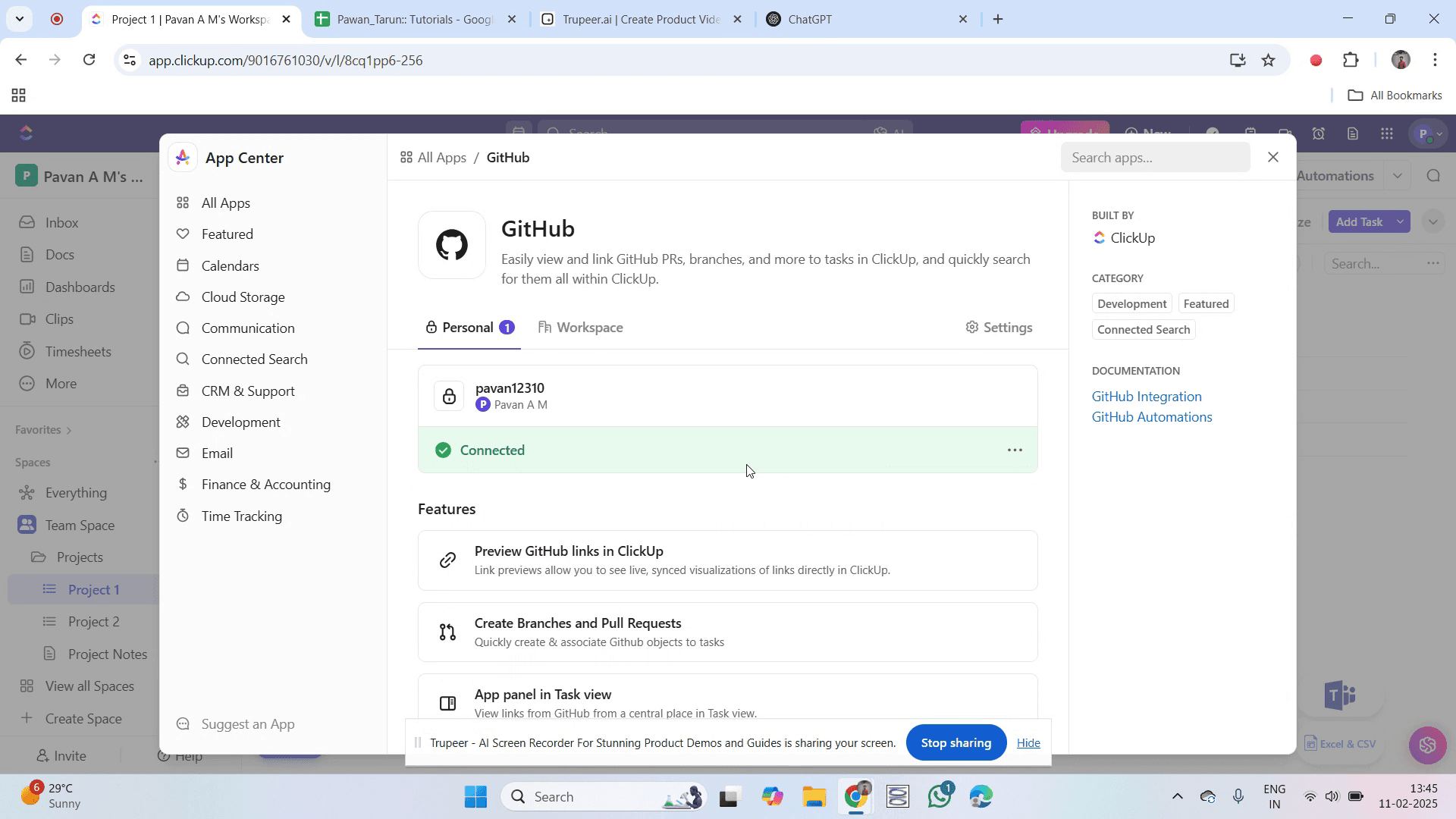
That's it. This is a step-by-step guide on how to integrate ClickUp with GitHub.
Pro-tips for integrating ClickUp with GitHub
Use ClickUp's native GitHub integration for seamless connection and better issue tracking.
Automate task updates in ClickUp based on GitHub commits, pull requests, and branches.
Link GitHub commits directly to ClickUp tasks to maintain better project visibility.
Common pitfalls & how to avoid them while integrating ClickUp with GitHub
Integration not working ensure that GitHub permissions are correctly configured.
Tasks not updating set up automation rules properly to sync commits and pull requests.
Repository not connecting verify that the correct GitHub repository is linked to ClickUp.
Common FAQs for integrating ClickUp with GitHub
Can I link multiple GitHub repositories to ClickUp?
Yes, you can integrate multiple repositories with ClickUp for better project tracking.How do I automate task updates from GitHub?
Use ClickUp’s automation to sync commits, pull requests, and branches with task updates.Can I see GitHub activity inside ClickUp?
Yes, linked repositories will display GitHub activity like commits and pull requests within ClickUp tasks.Is the ClickUp-GitHub integration free?
Yes, the integration is available in ClickUp, but some advanced automation features may require a paid plan.
If you're an instructor or content creator looking to make tutorial videos, give Trupeer.ai a try. It transforms rough screen recordings into polished, studio-style videos that are ready for sharing with your audience. Plus, it automatically generates a step-by-step guide based on the video you create. Fascinating, right? Start by creating your first tutorial for free with Trupeer.ai.

