
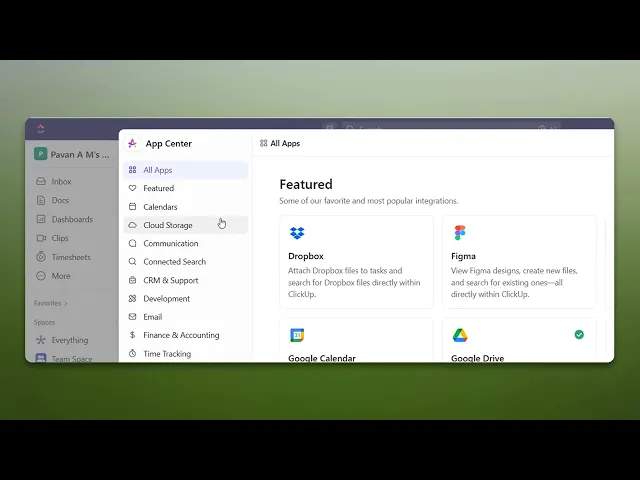
How To Integrate ClickUp With Jira
Unlock the full potential of your project management tools by integrating ClickUp with Jira. Follow our expert tips for a smooth setup and enhanced workflow.
This document outlines the steps to integrate ClickUp with Jira, helping you streamline project management and boost productivity. Follow the instructions carefully for a successful integration.
Step 1
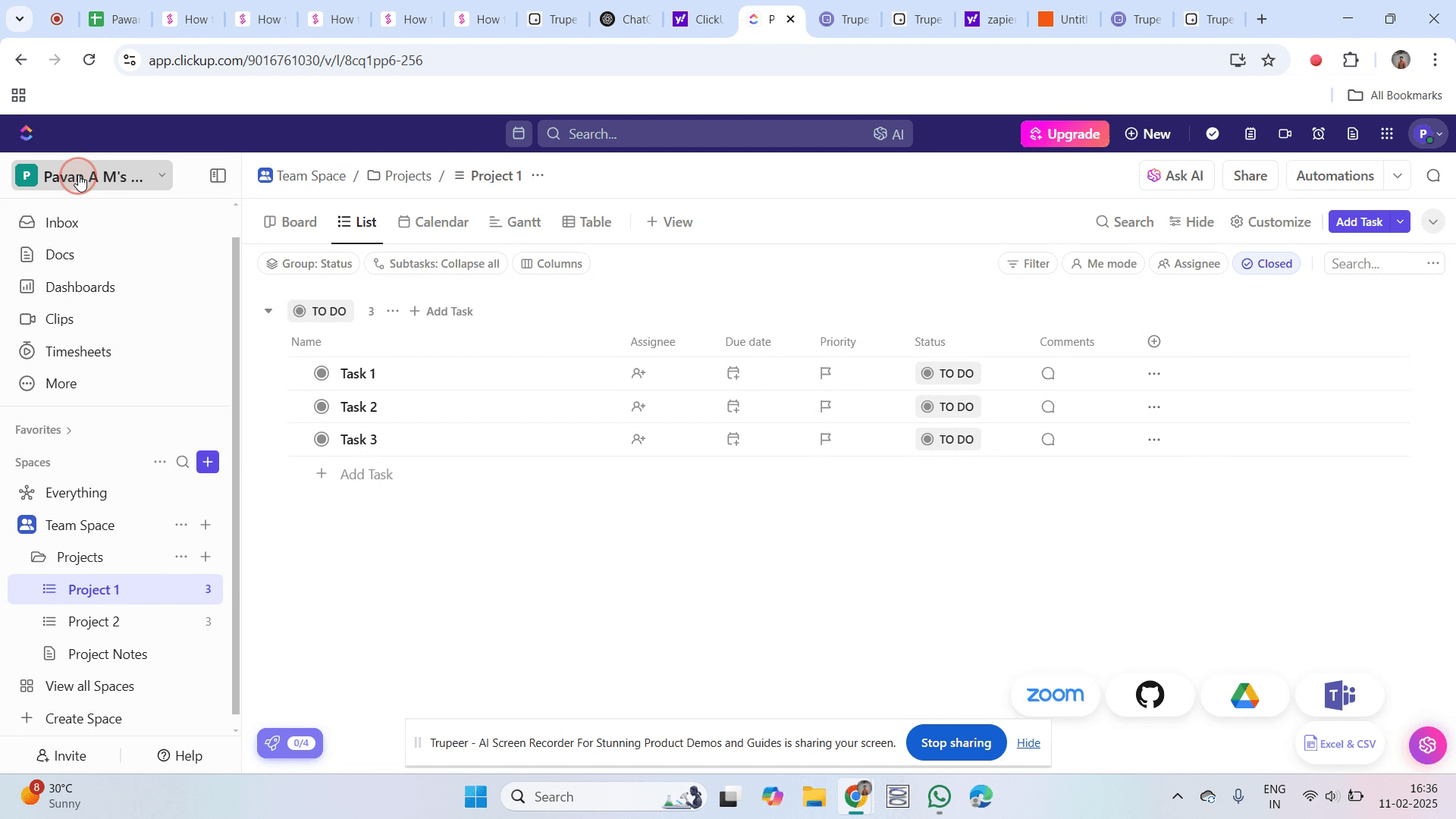
To start integrating ClickUp with Jira, go to the workspace nameClick on it.
Step 2
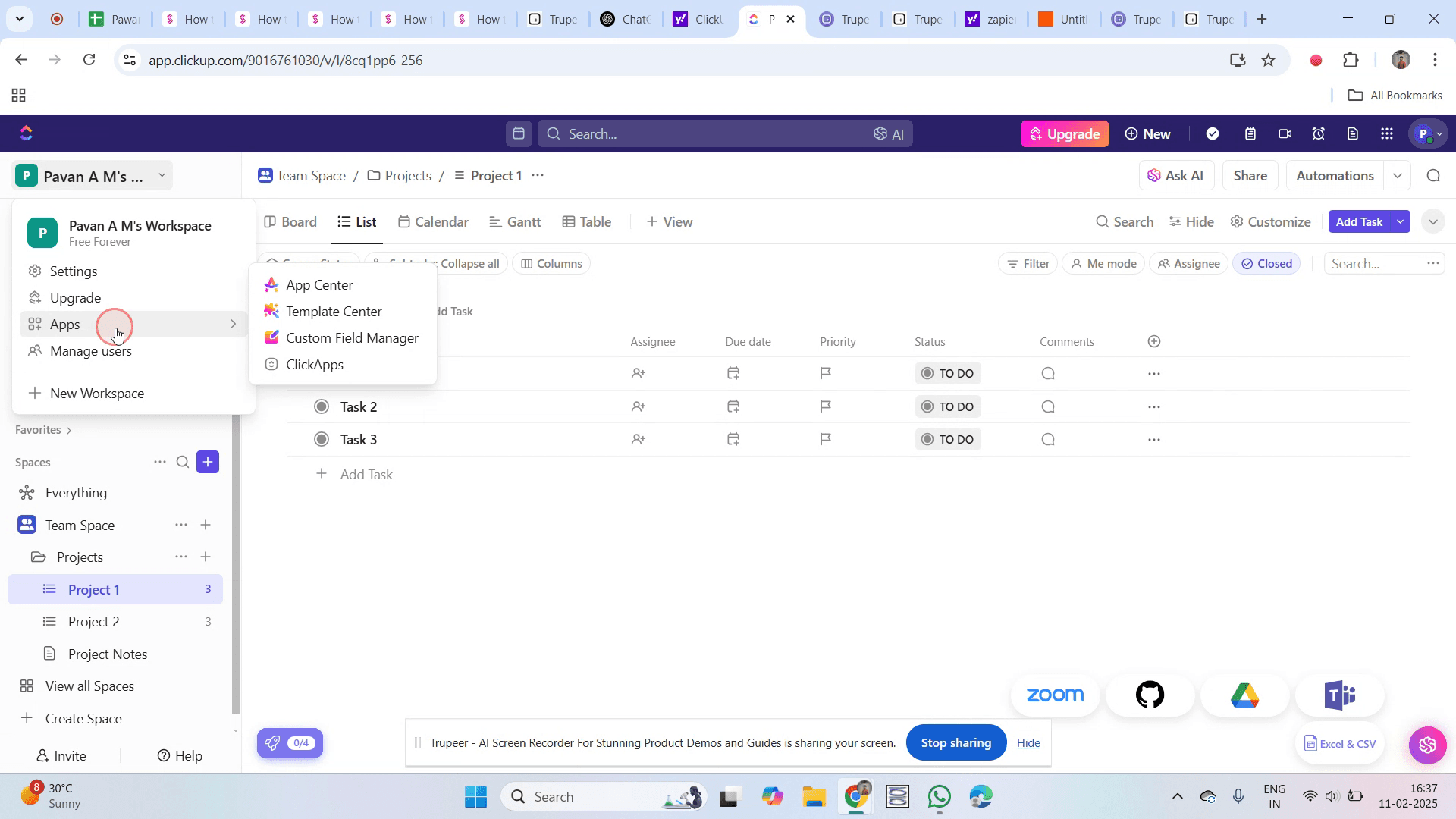
Click on the "Apps" option.
Step 3
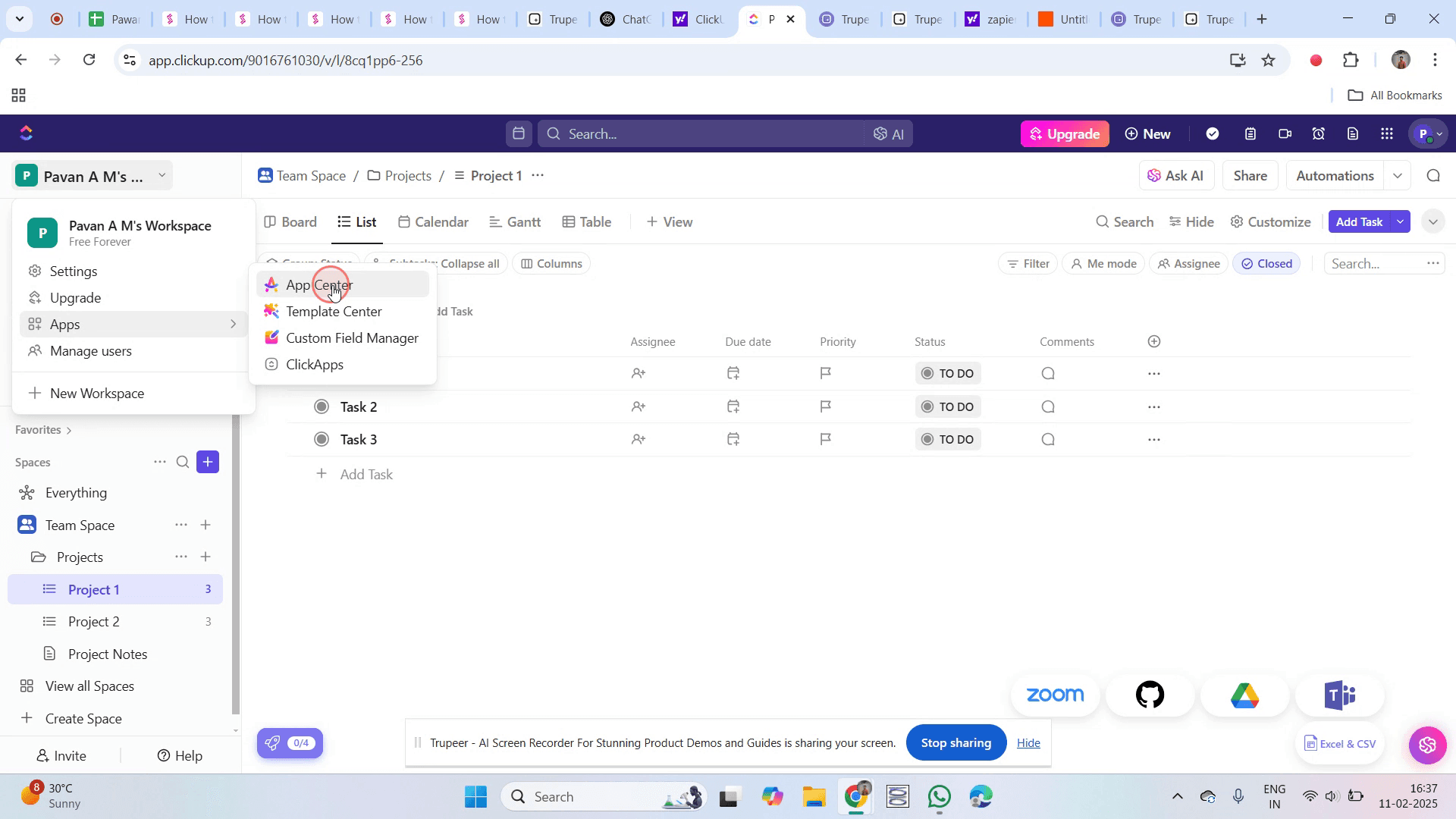
Then click on the "App Center" option.
Step 4
Find the Jira app and click on it.
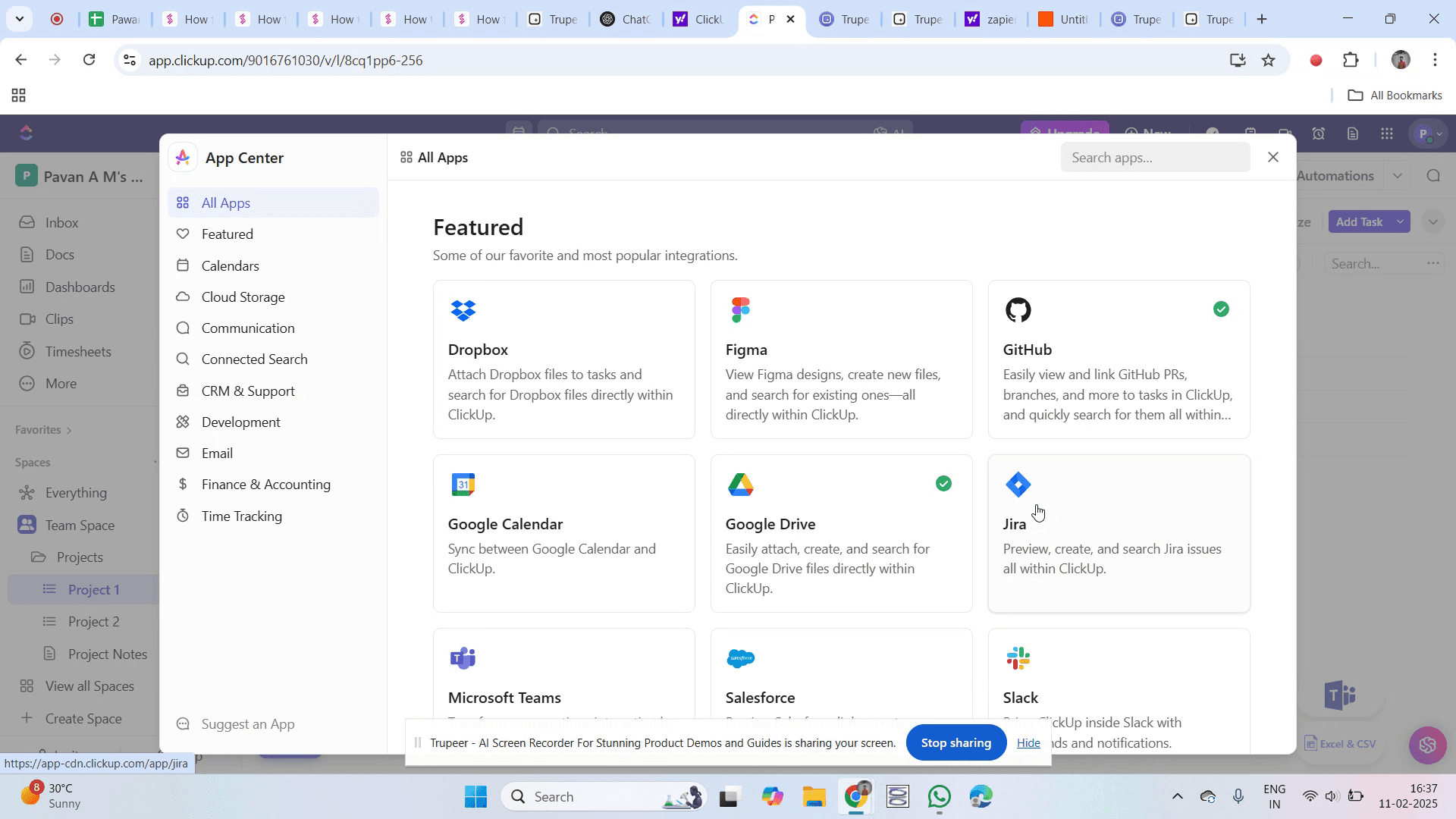
Step 5
Click on "Connect."
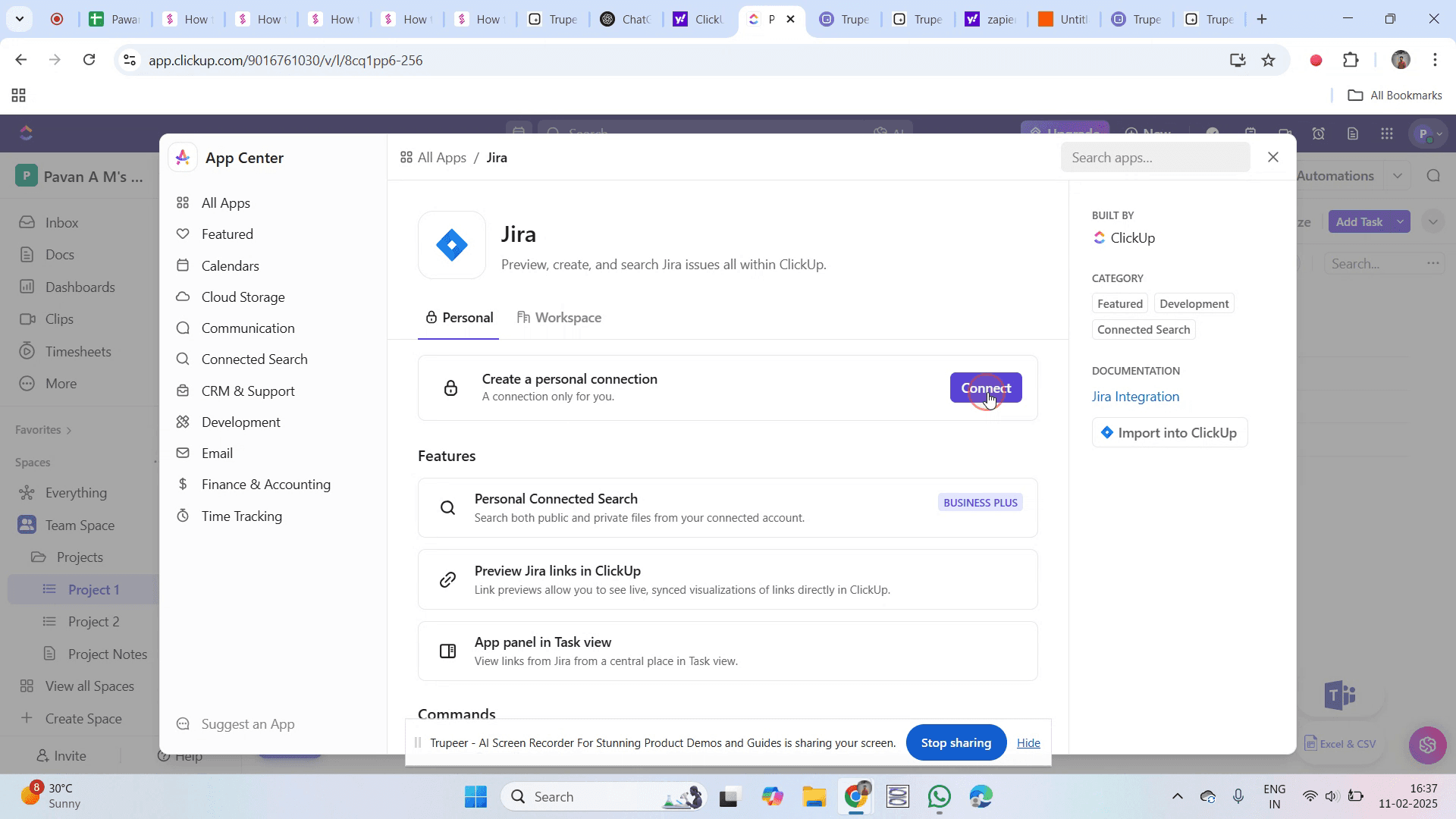
Step 6
You will be prompted to select a site. Choose your desired site.
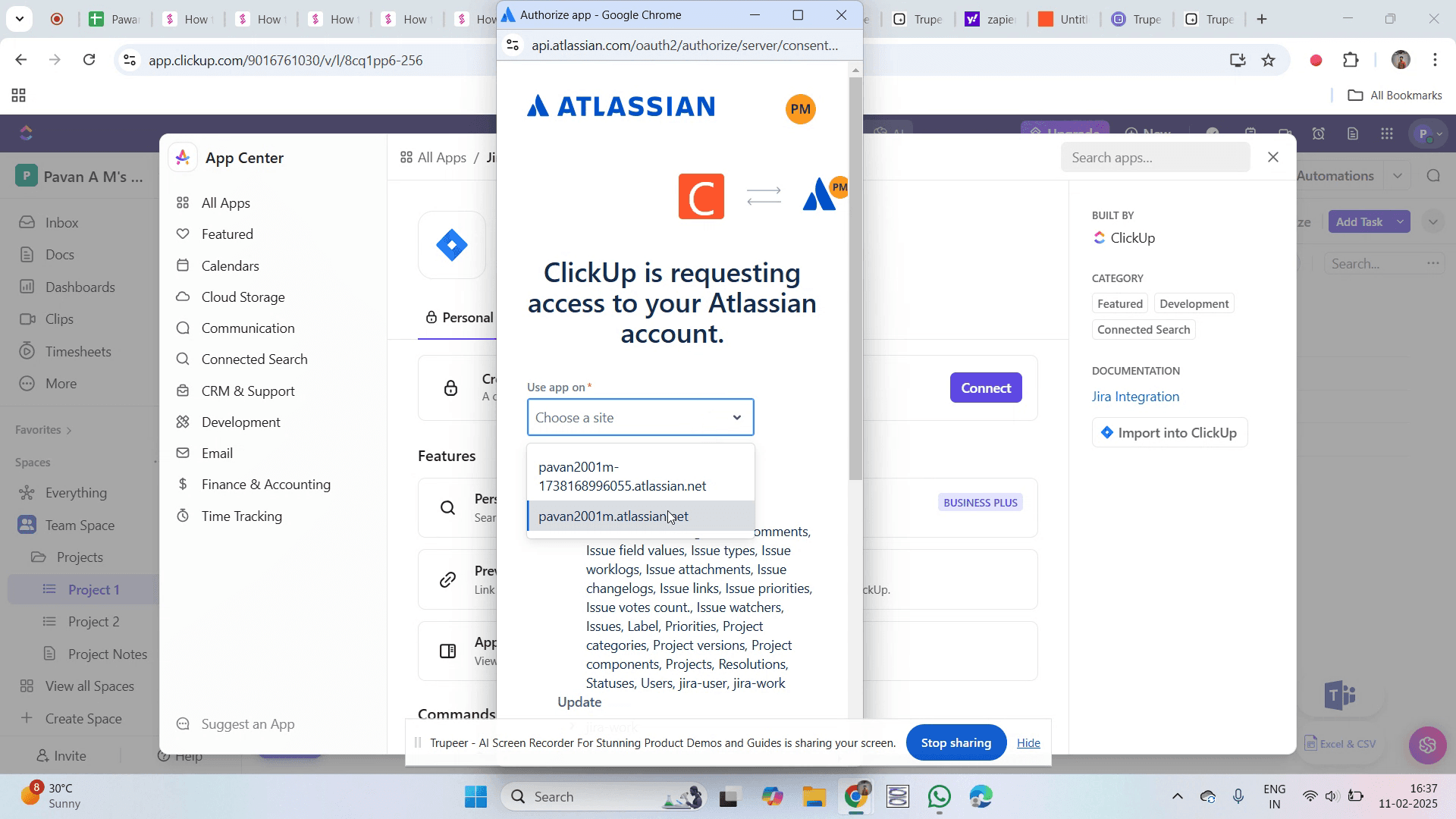
Step 7
Then, click on "Accept."
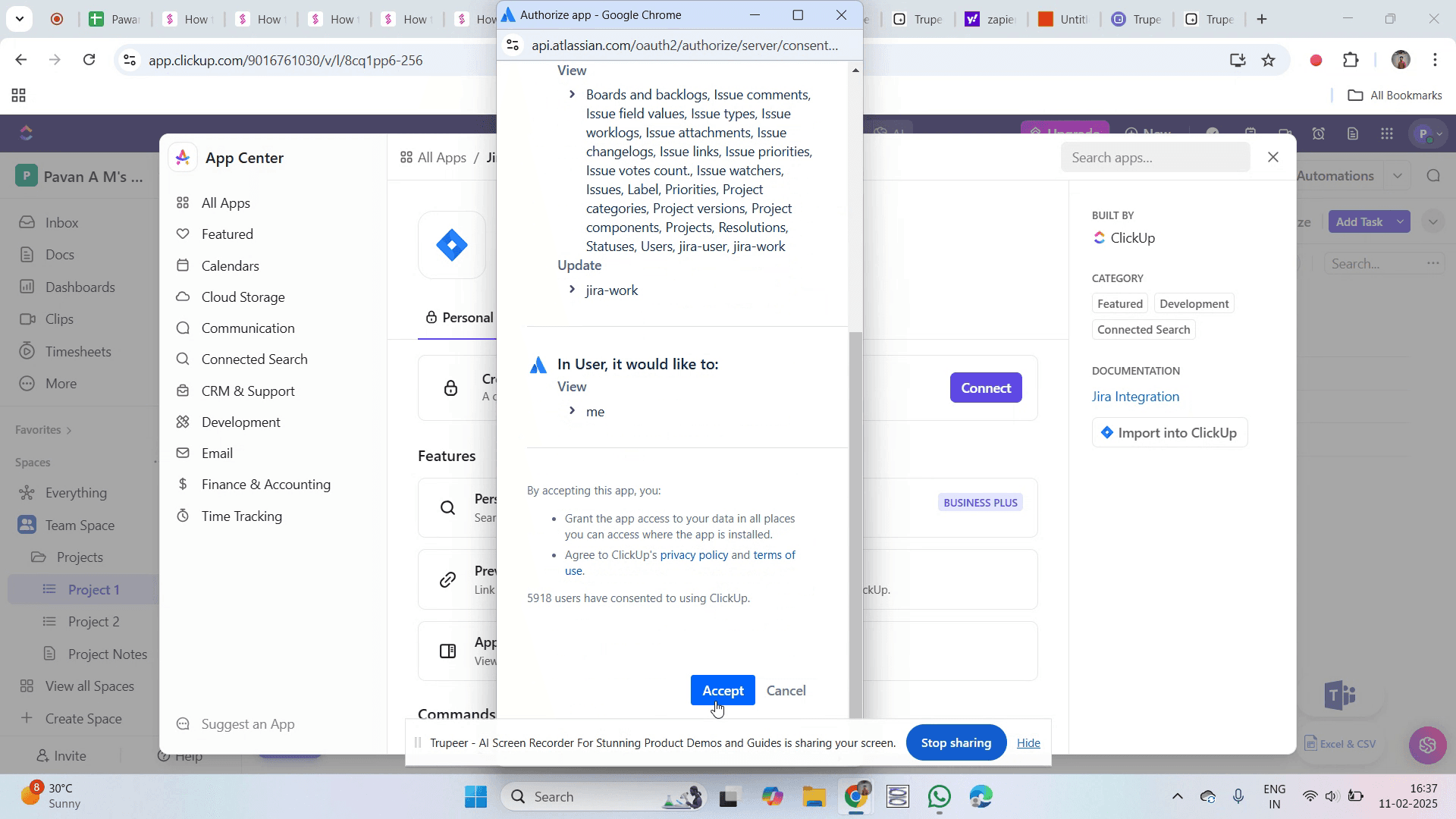
Step 8
You’ll know the integration is successful when you see a green checkmark.
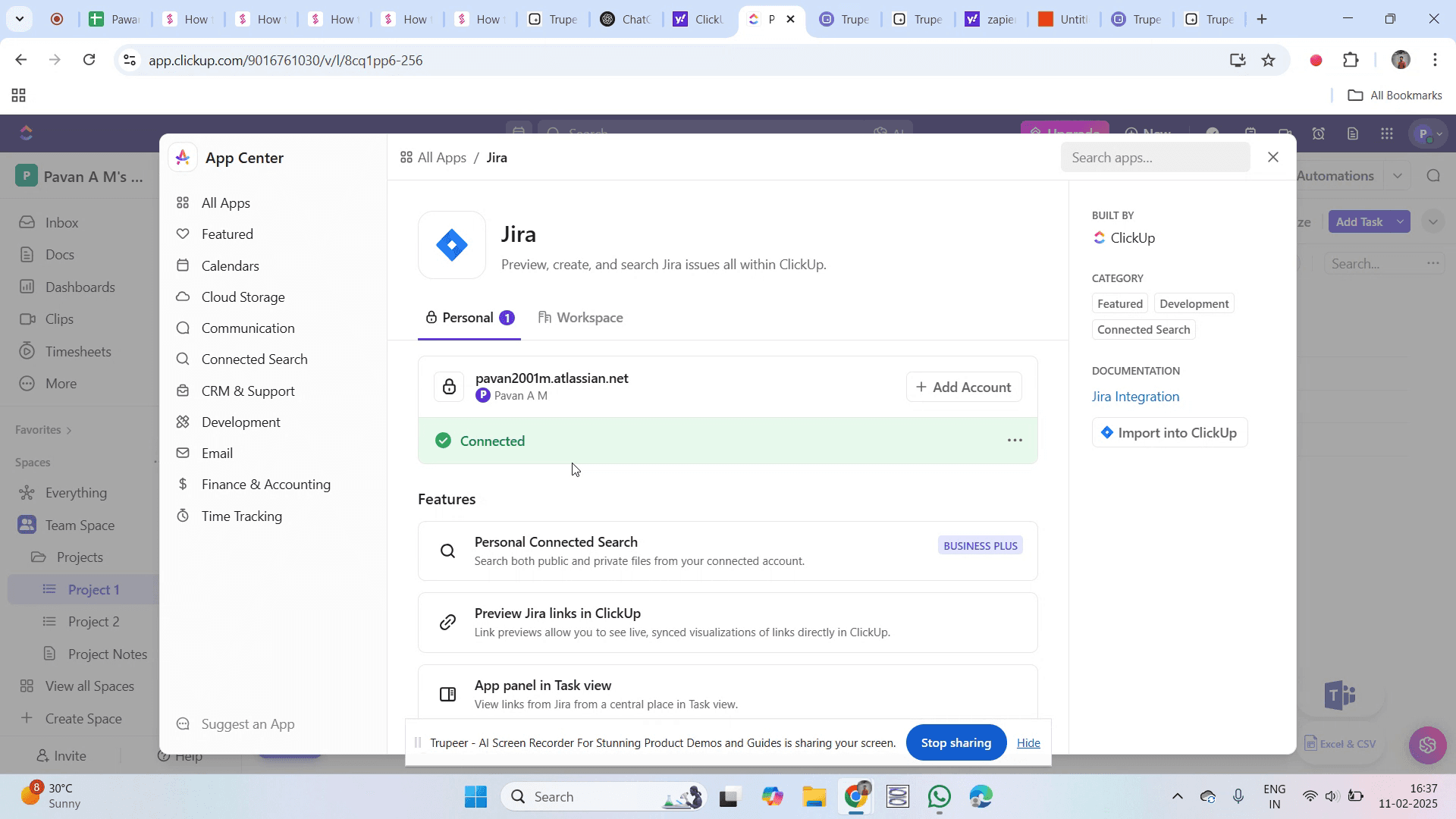
That’s it. This is a step-by-step guide on how to integrate ClickUp with Jira.
Pro-tips for integrating ClickUp with Jira
Use ClickUp’s native Jira integration for seamless synchronization of tasks and issues
Automate task updates in ClickUp based on Jira issue changes to keep workflows aligned
Link Jira issues directly to ClickUp tasks to improve visibility and project management
Common pitfalls & how to avoid them while integrating ClickUp with Jira
Integration not working - Ensure that Jira permissions and API access are correctly configured
Tasks not syncing - Verify that automation rules are properly set up to sync updates between ClickUp and Jira
Incorrect issue mapping - Map ClickUp task statuses with Jira issue types correctly to avoid workflow inconsistencies
Common FAQs for integrating ClickUp with Jira
Can I import Jira issues into ClickUp?
Yes, use the Import feature in ClickUp to migrate issues, tasks, and projects from Jira.Does ClickUp support two-way sync with Jira?
ClickUp allows one-way and limited two-way sync depending on the integration settings.What happens if I update a task in ClickUp?
If two-way sync is enabled, the update will reflect in Jira, keeping data consistent.Is the Jira integration available in ClickUp’s free plan?
No, Jira integration is typically available in ClickUp’s paid plans.
If you're an instructor or content creator looking to make tutorial videos, give Trupeer.ai a try. It transforms rough screen recordings into polished, studio-style videos that are ready for sharing with your audience. Plus, it automatically generates a step-by-step guide based on the video you create. Fascinating, right? Start by creating your first tutorial for free with Trupeer.ai.

