
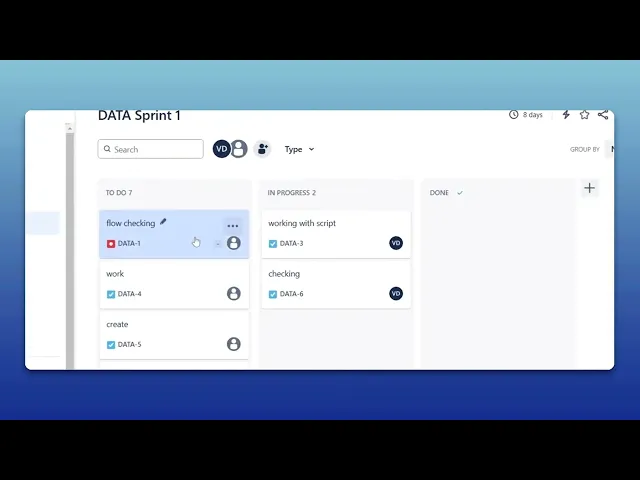
How To Link An Epic To An Initiative In Jira
Discover the step-by-step process of linking an Epic to an Initiative in Jira. Enhance your project management skills and streamline your workflow effectively.
This document provides a detailed procedure for linking an EPIC to an initiative within Jira. By following these steps, you can ensure that your project structure is well-organized and aligns with overarching objectives.
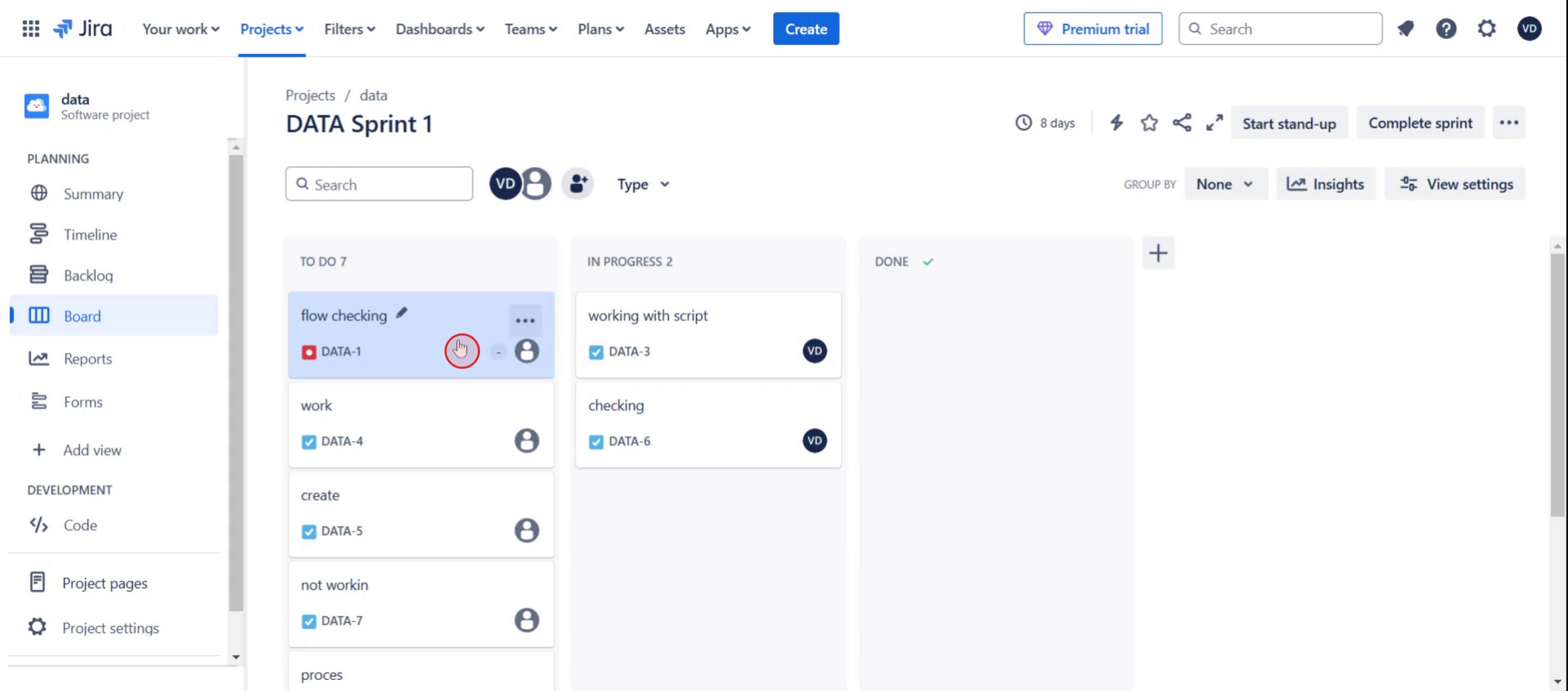
Step 1
Select the specific ticket.
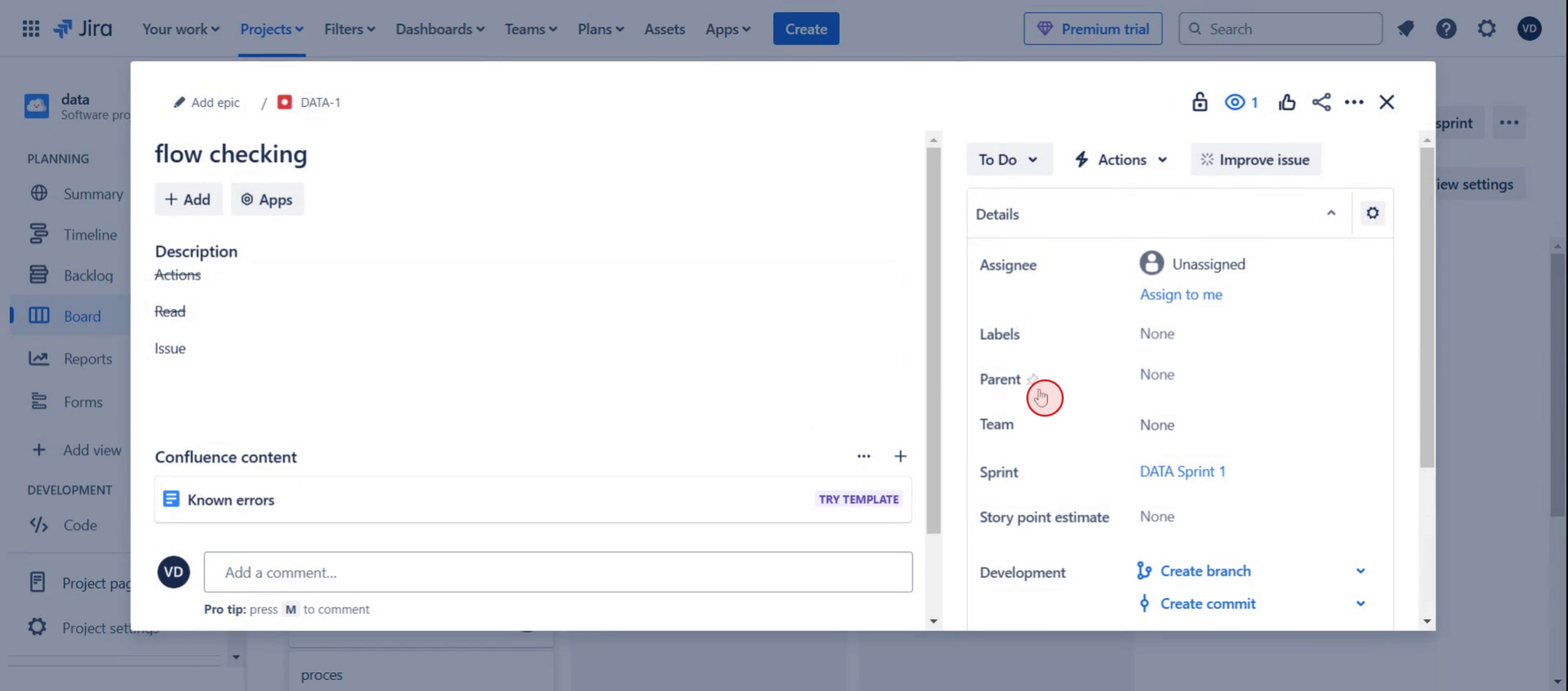
Step 2
Click on the parent option.
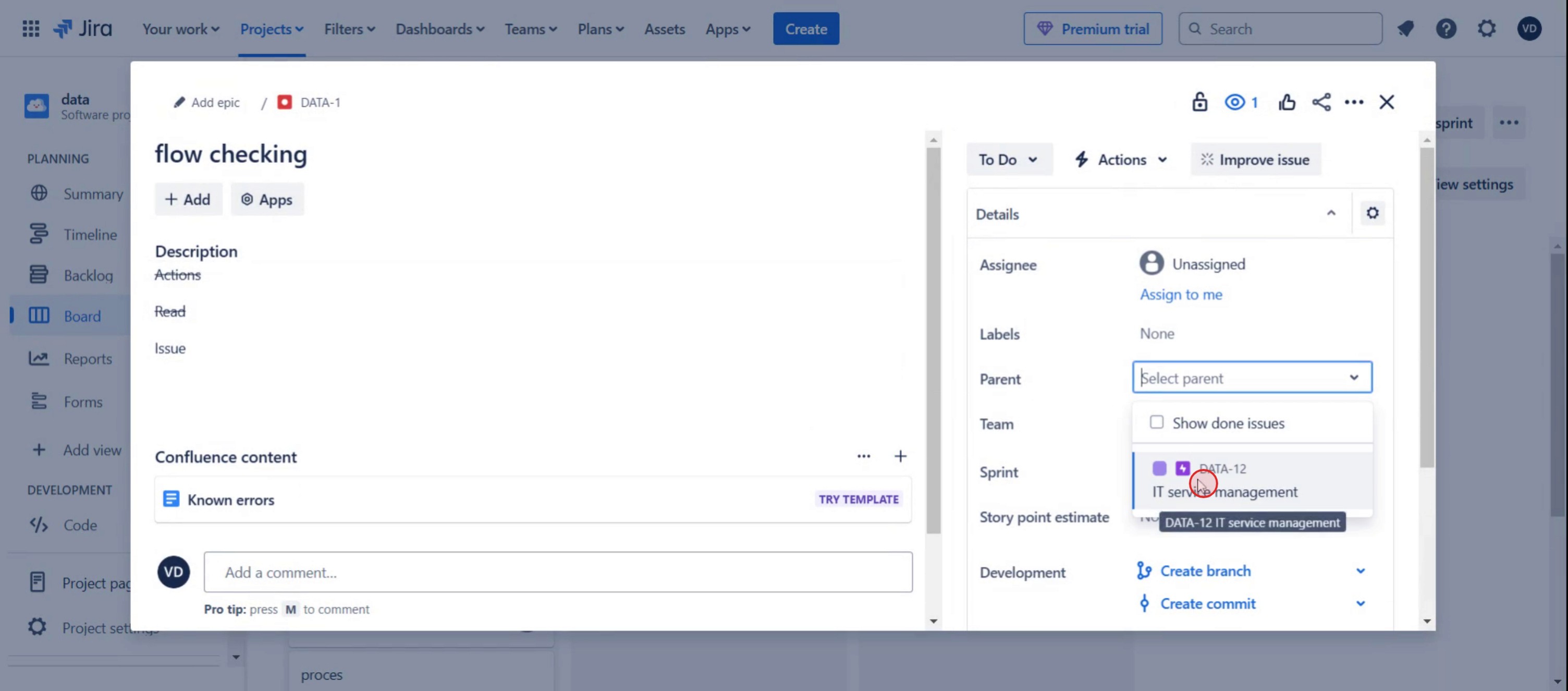
Step 3
Click on the EPIC,
Here was our step by step guide that will help you create a epic to an initiative in Jira. Check a few tips from the below section.
Pro tips for linking an epic to an initiative in Jira
Use Advanced Roadmaps in Jira to create and manage Initiatives for better project hierarchy.
Link Epics to Initiatives using Issue Links or Parent-Child relationships for seamless tracking.
Ensure all team members have the right permissions to view and edit linked issues.
Common pitfalls & how to avoid them
Initiative not visible? Make sure you're using Jira Premium, as Initiatives are only available in Advanced Roadmaps.
Epic not linking properly? Check if the Epic belongs to the correct project and hierarchy level before linking.
Issues not updating in reports? Refresh your Roadmap and ensure data is correctly synced and saved.
Common FAQs for linking an epic to an initiative in Jira
Can i view linked Epics in the Jira Roadmap?
Yes, when properly linked, Epics appear under Initiatives in Advanced Roadmaps for better visualization.Do i need Jira Premium to create Initiatives?
Yes, Initiatives are part of Advanced Roadmaps, which is available in Jira Premium.How do i unlink an Epic from an Initiative?
Open the Epic, navigate to the Issue Links section, and remove the linked Initiative.Can i filter Jira reports by Initiative?
Yes, use JQL queries or Roadmap filters to display all Epics linked to a specific Initiative.
If you're an instructor or content creator looking to make tutorial videos, give a try. It transforms rough screen recordings into polished, studio-style videos that are ready for sharing with your audience. Plus, it automatically generates a step-by-step guide based on the video you create. Fascinating, right? Start by creating your first tutorial for free with trupeer.ai .

