
How To Make A Booklet In Canva
Discover the step-by-step guide on how to create stunning booklets in Canva. Unleash your creativity with easy-to-follow tips and design techniques.
Learn how to create a book light design using Canva. This process involves selecting a template, customizing it to fit your style, and adding personalized text and graphics. Follow these steps to successfully design your book light.
Step 1
Search for the book light template,

Step 2
select the template,

Step 3
Customize the template.

Step 4
Modify the text,

Step 5
Add graphics,

Step 6
If your book light design includes multiple pages, scroll through the options on the left side to manage these pages.

Step 7
Select the add page option.

Step 8
Then click on share.
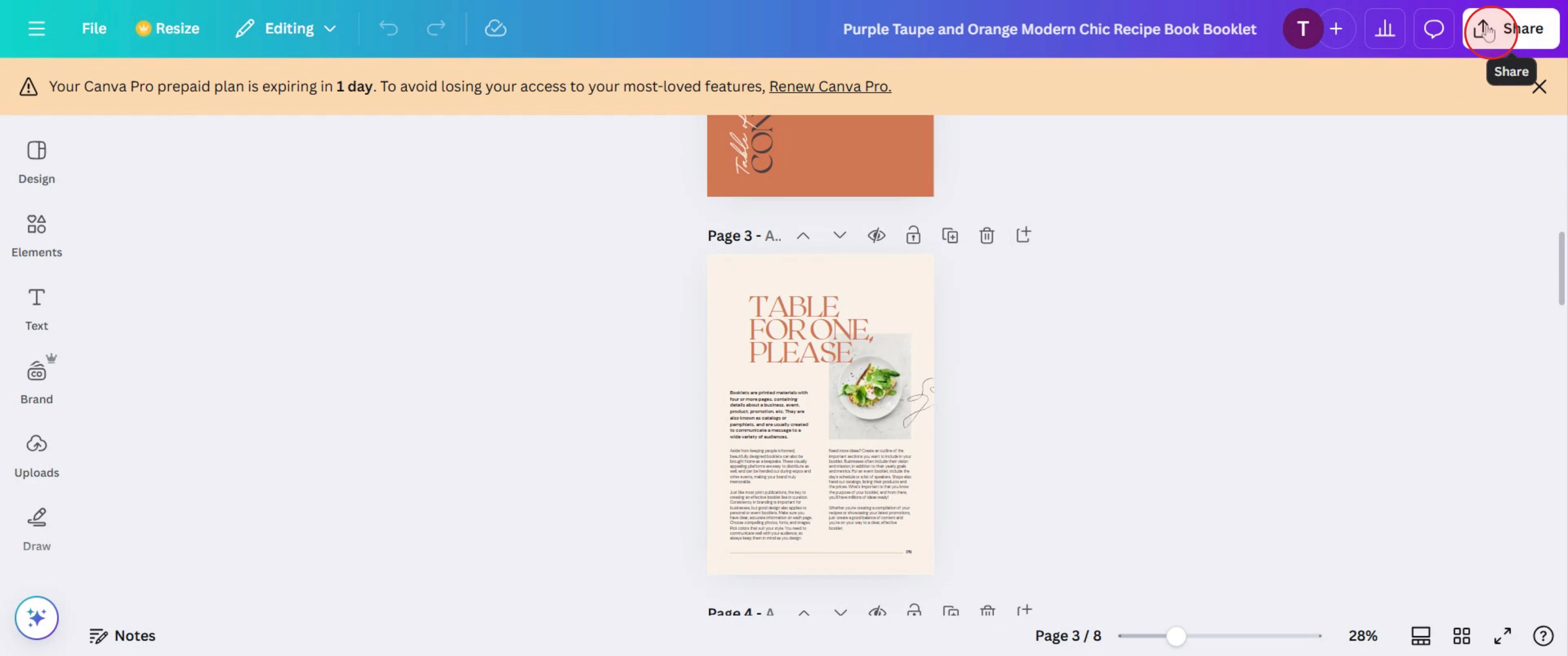
This is a step-by-step guide on how to make a Booklet in Canva.
Pro tips for how to make a booklet in Canva
Use Canva’s custom page size feature to ensure your booklet dimensions are optimized for printing or digital sharing.
Keep your design consistent with fonts, colors, and spacing to maintain a professional and polished look.
Utilize Canva’s page duplication feature to easily maintain uniform formatting across all booklet pages.
Common pitfalls and how to avoid them
Not setting bleed and margins—enable bleed settings in Canva to prevent content from getting cut off during printing.
Overloading pages with text—balance visuals and text for readability and a visually appealing layout.
Exporting in the wrong format—download as a PDF Print for high-quality prints or as PDF Standard for digital use.
Common FAQs for how to make a booklet in Canva
What is the best file format to download a booklet in Canva?
A PDF Print file is ideal for printing, while a PDF Standard file works best for digital sharing.Can I print my Canva booklet directly from Canva?
Yes, Canva offers a Print feature, or you can download and print through a professional printing service.How many pages can a booklet have in Canva?
Canva allows up to 100 pages per design, but for larger booklets, consider creating multiple files.How do I ensure my booklet prints correctly?
Enable bleed settings, check print dimensions, and download in high resolution (PDF Print) for the best results.
If you're an instructor or content creator looking to make tutorial videos, give a try. It transforms rough screen recordings into polished, studio-style videos that are ready for sharing with your audience. Plus, it automatically generates a step-by-step guide based on the video you create. Fascinating, right? Start by creating your first tutorial for free with trupeer.ai .

