
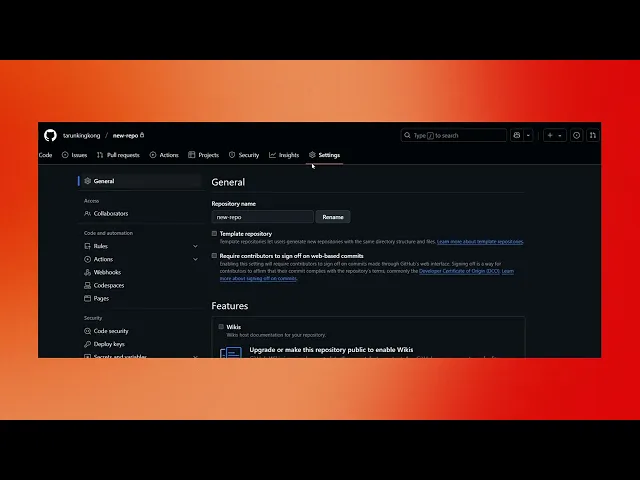
How To Make A GitHub Repository Public
Learn how to make your GitHub repository public with our step-by-step guide. Share your projects with the world and collaborate effectively today.
This document provides a step-by-step process to change the visibility of your GitHub repository from private to public. By following these instructions, you can ensure your repository is accessible to everyone.
Step 1
Click on the Settings option.
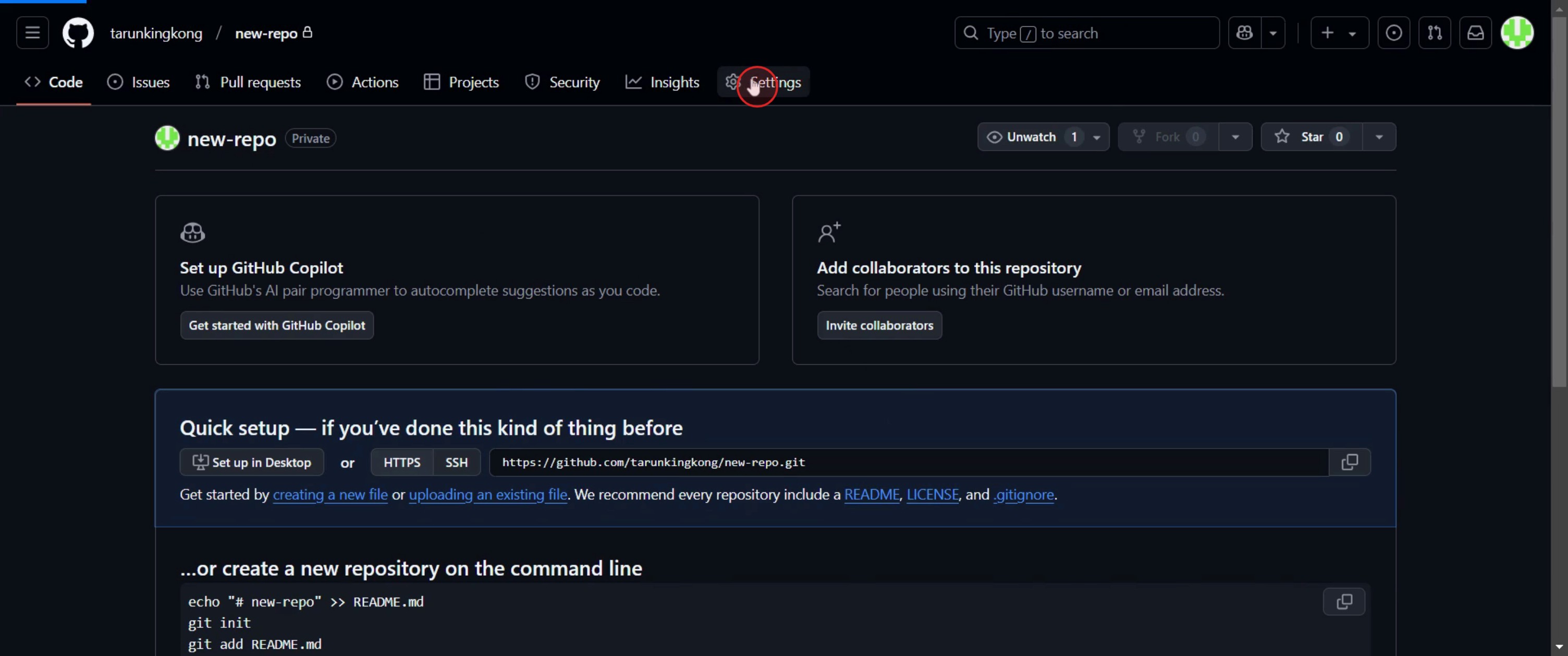
Step 2
Click on Change visibility,
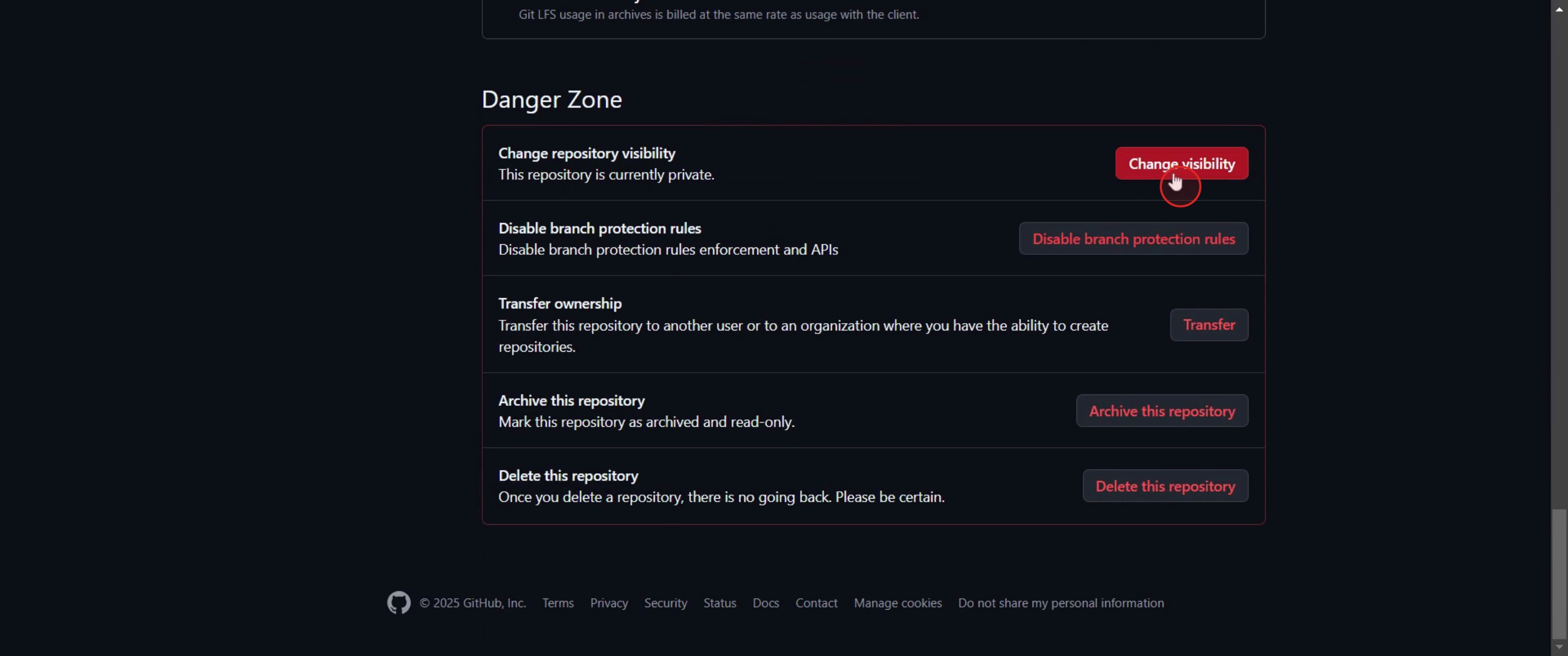
Step 3
And select Change to public.
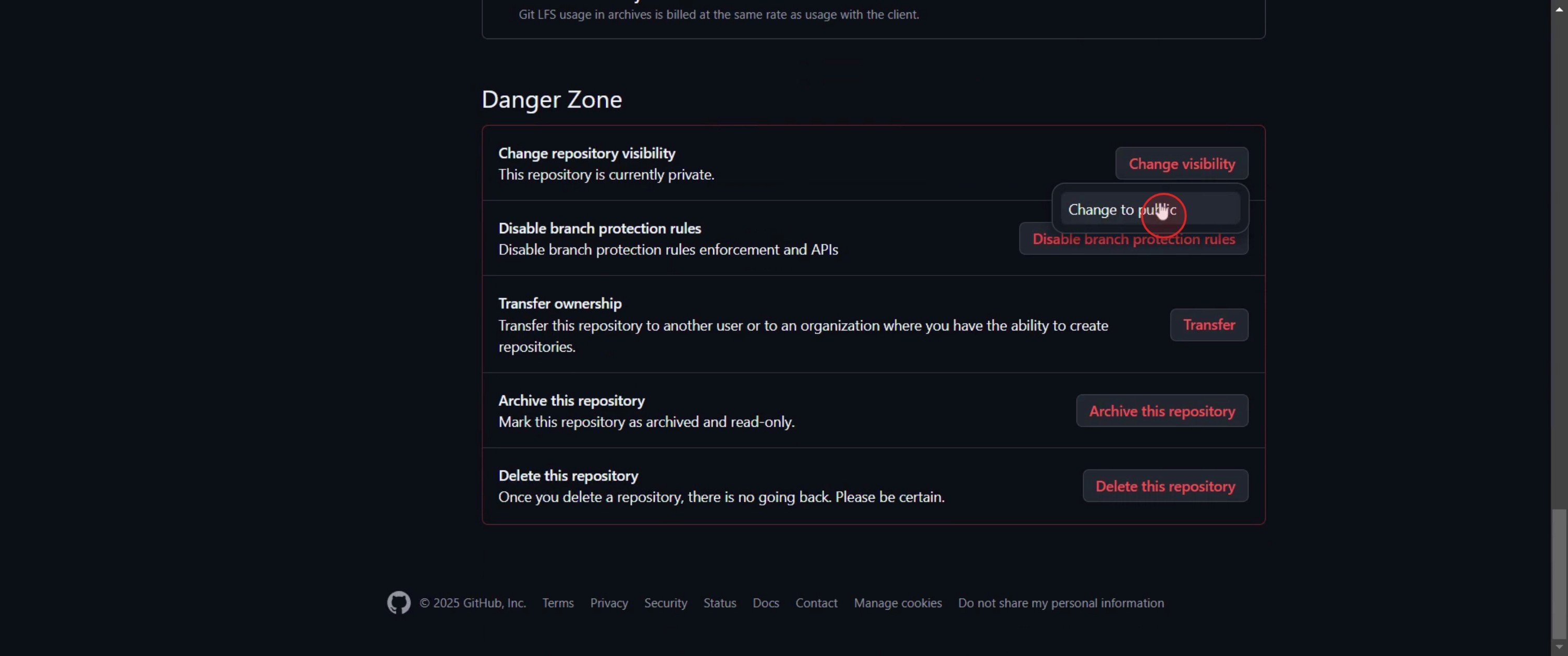
Step 4
Select repository public,
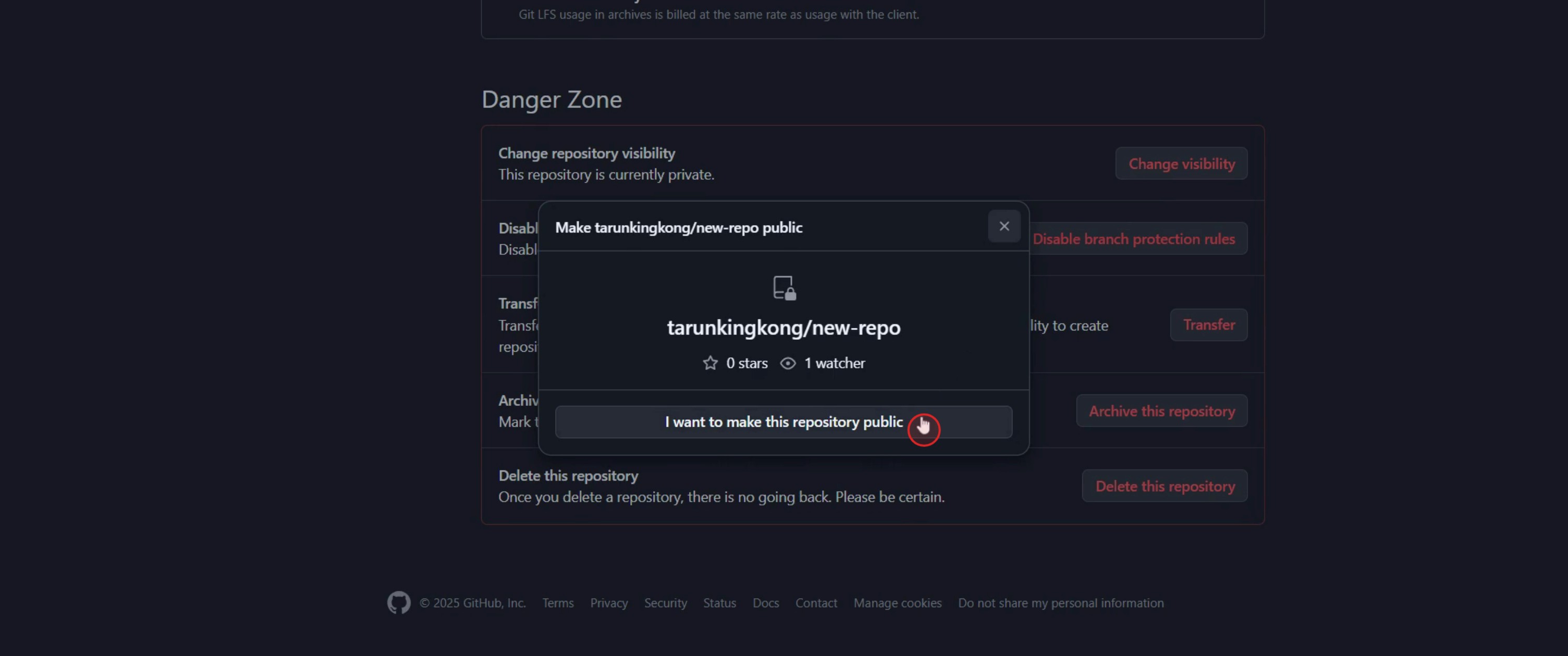
Step 5
Ensure you understand the implications and proceed by clicking on Make repository public.
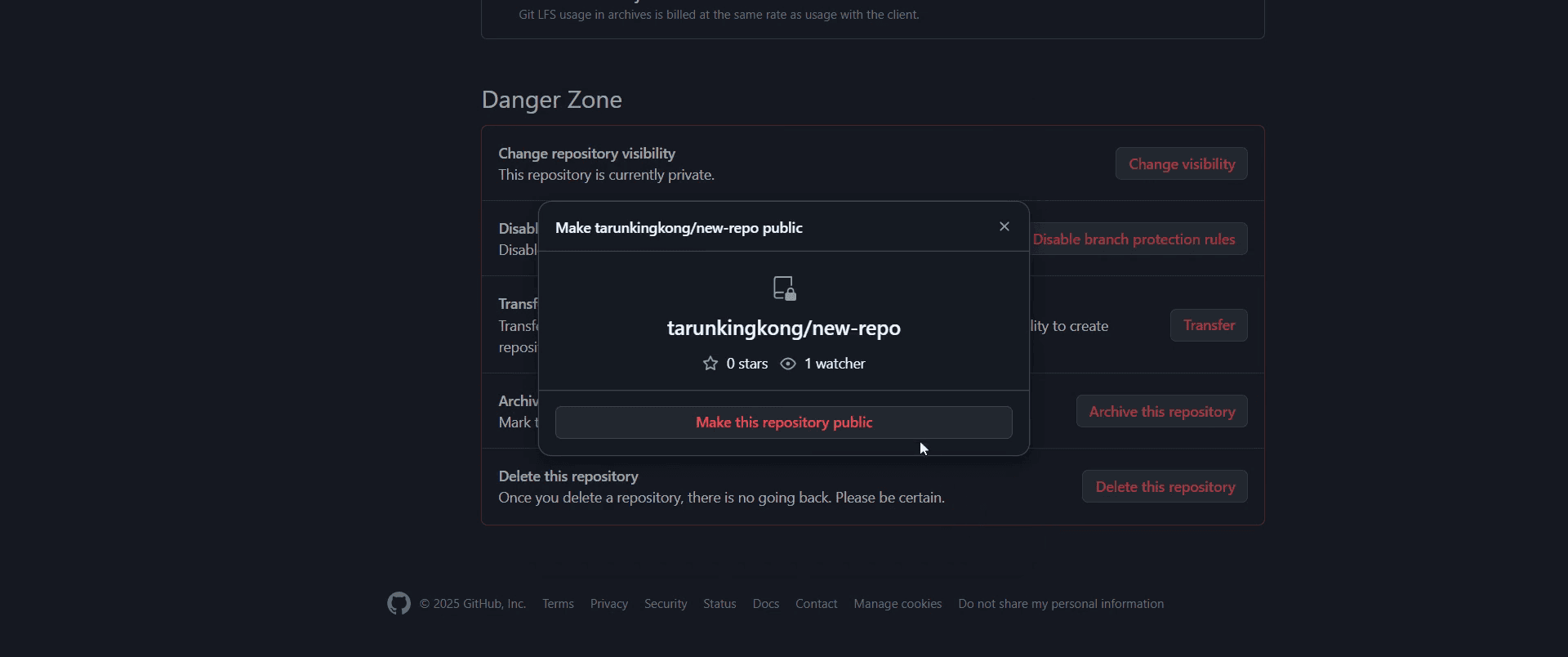
This is a step-by-step guide on how to make a GitHub repository public.
Pro tips for how to make a GitHub repository public
Review sensitive data before changing visibility – Ensure your repository doesn’t contain API keys, passwords, or sensitive data before making it public.
Update the repository’s README and documentation – A well-documented public repository is more accessible to contributors and helps establish credibility.
Use GitHub’s security features – Enable branch protection rules, security settings, and appropriate permissions to maintain repository integrity.
Common pitfalls and how to avoid them
Forgetting to check for private information before making the repository public can expose sensitive data always review and remove confidential files.
Assuming that making a repository public automatically makes it collaborative set correct permissions and contribution guidelines for external collaborators.
Not updating the repository license can lead to usage confusion add an open-source license if you want others to contribute or use your code legally.
Common FAQs on how to make a GitHub repository public
Can i make a private repository public in GitHub?
Yes, you can change a private repository to public through the repository settings, but ensure you remove any sensitive data before doing so.What happens when i make a GitHub repository public?
Once a repository is public, anyone can view and clone it, but only users with the right permissions can push changes.Will making a GitHub repository public affect my code?
No, your code remains the same, but it becomes accessible to everyone, so review security settings and documentation before making the change.Can i make a GitHub repository public and then revert it back to private?
Yes, you can switch a repository from public to private anytime, but private repositories are only available with GitHub Pro or an organizational account.
This tutorial was created in minutes using Trupeer. To generate your own product tutorials, simply screen record a rough video, and Trupeer will transform it into a polished product tutorial and a step-by-step guide within minutes. Create your first video tutorial and guide with trupeer.ai for free.

