
How To Rename a Repository In GitHub
Discover the step-by-step process to rename a repository in GitHub. Enhance your project management skills with our comprehensive guide.
This guide outlines the process of renaming a repository on GitHub. By following these steps, you can efficiently update the repository name to better reflect its purpose or content.
Step 1
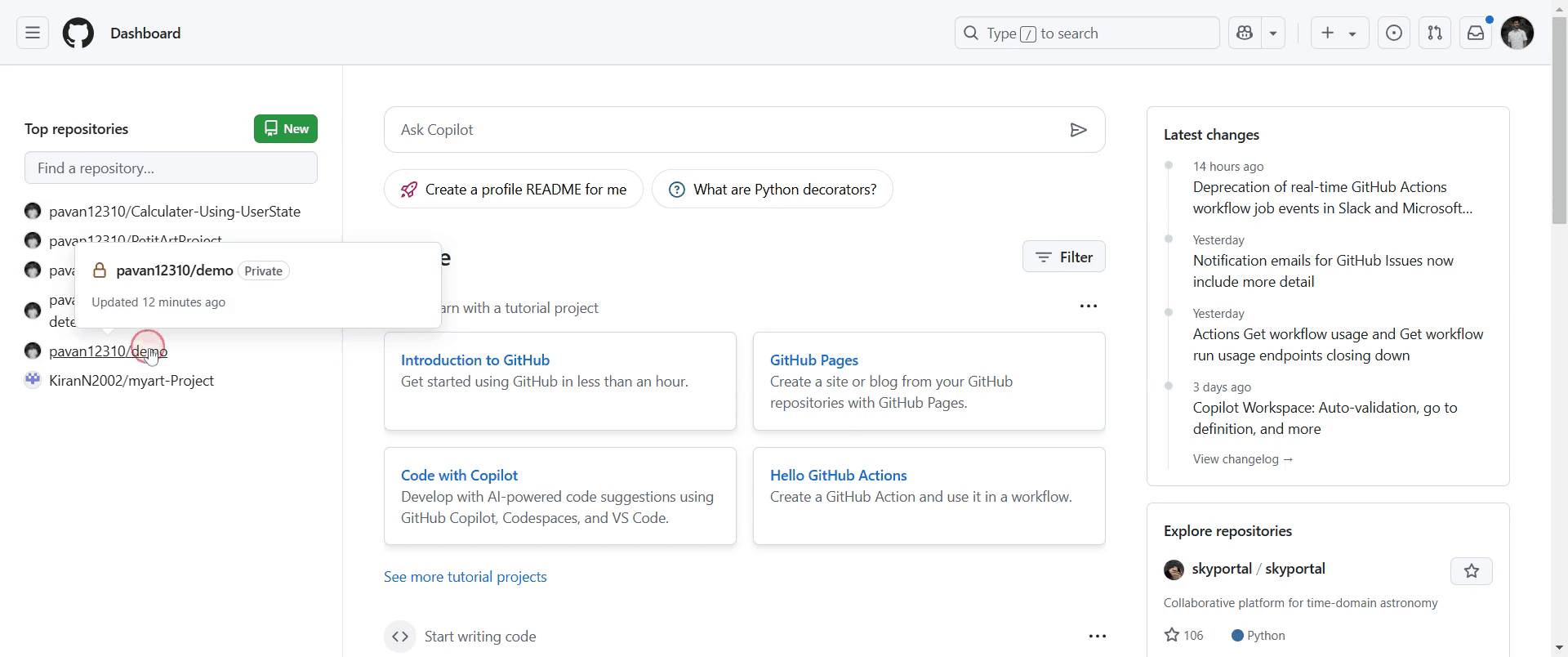
Begin by navigating to the repository that you wish to rename.
Step 2
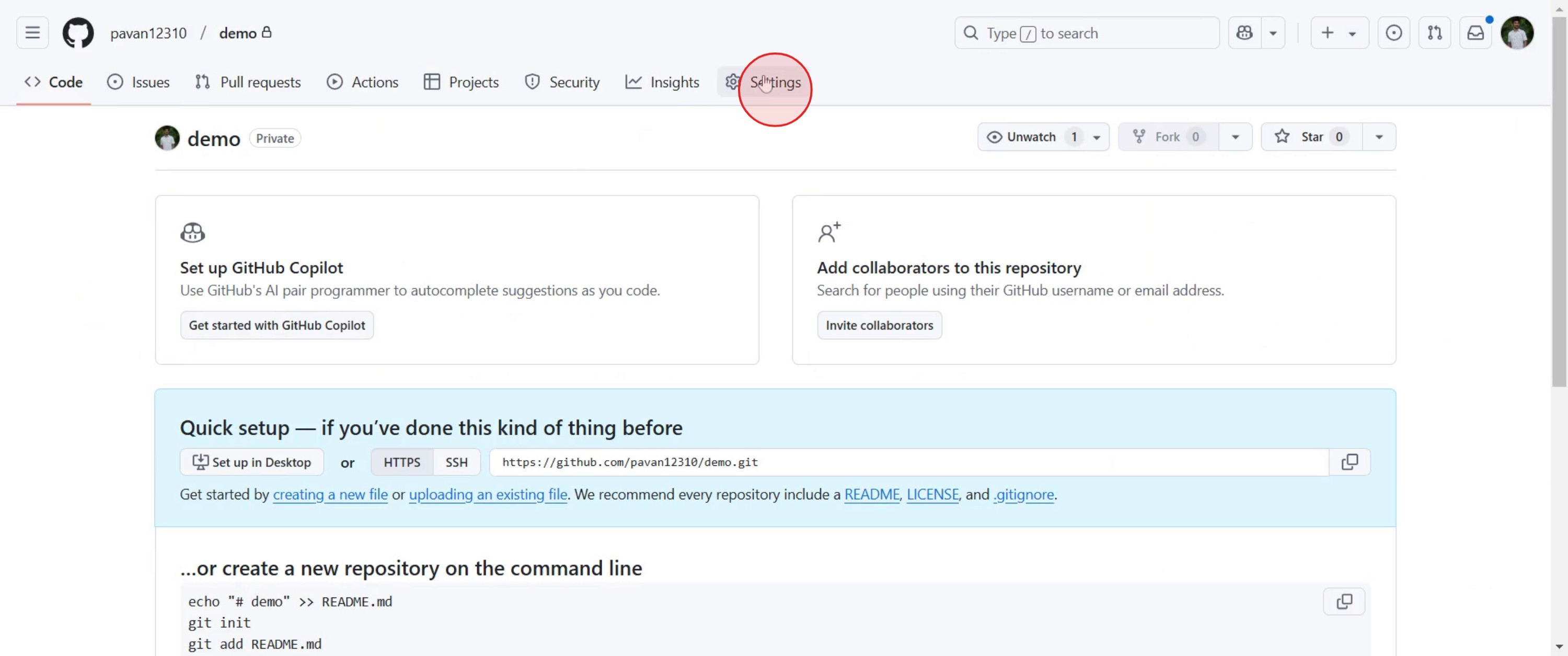
Once there, locate and click on the "Settings" option.
Step 3
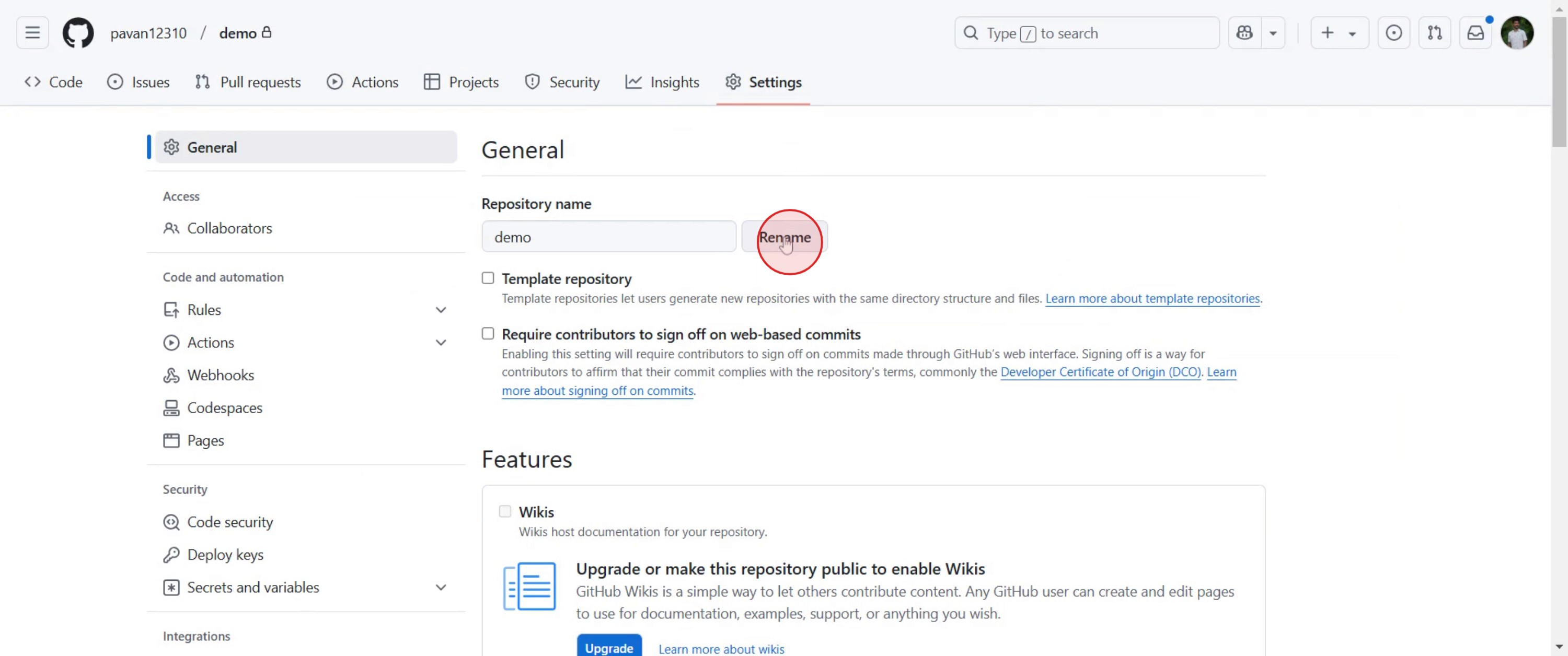
In the settings menu, find and click on the "Rename" option.
Step 4
Enter your desired name for the repository.
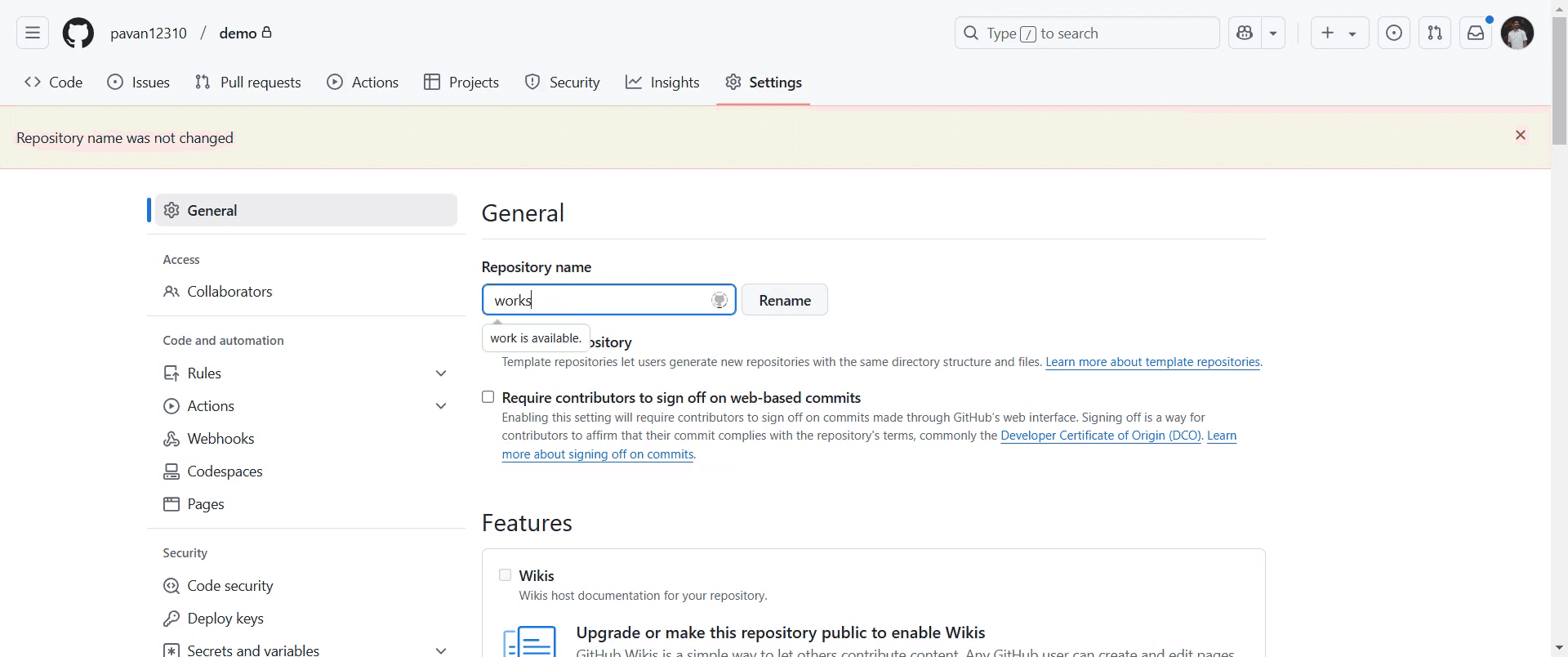
Step 5
click on "Rename" to finalize the changes.
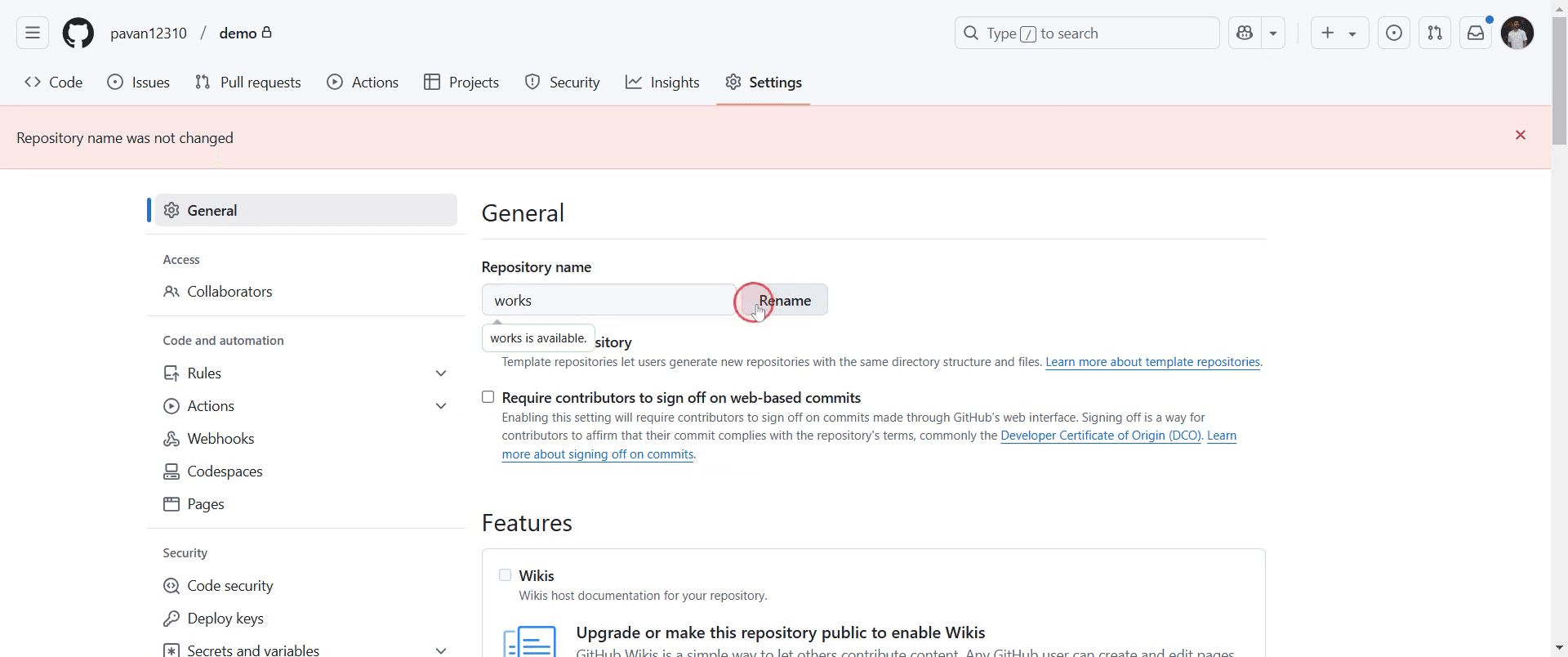
That's it. This is a step-by-step guide on how to rename a repository in GitHub.
Pro-tips for renaming a repository in GitHub
Navigate to the repository Settings tab and update the Repository name under the General section.
After renaming, update any local clones by running
git remote set-url origin <new-repo-url>.Check for broken links in documentation, README files, and external references that point to the old repository name.
Common pitfalls & how to avoid them while renaming a repository in GitHub
Forgetting to update remote URLs – Run
git remote set-url origin <new-repo-url>to avoid push errors.Breaking external links – If the repository is used in projects or websites, update all references.
Losing GitHub Pages – If using GitHub Pages, ensure the new repo name is updated in deployment settings.
Common FAQs for renaming a repository in GitHub
Will renaming a repo break my local Git setup?
Yes, update your local repository withgit remote set-url origin <new-repo-url>.Can I revert to the old repository name?
Yes, if the name is still available, you can rename it back at any time.Will GitHub automatically redirect the old repository URL?
Yes, GitHub provides automatic redirects, but it’s best to update all links manually.Does renaming a repository affect forks and pull requests?
No, forks and pull requests remain intact, but forked users should update their remote URLs.
If you're an instructor or content creator looking to make tutorial videos, give Trupeer.ai a try. It transforms rough screen recordings into polished, studio-style videos that are ready for sharing with your audience. Plus, it automatically generates a step-by-step guide based on the video you create. Fascinating, right? Start by creating your first tutorial for free with Trupeer.ai.

