
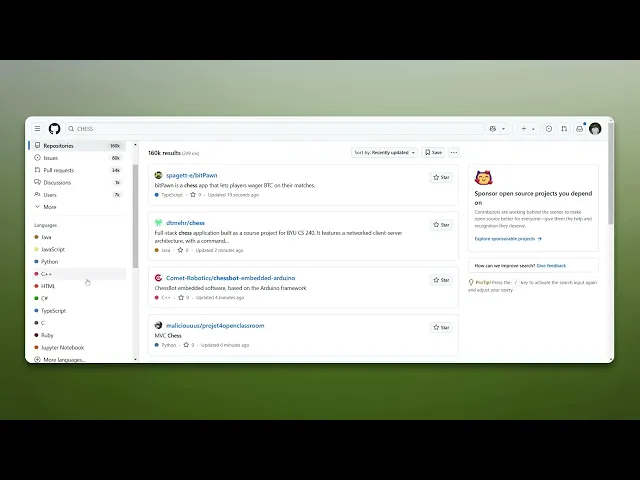
How To Search In GitHub
Discover effective strategies for searching in GitHub. Learn tips and tricks to navigate repositories, find code snippets, and enhance your coding projects.
This document outlines a streamlined process for conducting searches on GitHub. By following these steps, users can efficiently navigate through the search functionalities, apply filters, and utilize advanced options to find the desired repositories or code snippets.
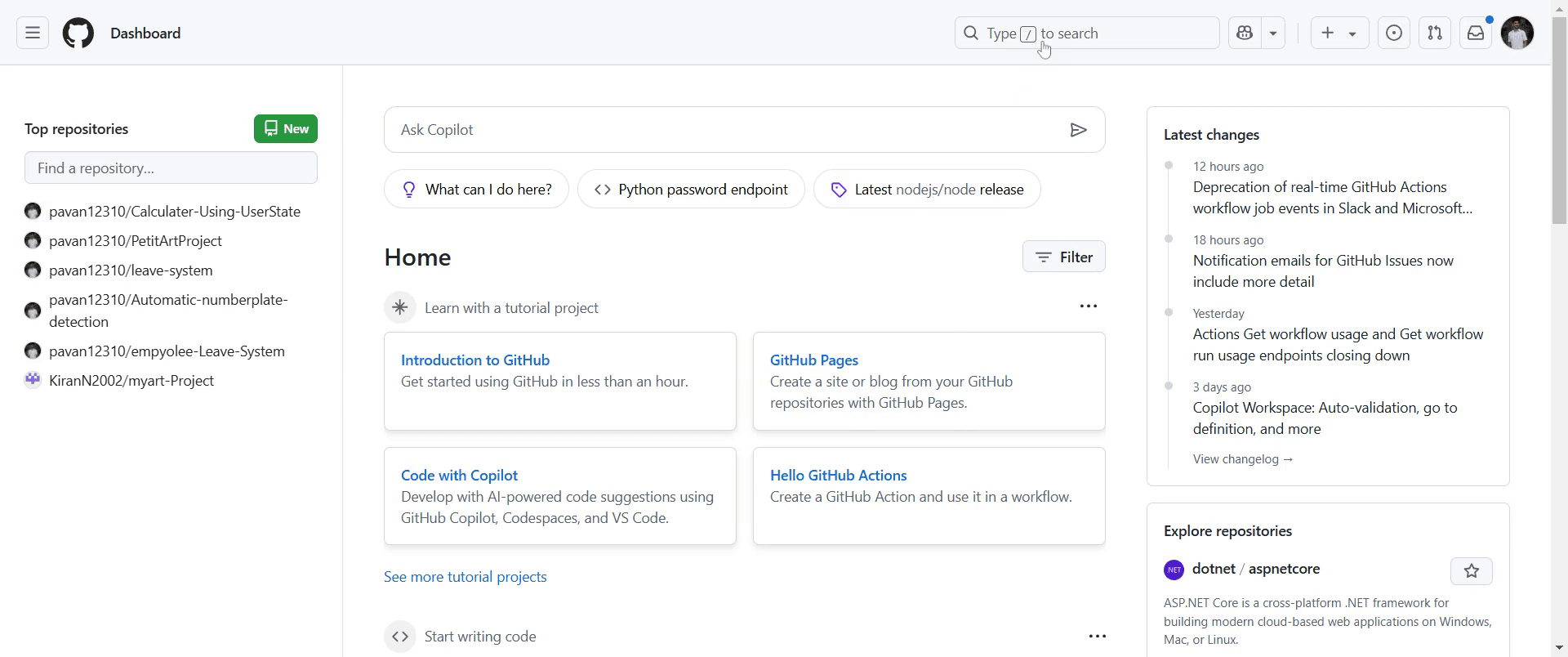
Step 1
Go to the search bar on GitHub.
Step 2
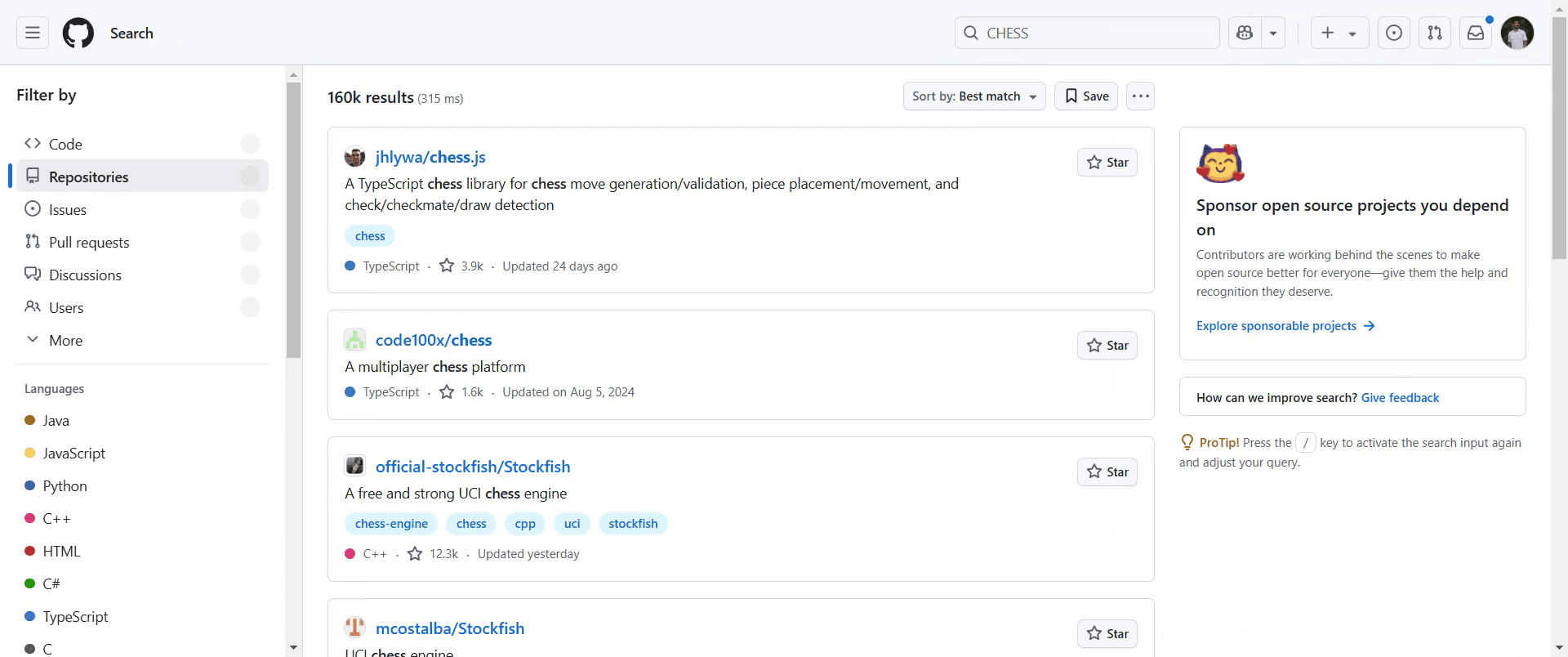
Input the search term you wish to explore and press Enter.
Step 3
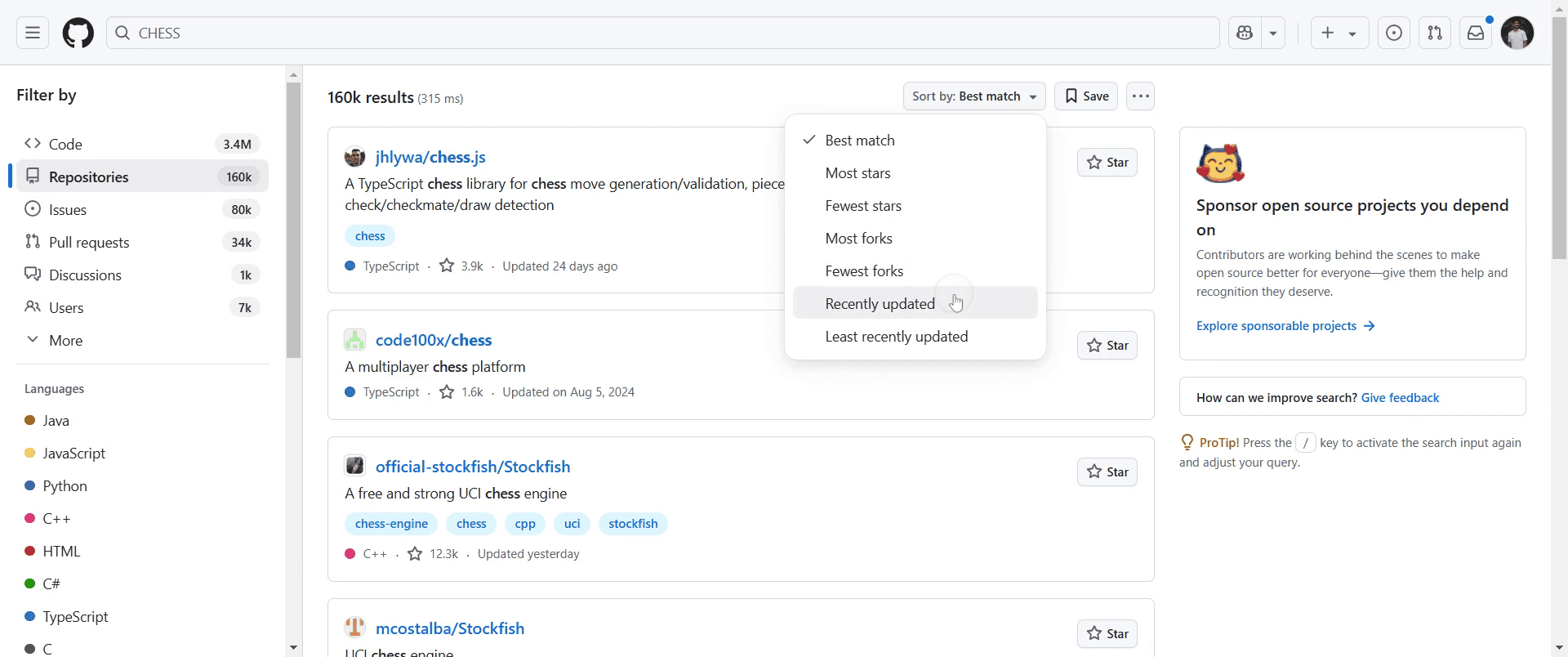
Click on 'Recently Updated' option.
Step 4
Go to 'Advanced Search' option, Click on it.
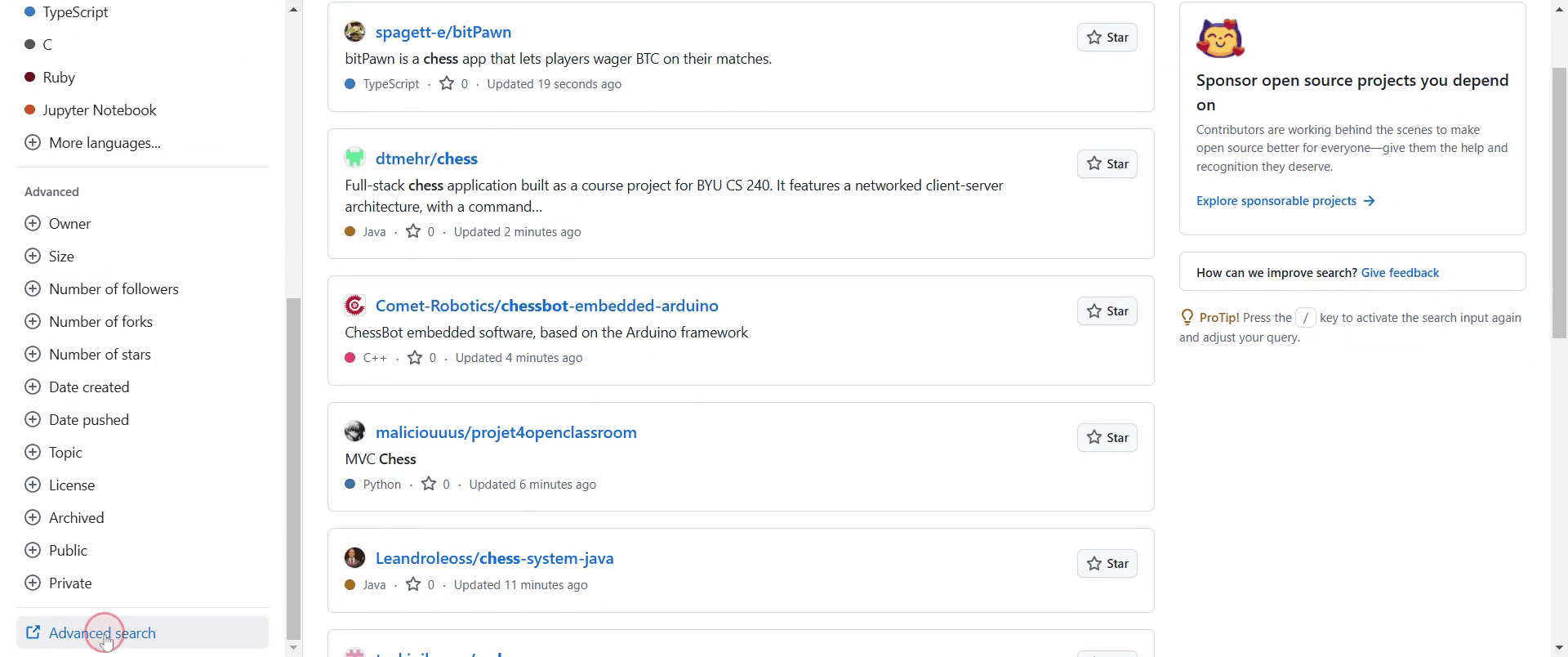
Step 5
If you know the owner of the repository, fill in the relevant fields provided in the advanced search settings.
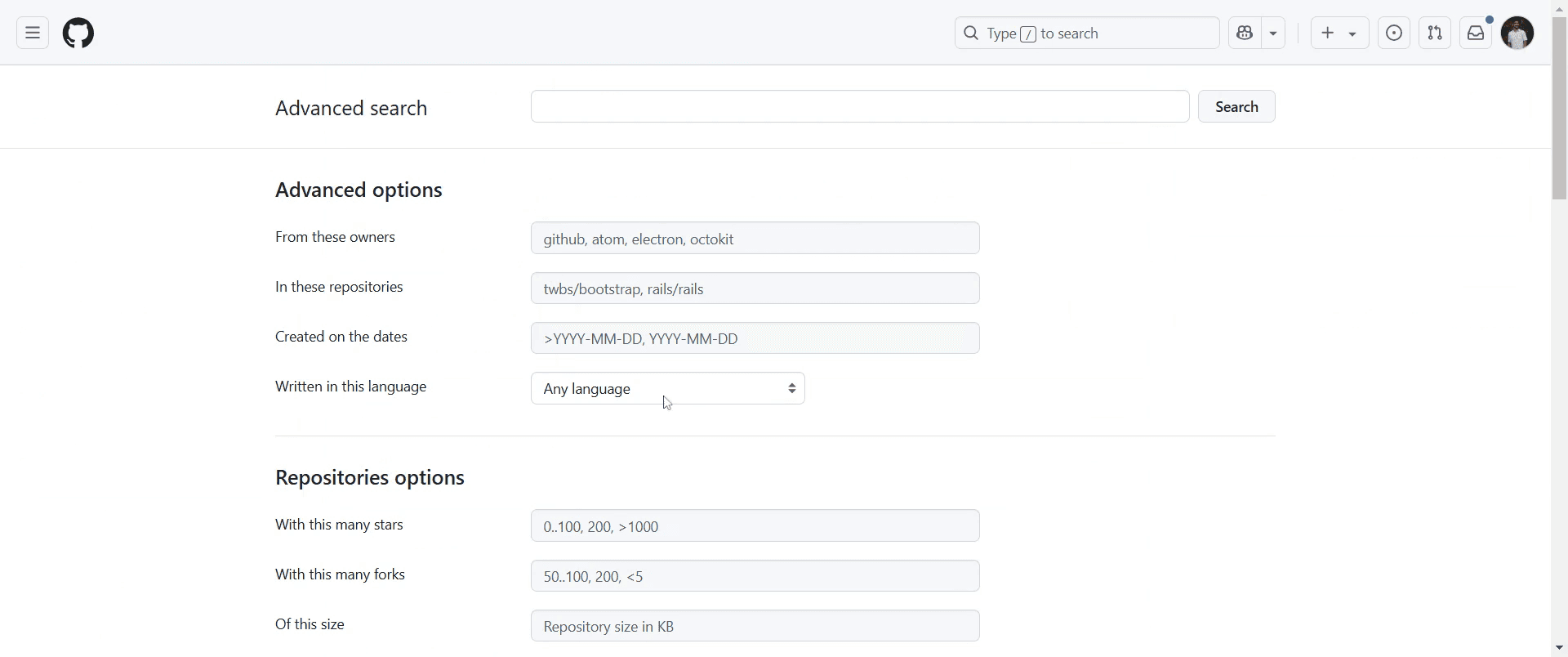
Step 6
Click on 'Search' to retrieve results that align with your specified GitHub criteria.
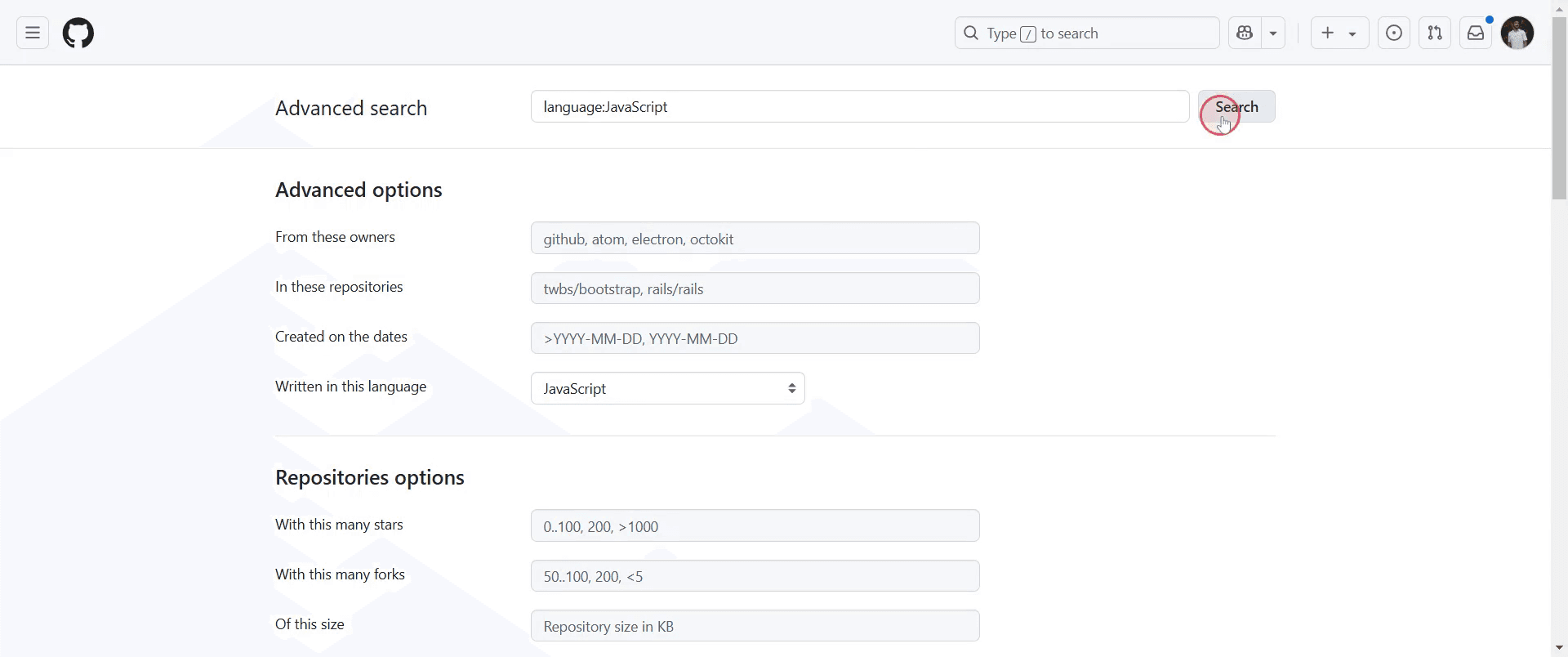
Step 7
In that results you can Choose you convenient one.
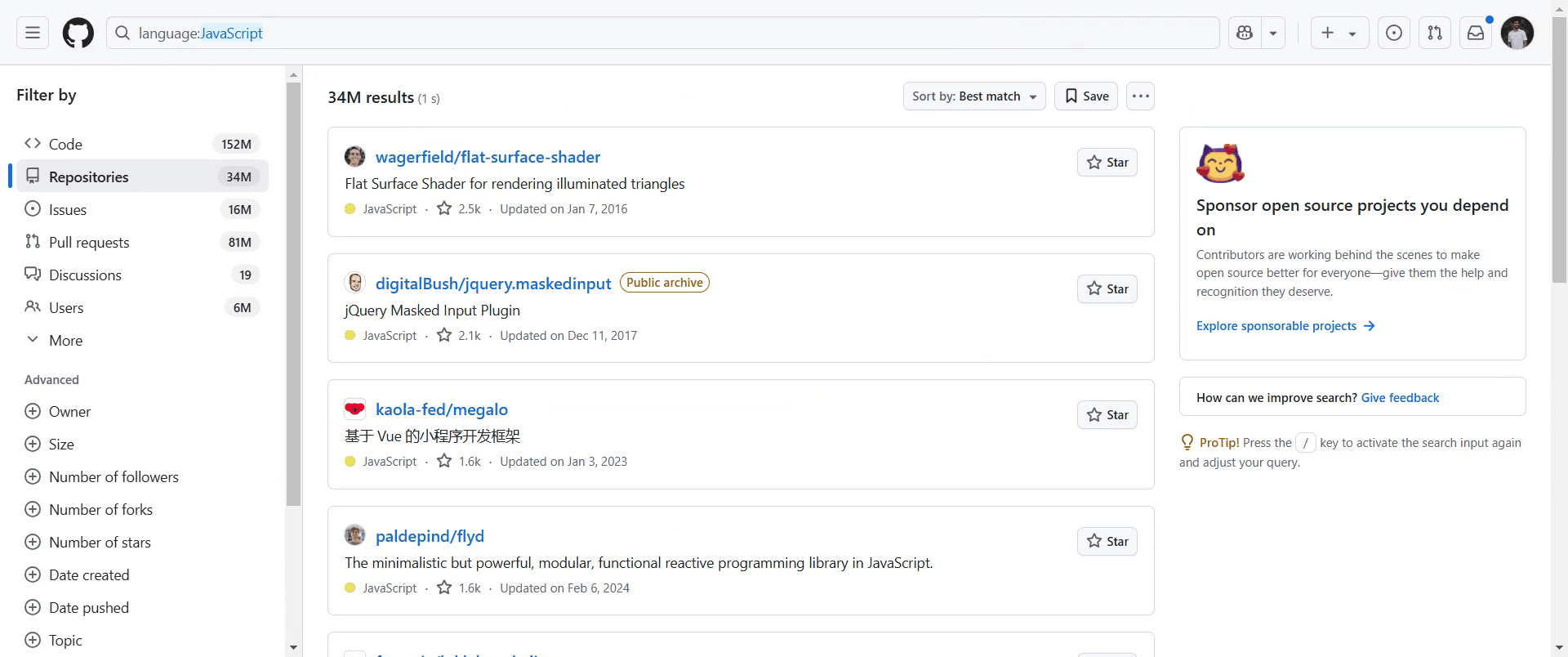
This is a step-by-step guide on how to search in GitHub.
Pro-tips for searching in GitHub
Use the search bar at the top of the GitHub homepage to quickly find repositories, issues, pull requests, or users.
Use advanced search filters such as language, stars, and license to narrow down your search results and find more specific content.
Explore GitHub’s search syntax like in:name or in:readme to find specific keywords within repositories or files.
Common pitfalls & how to avoid them while searching in GitHub
Using overly broad keywords refine your search terms and use filters to avoid irrelevant results.
Not using search filters effectively take advantage of GitHub’s advanced search options to quickly locate the right content.
Overlooking the importance of repository descriptions always check the repository's description and readme to ensure relevance.
Common FAQs for searching in GitHub
Can I filter search results by programming language?
Yes, you can filter search results by language using the Languages filter on the left sidebar or by using the language: keyword in the search query.How can I find repositories with the most stars?
Sort the search results by stars or use the stars: filter to specify a range and find highly rated repositories.Can I search within a specific repository?
Yes, once inside a repository, you can use the Find option to search for specific code or content within the repository.
If you're an instructor or content creator looking to make tutorial videos, give Trupeer.ai a try. It transforms rough screen recordings into polished, studio-style videos that are ready for sharing with your audience. Plus, it automatically generates a step-by-step guide based on the video you create. Fascinating, right? Start by creating your first tutorial for free with Trupeer.ai.

