
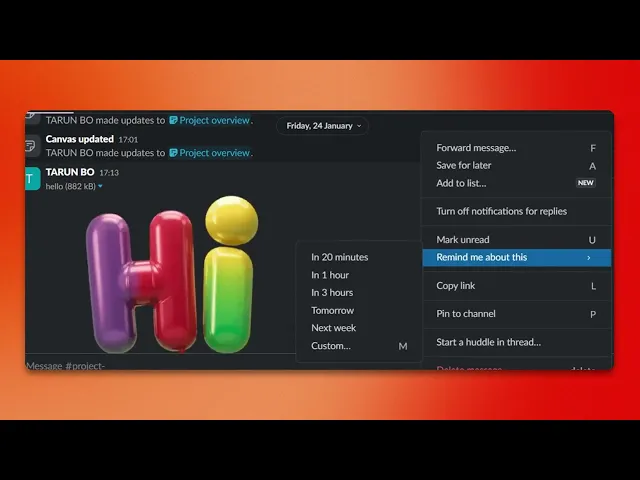
How To Set A Reminder In Slack
Discover how to set reminders in Slack effortlessly. Our comprehensive guide provides step-by-step instructions to enhance your productivity and organization.
This document provides the process of setting a reminder in Slack. By following these steps, you will be able to efficiently schedule reminders within a specific channel, ensuring you stay organized and up-to-date with your tasks.
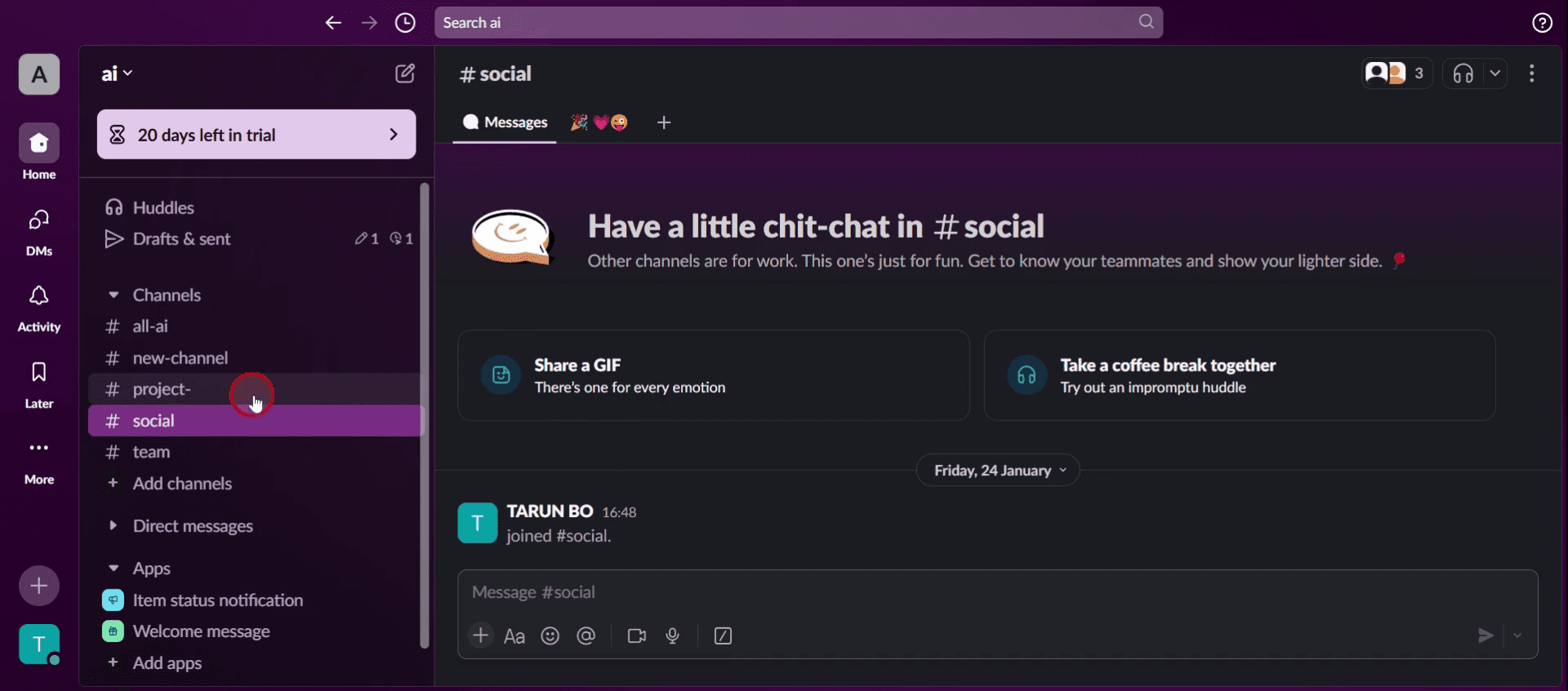
Step 1
Select the specific channel,
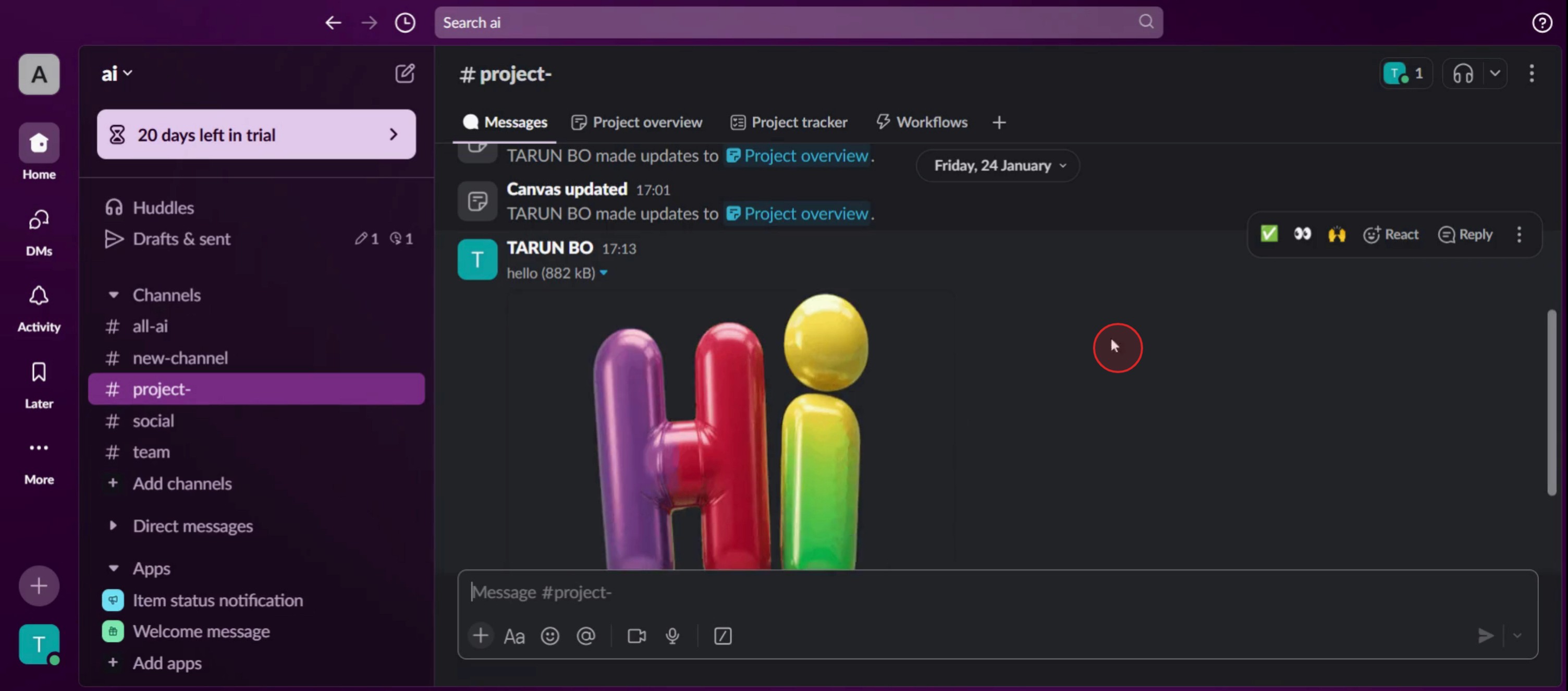
Step 2
Then locate the message console,
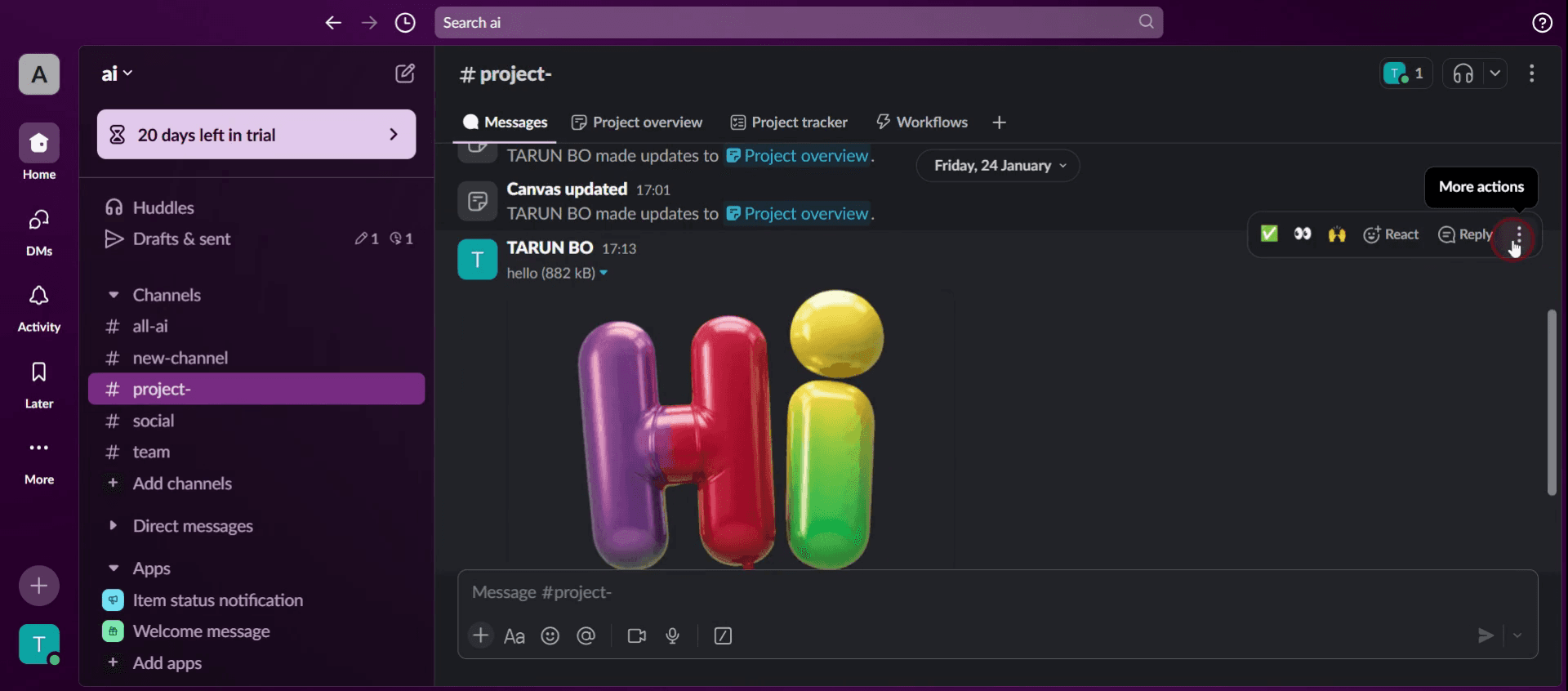
Step 3
Click on the three dots or more action,
Step 4
Click on the reminder me about this,
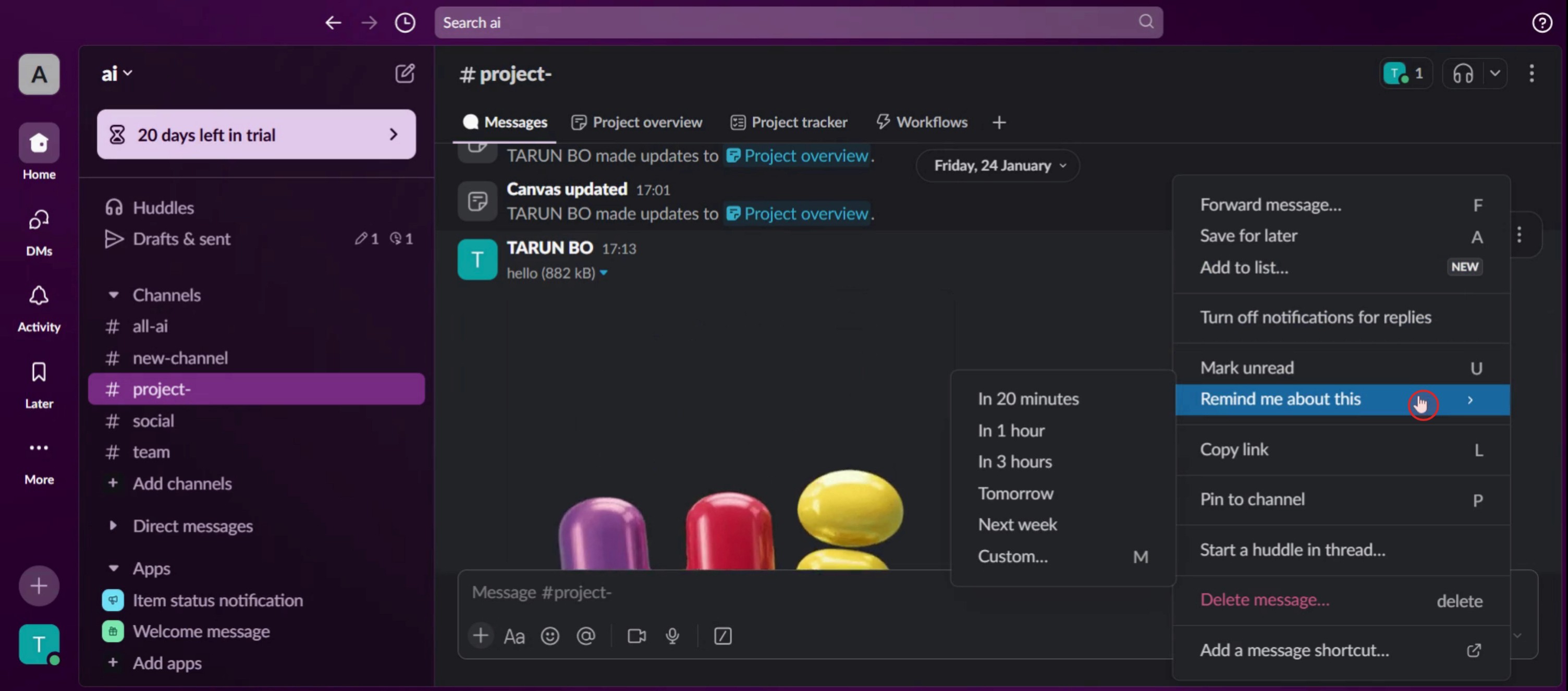
Step 5
Then click on number of hours,
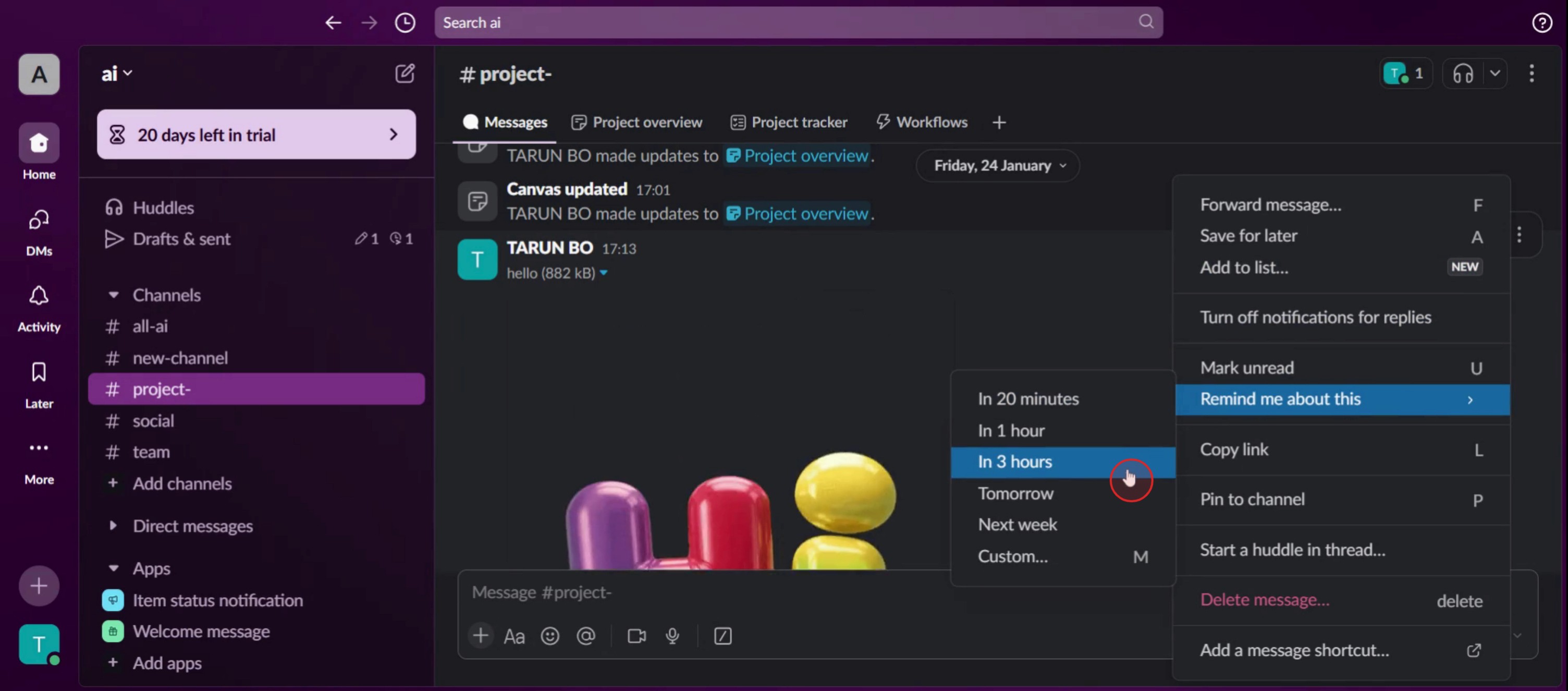
Step 6
And you will successfully schedule the reminder in Slack.
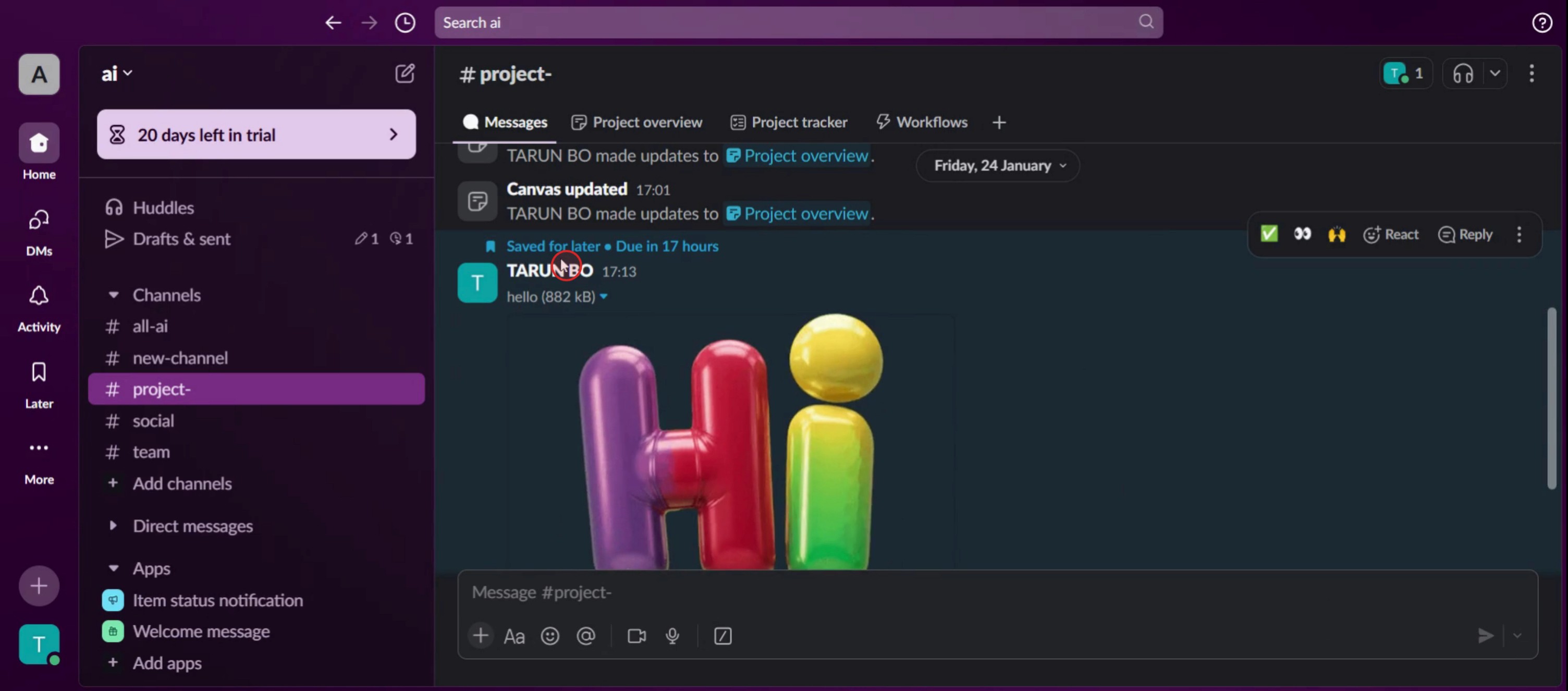
This is a step-by-step guide on how to set a reminder in Slack.
Pro tips for how to set a reminder in Slack
Use natural language commands – You can set reminders using simple phrases like
/remind me to submit the report at 3 PMfor a quick setup.Tag users for team reminders – If you want to remind a teammate, use
/remind @username to check the report at 10 AMto notify them directly.Check and manage reminders easily – Use
/remind listto view all active reminders and delete or modify them as needed.
Common pitfalls and how to avoid them
Setting vague reminders without specific times can lead to confusion always specify the exact date and time in your command.
Forgetting to check the reminder list can cause missed tasks regularly use
/remind listto stay updated.Using reminders in the wrong channel can clutter discussions set personal reminders in direct messages to keep conversations organized.
Common FAQs on how to set a reminder in Slack
Can i set a reminder for someone else in Slack?
Yes, you can mention a teammate in the command, like/remind @username to send the report at 5 PM, and they will receive the notification.Where can i see all my reminders?
Use the command/remind list, and Slack bot will display all your active and completed reminders for easy management.Can i set recurring reminders in Slack?
Yes, you can set recurring reminders like/remind me to submit weekly reports every Monday at 9 AMto automate tasks.How do i delete or modify a reminder in Slack?
View your reminders using/remind list, then click Delete or type/remind cancel [task]to remove it.
If you're an instructor or content creator looking to make tutorial videos, give a try. It transforms rough screen recordings into polished, studio-style videos that are ready for sharing with your audience. Plus, it automatically generates a step-by-step guide based on the video you create. Fascinating, right? Start by creating your first tutorial for free with trupeer.ai .

