
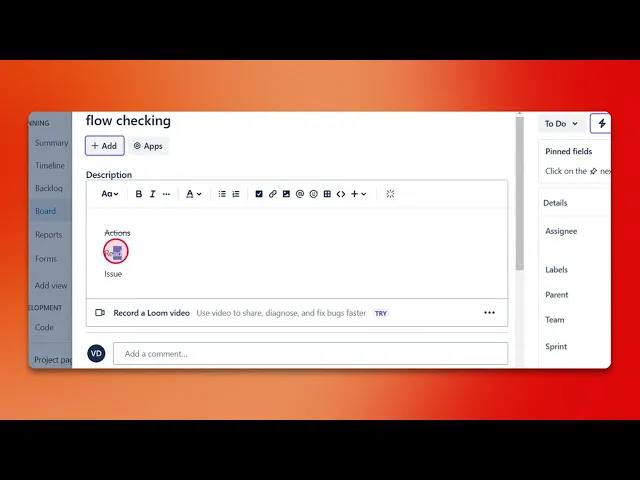
How to Strikethrough Text in Jira
Discover how to effectively strikethrough text in Jira with our comprehensive guide. Enhance your project management skills and improve your workflow today.
This document provides a straightforward process for applying strikethrough formatting to text within Jira tickets. Follow these steps to ensure that your text is effectively formatted.
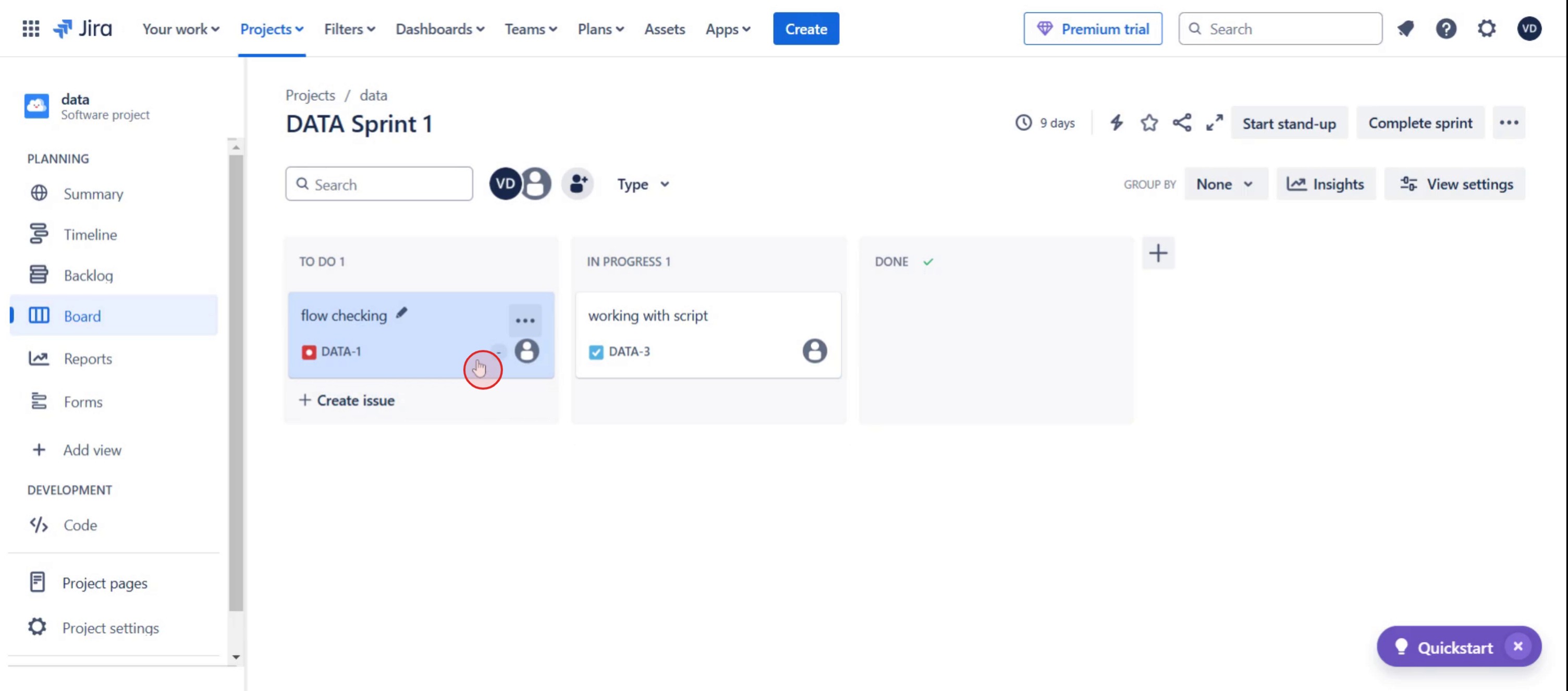
Step 1
Select the specific ticket.
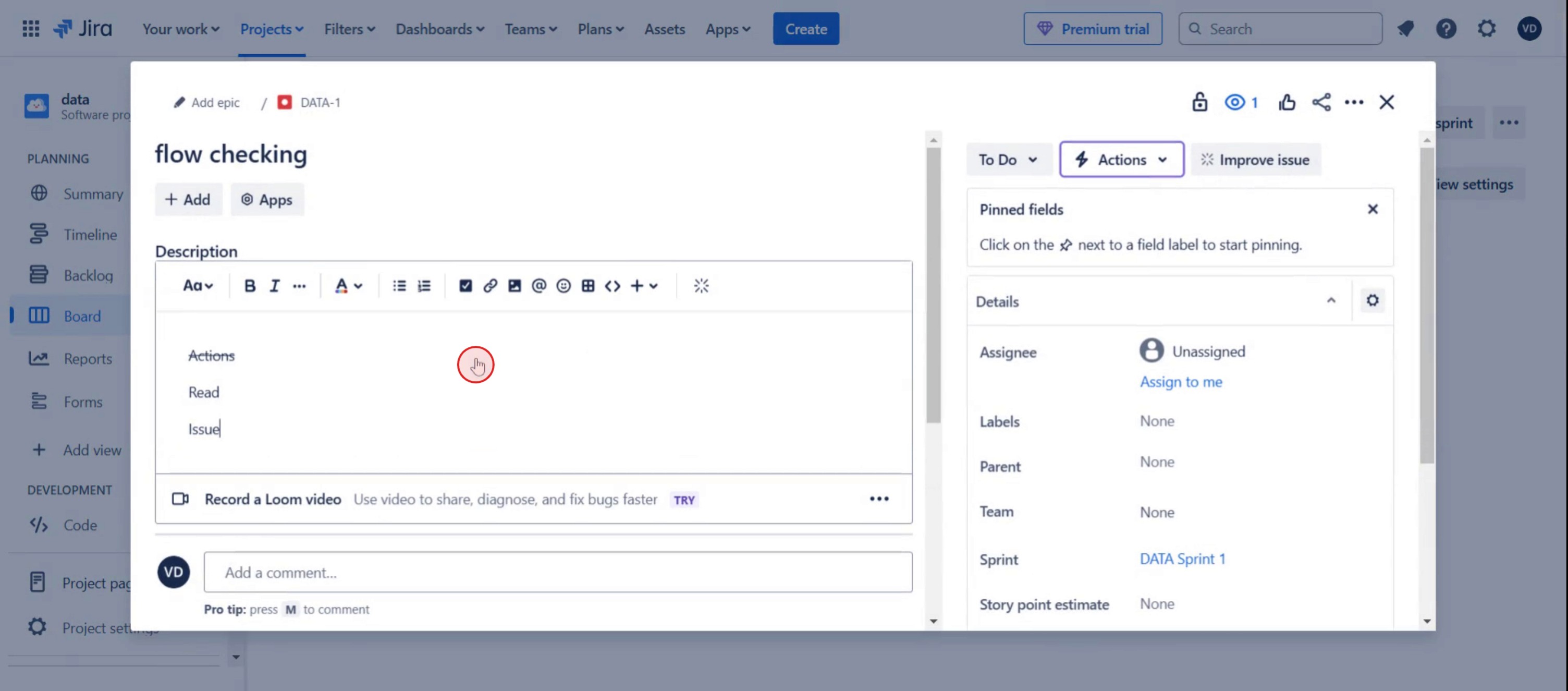
Step 2
Locate the description field within the ticket.
Step 3
Select the text to apply formatting.
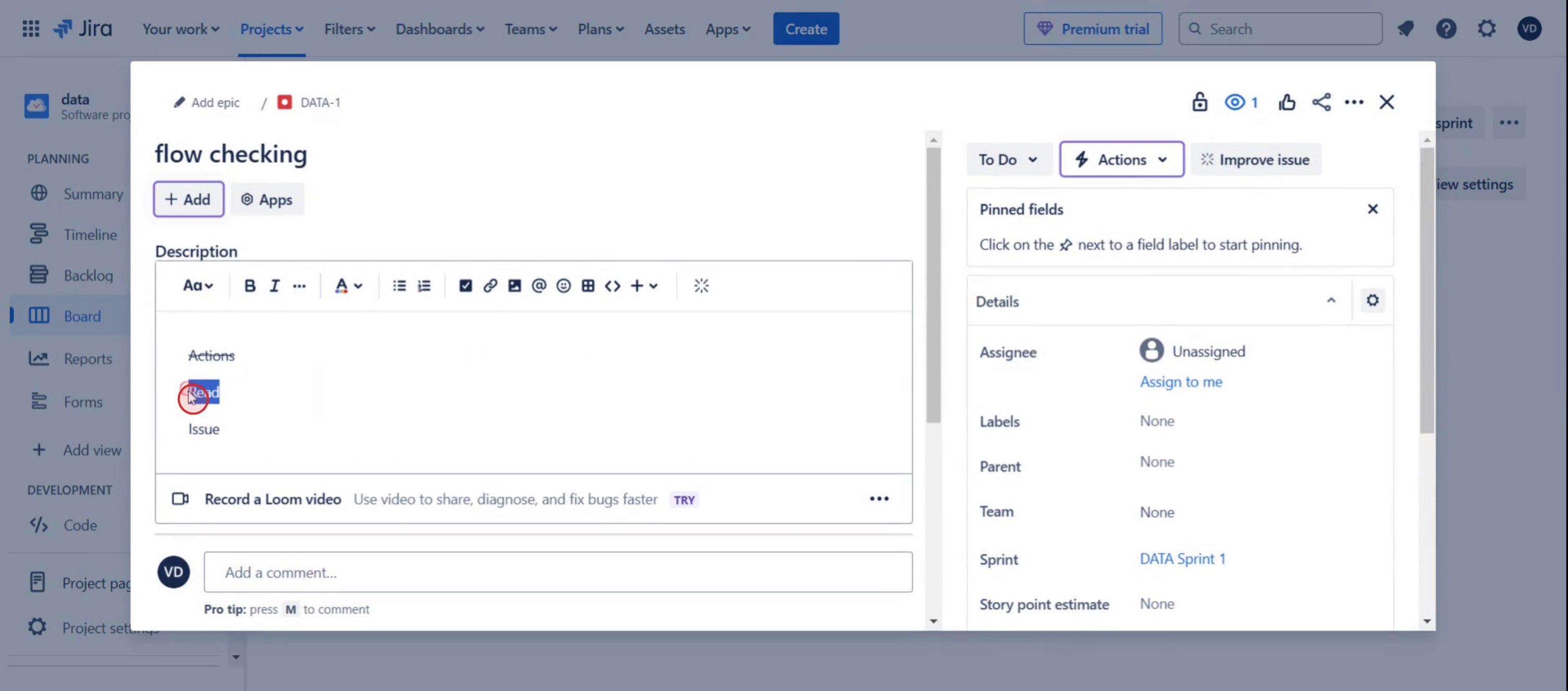
Step 4
Then click on the three dots.
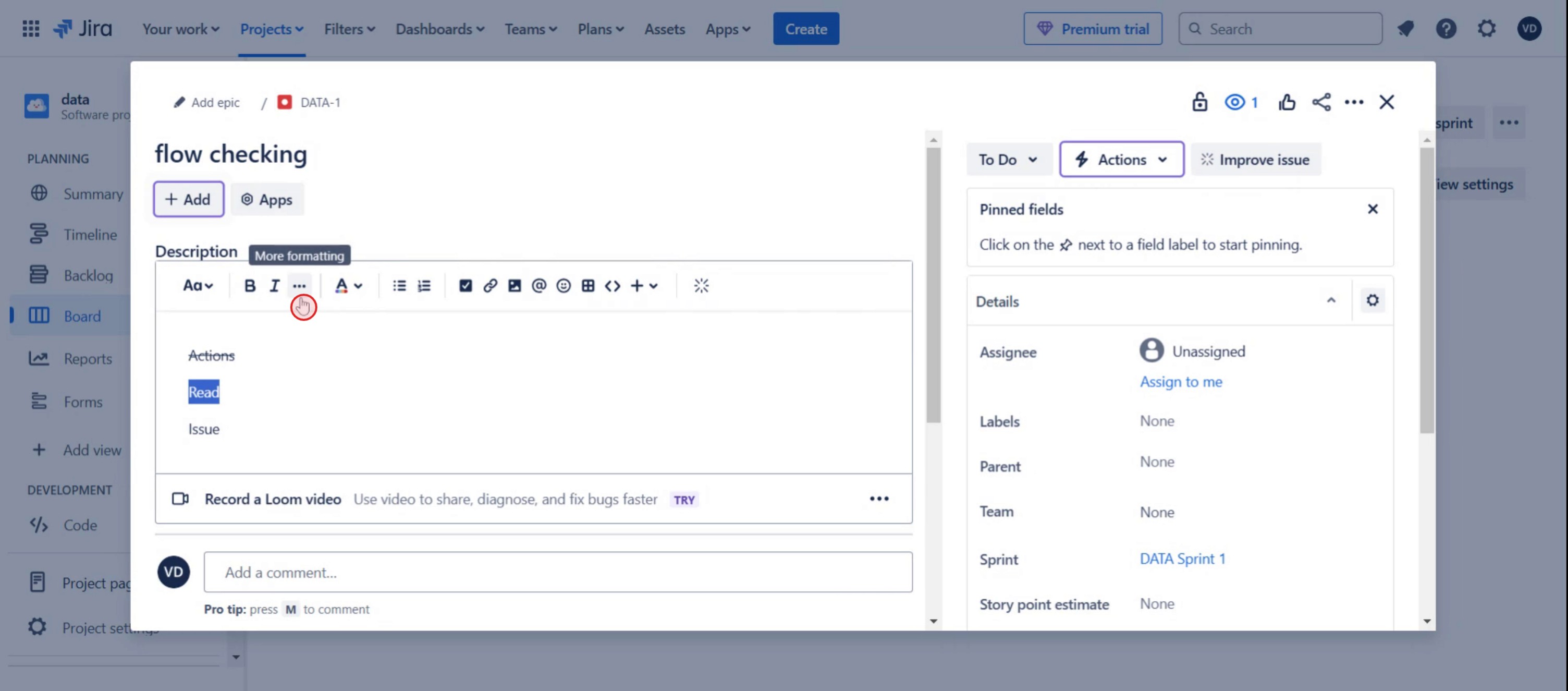
Step 5
Click on the strikethrough button.
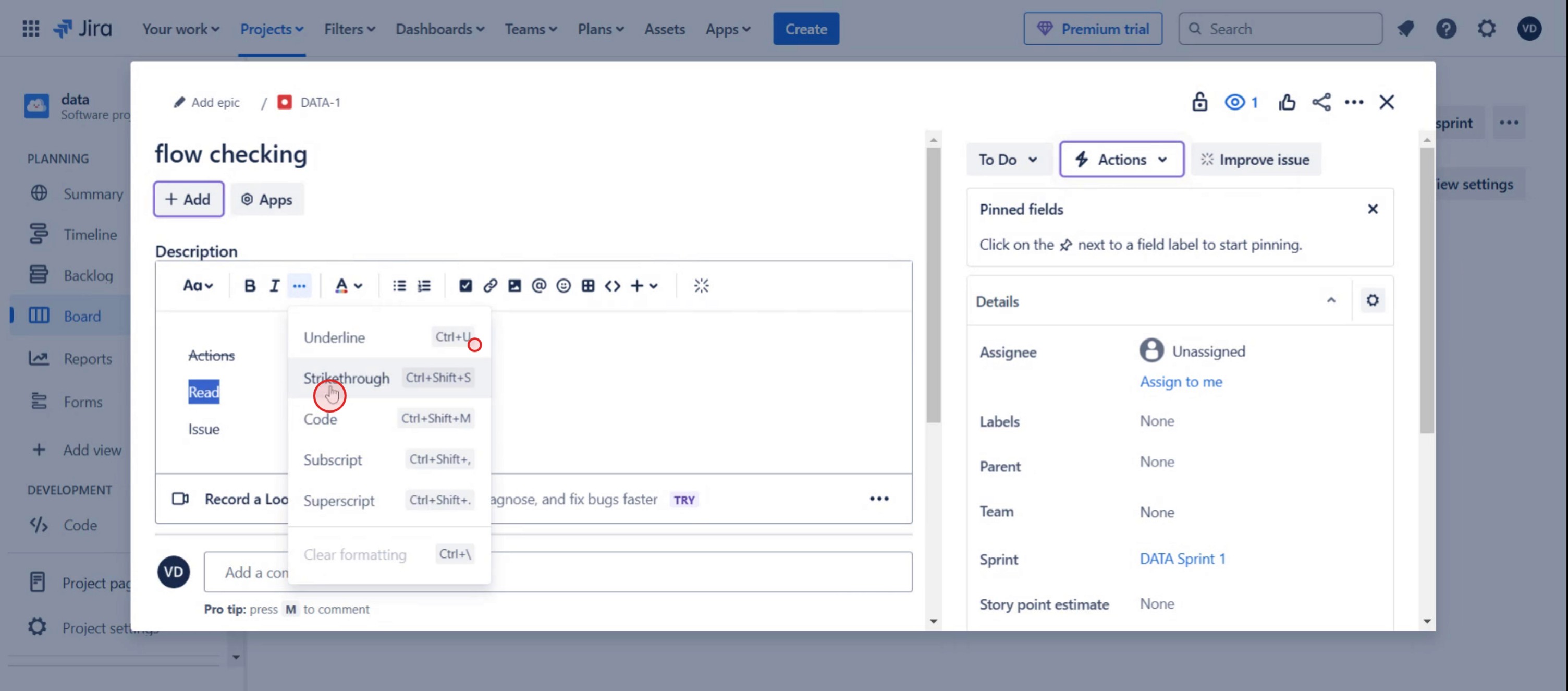
This is a step-by-step guide on how to Strikethrough Text in Jira.
Pro tips on how to strikethrough text in Jira
Use double tilde symbols
~~text~~to apply strikethrough formatting in Jira comments, descriptions, and issue fields.Combine strikethrough with other formatting styles like bold or italic to enhance clarity and visual emphasis.
Preview your text before submitting to ensure the formatting appears correctly, especially when using Jira’s markdown syntax.
Common pitfalls and how to avoid them
Using a single tilde instead of double can cause formatting errors—always use
~~text~~for strikethrough in Jira.Applying strikethrough in fields that don’t support markdown, like some custom fields, may not work—test before saving changes.
Forgetting to use Jira’s text formatting guide can lead to inconsistent styling—refer to Jira’s documentation for supported formatting.
Common FAQs on how to strikethrough text in Jira
Can i use strikethrough in Jira comments and descriptions?
Yes, strikethrough works in both Jira comments and descriptions using the~~text~~syntax.Why is my strikethrough text not working in Jira?
If strikethrough formatting doesn’t work, check if you used the correct syntax (~~text~~) and ensure you’re in a field that supports markdown.Does Jira support other text formatting styles along with strikethrough?
Yes, Jira supports bold (*bold*), italic (_italic_), underline (+underline+), and more along with strikethrough.Can strikethrough text in Jira issue titles?
No, Jira issue titles do not support markdown formatting, so strikethrough cannot be applied there.
If you're an instructor or content creator looking to make tutorial videos, give a try. It transforms rough screen recordings into polished, studio-style videos that are ready for sharing with your audience. Plus, it automatically generates a step-by-step guide based on the video you create. Fascinating, right? Start by creating your first tutorial for free with trupeer.ai .

