
How To Increase Claude Limit
Learn how to boost your Claude limit with our comprehensive guide. Explore proven techniques to enhance your capabilities and achieve your goals.
This guide will show you how to increase your cloud storage limit. Follow these steps to access upgrade options and subscribe to the Pro version for expanded storage capacity.
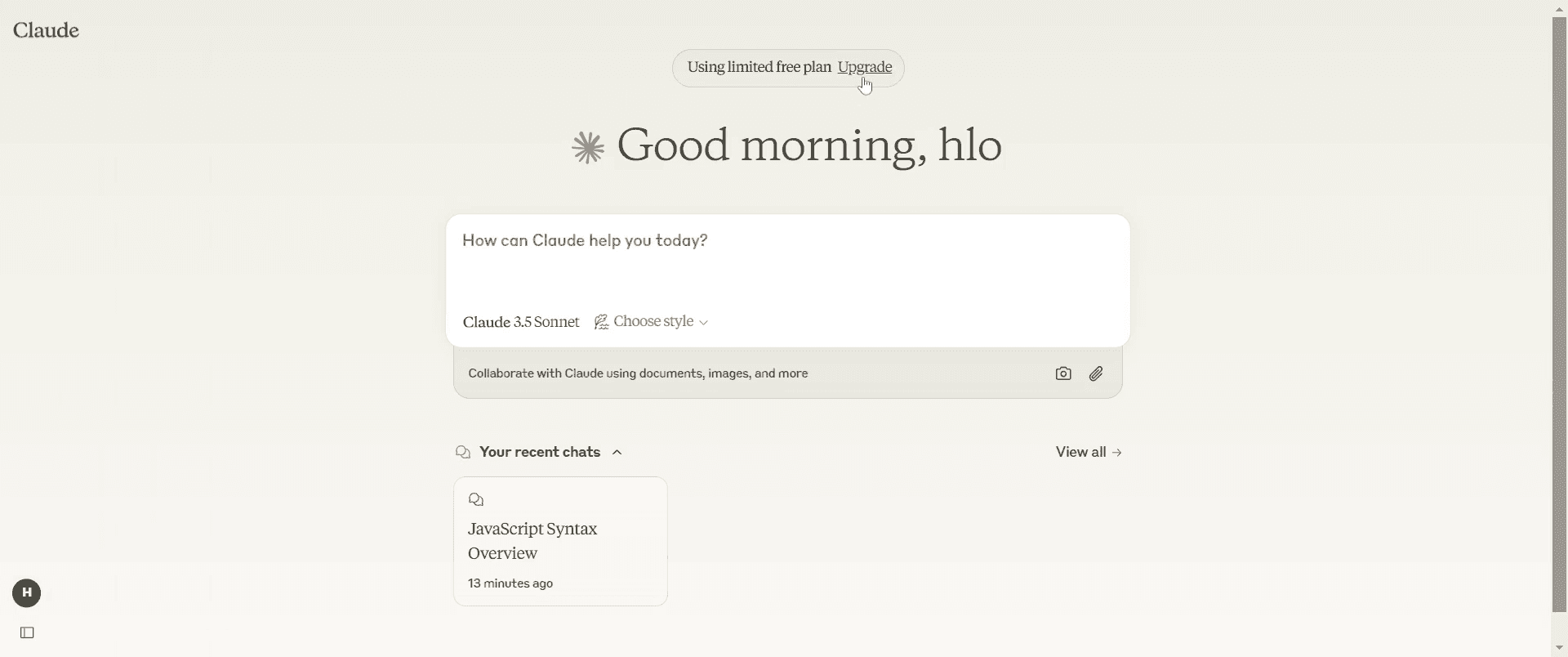
Step 1
Click on the "Upgrade" option.
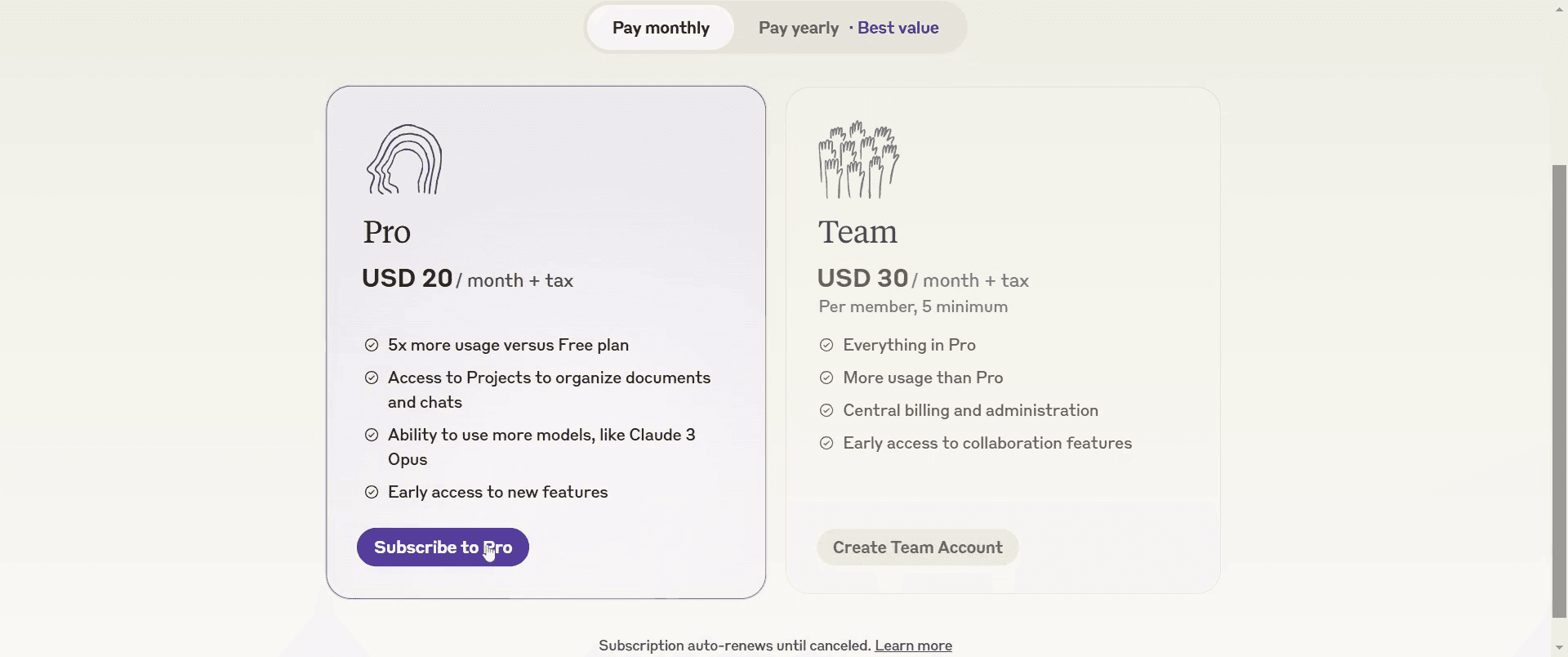
Step 2
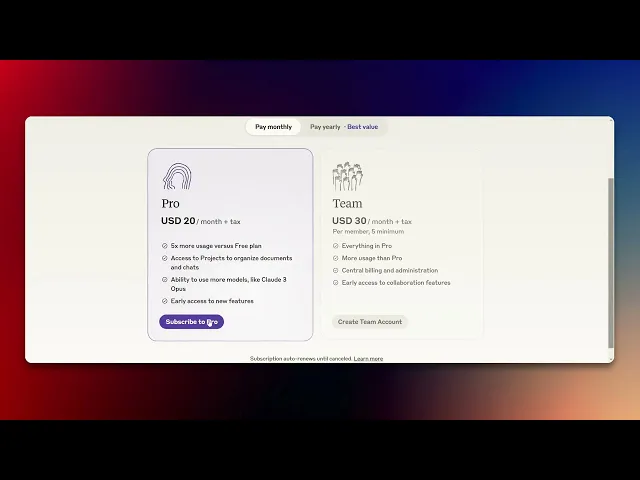
Select the "Subscribe to Pro" option.
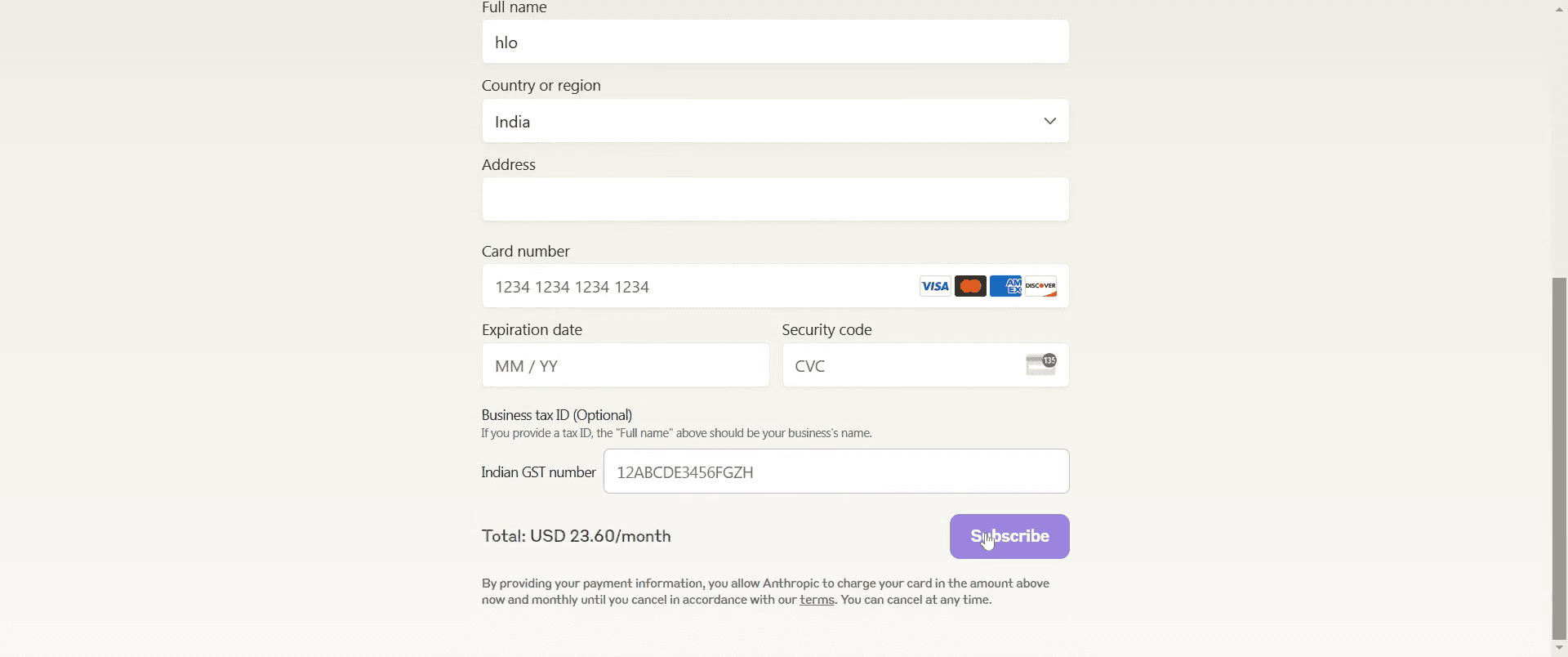
Step 3
Complete all the required fields and click on "Subscribe."
That's it. This is a step-by-step guide on how to increase Claude limit.
Pro-tips for increasing Claude limit
Check Claude AI’s subscription plans to see if a higher usage tier is available.
Contact Claude AI support to request a limit increase, especially for business or developer accounts.
Optimize your usage by managing API calls or chat interactions efficiently to stay within limits.
Common pitfalls & how to avoid them while increasing Claude limit
Not reviewing plan details – Ensure you understand the limitations of your current plan before requesting an increase.
Exceeding usage limits unexpectedly – Monitor your usage regularly to avoid hitting limits at critical times.
Ignoring alternative solutions – Consider using multiple accounts or different AI services if increasing the limit isn’t an option.
Common FAQs for increasing Claude limit
Does Claude AI offer unlimited usage plans?
Availability of unlimited plans depends on the provider check their pricing page for details.Can I increase my Claude API rate limits?
Yes, some APIs allow higher rate limits for premium users verify with Claude AI’s API documentation.How do I track my current usage limits?
Go to your account settings or dashboard to check usage statistics and remaining limits.What should I do if I hit my Claude AI limit?
Wait for the limit to reset, upgrade your plan, or explore alternative AI tools.
If you're an instructor or content creator looking to make tutorial videos, give Trupeer.ai a try. It transforms rough screen recordings into polished, studio-style videos that are ready for sharing with your audience. Plus, it automatically generates a step-by-step guide based on the video you create. Fascinating, right? Start by creating your first tutorial for free with Trupeer.ai.

