4.8/5
Add Audio to Video Online – Free Tool
Effortlessly add background music, narration, or voiceovers to your videos using AI-powered syncing and sound enhancement.

Adding audio to a video sounds simple until you actually try doing it at scale.
You record a walkthrough, upload it into a traditional editor, drag background music into the timeline, trim narration manually, lower sound levels scene by scene, and spend the next 45 minutes fixing synchronization issues that should not have existed in the first place. Most video tools still assume every creator wants to edit like a professional video editor.
That is usually where the workflow breaks.
Trupeer’s AI-powered Add Audio to Video tool is designed for teams and creators who want professional-quality sound without turning video production into a full editing project. Instead of manually aligning every track across a complicated timeline, Trupeer automatically syncs voiceovers, background music, and sound effects with your video using AI-based scene detection and timing analysis. For translated narration, pair it with AI video dubbing.
The experience feels dramatically faster because the platform handles the repetitive editing work for you.
Whether you are creating:
product demos
onboarding walkthroughs
training videos
educational tutorials
customer support guides
SaaS explainers
internal process documentation
social media clips
Trupeer helps you add audio that actually fits the pacing and structure of the video instead of feeling layered on top as an afterthought.
The result is a cleaner, more polished viewing experience without requiring advanced editing skills or dedicated production teams.
Add Audio to Video Without Complex Editing Software
Traditional video editing workflows were built for editors, not operators. This is why it pairs well with the video localization the workflow and the documentation come from the same source.
Most teams creating training videos, product walkthroughs, or customer education content are not trying to produce cinematic films. They simply need videos that sound professional, stay synchronized, and can be updated quickly whenever the product changes.
The problem is that most editing software still forces users into highly manual workflows:
adjusting timelines frame by frame
trimming audio clips manually
fixing scene mismatches
balancing narration against music
re-exporting repeatedly after every small change
That overhead becomes expensive very quickly, especially for growing teams producing content continuously.
What is Trupeer's Add Audio to Video Free Tool?
Trupeer removes most of that operational friction.
Instead of spending hours managing timelines, you can upload a video, add narration or music, and let the platform automatically synchronize audio with scene transitions and pacing. The workflow feels significantly lighter because the AI handles the tedious alignment work in the background.
You can:
upload custom music tracks
record voiceovers directly inside Trupeer
generate AI narration using text-to-speech
add ambient sound effects
combine multiple audio layers
trim sections precisely
adjust fade-ins and fade-outs
rebalance sound levels instantly
All without opening complicated desktop editing software.
What Makes Trupeer Different from Traditional Audio Editing Tools
Most tools that claim to “add audio to video” still depend heavily on manual editing underneath the interface.
You still end up dragging clips across timelines, zooming into waveforms, and trying to line up audio transitions visually. The software may look modern, but the workflow remains slow.
Trupeer approaches the problem differently.
The platform uses AI-powered scene detection to analyze the structure of your video automatically. Instead of asking users to manually synchronize every track, Trupeer detects visual transitions, pacing changes, and content flow so the audio adjusts naturally around the video itself.
That difference becomes obvious immediately when working with:
screen recordings
SaaS product demos
onboarding walkthroughs
tutorial videos
silent recordings
repurposed webinar clips
feature explainers
Normally, adding narration to these types of videos requires constant timeline adjustments because the pacing shifts throughout the recording. Some scenes move quickly. Others pause longer than expected. Manual syncing becomes tedious fast.
Trupeer dramatically reduces that workload by automating synchronization intelligently instead of treating every video like a static timeline.
The final output feels intentionally edited rather than mechanically assembled.
How Does Add Audio to Video Work?
Trupeer’s add audio to video ai free online platform follows a streamlined five-step process that transforms silent or raw footage into fully polished, professional-quality videos.
Step 1: Upload Your Video
Begin by uploading your video in MP4, MOV, or other supported formats. Whether it’s a product demo, tutorial, or marketing clip, you can quickly add audio to a video online free without downloading any software.

Step 2: Add or Generate Audio, Music, Narration or Sound Effects
Upload background music, narration, or sound effects. You can also generate AI voiceovers directly inside Trupeer, allowing you to ai add sound to video free using text-to-speech technology.
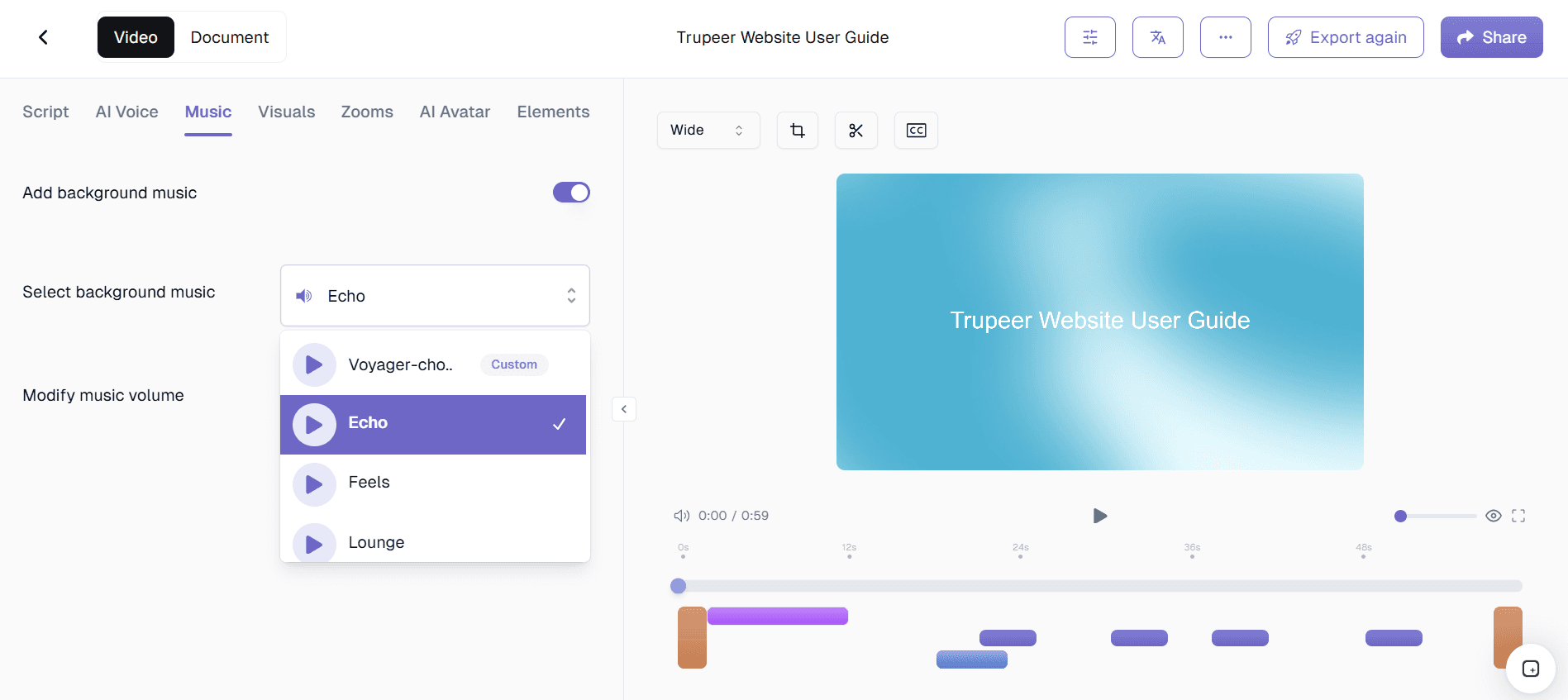
Step 3: AI automatically sync audio with video
Once your audio is added, Trupeer’s add sound to video ai engine automatically detects scene transitions and aligns your soundtrack with visual changes. This eliminates manual editing and ensures smooth synchronization.
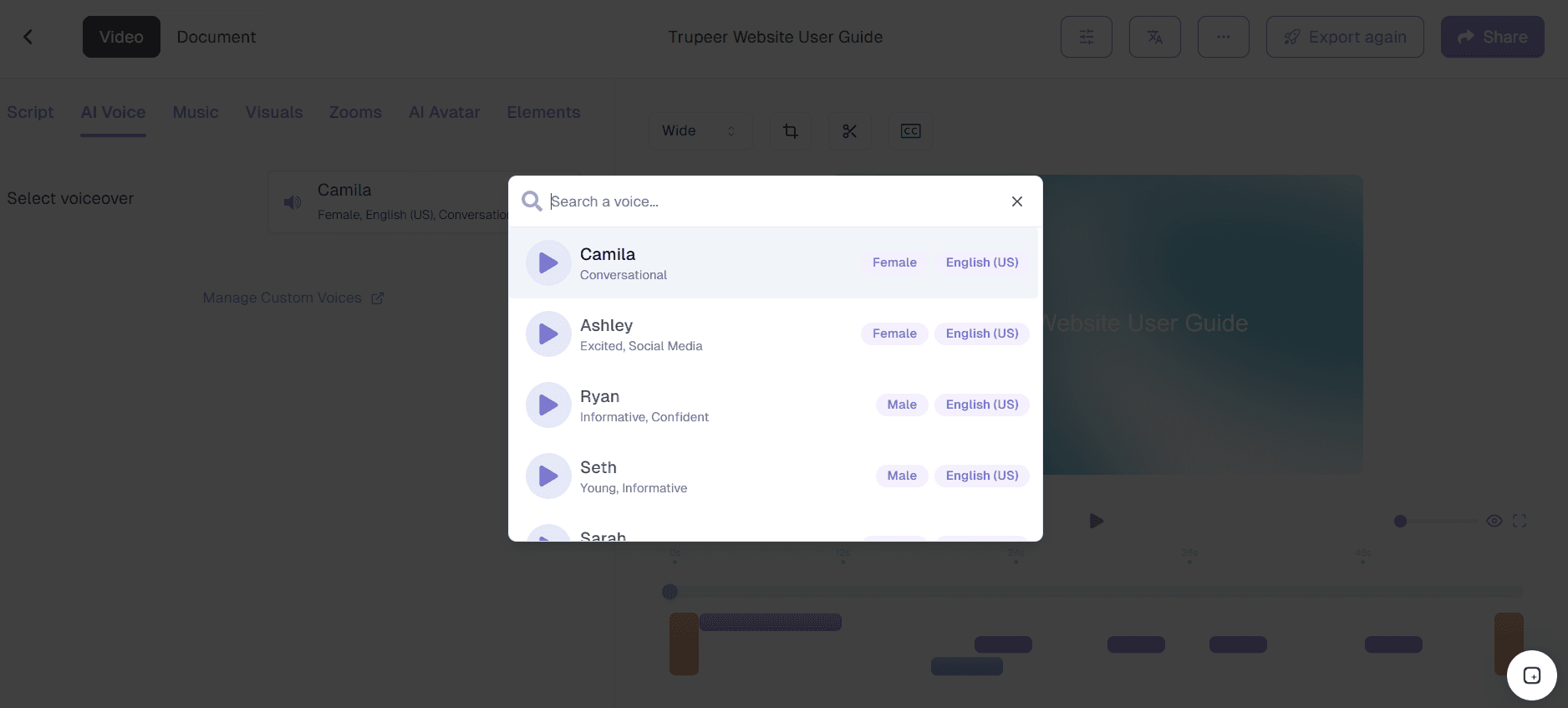
Step 4: Customize, Enhance or Fine Tune Audio & Video Settings
Adjust volume levels, trim clips, layer multiple tracks, and apply fade-in or fade-out effects. Trupeer makes it easy to add ai audio to video free while maintaining professional audio balance.
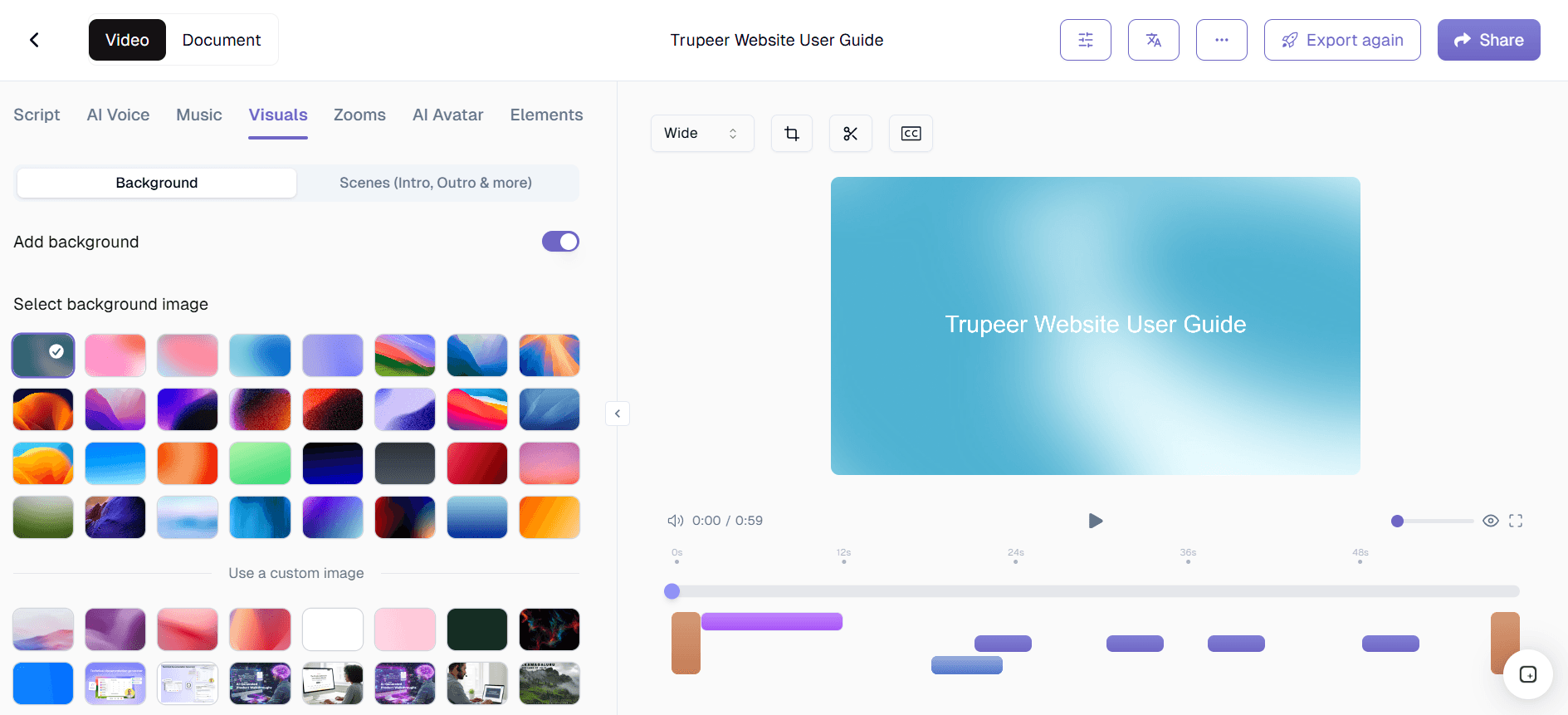
Step 5: Review, Export, and Share Instantly
Preview your enhanced video, make final adjustments, and export instantly in HD or 4K resolution. Trupeer ensures your final output is broadcast-ready with perfectly synced sound.

Key Features of Trupeer’s Add Audio to Video Free Tool
Trupeer’s add audio to video ai tool includes powerful features designed to streamline audio enhancement and improve video quality.
AI-Powered Audio Syncing: Trupeer uses advanced artificial intelligence to automatically match audio timing with visual transitions. This add audio to video ai free functionality ensures perfect alignment without manual effort.
Add Audio to Silent Video AI: Instantly transform muted clips by using Trupeer to add audio to silent video ai projects. Perfect for repurposing screen recordings or raw footage.
Flexible Sound Editing Tools: Trim, fade, layer, and balance tracks with precision. The built-in mixer allows you to add sound to video ai free while maintaining clarity and professional sound levels.
AI Voiceover Generation: Convert text into natural-sounding narration and ai add audio to video free directly inside the editor. Ideal for tutorials, product demos, and explainer videos.
Multi-Track Support: Include background music, narration, and sound effects simultaneously. Trupeer allows users to add sound to video ai efficiently across multiple scenes.
Compatible with All Formats: Upload and export in MP4, MOV, and other major formats. Trupeer enables seamless add audio to video ai free online editing without compatibility issues.
Why Trupeer is the Best Add Audio to Video AI Tool?
Trupeer’s add audio to video ai free editor offers compelling advantages that simplify video sound enhancement for professionals and teams.
Dramatic Time Savings: Traditional editing requires manual timeline syncing. With Trupeer’s ai add audio to video technology, sound alignment happens automatically in seconds.
Studio-Quality Audio Output: Trupeer’s intelligent enhancement tools ensure narration and background music remain balanced and clear, making it a complete audio for video ai solution.
No Editing Expertise Required: You don’t need professional editing skills to add ai audio to video free. Trupeer’s intuitive interface handles synchronization and sound optimization automatically.
Scalable for Teams: Marketing, product, and training teams can consistently add audio to video ai free online across multiple projects without complex workflows.
Enhanced Viewer Engagement: Adding voiceovers and background sound improves retention and storytelling impact, especially when using add sound to video ai free automation.
Who Can Use Add Audio to Video AI Free?
Trupeer’s add audio to video ai tool serves diverse professionals across industries, each benefiting from streamlined audio enhancement.
Content Creators and YouTubers: Easily ai add audio to video free for social media content, tutorials, and promotional clips.
Marketing Teams: Use Trupeer to add audio to a video online free for product demos and advertising campaigns with professional sound.
Educators and Corporate Trainers: Transform lessons by using add audio to silent video ai features for clearer instruction and better engagement.
Product Teams and SaaS Companies: Enhance walkthrough videos with add sound to video ai capabilities for clearer feature explanations.
Sales and Pre-Sales Teams: Add voiceovers and background music using add ai audio to video free workflows to create compelling personalized demos.
Small Business Owners: Quickly add audio to video ai free online and export polished, ready-to-share content without hiring editors.
Best Practices for Better Audio Results
Trupeer’s add audio to video tool take care of your background voices however you can ensure optimal sound quality and synchronization by doing this-
Choose High-Quality Audio: Clear input audio improves results when you ai add sound to video free.
Match Tone with Content: Select music and narration styles that align with your video’s purpose.
Balance Sound Levels: Use the mixer to ensure background music does not overpower narration.
Leverage AI Voiceovers for Consistency: When scaling content, use Trupeer to add ai audio to video free with consistent tone and clarity.
Review Before Export: Always preview the final output to confirm sync accuracy before sharing.
People also ask for
Free Screenshot Generator
Free SOP Generator
Free Manual Creator
AI-Generated Documents
AI Video Translator
Benefits of Using Trupeer’s Add Audio to Video Tool
Smart Audio Syncing
Trupeer’s AI automatically matches audio with video timing, ensuring perfect alignment between visuals and sound
Enhanced Sound Quality
Improve clarity and balance with AI-enhanced sound optimization removing background noise
Versatile Audio Options
Add voiceovers, background music, or sound effects effortlessly.
How to Add Audio to a Video in Trupeer
Step 1
Start Recording
Step 2
Generate & Customize
Step 3
Share or Export
Frequently Asked Questions
What is Trupeer’s Add Audio to Video Tool?
Trupeer’s Add Audio to Video tool lets users merge background music, narration, or sound effects with their videos easily. It’s designed for anyone who wants to make their videos sound more engaging and professional.
Can I use the Add Audio to Video feature for free?
Yes! Trupeer offers a free add audio to video plan that allows you to upload clips, add sound, and export your video. Advanced features like AI-generated voiceovers and premium sound libraries are available in Pro plans.
How does Trupeer sync audio automatically?
Trupeer’s AI engine analyzes your video’s scenes and timing, then automatically aligns your audio tracks to match. This ensures your narration, background music, or effects play seamlessly without manual syncing.
Can I add multiple audio tracks to one video?
Absolutely. With Trupeer, you can layer multiple tracks such as narration, background music, and ambient sounds. The tool gives you full control to adjust timing, volume, and fade effects for each track.
What formats does Trupeer support for export?
Trupeer supports all popular formats including MP4, MOV, and AVI. You can export your audio-enhanced videos in HD or 4K, optimized for web, mobile, or social media sharing.
More Tools



