Découpeur vidéo gratuit
Rognez, coupez et peaufinez vos vidéos sans effort grâce à la précision de l’IA, idéale pour créer des clips soignés en quelques secondes.
Commencez gratuitement

Le Video Trimmer de Trupeer est un outil en ligne propulsé par l’IA qui vous permet de couper, affiner et peaufiner rapidement des clips vidéo sans logiciel de montage complexe. Idéal pour raccourcir des démos, des tutoriels, des clips pour les réseaux sociaux et des présentations afin de mettre en avant exactement ce qui compte le plus pour votre audience.
Pourquoi le Video Trimmer est-il nécessaire ?
Les utilisateurs perdent des heures à apprendre des éditeurs professionnels juste pour supprimer des intros, des pauses ou des outros indésirables de simples enregistrements. Les découpeurs basés sur le navigateur manquent de précision et de fonctionnalités IA comme la détection des silences. Les équipes se retrouvent avec des vidéos peu soignées qui perdent l’attention des spectateurs dès les premières secondes.
Le découpage manuel sur plusieurs applications crée des frictions dans le flux de travail entre l’enregistrement, le montage et le partage. Les non-experts peinent avec la précision sur la chronologie et les paramètres d’exportation. Les équipes des réseaux sociaux ont besoin de formats d’image spécifiques à chaque plateforme, mais ne disposent pas du traitement par lots. Les campagnes marketing pâtissent lorsque les vidéos ne sont pas optimisées pour les indicateurs d’engagement.
Ce que fait ce Video Trimmer
Le Video Trimmer de Trupeer utilise l’IA pour détecter automatiquement les silences, les pauses et les moments de remplissage, tout en offrant un découpage manuel d’une précision extrême. Importez n’importe quelle vidéo, coupez avec précision, ajoutez des transitions ou des sous-titres, puis exportez des clips optimisés prêts pour YouTube, Instagram, LinkedIn ou des sites web, le tout depuis votre navigateur.
Fonctionnalités principales
Détection des silences et des pauses par IA pour des coupes automatiques
Découpage au frame près avec une chronologie en glisser-déposer
Ajustement automatique du format d’image pour les plateformes sociales
Export en un clic avec surimpressions de marque et sous-titres
Comment fonctionne le Video Trimmer de Trupeer
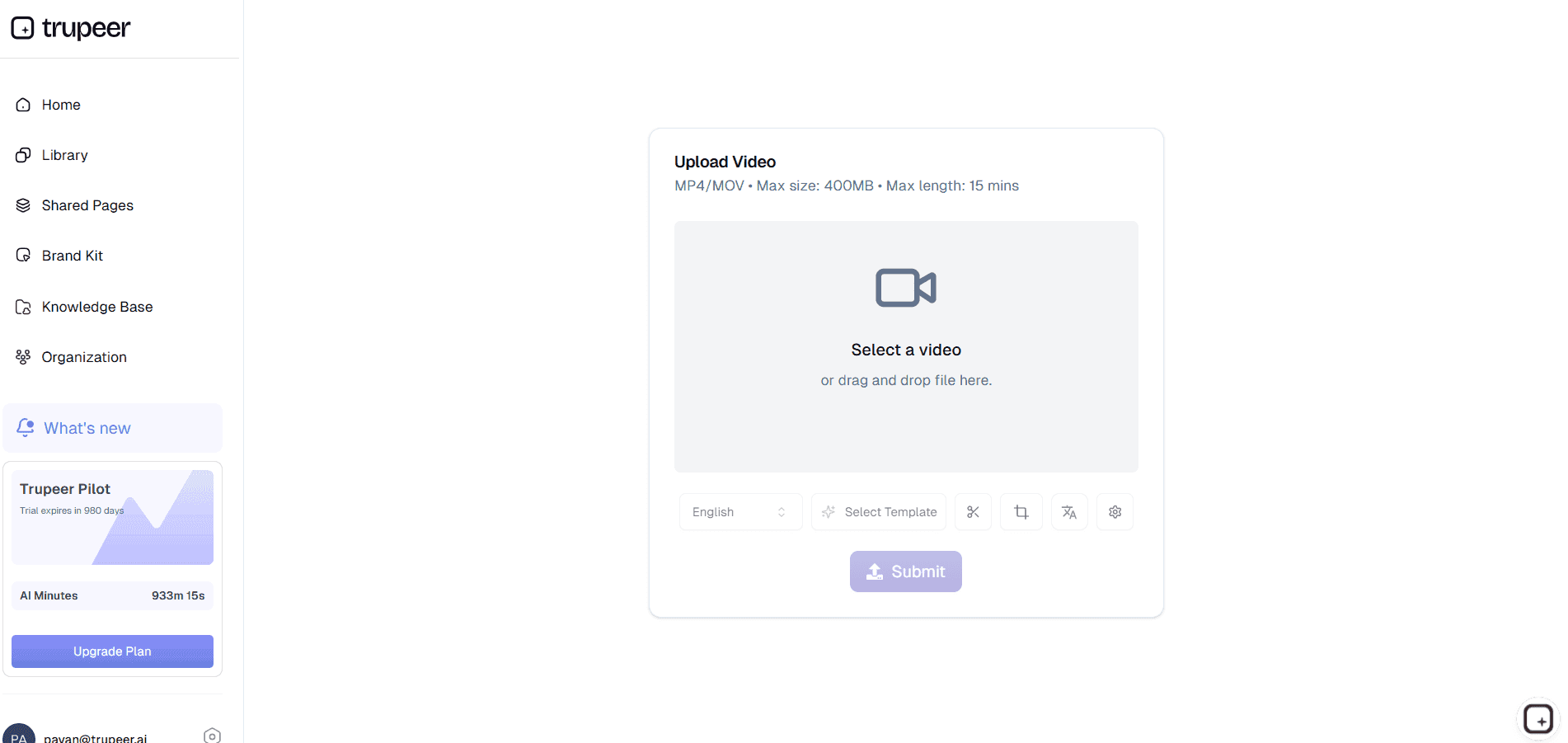
Étape 1 : Importer ou créer du contenu
Glissez votre fichier vidéo ou utilisez l’intégration de l’enregistreur d’écran de Trupeer pour commencer le découpage immédiatement.
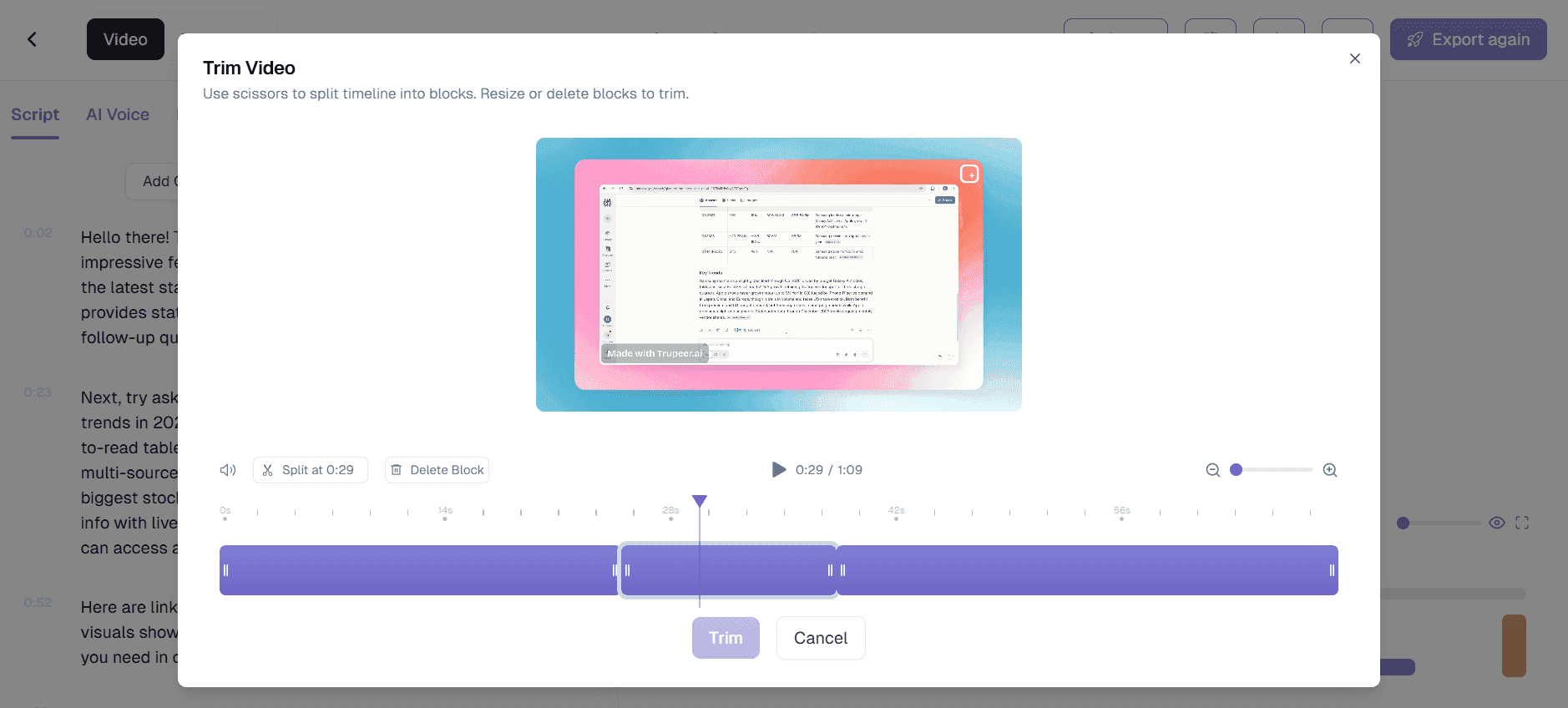
Étape 2 : l’IA organise et améliore
L’IA met en évidence les silences, suggère des coupes et affiche les moments clés pour faciliter la sélection.
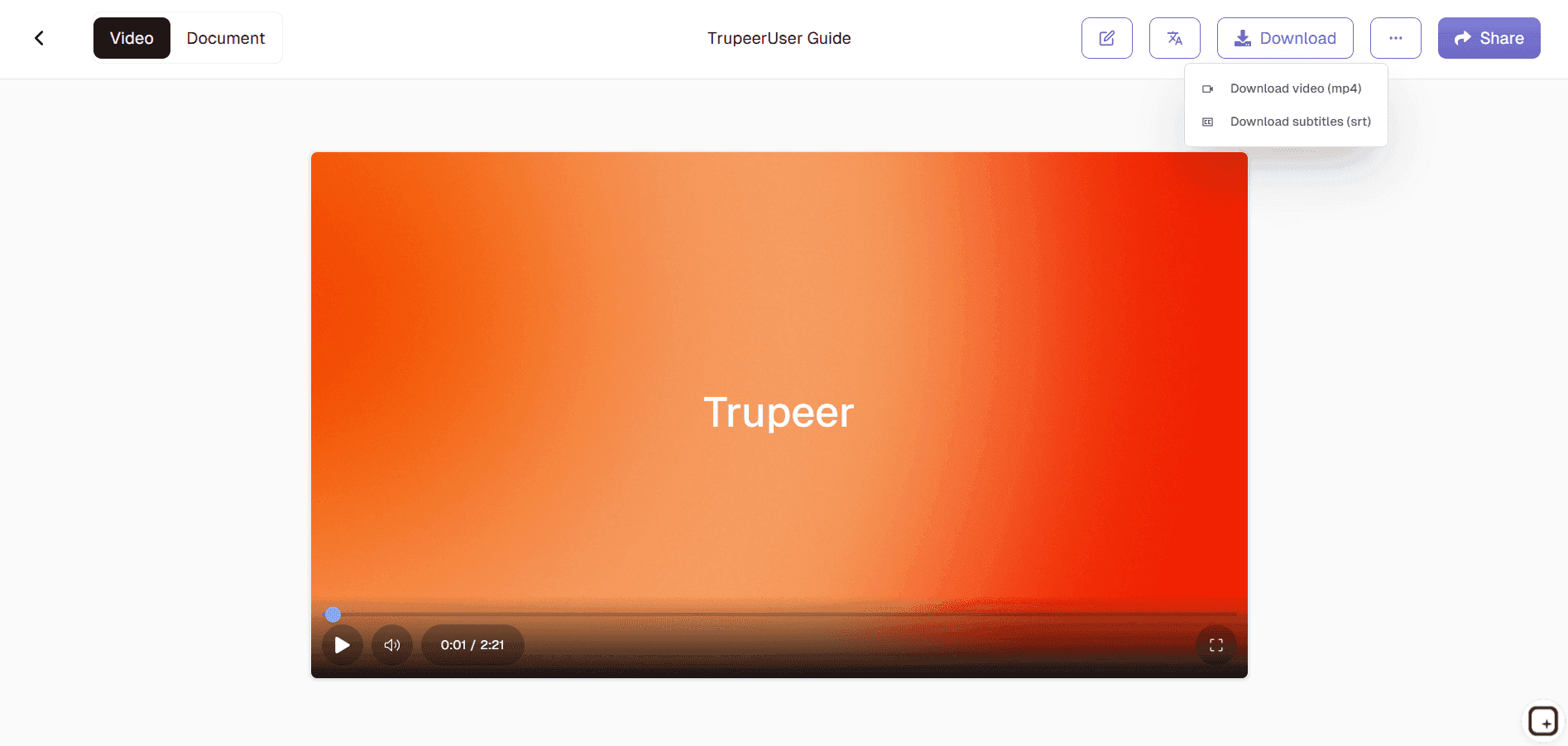
Étape 3 : partager et collaborer
Coupez avec précision, ajoutez des effets, puis exportez ou partagez directement vers les plateformes.
À qui s’adresse le Video Trimmer de Trupeer
Le Video Trimmer s’adresse aux créateurs, aux spécialistes du marketing et aux équipes qui ont besoin de montages vidéo rapides et professionnels, sans logiciel de bureau ni courbe d’apprentissage abrupte.
Responsables des réseaux sociaux :
Coupez des contenus longs en Reels Instagram, clips TikTok ou publications LinkedIn parfaits grâce à l’optimisation automatique du format d’image et à des transitions tendance qui stimulent les indicateurs d’engagement.Product Marketers :
Raccourcissez des démonstrations de fonctionnalités et des tutoriels pour mettre en avant les moments clés, en supprimant les pauses gênantes ou les sections hors sujet afin que les équipes commerciales disposent instantanément de vidéos de présentation percutantes de 30 secondes.Équipes du support client :
Raccourcissez rapidement des enregistrements d’écran pour montrer des solutions précises, en supprimant le temps de navigation et en ne gardant que la résolution afin que les clients règlent leurs problèmes plus vite, sans échanges aller-retour.Créateurs de contenu et éducateurs :
Extrayez les moments forts de webinaires ou de cours d’une heure en extraits partageables, avec des coupes suggérées par l’IA qui préservent le fil narratif et la rétention des spectateurs.Spécialistes de la formation et du L&D :
Condensez de longs modules de formation en micro-leçons digestes grâce à des horodatages précis et à des sous-titres automatisés pour une meilleure mémorisation des connaissances au sein d’équipes mondiales.
Principales fonctionnalités du Video Trimmer de Trupeer
Le Video Trimmer de Trupeer combine l’intelligence de l’IA et une précision professionnelle pour transformer des rushs bruts en clips prêts pour chaque plateforme, plus rapidement que n’importe quel éditeur de bureau.
Détection des silences par IA :
Identifie et supprime automatiquement les temps morts, les « euh » et les pauses afin que vos vidéos paraissent nettes et professionnelles, sans analyse manuelle de la forme d’onde ni scrubbing fastidieux.Découpage au frame près :
Faites glisser les poignées de la chronologie avec une précision au pixel près ou saisissez des horodatages exacts pour couper précisément là où il faut, tout en maintenant la synchronisation entre la vidéo, l’audio et tout sous-titre ou graphique intégré.Optimisation intelligente pour les plateformes :
Conversion du format d’image en un clic pour YouTube (16:9), Instagram Stories (9:16), LinkedIn (1:1), avec letterboxing/pillarboxing automatique pour préserver le contenu important sans distorsion.Aperçu en temps réel et effets :
Visualisez les changements en direct avec des transitions en fondu, des ajustements de vitesse et du texte en surimpression pendant le découpage, afin de peaufiner le rythme et le rendu visuel avant l’export final.Traitement par lots et image de marque :
Coupez plusieurs vidéos simultanément avec des superpositions de logo cohérentes, une colorimétrie et des écrans de fin appliqués automatiquement, idéal pour créer des contenus de campagne homogènes.
Découvrir des outils associés
Générateur de documentation technique
Guide du manuel d’utilisation
Logiciel de base de connaissances
Générateur de cours de formation IA
Créateur de vidéos de tutoriel IA
Créateur de vidéos produit IA
Créateur de vidéos de formation IA
Créateur de vidéos marketing IA

