4.8/5
AI Documentation Generator With Review
Generate documentation from a recording, then review and correct the editable draft before publishing.
Try Trupeer free

A generated draft and publishable documentation are not the same thing, and the gap between them is where most documentation goes wrong.
Trupeer is an AI documentation generator that gives teams an editable draft to review and correct before publishing: record the process, generate the draft, then check it before anyone else sees it.
AI-Generated Draft vs Reviewed Documentation
Stage | What it is | Who does it |
|---|---|---|
AI-generated draft | Steps and screenshots derived from the recorded workflow, formatted consistently | AI |
Review | Checking accuracy, context, terminology and what should not be visible | A person who knows the process |
Reviewed documentation | The corrected version, ready to share or publish | A process owner or reviewer |
AI accelerates production. Review provides the control. Treating the draft as finished is the shortcut that costs more than it saves.
How Generation and Review Work
Trupeer provides the editable draft and the controls for editing and access. The review and approval decision remains part of your team's process.
Step 1: Record or upload the workflow
Capture the process in your browser, or upload a recording you already have. The recording is the source the draft comes from.

Step 2: Generate the documentation draft
AI turns the recorded actions into structured steps with a screenshot for each, producing an editable draft rather than a finished document.
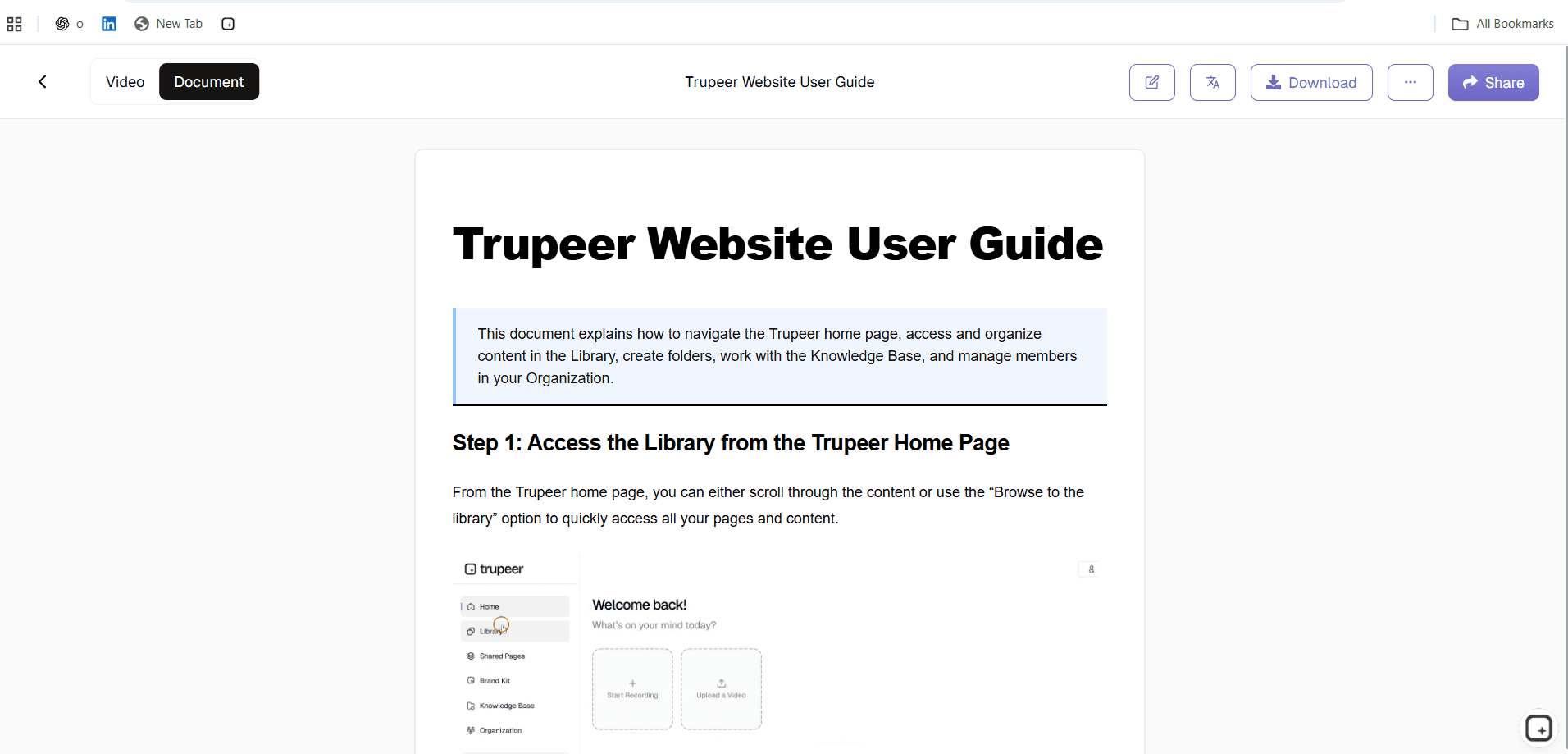
Step 3: Review, correct and publish
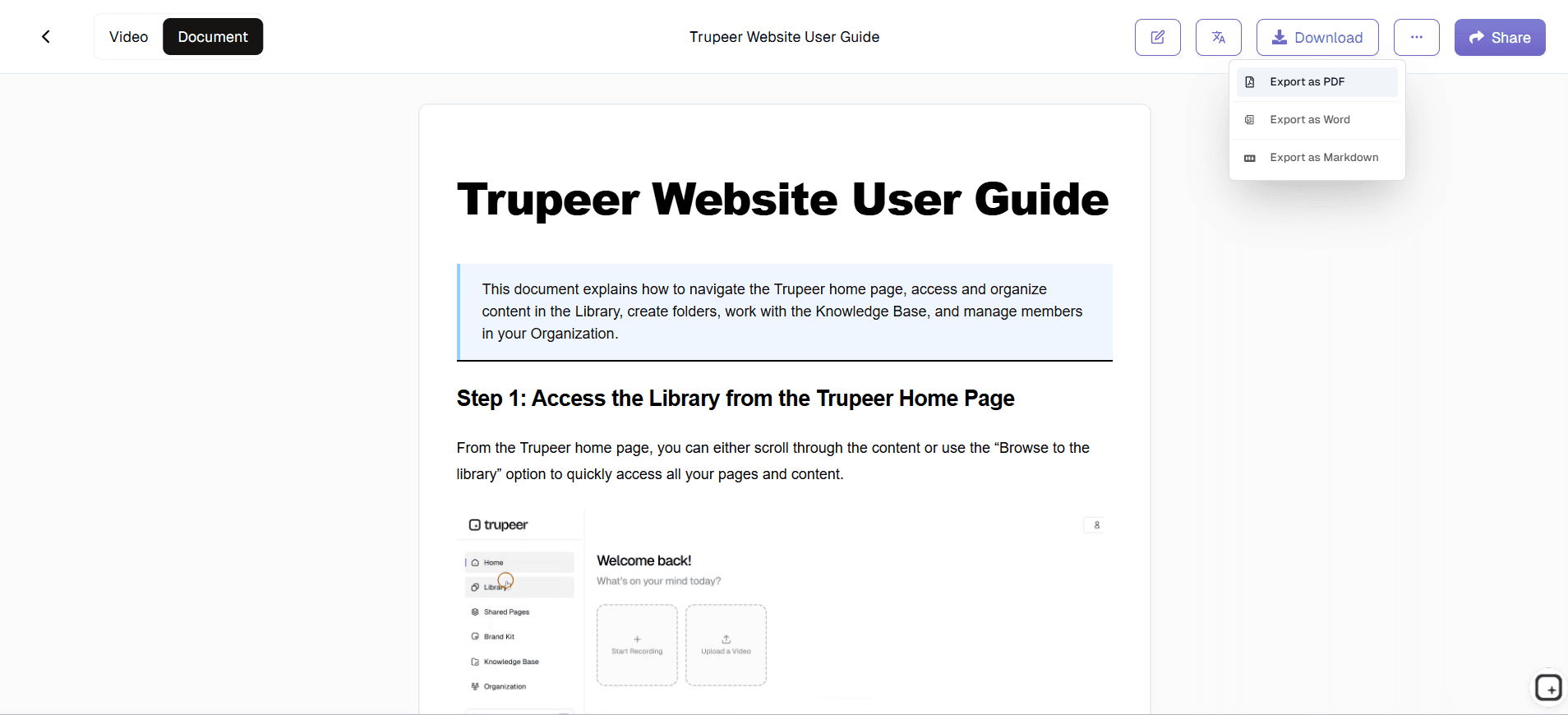
Work through the draft against the checklist below, correct what needs correcting, then share it or publish it. Workspace roles and share-page permissions control who can edit and who can see it.
What Gets Reviewed
The gaps in a generated draft are consistent, which makes them checkable rather than a matter of reading carefully.
Step accuracy: does each instruction match what actually happens, in the order it happens?
Screenshots: does each image show the state the step describes, cropped to what matters?
Terminology: are the product and team names right, and consistent with your other documentation?
Sensitive information: customer names, account numbers and internal identifiers that appeared during capture
Missing edge cases: the branches the recording did not go down, which is where most errors happen
Audience and context: the reasoning, prerequisites and approvals a recording cannot show
Branding: formatting and presentation consistent with your other published documentation
Links and publishing details: destinations, titles and anything the reader needs to find it
Source and version check: does the documentation reflect the current version of the product or workflow, or the one that was recorded?
For the full framework on checking generated output, see AI documentation accuracy.
AI Documentation Review Checklist
Before publishing, verify:
Every step matches the current workflow
Screenshots show the correct interface state
Terminology is correct and consistent with your other documentation
Sensitive information from the recording has been removed or blurred
Prerequisites, access and tools are listed before step one
Edge cases and limits are covered, not just the path that was recorded
Links and destinations work
The document suits the audience it is going to
What Reviewers Usually Find
The corrections in a generated draft cluster into a few predictable kinds, which is why a checklist beats reading it through.
Step boundaries in the wrong place:
three clicks inside one dialogue documented as three steps, or a click that changes context merged into the step before it. Quick to fix, easy to miss when reading rather than checkingPositional references:
"click the third tab" instead of the tab name. Accurate the day it was generated, wrong after the next interface changeThe corrected mistake:
if the recording contains a wrong turn and a fix, both may appear as steps, so the reader performs an action that undoes itselfConfident wording on uncertain content:
a step the model half-inferred reads exactly like one it observed, so the draft gives no clue where to look hardestEverything that was never on screen:
the reasoning, the thresholds, the approvals, and what to do when it fails. The largest category, and the one a reader cannot tell is absent
Who Should Review a Generated Draft
Whoever owns the process, not whoever recorded it. The person who recorded the workflow may be able to review it, but a second reviewer who owns the process or the audience can catch assumptions the recorder already knows and no longer notices.
In practice that is the process owner for internal documentation, the product owner for feature documentation, and the support lead for anything customer-facing. What matters is that the reviewer can verify the substance rather than only the wording.
Making Review Fast Enough to Actually Happen
A review step that takes as long as writing the document from scratch will be skipped, and then the draft publishes unchecked. A few things keep it short.
Improve the recording, not the draft:
a clean capture with no backtracking and one workflow per recording produces a draft that needs far less correcting. Most review time is spent fixing problems the capture createdCheck structure before wording:
fix the step boundaries and order first. Polishing sentences you are about to merge or delete is wasted effortMatch the depth to the risk:
a customer-facing guide for a regulated process needs the full checklist. An internal note on exporting a report does notReview while the process is fresh:
the person who owns it can add the thresholds and exceptions from memory in minutes, or spend an hour reconstructing them a month laterTrack what keeps getting corrected:
if the same fix recurs across drafts, change the recording habit rather than editing it out every time
Where a Review Step Matters Most
Customer-facing documentation: where support needs to check before anything reaches users
Product documentation: where the product owner confirms behaviour and limits before publishing
Operational SOPs: where the process owner verifies the procedure is the one the team should follow, including when an existing page is being updated
Regulated or controlled documentation: where somebody accountable has to check before it circulates
What Happens Without a Review Step
An unchecked draft does not fail loudly. It publishes, reads well, and then somebody follows it.
The visible costs are support tickets and repeated questions. The less visible one is trust: once a team finds two procedures that were wrong, they stop relying on the documentation and go back to asking a colleague, which is the problem the documentation existed to solve. Recovering that is harder than getting it right the first time, because people stop checking whether it improved.
Key Features of Trupeer's AI Documentation Generator
Draft generation from a recording: steps and screenshots produced from the workflow rather than written from memory
Editable output: change text and formatting, insert or replace images, and use find-and-replace across the document
Screenshot control: crop, annotate and blur anything sensitive before it is shared
Export: PDF or Word where the reviewed version needs to exist as a file
Access controls: workspace roles and share-page permissions help manage who can edit and who can access the reviewed document. They are not a review workflow
What This Does Not Do
Trupeer does not route documents for approval, assign reviewers, or hold a draft in a pending state until someone signs it off. There is no approval chain. What it provides is an editable draft plus role and permission controls, so the review happens in your own process rather than in a workflow engine.
It also does not check its own output. Whether the draft is correct is a judgement only somebody who knows the process can make. For automating documentation production more broadly, see documentation automation software.
Generate the Draft, Then Check It
Turn a screen recording into an editable documentation draft, review it for accuracy, and publish it when it is ready. Try Trupeer free.
Key features
Draft from a recording
Steps and screenshots generated from the recorded workflow rather than written from memory.
Editable before publishing
Change text and formatting, insert or replace images, crop and annotate screenshots, and blur sensitive data.
Roles and permissions
Workspace roles control who can edit, and share-page permissions control who can see the published document.
How generation and review work
Step 1
Record the workflow in your browser, or upload a recording you already have.
Step 2
AI turns the recorded actions into structured steps with a screenshot for each, producing an editable draft.
Step 3
Review the draft, correct what needs correcting, then share or publish it.
Frequently Asked Questions
What is an AI documentation generator with review?
A tool that produces a documentation draft from a recorded workflow and keeps it editable, so a person can check and correct it before it is shared or published.
Why should AI-generated documentation be reviewed?
Because a generated draft is accurate about what was visible and incomplete about what was not. Reasoning, prerequisites, edge cases and approvals were never on screen, and fluent text gives no signal about whether the substance is right.
What should I check before publishing AI-generated documentation?
Step accuracy and order, whether screenshots match the step, terminology, sensitive information from the recording, missing edge cases, and the context a recording cannot show.
How does the review step work?
The generated draft stays editable. You work through it, correct the steps and screenshots, add what was missing, then share or publish. Workspace roles and share-page permissions control who can edit and who can see it.
Can I edit AI-generated documentation before publishing?
Yes. You can change text and formatting, insert or replace images, use find-and-replace across the document, and crop, annotate or blur screenshots.
More Tools



