4.8/5
AI Product Documentation Tool: Create Product Guides From Screen Recordings
Record a product feature and generate the documentation from it. Step-by-step guides with screenshots, ready to edit and publish.
Try Trupeer free

An AI product documentation tool that turns a product feature recording into documentation your customers and team can actually use. Trupeer captures the workflow, generates the guide with a screenshot for each step, and leaves it editable so you can publish it. When the product changes, re-record the affected workflow and update the documentation.
What Is an AI Product Documentation Tool?
Software that helps product teams create and maintain documentation explaining how a product works and how users complete tasks in it. Feature guides, user guides, help-centre articles, internal product training.
It is not a requirements tool. Product documentation describes a product that exists; a PRD describes one that does not yet. If you are writing specifications before a build, this is the wrong category.
The AI part matters because the alternative is reconstructing a feature from memory after it ships, which is when documentation slips behind the product.
What Can an AI Product Documentation Tool Create?
Documentation type | What you get from one recording |
|---|---|
Feature guides | A feature walkthrough turned into step-by-step documentation with screenshots |
User guides | How a customer completes a specific task, in the order they do it |
Help-centre articles | Visual support content generated from the workflow, published or shared |
Product training | A feature demonstration reused as internal enablement material |
Internal product docs | How your own teams use admin screens and internal tooling |
How the AI Product Documentation Tool Works
Step 1: Record a product feature or workflow
Capture the feature in your browser as you use it, or upload a recording you already have. Recording during development or testing works well, because the build is fresh and the documentation can ship with the release rather than after it.

Step 2: Generate the product guide
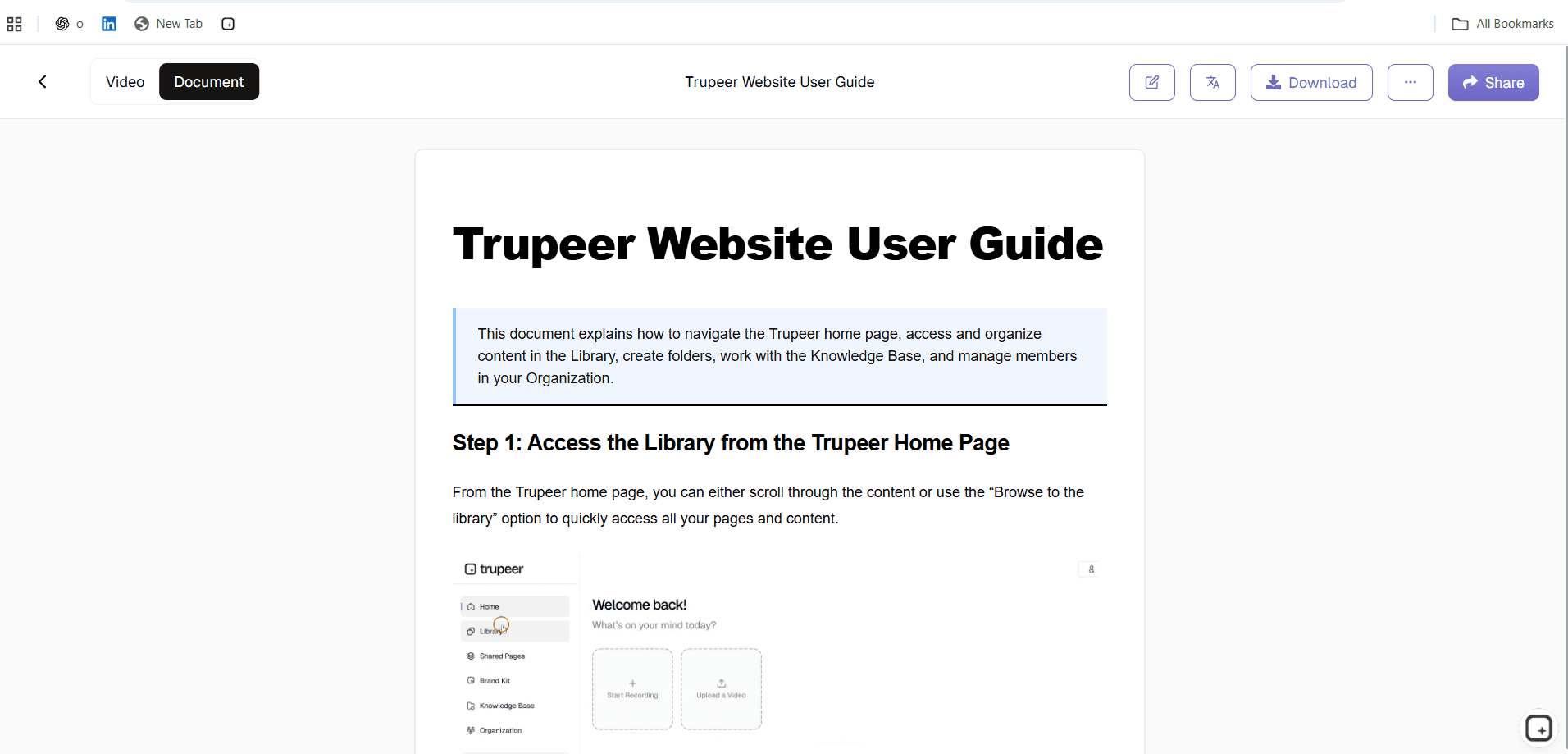
Trupeer identifies the steps in the recording and produces documentation with a screenshot captured for each one, alongside a video version from the same capture.
Step 3: Review, brand and publish
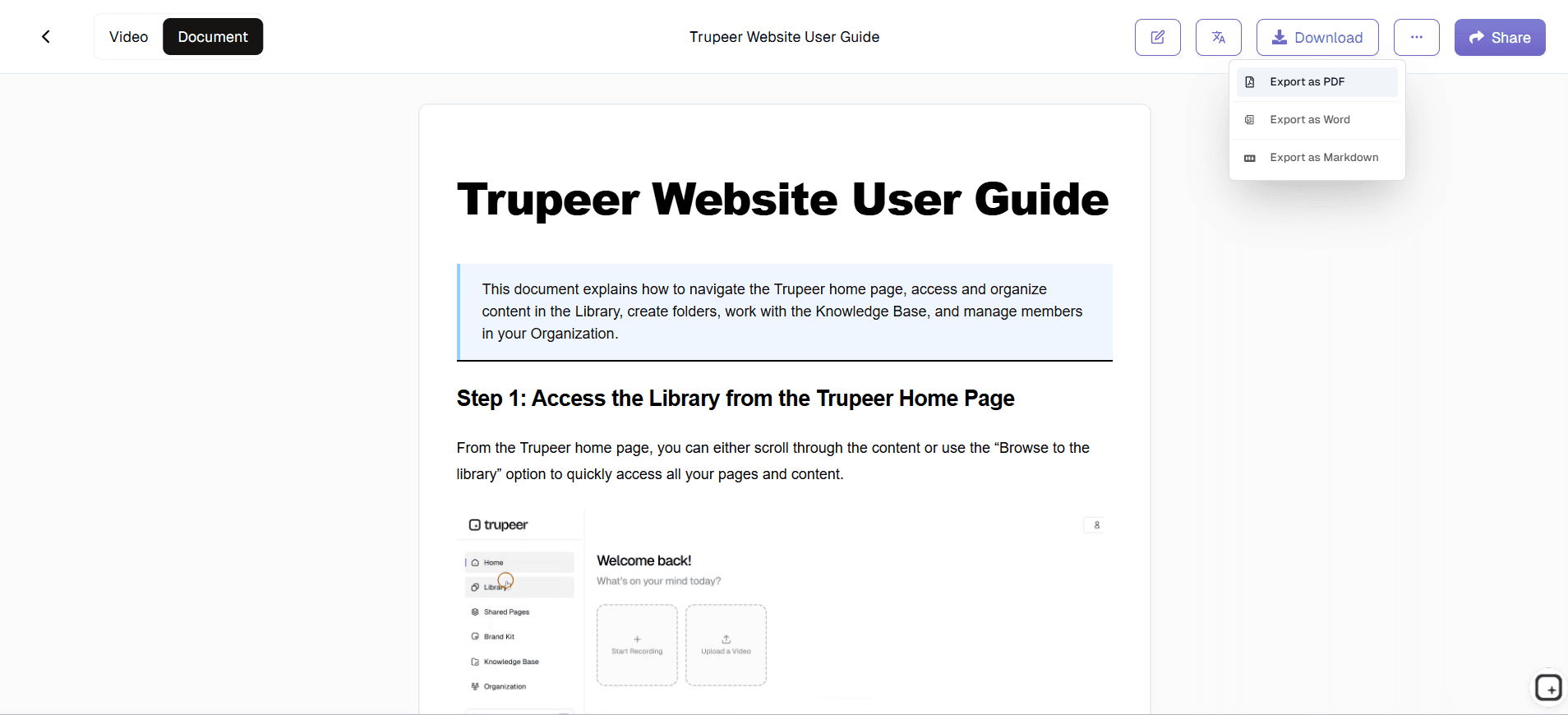
Edit the text, change formatting, insert or replace images, apply find-and-replace across the document, then share it or export to PDF or Word. Add the pricing rules, limits and edge cases the recording could not show before it goes out.
Why Use an AI Product Documentation Tool?
Because the production work is the part that repeats. One capture of the product gives you:
Written steps generated from the actions performed, not recalled afterwards
A screenshot captured for each step rather than taken and cropped one at a time
A video version from the same source instead of a separate recording session
An editable draft, so review replaces writing as the human task
Translated versions from one source where markets need them
A route to update: re-record the workflow that changed rather than rewriting the page
What You Can Do With Trupeer
Create feature guides from product walkthroughs:
record the feature being used and the walkthrough becomes a step-by-step guide.Generate step-by-step screenshots:
a screenshot is captured for each step from the recording, rather than taken and cropped individually afterwards.Turn the same recording into a walkthrough video:
the video comes from the capture you already made, so it describes the same workflow as the written guide.Edit and customise the generated documentation:
change the text and formatting, insert or replace images, and use find-and-replace across the document before it publishes.Translate for different markets:
publish the same documentation in other languages from one source, rather than maintaining a document per market.Export or share the finished guide:
share it directly, or export to PDF or Word where a file is required.
Before and After: Documenting a New Feature
Before: a product manager records a seven-minute walkthrough of a new analytics feature.
After: a step-by-step written guide, a screenshot for each action, a video walkthrough from the same capture, an editable draft the team reviews, translated versions where markets need them, and output that can be shared or exported.
The guide is not written as a separate task, and the training video is not recorded twice. When the analytics screen changes, the team re-records the affected section.
What Belongs in a Product Guide
The recording gives you the steps. These are the parts it cannot give you, and they are what separates a usable product guide from a transcript of somebody clicking.
Who this is for and what it assumes:
the plan, role or permission needed before step oneWhat the feature is for:
the job it does, in the reader's terms rather than the feature nameThe limits:
file sizes, row counts, rate limits and plan restrictions, which are invisible until somebody hits themWhat happens after the action:
whether the change is immediate, queued, or waiting on somebody else to approve itThe common failure:
the error most readers will hit, what causes it and what to doWhere to go next:
the related task most people do immediately afterwards
Where Product Teams Use This
Documenting new product features: so the guide ships with the release rather than trailing it
Creating customer-facing feature guides: the same workflow written for users rather than for the team
Turning product walkthroughs into help-centre articles: support content produced from the feature itself
Creating internal product training: enablement for support and sales before launch
Updating documentation after product changes: re-capture the part that changed instead of rewriting the page
Why Product Documentation Falls Behind
Two structural reasons, and they compound.
It ages with every release: a redesign invalidates the wording and every screenshot at once
It competes with shipping: final product documentation usually has to wait until the feature is working, which is the same week everyone is busy launching it
Recording during testing rather than after launch moves the work earlier, into a moment when somebody is already clicking through the feature deliberately. The capture from a QA pass is often enough to generate the first draft, so the documentation task at launch becomes reviewing a draft rather than writing from nothing.
One product workflow can also become different documentation for customers, support, sales or internal teams, which removes the need to recreate the same walkthrough for each audience.
Manual vs AI-Assisted Product Documentation
Manual | AI-assisted |
|---|---|
Write each step from memory | Steps generated from the recording |
Capture screenshots separately | Screenshots captured from the workflow |
Record the video as a second task | Video produced from the same source |
Rewrite the page after a change | Re-record the affected workflow and update |
Most of the time goes on production | Most of the time goes on review |
Product Documentation vs Other Documentation
Tool / page | Primary job |
|---|---|
AI product documentation tool | Document product features and user-facing workflows |
Document software workflows more broadly | |
Automate documentation production and upkeep | |
Organise, govern and maintain an existing library | |
Turn one source into several output formats |
What This Does Not Do
It does not write requirements or specifications, decide what to document, or supply anything that was not visible in the recording. Pricing rules, plan limits, approval conditions and the reasoning behind a design choice all need adding by a person who knows them.
For checking a generated draft before it publishes, see AI documentation accuracy. If your documentation covers internal tooling and admin screens as much as customer-facing features, the AI software documentation generator is the closer fit.
Turn Your Next Product Walkthrough Into Documentation
Record a feature once and create a reusable product guide with screenshots and video. Try Trupeer free.
People also ask for
AI Documentation Tool for Internal & External Docs
AI Document Generator
AI Doc Maker
AI Documentation Generator With Review
AI API Documentation Tool
How to Create SOPs With AI
Free AI SOP Maker
What you can create
Feature guides with screenshots
Step-by-step product documentation with a screenshot captured for each action, generated from the recorded workflow.
Editable output
Change text and formatting, insert or replace images, and use find-and-replace across the document before publishing.
Share or export
Share the finished guide, or export it to PDF or Word where a file is required.
How to create product documentation
Step 1
Record the product feature or workflow in your browser, or upload a recording you already have.
Step 2
Trupeer identifies the steps and generates the product guide with a screenshot for each one, plus a video from the same capture.
Step 3
Edit the text and images, then share the guide or export it to PDF or Word.
Frequently Asked Questions
What is an AI product documentation tool?
Software that helps product teams create and maintain documentation explaining how a product works and how users complete tasks in it: feature guides, user guides, help-centre articles and internal product training.
How do AI product documentation tools work?
You record the feature or workflow, and the tool identifies the steps, captures a screenshot for each and drafts the instruction text. You then review the draft, add what was not visible on screen, and publish.
Can I create product documentation from a screen recording?
Yes. The recording supplies both the steps and the screenshots, so the documentation describes the product as it behaves rather than as someone remembers it.
What types of product documentation can Trupeer create?
Feature guides, customer-facing user guides, help-centre articles, internal product training material, and documentation for internal admin screens and tooling.
Can I edit AI-generated product documentation?
Yes. You can change text and formatting, insert or replace images, and use find-and-replace across the document. Pricing rules, plan limits and edge cases need adding by hand, because a recording cannot show them.
More Tools



