4.8/5
AI Voice Changer
Instantly create natural voiceovers in any tone, accent, or language.

Most people think voice editing is the easy part. Until they actually try producing content at scale. A creator records a tutorial and realizes the audio sounds flat. A product marketer wants the same explainer in Spanish, German, and Japanese without hiring three voice actors. A training team needs narration that sounds consistent across fifty onboarding videos. A founder records product walkthroughs but hates re-recording every time a sentence sounds rushed, awkward, or off-brand.
Good audio takes time. Recording takes energy. Editing takes patience. Localization becomes expensive surprisingly fast. And when teams try solving it manually, quality starts drifting one video sounds polished, the next sounds improvised, and suddenly the brand voice feels inconsistent across channels.
Trupeer’s AI Voice Changer helps creators and teams generate studio-quality voiceovers without the production overhead. Record your voice, upload existing audio, or simply paste text and let AI generate natural narration that sounds intentional, expressive, and consistent.
Whether you need an AI voice changer for videos, realistic narration for training content, multilingual voiceovers and AI dubbing for product onboarding, or branded audio for marketing campaigns, Trupeer helps teams create professional voice output without turning audio production into a workflow bottleneck.
Trupeer’s AI Voice Changer allows you to instantly modify, clone, or transform voices with advanced voice AI technology.
With Trupeer’s voice changer, you can record, upload, or input text and instantly generate natural, studio-quality voiceovers in any tone, style, or language.
Instantly change or clone voices with AI precision.
Convert text to speech using lifelike AI voices.
Adjust pitch, tone, and accent in real time.
Add background effects and filters for perfect audio output.
Export, share, or integrate your AI-generated voices anywhere.
What Is an AI Voice Changer?
An AI voice changer allows you to modify, clone, or generate voice output using artificial intelligence. At a simple level, that might sound like changing pitch or applying effects.
In reality, modern voice AI solves a much larger problem: making audio production scalable.
Instead of manually recording every script variation, redoing takes when messaging changes, or hiring voice talent for every language, an AI voice changer online gives teams the ability to generate professional narration instantly while maintaining consistency across content.
Trupeer’s voice AI allows users to:
transform existing voice recordings
convert text to speech with realistic AI voices
generate multilingual voiceovers
clone voice styles for consistent narration
modify tone, pacing, and emotional delivery
refine accents and speaking style
create branded narration across teams
The difference is subtle but important. Most voice tools stop at novelty but Trupeer focuses on communication.
A podcast intro should sound different from a customer onboarding walkthrough. A technical training module needs clarity and pacing that feels different from an energetic product announcement. Social content, tutorials, explainers, demos, onboarding, and internal enablement all demand different vocal delivery. Context matters and voice shapes how information lands.
Online AI Voice Changer for Creators and Teams
Trupeer’s ai voice changer is the easiest way to transform your voice for videos, podcasts, presentations, or gaming content.
Whether you need a realistic human voice, a professional narrator, or a fun custom tone, Trupeer’s voice ai delivers natural and expressive results in seconds.
Transform Your Voice Effortlessly
Bring your content to life with Trupeer’s AI-powered voice changer that adapts to your tone, script, and context automatically.
From creating realistic narrations to character voices, Trupeer gives you the flexibility and control you need, all through AI.
A complete voiceover or narration can be generated in seconds using Trupeer’s ai voice changer.
Use Trupeer’s AI Voice Changer to:
Generate voiceovers for videos, tutorials, or podcasts.
Clone your voice for multilingual content.
Convert written scripts into natural-sounding audio.
Add sound effects, filters, and background music.
Match voice tone and emotion to different scenes.
Collaborate with teammates to select or refine voice styles.
Trupeer helps creators and teams add a human touch to AI-generated audio.
Why Teams Use Trupeer as AI Voice Changer Online?
Whether you’re a content creator, marketer, or educator, Trupeer’s voice ai saves hours of recording, editing, and post-production work, while ensuring professional audio quality.
Here’s why Trupeer stands out:
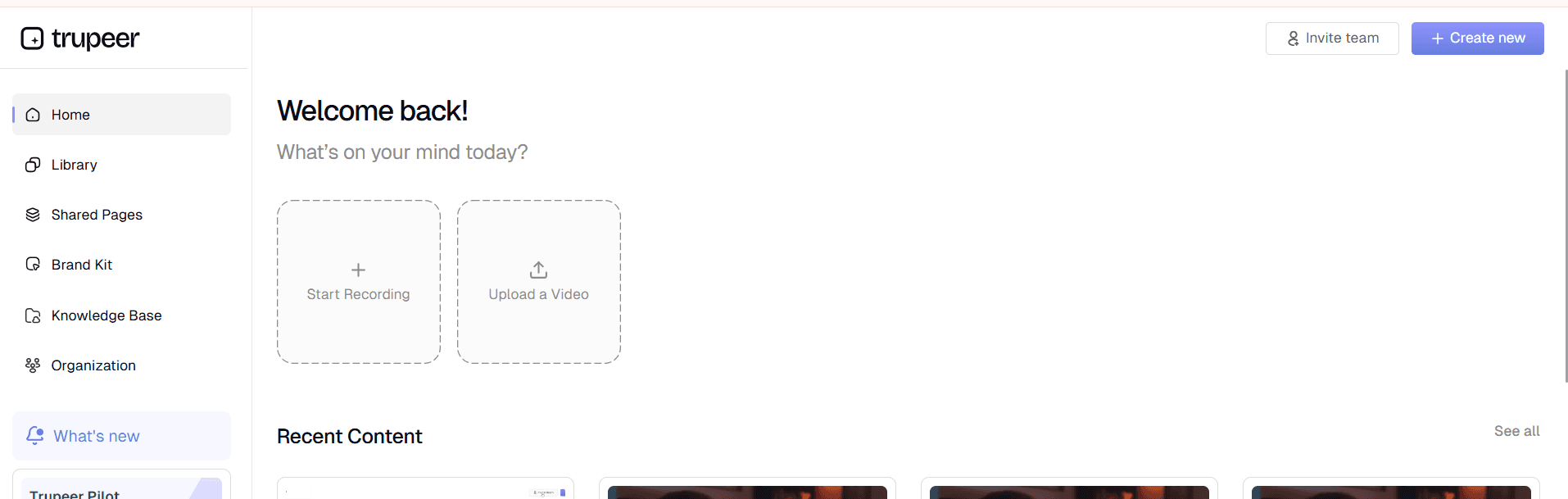
1. Record, Upload, or Type, and Let AI Do the Rest
Trupeer’s ai voice changer lets you start with any input, a recorded file, uploaded clip, or written text, and automatically converts it into a lifelike voice output.
The AI engine instantly provides:
Natural voice modulation and clarity.
Matching tones and accents for your target audience.
Multi-language support for global content.
Background noise reduction for studio-quality sound.
No manual tuning or mixing required, Trupeer handles it seamlessly.
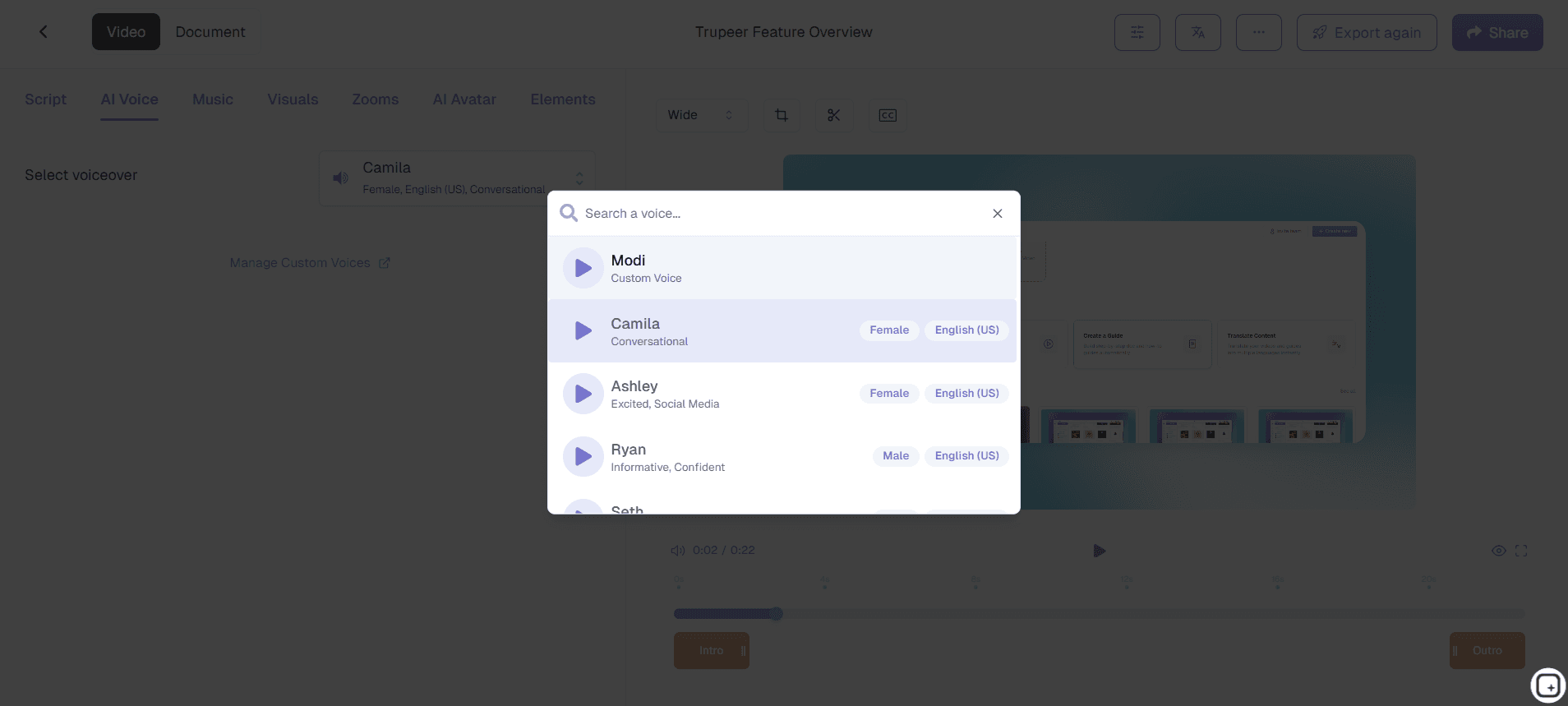
2. Customize Your Voice in Real Time
Once your voice or text is processed, you can fine-tune the results in seconds.
You can:
Adjust pitch, speed, or vocal intensity.
Add filters for robotic, cinematic, or natural tones.
Choose from multiple voice profiles (male, female, or neutral).
Apply emotional styles like energetic, calm, or formal.
Trupeer Pro users can access advanced editing tools and save custom voice profiles for future use.
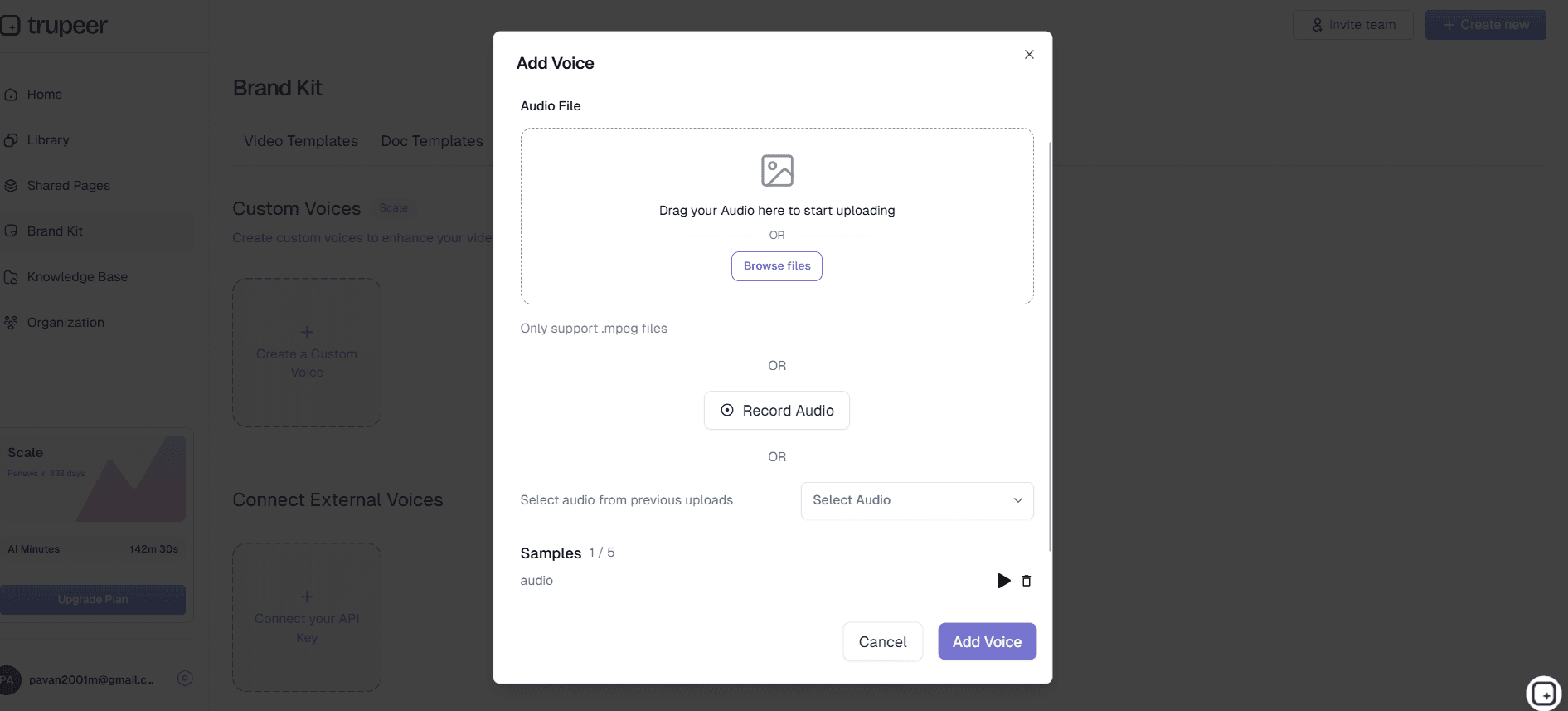
3. Clone and Brand Your Voice
Trupeer’s voice ai goes beyond basic voice changes, it lets you create a unique voice identity for your brand.
You can:
Clone your own voice for consistent content narration.
Use AI to generate multilingual versions of your cloned voice.
Add branding audio signatures or intros.
Keep your voice data secure with built-in privacy controls.
Your AI-generated voice can become a recognizable part of your brand experience.
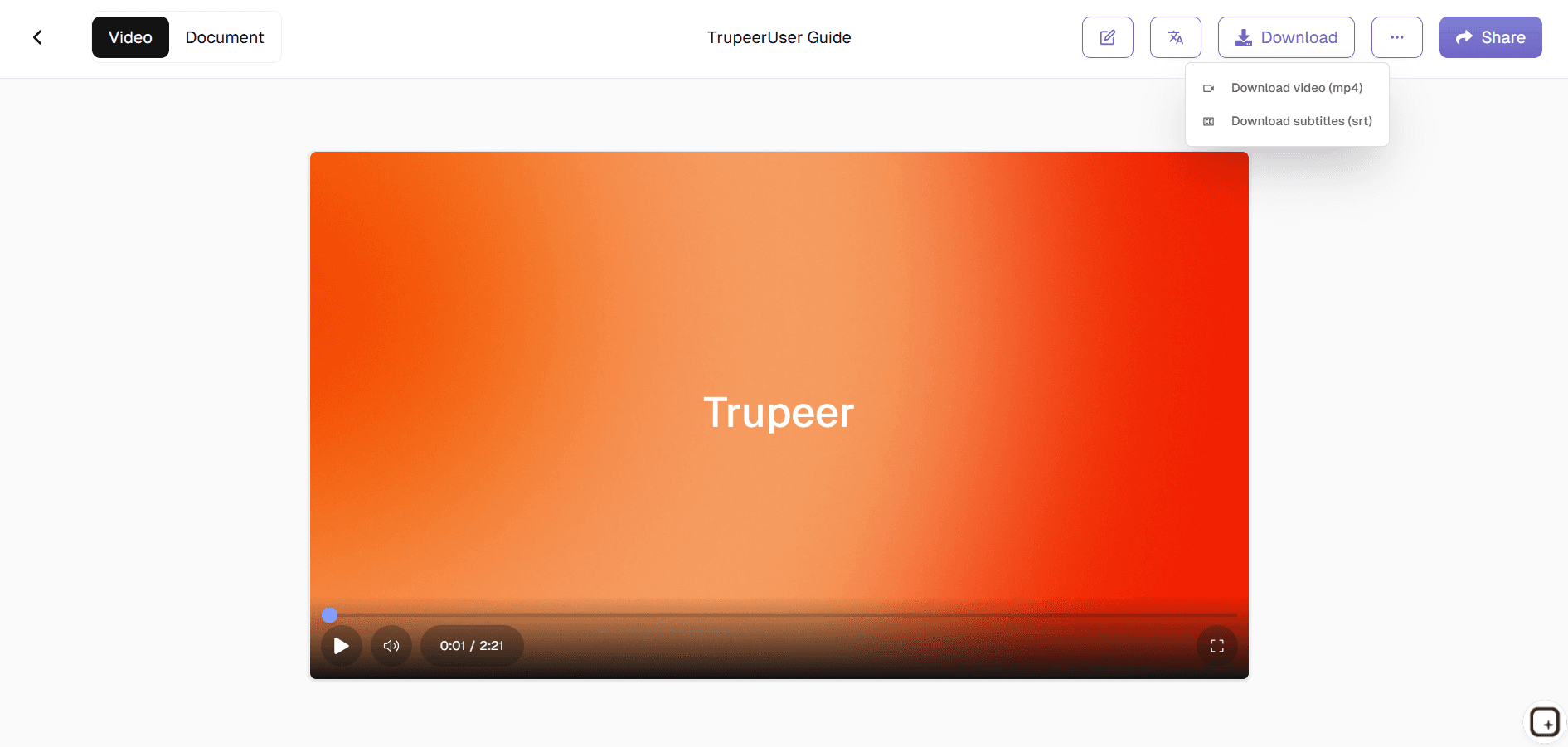
4. Share and Export Seamlessly
Once your voice is ready, sharing and exporting is quick and simple.
You can:
Download audio files in MP3, WAV, or OGG formats.
Integrate with video editors or presentation tools.
Embed directly into Trupeer video or script workflows.
Generate shareable links for client or team feedback.
Trupeer ensures your AI-generated voice is optimized for every platform, from YouTube videos to corporate presentations.
What You Can Do With Trupeer’s AI Voice Changer
Generate Professional Voiceovers for Videos and Tutorials
Strong visuals alone rarely carry a video. If narration sounds rushed, robotic, or inconsistent, even a polished tutorial or product walkthrough starts feeling unfinished.
Trupeer’s AI voice changer helps creators and teams generate natural voiceovers for product demos, onboarding flows, explainers, training content, podcasts, and tutorials without repeatedly recording takes or manually fixing audio. Instead of spending hours re-recording narration because the tone feels slightly off, teams can generate studio-quality voiceovers that stay consistent across videos while adapting to the context of the content.
Whether you are creating customer education, internal training, or marketing videos, the result sounds intentional rather than improvised.
Clone Your Voice for Consistent Content
Founders, educators, and creators often become the recognizable voice behind their content. The challenge starts when production scales.
What begins as a few onboarding recordings quickly turns into webinars, product walkthroughs, feature announcements, multilingual explainers, and training videos. Re-recording the same ideas repeatedly becomes tedious fast.
Trupeer’s voice cloning allows teams to create a reusable voice identity so content remains familiar and consistent across product demos, onboarding, customer education, internal training, and marketing content. Instead of recording every script manually, you can generate narration using the same trusted voice while keeping tone and delivery aligned across formats.
Create Multilingual Voiceovers Without Rebuilding Production
Localization sounds simple until every onboarding video, tutorial, or product explainer suddenly needs new recordings, voice talent, edits, and review cycles.
Trupeer reduces that overhead by generating multilingual voiceovers while maintaining consistency in tone and delivery. Teams can localize onboarding, product education, training material, and customer communication without rebuilding the entire production workflow every time a new language is required.
Refine Audio With Filters, Effects, and Voice Controls
Not every video should sound the same. A technical walkthrough needs clarity. A product launch may need energy. A training video benefits from steadier pacing.
Trupeer lets users adjust pitch, tone, pacing, vocal style, and voice effects so narration feels appropriate for the content rather than one-size-fits-all. The goal is simple: polished audio without needing to become an audio editor.
People also ask for
Technical Documentation Generator
AI Training Video Maker
AI Voice Changer for Videos
AI Product Video Maker
Add Audio to Video Online
Free AI Answer Generator
Voice to AI Video Converter
Free AI Marketing Video Maker
Benefits of Using Trupeer’s AI Voice Changer
Realistic Voice Quality
AI voices sound natural and context-aware, not robotic.
Multiple Styles & Accents
Choose from a wide range of voices to match your audience.
Fast & Cost-Effective
Save money and time by skipping studio recordings or hiring voice actors.
How to Change Your Voice with Trupeer
Step 1
Upload or Input Script
Step 2
Choose Voice Style & Accent
Step 3
Apply & Export
Frequently Asked Questions
1. What is an AI Voice Changer?
An AI voice changer is a tool that uses artificial intelligence to modify or transform your voice in real time or from recordings. It can help you sound like another person, a celebrity, or even a fictional character. Trupeer’s AI Voice Changer makes this process easy with a single upload or live recording option.
2. Can I use the AI Voice Changer online for free?
Yes! Trupeer’s AI Voice Changer offers a free version that runs entirely online, no downloads required. You can instantly upload or record your voice and transform it using advanced AI models that ensure natural tone and clarity.
3. How does the AI Voice Changer work?
Our voice changer uses deep learning models trained on thousands of vocal samples to accurately reproduce tone, pitch, and emotion. When you upload a clip or record your voice, the AI analyzes speech patterns and generates a new, transformed version within seconds.
4. Is the AI Voice Changer safe to use?
Absolutely. Trupeer ensures all recordings are processed securely and not shared with third parties. Your data stays private and is automatically deleted after processing unless you choose to save it.
5. Can I sound like a celebrity or character using the AI Voice Changer?
Yes, Trupeer’s AI Voice Changer includes multiple transformation options, such as celebrity-style voices, character tones, and gender-swapped variations. The voice transformations are generated for entertainment or creative purposes while maintaining responsible AI use.
More Tools



