4.8/5
Free Centralized Documentation Platform for Technical Teams
Record technical workflows, deployment procedures, incident runbooks, and internal tool walkthroughs. Trupeer AI produces video plus written documentation that drops into Confluence, Notion, GitHub wiki, or any existing centralized documentation platform.
Generate Technical Docs Free

Most engineering teams don't actually need a new centralized documentation platform. They already have one (Confluence, Notion, GitHub wiki, an internal developer portal). What they need is a way to fill it with technical documentation that stays current. Trupeer AI's technical documentation tool records a workflow once and produces a polished video walkthrough plus a written technical guide, ready to embed in whatever the team already uses as their central documentation layer. The bottleneck on most technical docs is production, not storage.
Record a technical workflow once. Get a polished video and a written technical guide in the same job.
Embed the output in any existing centralized documentation platform: Confluence, Notion, GitHub wiki, internal developer portal.
Update by re-recording the changed step. The rest of the technical documentation stays put.
Translate technical documentation into 65+ languages for global engineering teams.
Share via a branded Shared Page link that the team can post in Slack, embed in any wiki, or hand to support.
What Trupeer AI produces for technical documentation
An engineer records a screen walkthrough of a deployment, a debug session, an incident response procedure, or any other technical workflow. Trupeer AI handles the post-production. Filler words and "umm let me find the right tab" moments get removed. Cursor jitter and zoom transitions get smoothed. A draft video and a draft written technical guide arrive in the same job, so the team doesn't have to maintain two separate sources of truth for the same procedure.
The video output is MP4, ready for embedding in any technical documentation software. Document output is PDF or Word, ready for the engineering wiki or for handing to a reviewer. Brand kit applies automatically: corporate logo, colors, fonts, intro and outro slides all match the rest of the engineering documentation library. The custom glossary handles internal product names, tool names, and API names that the AI wouldn't otherwise know how to spell or pronounce, which matters more for technical content than for any other documentation type. The AI screen recording layer handles cursor highlighting, region focus, and automatic zoom on UI interactions, which is what most technical writing tools either skip or do badly.
How the technical documentation tool works in three steps
The full flow takes one recording and produces ship-ready technical documentation. No prep script, no separate technical writing pass, no documentation backlog to chip away at over the next two quarters.
Step 1: Record the technical workflow
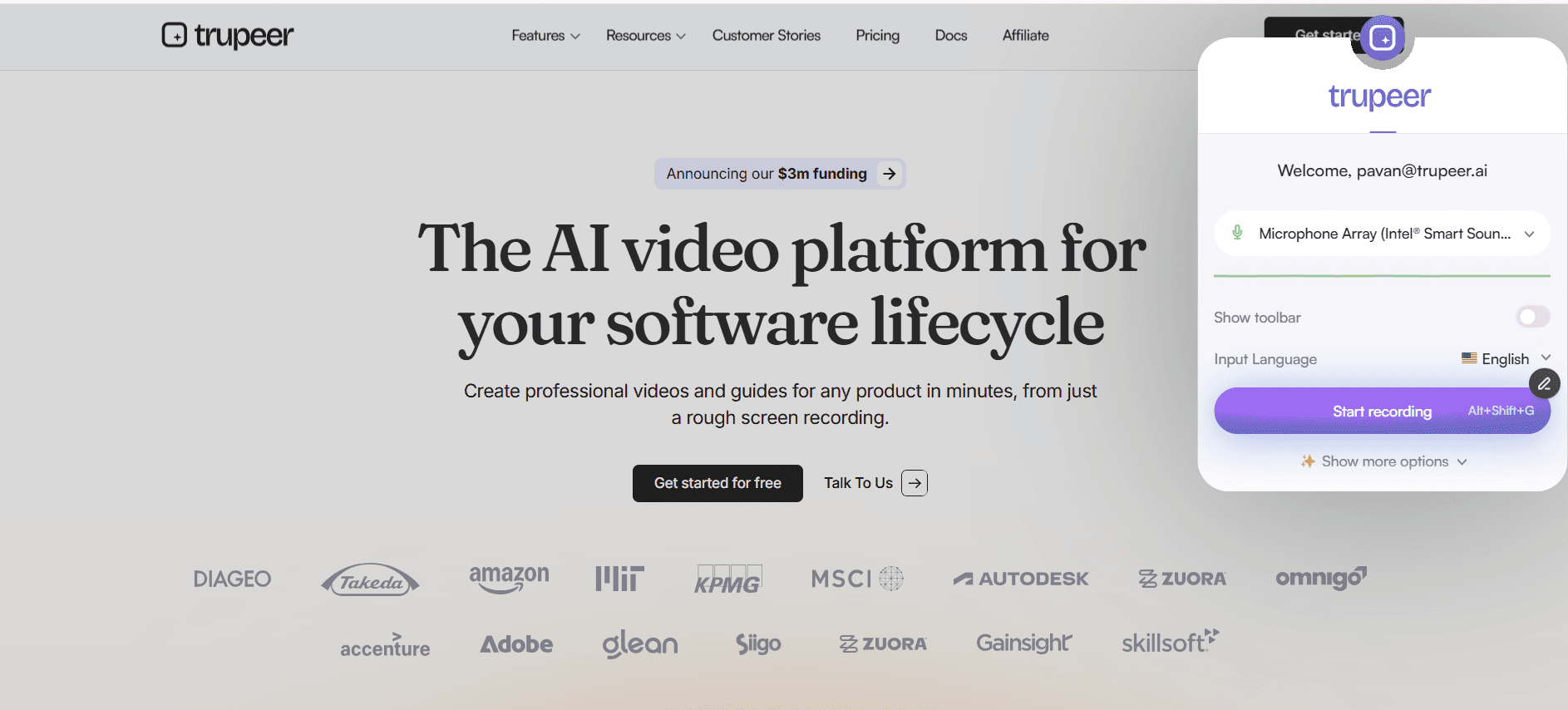
Hit record in the browser, capture the workflow as it's actually performed, or upload an existing screen recording. The AI works on what's recorded. Recording a 12-minute deployment is faster than writing a 4-page runbook from memory, and what comes out is more accurate because the documentation reflects what the engineer actually did, not what they remember doing.
Step 2: Trupeer AI generates video and written technical guide
Filler words get removed. Zoom and cursor effects get added where they help the viewer follow what's happening on screen. A draft video and a draft technical guide show up in the editor together. The custom glossary applies, so internal tool names, API endpoints, and product names get spelled and pronounced correctly in both outputs.

Step 3: Brand, translate, and ship to the existing centralization layer
Apply the brand kit so the corporate logo, colors, and intro/outro slides match the rest of the engineering documentation library. Translate into the languages the global engineering team speaks (Spanish, Mandarin, Hindi, Portuguese, or any of 65+ options). Then ship via a Shared Page link the team can embed in Confluence, Notion, the GitHub wiki, the internal developer portal, or any other centralized documentation platform the team already uses.

Who actually opens Trupeer AI for technical documentation
The person who opens this tool is usually a tech lead, engineering manager, or DevOps lead at a company where "documentation" has been listed as an OKR for at least two quarters in a row. Consistently, the engineering team knows what needs to be documented. What they don't have is anyone willing to spend a week writing what they could record in 30 minutes. Trupeer AI closes the gap between knowing what should be documented and actually producing the documentation.
The same workflow shows up across roles. SRE and DevOps teams use it for incident response runbooks, deployment procedures, and infrastructure walkthroughs. Platform engineering teams use it for internal tool documentation that explains how the team's homegrown systems actually work. Engineering managers use it to ship onboarding documentation for new hires, covering environment setup, codebase conventions, and team-specific tooling. Developer experience teams use it to create technical documentation for internal APIs and shared libraries that the rest of the company depends on. Some teams treat it as a replacement for hiring a technical documentation writer; others use it alongside one to multiply that person's output.
Technical documentation use cases Trupeer AI handles
Technical documentation usually covers four kinds of content: how something works, how to do something, what happened when something broke, and where the boundaries between systems are. Trupeer AI handles all four through the same recording-to-doc flow. Deployment walkthroughs, environment setup guides, incident postmortems, and architecture overviews all start as a screen recording and end as a polished video plus a written technical guide. The format that used to require a technical writing template, a downloaded template for technical documentation, one of the standard technical writing templates from a Google search, or a generic technical documentation template word file becomes whatever the engineer wants to produce, structured automatically by the AI. Teams that previously evaluated separate technical writing software just to get a usable template usually drop that layer once Trupeer is in place.
For software technical documentation, the use case that pays off fastest is the internal tool walkthrough. Every engineering team has at least a handful of homegrown tools that nobody outside the team knows how to use. Recording the actual use of those tools and generating both video and written documentation in one job means the next engineer who needs to use the tool doesn't have to Slack the team that built it. The same pattern applies to technical design documentation: instead of writing up the design after the fact, record the design review meeting and let Trupeer AI generate the structured technical document from it. Technical report writing for postmortems and root-cause analyses works the same way: record the analysis session, generate the document, ship it.
AI for technical writing earns its place when the team realizes they can update existing technical documentation by re-recording, instead of treating every update as a full rewrite. The same logic applies to technical content writing more broadly. Engineering teams stop avoiding documentation when the cost of producing it drops below the cost of explaining the same thing in Slack four times per quarter. That shift is the actual structural change a centralized documentation platform for technical teams is supposed to enable, and it's the gap most platforms leave for the team to solve on their own. Trupeer AI is what most teams reach for as their software technical documentation example, because the output is concrete enough to use as a reference for what good technical writing and documentation actually looks like.
Where Trupeer AI fits next to Confluence, Notion, GitHub wiki, and other centralization tools
Trupeer AI doesn't replace the centralization layer. The wiki stays as the wiki. Confluence stays as the place where every team's documentation lives. Notion stays as the engineering team's internal knowledge base. GitHub wiki stays as the repo-adjacent documentation home. The internal developer portal stays as the canonical source of truth. Trupeer AI sits one step earlier in the workflow, where the documentation content actually gets produced, and ships the output as a Shared Page link that embeds into any of those existing centralization layers without changing the team's existing setup.
Most engineering teams have already invested in their centralization tool of choice. They don't want to migrate, they want the existing tool to actually have current documentation in it. Trupeer AI's Shared Page link is the mechanism that closes that gap: the video and document both update when the underlying recording updates, which means anyone who has the embedded link in their team's wiki sees the current version automatically. The wiki stays as the storage and discovery layer. Trupeer AI handles the upstream production and the ongoing maintenance, which is what most centralization platforms leave teams to figure out on their own.
Updates: re-record the changed step, keep the rest of the technical documentation intact
Technical documentation rots faster than any other kind because the underlying systems change weekly. A deployment process shifts when the team migrates to a new CI/CD platform. The incident runbook shifts when the database vendor changes. Onboarding guides shift when the team adopts a new IDE or moves to a different code review tool. Most documentation tools force the team to rewrite the affected sections from scratch every time. Trupeer AI handles updates by re-recording just the changed step.
Re-recording is faster than rewriting. The engineer who originally recorded the workflow records the new version of the step that changed. The AI re-processes only that segment. Both the video and the written technical guide update in place. Any Shared Page link the team distributed last quarter now points to the current version, with the updated step folded into the rest of the documentation. Anyone who bookmarked the original link or embedded it in the team wiki gets the new content without any manual chase-down. That update model is what makes technical documentation actually stay usable across the months and years the underlying systems keep changing. Pairing the generator with the Trupeer AI SOP builder covers the standard operating procedures that sit underneath the recorded technical workflows.
Why engineering teams use Trupeer AI for technical documentation
Production speed engineers will actually accept
Recording 12 minutes of deployment work is faster than writing a 4-page runbook. And more accurate, since it captures what the engineer actually did.
Embeds in the wiki you already use
Shared Page link embeds in Confluence, Notion, GitHub wiki, or any developer portal. No migration, no new platform.
Updates without rewriting
When the system changes, re-record the affected step. Both video and document update in place. Embeds stay current.
Ship technical documentation in three steps
Step 1
Record the technical workflow on screen or upload existing footage
Step 2
Trupeer AI generates the video and written technical guide together
Step 3
Brand, translate, and embed in any wiki or developer portal
Frequently Asked Questions
Is the technical documentation tool free to use?
Yes for the core flow. Record a technical workflow, generate the video and written documentation, and share via a Shared Page link without paying. Paid tiers add brand kits, AI avatars, custom voice cloning, team workspaces, translation across 65+ languages, and longer recording limits. Pricing details on the pricing page.
What is technical documentation, and what does Trupeer AI generate?
Technical documentation covers any content that explains how a technical system works or how to perform a technical task: deployment runbooks, incident response procedures, environment setup guides, internal tool walkthroughs, architecture overviews, debugging workflows. Trupeer AI generates the documentation of how the technical work actually runs, in the form of a polished video plus a written technical guide with screenshots and numbered steps. The output drops into whatever centralized documentation platform the team already uses.
What inputs and outputs does the technical documentation tool support?
Inputs: screen recordings, webcam recordings, uploaded video files, audio files, and text scripts. Outputs: video as MP4 and technical documentation as PDF or Word (DOCX). Both also ship as a Shared Page, which is a branded link that embeds anywhere the team already shares content. Translation in 65+ languages applies to both video and document in the same job.
Does Trupeer AI integrate with our existing wiki or developer portal?
Trupeer AI generates a Shared Page link that embeds into any wiki, knowledge base, developer portal, or documentation site that accepts embedded video or document. The team's existing centralized documentation platform (Confluence, Notion, GitHub wiki, internal portal, or whatever else) stays in place. Trupeer AI handles the content production side of the workflow, not the storage or discovery side.
What happens when the underlying system or workflow changes?
Re-record just the step that changed. Trupeer AI re-processes that segment, and both the video and the written documentation update in place. Anyone who has the Shared Page link sees the new version automatically. The team doesn't have to track down every place the old link was embedded, rebuild the documentation from scratch, or coordinate with everyone who bookmarked the original. That update model is what makes technical documentation actually usable when the underlying systems change as often as they do in most engineering teams.
More Tools


