Free Chrome Screen Recorder
Record your screen effortlessly with a free, AI-powered Chrome extension perfect for tutorials, demos, and presentations.
Get started for free

Trupeer's Free Chrome Screen Recorder captures browser tabs, entire screens, or specific windows directly from Chrome using a lightweight screen recorder extension. This screen recorder for Google Chrome enables instant recording without downloads or system permissions.
Why Free Chrome Screen Recorder is required?
Users waste time downloading heavy screen recorder software that slows browsers and requires restarts. Chrome-specific screenrec alternatives lack seamless tab capture and instant sharing. Manual screen capture workflows involve screenshots plus separate annotation tools. The same workflow can feed straight into the free screen recorder, so you're not putting it together separately.
Teams struggle with inconsistent online screen recorder quality across devices and browsers. Extension-free recording demands complex permission setups and storage management. Sharing raw recordings without cloud links creates file size and compatibility issues. Browser-based workflows get interrupted by desktop app switching.
What this Free Chrome Screen Recorder does
Trupeer's screen recorder extension records Chrome tabs, full screens, or app windows with one click, automatically uploading to cloud storage for instant sharing links. The screen recorder for Google Chrome includes basic editing like trimming and annotations before sharing, eliminating post-recording workflows entirely.
Core Capabilities
One-click screen recorder capture from Chrome browser
Automatic cloud upload with shareable screenrec links
Basic trim and annotation in online screen recorder
Record tabs without audio interference
How Trupeer’s Free Chrome Screen Recorder works
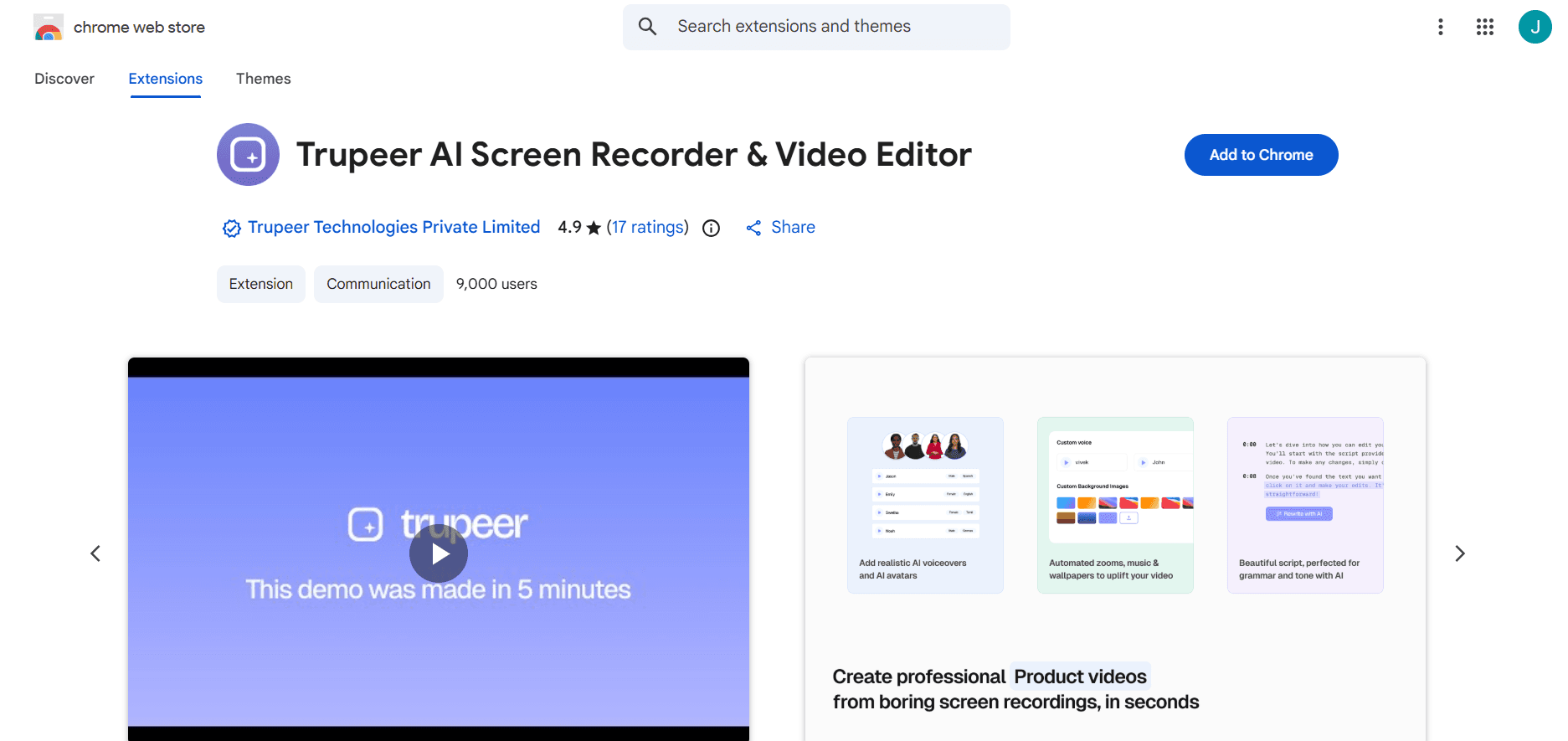
Step 1: Install Extension
Add screen recorder extension from Chrome Web Store with one click.
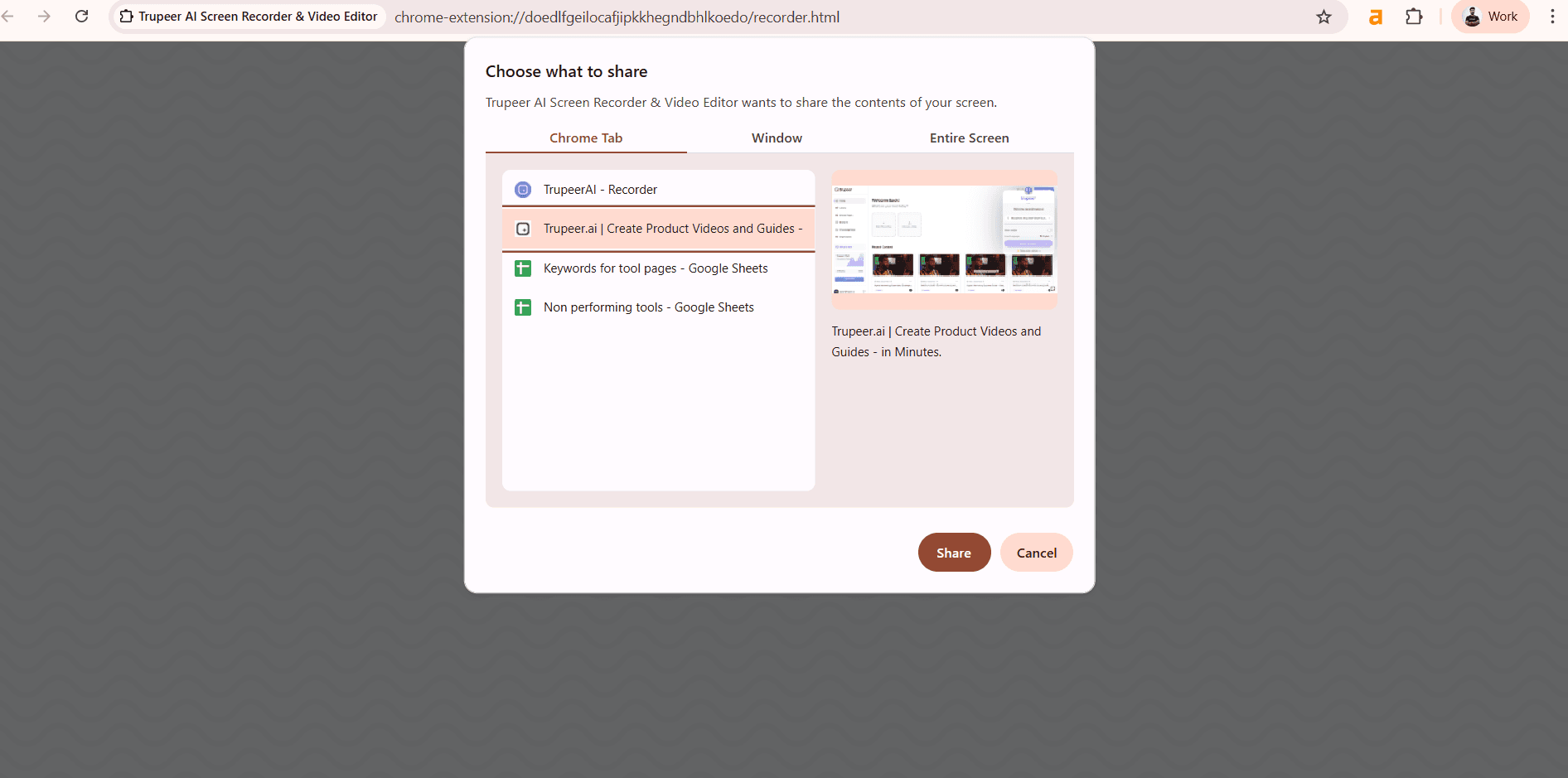
Step 2: Select & Record
Choose tab, window, or screen then start screen recorder for Google Chrome.
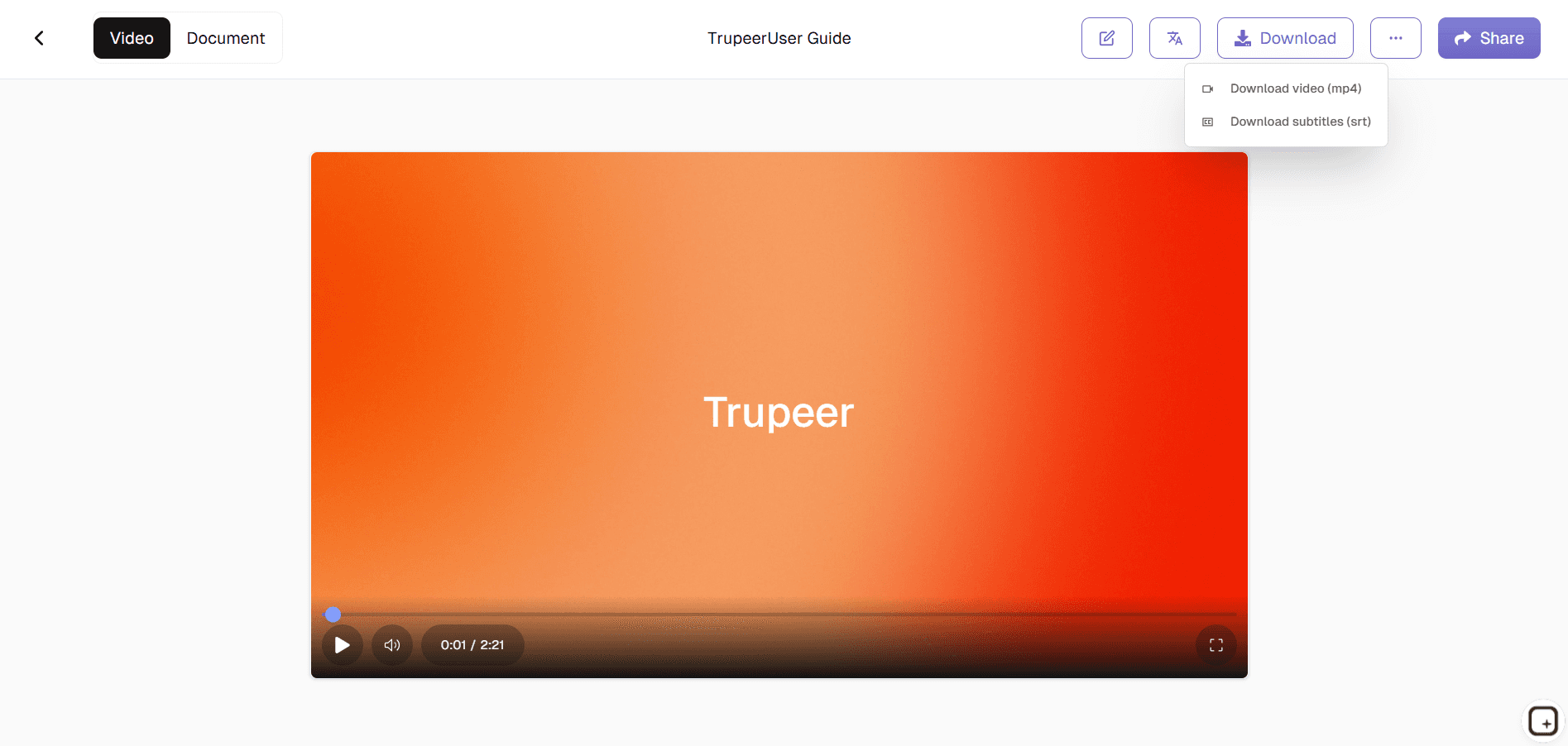
Step 3: Share Instantly
Trim if needed, get screenrec link, or download recording.
Who this Trupeer’s Free Chrome Screen Recorder is for
Perfect for Chrome users needing instant screen capture workflows.
Customer Support:
Record screen recorder sessions for troubleshooting.Teachers:
Capture browser demos with screen recorder extensionDevelopers:
Share bug reproduction via screenrec linksContent Creators:
Quick online screen recorder for tutorialsRemote Workers:
Document workflows using screen recorder for Google Chrome
Key Features of Trupeer’s Free Chrome Screen Recorder
Browser-native recording without downloads or permissions.
One-Click Recording:
Instant start/stop from Chrome toolbarTab Isolation:
Record single tabs without system audioAuto-Cloud Upload:
Screenrec-style instant sharing linksLightweight Extension:
No browser slowdown or memory issuesQuick Edits:
Trim and annotate before online screen recorder sharing
This screen recorder chrome extension builds on Screenity, originally created by Alyssa X and licensed under the GNU GPLv3, with enhancements developed by the Trupeer team. Source code available here: https://github.com/trupeer-ai/trupeer-chrome-capture.
Explore Related Tools
Benefits of Using Trupeer’s Free Chrome Screen Recorder
Quick & Easy Screen Recording
Capture your entire screen, selected windows, or browser tabs instantly no complex setup required.
AI-Powered Enhancements
Add automatic annotations, captions, and voiceovers to make your recordings clearer, more engaging, and professional-looking.
Free & Accessible Anytime
Record, save, and share your videos directly from your browser at no cost ideal for teams, educators, and content creators.
How to Record Your Screen Using Trupeer’s Free Chrome Screen Recorder
Step 1
Open Trupeer
Step 2
Record Your Screen
Step 3
Enhance & Share
Frequently Asked Questions
Is this tool free?
Yes, unlimited screen recorder extension recording included free.
What does screen recorder for Google Chrome capture?
Tabs, windows, full screen with system or mic audio.
Where are recordings stored?
Automatic cloud upload creates screenrec sharing links.
Does it slow Chrome?
Lightweight online screen recorder optimized for browser use.
Can I edit recordings?
Basic trim, annotate before screen recorder sharing.
More Tools


