4.8/5
SOP Software
Create, organize, publish, and maintain every standard operating procedure your team relies on, all in one place.
Try for Free

SOP software helps teams create, organize, publish, and maintain standard operating procedures in one place. Instead of spreading procedures across documents, shared drives, spreadsheets, and chat threads, a team keeps them in one system with search, permissions, version control, and review reminders.
Good SOP software covers five capabilities:
Creation: building procedures with structured steps and screenshots, written manually or generated automatically.
Organization: one searchable library rather than folders spread across several tools.
Control: version history, a named owner per procedure, approvals, and role-based access.
Maintenance: review dates and staleness signals, so procedures stay accurate as processes change.
Distribution: publishing by link, embed, or knowledge base, in the languages your teams read.
Trupeer adds AI-powered creation to that workflow: record a process once, generate the procedure automatically, then organize, publish, and maintain it from the same workspace.
What Is SOP Software?
SOP software is a tool for creating, storing, and maintaining standard operating procedures: the documented steps a team follows to complete a task the same way every time. It replaces scattered documents and shared drives with one system where procedures are written once, kept current, and found in seconds.
A document editor can hold an SOP perfectly well. The gap is everything around the document. A file doesn't know whether it's the current version, who owns it, when it was last reviewed, or who is allowed to read it. Those answers end up in someone's head or in a separate tracking sheet, and both fail quietly as a library grows past a few dozen procedures. SOP software exists to hold that information alongside the procedure itself, which is why the five capabilities above are a more useful way to compare tools than counting features.
Signs Your Team Has Outgrown Documents
The same question reaches the same senior person every few weeks.
Onboarding depends on shadowing rather than documentation.
Two people do the same task differently and both believe they're right.
Nobody can say whether a document reflects how the process works today.
Someone asks for evidence of a process and it takes a week to assemble.
How Does SOP Software Work?
Most SOP software workflows can be understood through four stages. How much of each stage the software handles is the main thing separating one option from another.
1. Create
Someone who knows the process supplies the raw material. Traditionally that means writing a draft from memory and pasting in screenshots by hand. Recording-based tools invert it: you perform the task once while the software watches, and the recording becomes the source. Capturing beats recalling, because people skip the steps they've automated in their heads.
2. Organize
Procedures get titles, owners, scope, and a place in a structure (folders, tags, or collections) so a library of two hundred procedures stays navigable. This is also where you decide which teams, sites, or clients see which procedures.
3. Publish
A finished procedure goes somewhere people already look: a searchable library, an internal portal, a shared link, or an embed inside an existing tool. If it lives somewhere people have to be reminded to check, adoption stalls.
4. Maintain
Processes change. Good SOP software keeps a version history, signals what has gone stale, and makes revising a procedure cheap enough that people actually do it. This is the stage most SOP programmes fail at, and it deserves weight when you compare tools.
Control isn't a stage of its own. It runs through all four. Permissions get set while organizing, approvals happen before publishing, and version history accumulates through maintenance.
Trupeer automates most of the create stage, since the recording becomes the draft, and handles organizing, publishing, and maintaining in the same workspace.
Key Features of SOP Software
Feature lists blur together quickly. It's more useful to group them by the five capabilities SOP software has to cover.
Create SOPs
Creation features decide how much effort a procedure costs to produce, which decides how many you end up with. Look for:
Screen recording, or upload of an existing video, as a starting point
Automatic step detection and screenshot capture
Reordering, merging, and splitting steps after the fact
Fields for scope, purpose, owner, and prerequisites, not just steps
Annotation and blur, so sensitive data never ships inside a screenshot
Templates and branding, so output looks consistent across authors
Trupeer covers this through the SOP creator, the SOP generator, and the SOP builder, depending on how much control you want over the output.
Organize SOPs
Organization features decide whether anyone can find a procedure once it exists:
Search that works on content, not just filenames
Folders, tags, or collections that map to how your teams actually think
Separate workspaces for teams, sites, or clients
Consistent titling and scope fields, so two procedures aren't secretly the same one
Analytics showing which procedures get used and which never do
Control SOPs
Control is what separates a procedure library from a folder of files:
Role-based access, so confidential procedures stay restricted
A named owner per procedure, so responsibility is explicit
Approval before publishing, where a process is regulated or high-risk
Version history with a restore, so a bad edit is recoverable
An activity record showing what changed and who changed it
For governance at scale, see Trupeer's SOP management software.
Maintain SOPs
This is the capability teams underweight during evaluation and regret within a year:
Staleness detection. Anything untouched for more than 90 days gets flagged automatically, with a freshness figure across the whole library.
Cheap revision. When a procedure regenerates from a new recording instead of being edited line by line, keeping it accurate stops being a chore someone has to be nagged into.
Review cadence. A defined interval per procedure type, so nothing sits unreviewed by default.
For the operational side of this, covering review cycles, ownership, and what to document first, see Trupeer's guide to SOP best practices.
Distribute SOPs
A controlled, current procedure still has to reach the person doing the work:
Sharing by link, or embedding inside the tools your team already opens
Publishing into a searchable knowledge base
Export to a file when someone genuinely needs one
Multi-language publishing from a single source, so an update propagates instead of being repeated per language
AI-Powered SOP Software
AI changed the economics of SOP software. It lowers the effort required to produce each procedure, which makes it practical to document a wide set of workflows rather than only the handful a team has time to write by hand.
What AI reliably handles:
Breaking a recording into discrete, ordered steps
Capturing a clean screenshot for each step
Drafting the instruction text for each step
Stripping filler words and dead air from narration
Translating a finished procedure into other languages
What still needs a person:
Deciding which processes are worth documenting
Exceptions, edge cases, and the reasoning behind a step
Anything that isn't visible on screen, such as approvals, judgement calls, and escalation rules
Final sign-off from the person who owns the process
Recording-based creation is a good fit for anything that happens in software, because each click can be captured and screenshotted. Physical processes such as machine setup, warehouse handling, and lab work still need video or photos shot on a device, plus written steps for what happens off-camera.
Treat AI output as a strong first draft, not a finished procedure. For the full workflow, including what to review before publishing, see how to create SOPs with AI.
SOP Software for Different Teams
Different teams document different things, and they feel the absence differently.
SOP Software for Operations Teams
Recurring workflows, handovers between shifts and sites, exception handling. Without documentation, quality depends on who happens to be working that day.
SOP Software for Customer Support
Troubleshooting steps, escalation paths, refund and account procedures. Undocumented, agents guess or interrupt a supervisor, and answers vary by agent.
SOP Software for IT and Engineering
Deployment runbooks, access provisioning, incident response. This knowledge tends to live in chat threads until someone gets paged at 3am and can't find it.
SOP Software for HR and Onboarding
First-week setup, systems training, role-specific workflows. Undocumented onboarding becomes weeks of shadowing whoever is least busy.
SOP Software for Compliance and Quality Teams
Controlled procedures, plus the evidence that they're followed. Without version history, an audit turns into an archaeology project.
SOP Software for BPO and Outsourced Teams
Client-specific procedures, high agent turnover, and procedures that need to read clearly in more than one language. Permissions and audit trails matter more here than authoring speed. Trupeer covers this case in its guide to SOP software for large teams and BPOs.
SOP Software Use Cases
The section above covers who uses SOP software. These are the moments that usually trigger buying it.
Onboarding a wave of new hires. Documented procedures let new starters work independently instead of booking time with a colleague for every task.
Knowledge transfer before someone leaves. Offboarding and role handovers are the highest-return documentation you'll do, and the easiest to leave too late.
Standardising across multiple sites. When three offices run the same process three ways, one documented standard is the fix.
Preparing for an audit or certification. Documented procedures plus version history show what the process is, when it changed, and who changed it.
Rolling out new software. When a system changes, documentation is how a large group learns the new way without a training session each.
Taking on outsourced or offshore work. A partner team needs procedures in its own language, scoped to what that partner is allowed to see.
SOP Software vs Word or Google Docs
Almost every team starts with a document, and many add a wiki later. Here's where each option runs out.
Capability | Shared documents | Wiki or knowledge base | SOP software |
|---|---|---|---|
Creating a structured procedure | Manual, format varies by author | Manual, template-based | Structured, often AI-assisted |
Screenshots for each step | Manual capture and paste | Manual capture and paste | Automated in recording-based tools |
Finding the right procedure | Filename search across drives | Central search | Central search |
Knowing whether it's current | No indicator | Last-edited date | Staleness flags and review dates |
Version history and restore | Available in many tools, but inconsistent across files and copies | Yes | Yes, usually with restore |
Named owner per procedure | By convention only | Sometimes | Yes |
Review reminders | None | Rarely | Yes, depending on the tool |
Access control | Per file, drifts over time | Per space or page | Role and workspace based |
Multi-language publishing | Manual translation per document | Limited | Built in to some tools |
Audit evidence | Assembled by hand | Partial edit history | Available through version and activity records, depending on the tool |
To be fair about it: with fewer than ten procedures, one team, and processes that barely change, a shared document folder is genuinely fine. The tipping point is usually a second team, a second site, or the first time someone follows an out-of-date procedure and something goes wrong.
SOP Software vs Knowledge Base
These two overlap enough that teams often buy one expecting the other.
A knowledge base is organized around finding information. Its job is retrieval: someone has a question, searches, and reads an answer. The content can be anything: policies, FAQs, troubleshooting notes, or product explanations.
SOP software is organized around creating, controlling, and distributing repeatable procedures. The outcome it's aiming at is consistent execution: same steps, same order, same result, whoever is doing the work. That brings requirements a knowledge base usually doesn't have: ordered steps with screenshots, a named process owner, version control, review cycles, and audit evidence.
In practice most teams need both, and they work best connected: procedures are authored and controlled as SOPs, then published into a knowledge base so people find them alongside everything else. Trupeer supports both halves in one workspace.
SOP Software vs Document Management Software
Document management software is built around the file. It stores, organizes, secures, and retrieves documents of any kind, including contracts, invoices, policies, and drawings, with strong permissions, retention rules, and often e-signature and records management. What it treats as the unit of work is a document, and it's largely indifferent to what's inside one.
SOP software is built around the procedure. It cares about the content: ordered steps, screenshots per step, scope, a process owner, review intervals, and whether the steps still match reality. A document management system can tell you a file is version 4 and who downloaded it. It can't tell you the process changed in March and step 6 is now wrong.
Larger organizations often run both, using document management for the wider records estate and SOP software for operational procedures, then connect them so published procedures are retained where compliance requires it.
How to Choose SOP Software
Weight the evaluation toward maintenance rather than authoring. Most tools can produce a procedure; far fewer make revising one cheap enough that your library is still accurate a year later. Work through this list:
Creation effort. How long does one procedure take, start to published?
AI assistance. Does the tool draft steps and capture screenshots, or do you still type and paste?
Updating. When a process changes, do you edit line by line or regenerate?
Version control. Timestamped versions, and can you restore a previous one?
Staleness signals. Does the tool tell you what hasn't been reviewed, or do you have to remember?
Ownership and approvals. Can you assign an owner and require sign-off before publishing?
Collaboration. Can several people draft, review, approve, and maintain the same procedure without overwriting each other?
Search. Can someone find a procedure without knowing what it's called?
Permissions. Role-based, and can you separate teams, sites, or clients?
Integrations. Can procedures surface where the team already works, rather than in another tab nobody opens?
Localization. Can the same procedure publish in every language your teams read?
Analytics. Can you see which procedures get used and which never do?
Templates and branding. Will output look consistent across authors?
Export and portability. Can you get your procedures out in a usable format?
Security and deployment. Does IT need to install anything, and does it clear your security review?
For a side-by-side of specific products against these criteria, see the comparison of the best SOP creation software. If AI-assisted creation is the deciding factor, the AI SOP maker is the quickest way to test what generated output actually looks like.
How Much Does SOP Software Cost?
Pricing in this category follows a few recognisable models, and knowing which one a vendor uses matters more than the headline number.
Free plans. A permanent tier with limits, typically on recording length, published procedures, branding, or team permissions.
Per user, per month. The most common model. Watch whether viewers are charged like editors, since that decides the cost of rolling documentation out to a whole team.
Per workspace or per team. A flat fee for a group, which suits a documentation team publishing to a large audience.
Usage-based AI. Charged by minutes processed, generations, or translations, on top of a base plan.
Enterprise. Custom pricing where SSO, data residency, audit requirements, or procurement review are involved.
What tends to move the total: how many people need editing rights versus read-only access, how much AI processing you run, video storage and recording length, whether you need SSO and advanced permissions, how many languages you publish in, and whether integrations or security review are part of the deal.
One distinction worth being clear about: "free SOP software" almost always means a free tier of a commercial product rather than software that is free at any scale. That isn't a criticism of the model, since a free tier is usually the fastest way to find out whether a tool fits, but it's worth checking where the limits sit before you build a library on top of it. Trupeer is free to start with no card required, and current plan limits are on the pricing page.
How Trupeer Works as SOP Software
Step 1: Capture the Workflow
Start a screen recording in your browser, or upload a video you already have, including an existing screen recording you want to convert into an SOP.

Step 2: Generate the SOP
The AI breaks the recording into ordered steps, captures a screenshot for each one, drafts the instruction text, and removes filler words and dead air from the narration. You get a written procedure and a narrated video from the same recording.
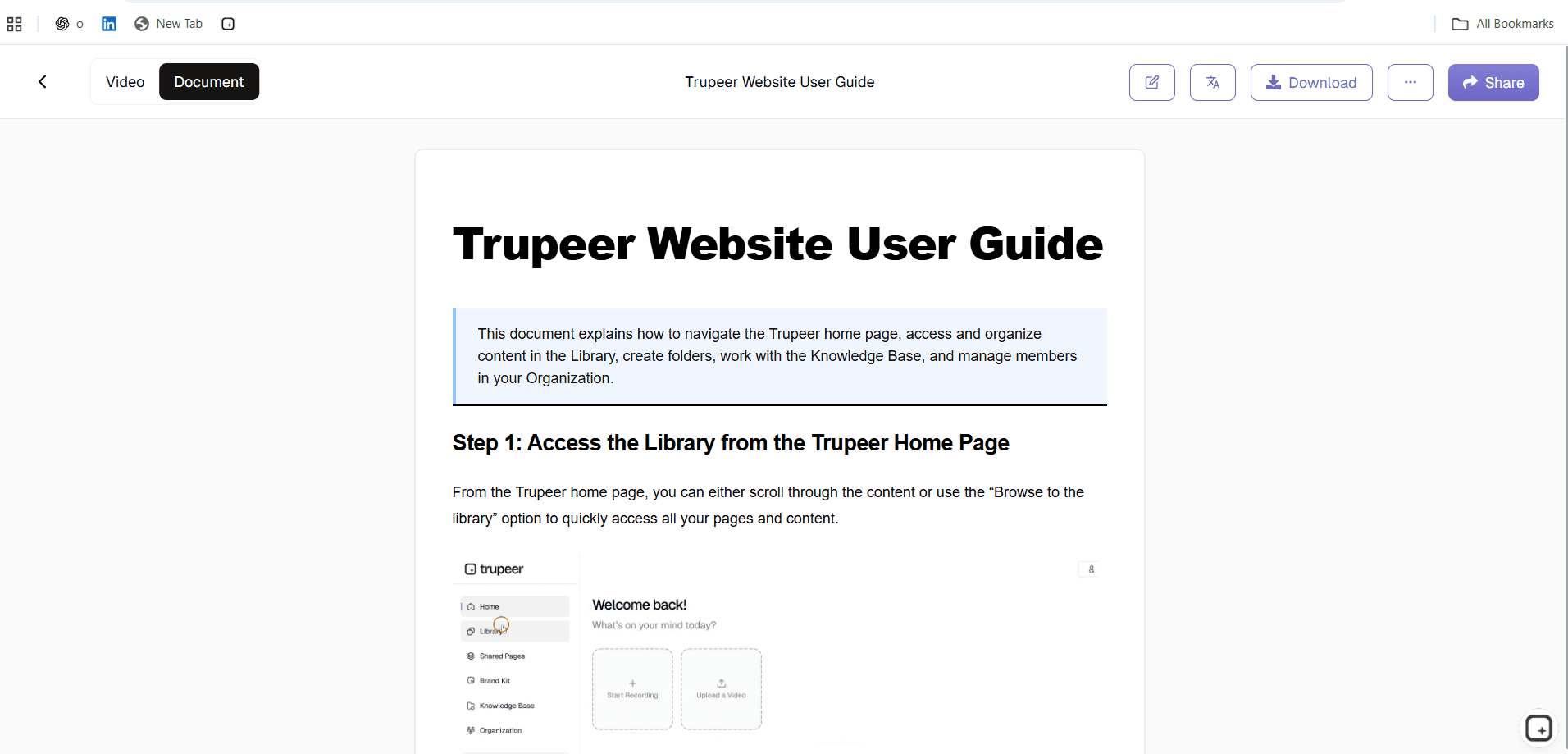
Step 3: Review and Customize
Edit or reorder any step, blur sensitive information in screenshots, correct anything the AI misread, and apply your brand kit so the procedure matches everything else you publish.
Step 4: Publish
Send the finished procedure to a searchable workspace, share it by link, or embed it where your team already works, in 65+ languages if you need it.
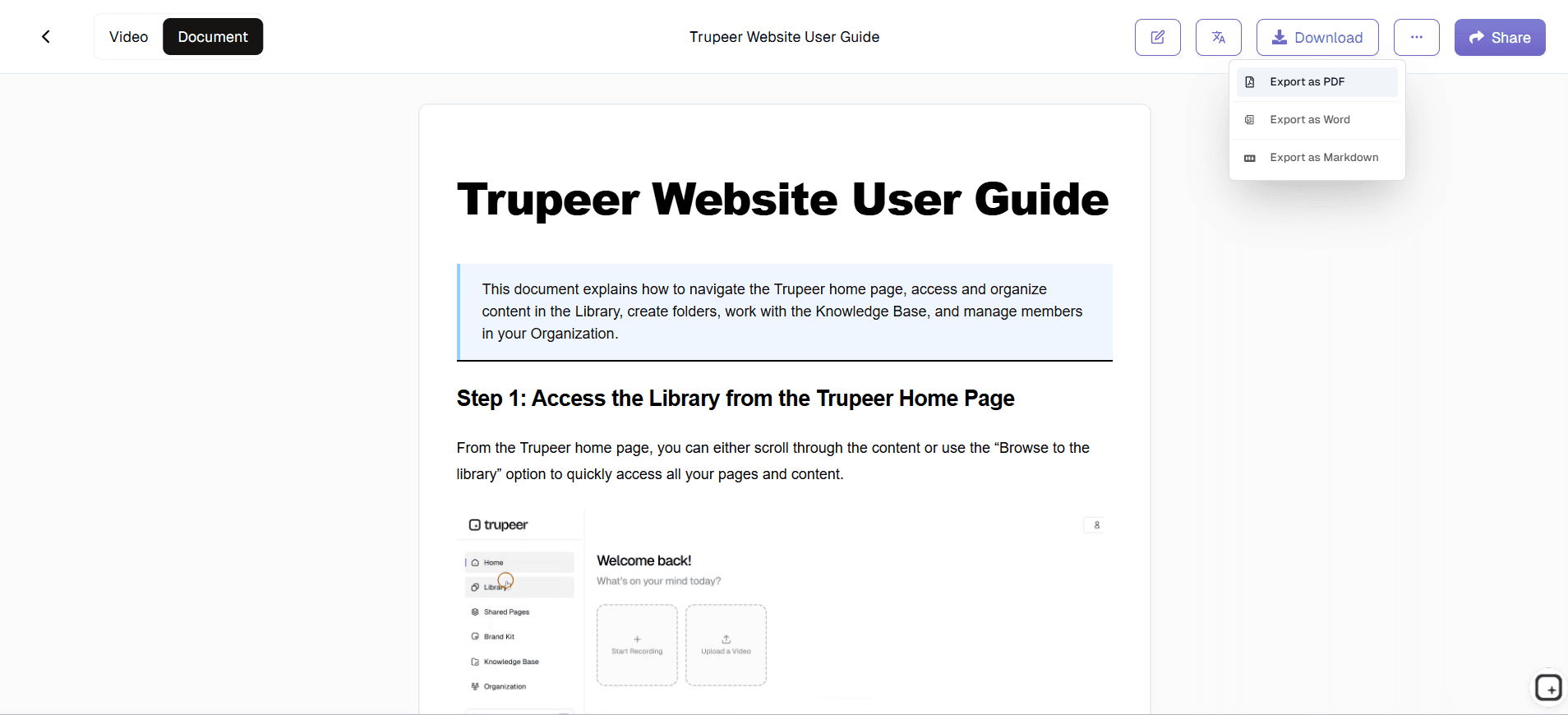
Step 5: Maintain
Version history with one-click restore tells you which version is live and lets you roll back a bad edit. Procedures untouched for more than 90 days get flagged, so the library doesn't quietly rot.
What You Get
A written, step-by-step procedure with screenshots
A narrated video of the same process
Your branding applied automatically
A searchable library with roles and workspace permissions
Version history with one-click restore
Staleness flags after 90 days untouched
Publishing in 65+ languages
If you'd rather begin from a blank structure than a recording, there's a free SOP template and a wider set of SOP templates available too.
Explore Related Tools
Why Teams Choose Trupeer as Their SOP Software
One System Instead of Five Folders
Procedures live in a searchable library with roles and workspace permissions, not scattered across drives, wikis, and inboxes.
Procedures That Stay Current
Version history with one-click restore, plus automatic flags on anything untouched for more than 90 days.
Readable by Every Team You Have
Publish the same procedure in 65+ languages so distributed and outsourced teams follow one standard.
How to Get SOP Software Working for Your Team
Step 1
Pick the procedures worth documenting first
Step 2
Capture each one and publish it to a searchable library
Step 3
Assign review owners so procedures stay current
Frequently Asked Questions
What is SOP software, and what is it used for?
SOP software is where a team creates, stores, and maintains its standard operating procedures: the documented steps for completing a task the same way every time. Teams use it to onboard new hires, capture knowledge before someone leaves, keep multiple sites consistent, and produce evidence for audits. It adds what a document cannot: structured steps, a named owner, version history, review reminders, and search with permissions.
What is the difference between SOP software and SOP management software?
SOP software covers the whole lifecycle: creating procedures, publishing them, and keeping them current. SOP management software is the governance half of that, covering version control, approvals, ownership, staleness alerts, and audit trails for procedures that already exist. If you have no documentation yet, start with SOP software. If you have hundreds of procedures and cannot tell which are current, look at SOP management software.
Is there genuinely free SOP software?
In practice, free SOP software usually means a free tier of a commercial product rather than software that stays free at any scale. A free trial gives you full features for a fixed period and then stops. A free plan keeps working with limits, often on recording length, published procedures, branding, or team permissions. Trupeer is free to start with no card required, so you can document a real process before deciding. Limits are listed on the pricing page.
Can SOP software be used by small teams?
Yes, and the deciding factor is turnover and complexity rather than headcount. A team of five with stable processes and low churn can manage with shared documents. A team of five that onboards someone every quarter, or where one person holds knowledge nobody else has, gets more from SOP software than a team of fifty with settled procedures. The practical test: if losing one person would leave a process nobody knows how to run, documentation is already overdue.
Does SOP software support version control and approvals?
Most does, but the depth varies. Look for timestamped versions you can compare and restore, not just a record that something changed, and check whether approval is a real gate before publishing or simply a comment. Trupeer keeps a full version history with one-click restore, so you can see which version is live and roll back a bad edit. For regulated processes, confirm the tool records who approved what and when.
More Tools



