4.8/5
Free AI Tutorial Video Maker
Create tutorials in minutes with AI avatars, voiceovers & step-by-step guides.

Good tutorial videos are strangely invisible. Nobody comments on them. Nobody books extra training calls because of them. Nobody Slacks “I’m stuck on step four” after watching them twice. People just follow the process and move on.
Bad tutorials announce themselves immediately.
A new employee pauses the video every thirty seconds because the screen no longer matches what they see. Customers keep opening support tickets for something the onboarding video technically explained. Somebody in training says, “Mine looks different,” because the workflow changed two releases ago and the recording never got updated.
This is usually where tutorial creation becomes frustrating. Not because recording a workflow is difficult, but because keeping tutorial content useful turns into repetitive work surprisingly fast.
A short onboarding walkthrough becomes a customer support tutorial. A process recording gets reused for training. Someone asks for captions because part of the team watches without audio. Product releases change the interface again. Suddenly the “quick how-to video” needs edits, narration fixes, zooms, highlights, new exports, and another round of explanations because the original version quietly drifted out of date.
Trupeer’s Tutorial Video Maker is designed for exactly this kind of work. Teams can turn screen recordings, workflows, scripts, or rough instructions into structured step-by-step tutorial videos with narration, captions, visual highlights, zooms, and guided sequencing already built in. So the process stays focused on helping people understand something clearly rather than managing editing timelines.
Because most people creating tutorial videos are trying to teach. Not become video editors.
Tutorial Videos Break When People Stop Following Them
Most tutorial videos fail in small ways first. A viewer misses one click and the rest of the workflow stops making sense. Somebody rewinds because the cursor moved too quickly. The explanation arrives five seconds after the thing they were supposed to notice. The screen recording assumes prior knowledge nobody actually has.
Then support gets the same question again.
Good tutorial videos reduce confusion by guiding attention at the right moment. Viewers should know what changed, where to click, why something matters, and what happens next without feeling lost halfway through. That usually means pacing, captions, visual emphasis, step-by-step sequencing, and narration all working together quietly in the background.
Trupeer structures tutorial videos around that experience in videos & guides so viewers spend less time rewinding and more time following. The difference feels small until somebody actually finishes the workflow without asking for help.
Why Tutorial Video Maker is required?
Creating tutorial videos requires coordinating screen capture, voice recording, editing, captions, and formatting across multiple tools, consuming days for what should take minutes. Instructors recreate the same content repeatedly when processes change. Inconsistent tutorial quality confuses learners and increases support demands.
Teams struggle with static slide decks or text instructions that fail to engage visual learners. Manual annotation and highlight addition slows production dramatically. Scaling tutorial content for new features, languages, or audiences becomes impossible without dedicated video staff or agencies.
What this Tutorial Video Maker does
Trupeer's Tutorial Video Maker analyzes recordings or scripts to automatically structure content into numbered steps with AI voiceovers, captions, zooms, callouts, and transitions. The tool identifies key actions, generates explanatory narration, and produces complete learning videos optimized for engagement and retention.
Core Capabilities
Convert screen activity into step-by-step tutorial sequences
Generate synchronized voiceovers and captions automatically
Add visual highlights, annotations, and progress indicators
Export tutorials in multiple formats for LMS, websites, support
How Trupeer’s Tutorial Video Maker works
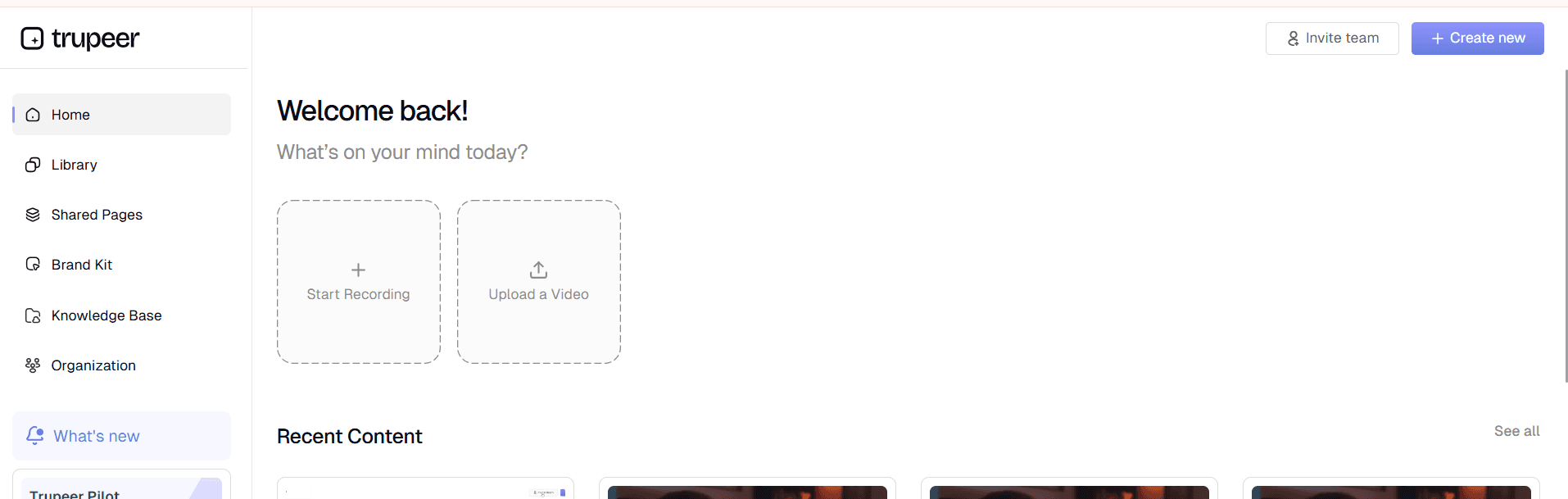
Step 1: Record or Upload
Capture your screen workflow or upload existing recording/script.
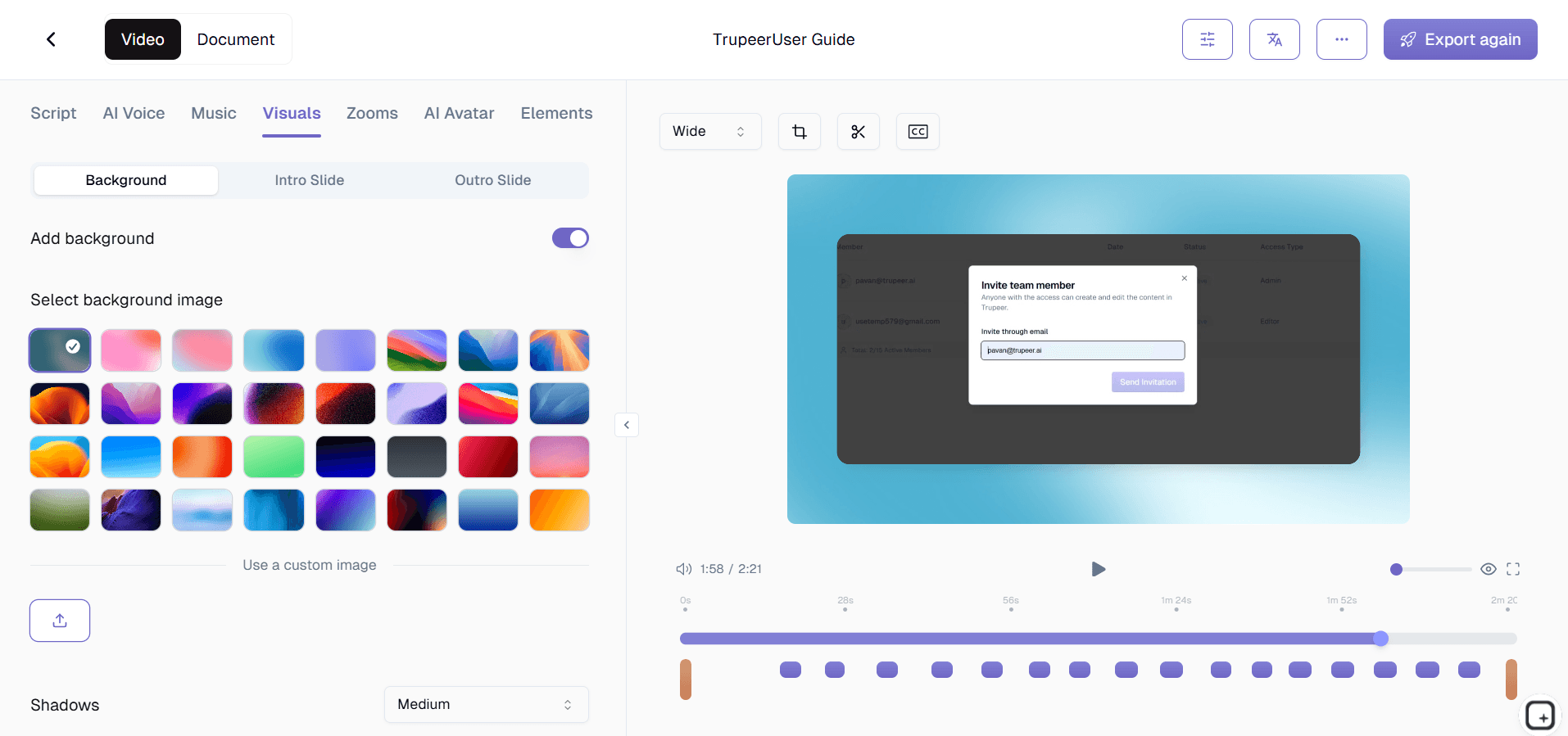
Step 2: AI Structures Tutorial
Tool breaks content into steps with narration, captions, and highlights.
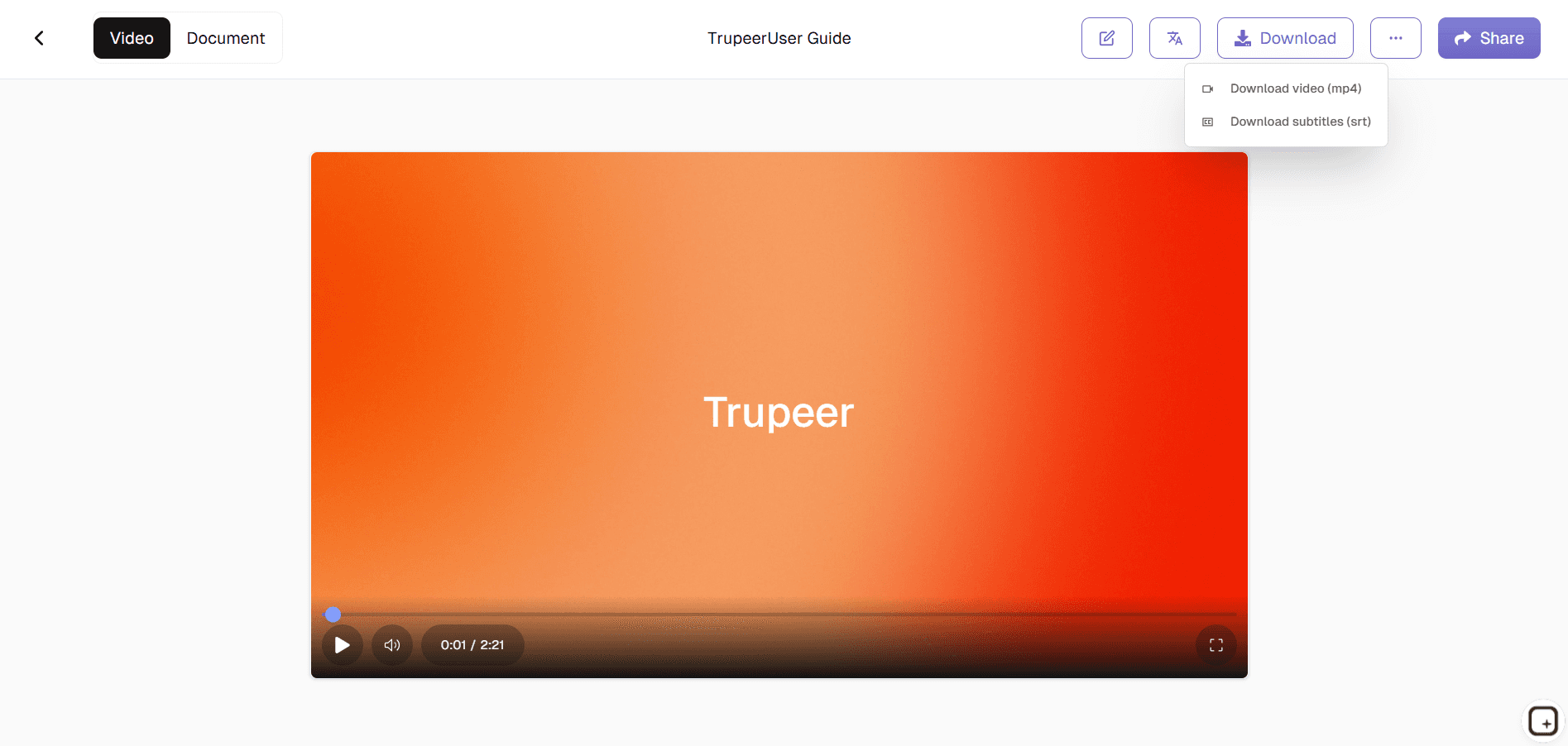
Step 3: Customize & Publish
Adjust timing, branding, then export your complete tutorial video.
Who this Trupeer’s Tutorial Video Maker is for
Trupeer’s Tutorial Video Maker serves anyone creating instructional content who needs professional results without video production expertise.
Corporate Trainers & L&D Teams:
Convert live sessions and processes into scalable, on-demand video tutorials that reduce training costs by 70% while improving retention through visual step-by-step guidance that works across time zones and schedules.
Customer Support Managers:
Create self-service help videos showing exact navigation paths for common issues, cutting ticket volume by demonstrating solutions visually instead of text instructions that customers often abandon halfway.
SaaS Product Educators:
Build feature tutorials and onboarding sequences from screen recordings that highlight UI changes automatically, ensuring support teams and customers always have current, accurate walkthroughs without constant recreation.
Technical Instructors & Subject Matter Experts:
Transform complex workflows into digestible video modules with AI-generated explanations and visual cues, enabling non-video experts to produce professional training content that actually gets watched and applied.
Remote Learning Coordinators:
Generate consistent tutorial videos for distributed teams covering software tools, compliance training, and process documentation that embed seamlessly into LMS platforms, intranets, and communication channels.
Key Features of Trupeer’s Tutorial Video Maker
The Tutorial Video Maker delivers complete instructional video production from raw input to learner-ready content, eliminating every manual editing step.
Automatic Step Detection & Numbering:
AI analyzes screen activity to identify logical breakpoints and automatically numbers each tutorial step with progress indicators, timestamps, and chapter markers so learners always know their position and can jump to specific sections easily.
Smart Visual Guidance:
Tool adds dynamic zooms, highlights, cursors, and callouts precisely where key actions occur, drawing learner attention to important UI elements and interactions without requiring manual annotation or timing adjustments.
Synchronized Multi-Language Narration:
Generates natural voiceovers in 50+ languages with perfect lip-sync timing for global audiences, including auto-generated captions and transcripts so tutorials work across regions, accessibility needs, and learning preferences.
Branded Template System:
Applies consistent styling, logos, colors, and intro/outro sequences across entire tutorial libraries with one-click application, ensuring institutional knowledge maintains professional polish regardless of who creates individual modules.
Explore Related Tools
Benefits of Using Trupeer’s Tutorial Video Maker
Quick Video Creation
Save hours by generating tutorials in minutes with AI automation.
Professional Quality
Add realistic avatars, natural voices, and clean visuals for engaging tutorials.
Easy Customization
Edit text, adjust timing, and personalize tutorials to fit your brand.
Make a Tutorial Video with Trupeer
Step 1
Upload or Record your Script
Step 2
Add AI Avatar & Voiceover
Step 3
Export & Share
Frequently Asked Questions
1. What is Trupeer’s Tutorial Video Maker?
Trupeer’s Tutorial Video Maker is an AI-driven tool designed to help you create structured, high-quality tutorial videos. It automates editing, narration, and layout design, making it perfect for educators, product teams, and trainers.
2. Can I create tutorial videos for free?
Yes, Trupeer offers a free tutorial video maker version that allows you to record, generate, and share short tutorials. Advanced features like branded themes, premium templates, and longer exports are available in Pro plans.
3. How does the AI tutorial video maker work?
The AI tutorial video maker uses your script or screen recording to automatically generate a guided tutorial. It adds steps, captions, transitions, and voiceovers turning your raw input into a polished video tutorial within minutes.
4. Is Trupeer suitable for SaaS and product tutorials?
Absolutely. Trupeer is widely used by SaaS teams to create software tutorials, onboarding guides, and feature demos. Its smart recording and editing capabilities make it ideal for explaining digital workflows.
5. How can I export or share my tutorial videos?
Once your tutorial video is complete, you can download it in MP4 or WebM formats, generate a shareable link, or embed it on websites and training platforms. Trupeer also supports exporting videos for YouTube, Vimeo, and LMS integrations.
More Tools


