4.8/5
Free Online Manual Creator - Create User Manuals with AI
Professional Manual Creation Made Simple with AI

Create professional user manuals without writing them from scratch. Most teams know documentation matters. The problem is nobody wants to spend three days writing it. A workflow changes. Someone promises to “document it later.” Weeks pass. Support tickets pile up. Training gets inconsistent. New hires ask the same questions again because the manual is outdated, incomplete, or buried in somebody’s folder.
Trupeer changes that. Trupeer's online manual creator turns your screen recordings into professional user manuals and guides automatically.
Record a workflow once and turn it into a polished user manual, instructional guide, and supporting video automatically. Already have manuals as PDFs? Convert them with our PDF to video tool. Whether you record fresh footage or upload existing recordings, Trupeer's AI analyzes your workflow and creates detailed, step-by-step manuals that your team and customers can follow easily. The manual creator addresses a critical pain point for modern businesses: the endless hours spent documenting processes, creating training materials, and maintaining up-to-date guides.
Create User Manuals From Screen Recordings Automatically
Trupeer is an AI-powered user manual creator that converts screen recordings into step-by-step documentation your team and customers can actually follow.
Instead of writing manuals line by line, simply record the process.
Trupeer automatically transforms the recording into:
A detailed user manual
Written step-by-step instructions
Supporting walkthrough videos
Training material for onboarding
Structured internal documentation
Product and process guides
The result?
Documentation that stays useful instead of becoming outdated after two product releases.
What sets Trupeer's user manual creator apart is its dual-output capability. You don't have to choose between video content and written documentation anymore. Our AI processes your recording to create both formats simultaneously, ensuring your audience can consume information in their preferred format. This is particularly valuable for training videos where some learners prefer visual content while others need written references. We understand that creating comprehensive technical documentation shouldn't require a dedicated writing team or months of effort.
What makes a good User Manual?
Creating a good user manual sounds simple until you actually try doing it. Usually it looks like this:
Someone records a workflow. Another person writes instructions from memory. Screenshots are outdated two weeks later. Half the steps are missing. Then support spends months explaining the same thing repeatedly.
Manual creation becomes a maintenance problem. Especially for SaaS teams, customer onboarding, internal operations, and fast-changing products. Trupeer removes that bottleneck.
Instead of writing documentation after the work is done, the AI creates your user manual from the video itself.
How to create User Manuals with Trupeer?
The manual creation process with Trupeer is designed for maximum efficiency and minimum complexity. You start by either recording your screen directly through our AI screen recorder or uploading an existing recording you've already captured. This flexibility means you're not locked into a specific recording tool and can work with footage you've already created.
Step 1: Record or Upload Your Workflow
Begin by capturing your screen activity using Trupeer's built-in recorder or upload your existing raw recordings. Our system supports various video formats, making it easy to work with content from different sources. The recording should demonstrate the complete process you want to document, from start to finish.

Step 2: AI Understands your Workflow
Once uploaded, Trupeer's AI automatically processes your recording, removing background noise, eliminating filler words, and adding smart zoom effects to highlight important areas. The AI identifies key actions, clicks, and navigation patterns that will become the foundation of your manual.
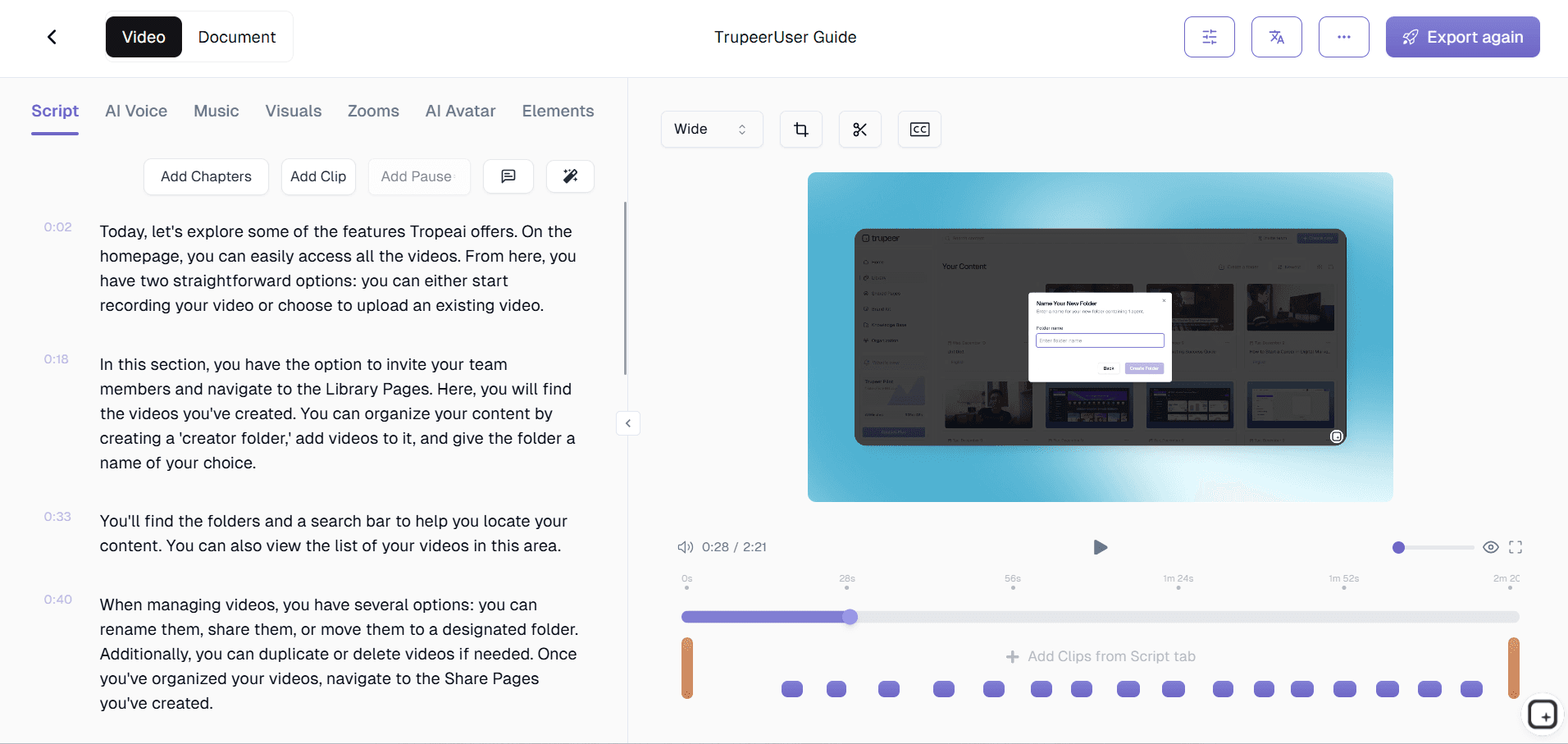
Step 3: Automatically Generate a Structured User Manual
The AI converts your screen recording into structured written documentation, breaking down your workflow into clear, logical steps. Each action in your recording becomes a detailed instruction in the manual, complete with context and explanatory text.

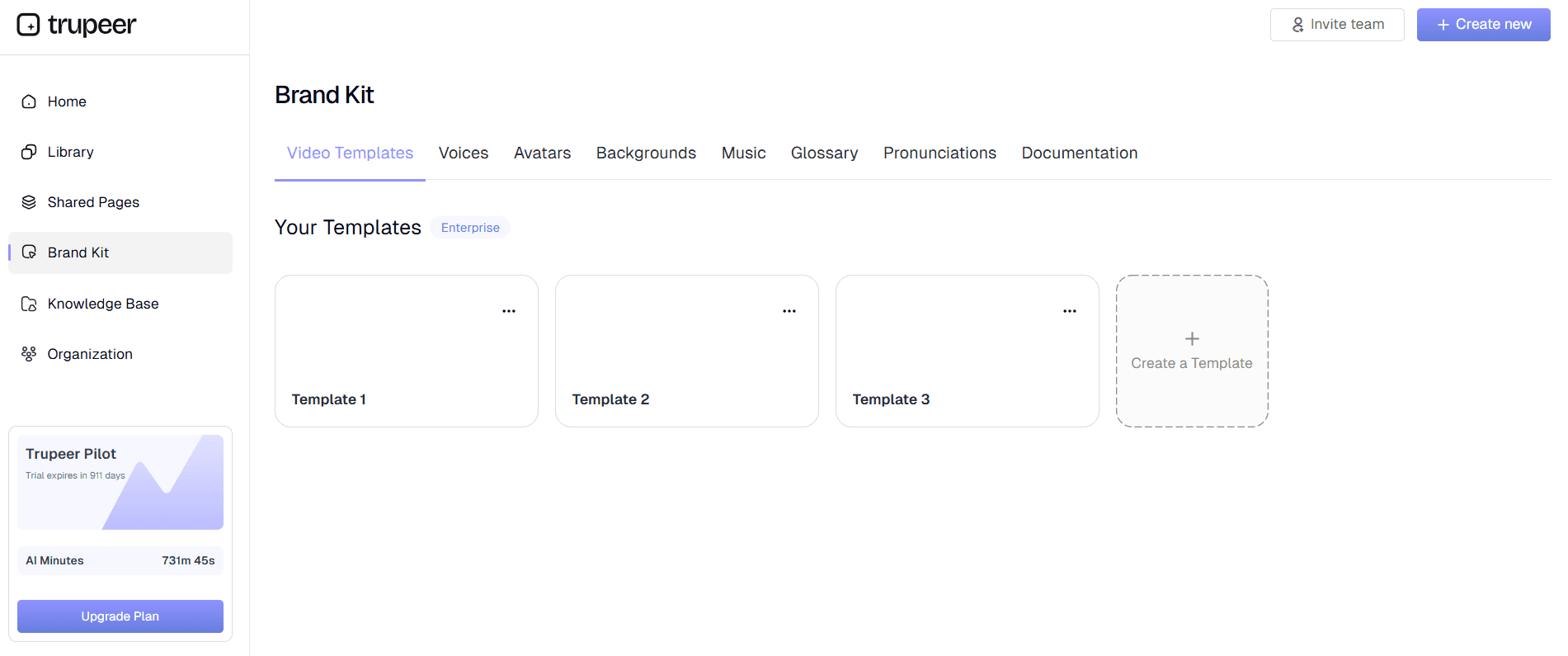
Step 4: Template Application and Customization
Apply your preferred documentation templates to ensure consistent formatting and styling across all your manuals. You can customize headers, fonts, colors, and structure to match your brand guidelines and organizational standards.

Step 5: Brand Integration and Final Output
Add your brand kit elements including logos, colors, and styling to create professional-looking documentation that aligns with your company's visual identity. Export your completed manual in multiple formats for easy sharing and distribution.
Why a manual creator is better than manually writing Process Documentation
Trupeer's manual creator offers comprehensive features designed to streamline your documentation workflow and ensure professional results every time. Our dual-input system accepts both live recordings and uploaded content, giving you maximum flexibility in how you create your source material.
AI-Powered Content Generation: The core strength of our technical manual creator lies in its ability to understand and interpret screen recordings intelligently. The AI recognizes interface elements, user actions, and workflow patterns to generate accurate, detailed instructions that match your demonstrated process exactly.
Customizable Documentation Templates: Save time and ensure consistency with reusable templates that preserve your preferred formatting, styling, and structure. These templates can be customized for different types of manuals, whether you're creating user guides, standard operating procedures, or training materials.
Automatic Video Enhancement: Beyond documentation generation, our system automatically improves your source recordings with noise removal, filler word elimination, and intelligent zoom effects. This means your manual's accompanying video content maintains professional quality standards without requiring video editing expertise.
Multi-Language Translation: Expand your manual's reach with automatic video translation capabilities. Create documentation in multiple languages to serve global teams and customers without the expense of professional translation services.
Brand Kit Integration: Maintain consistent visual identity across all your documentation by applying custom brand kits that include your logos, color schemes, fonts, and styling preferences. This ensures every manual reflects your professional brand standards.
Multiple Export Formats: Generate both video and written documentation from a single recording, then export in various formats suitable for different distribution channels. Whether you need PDFs for offline access, web-friendly formats for online knowledge bases, or embedded content for training platforms, Trupeer handles the formatting automatically.
Why Teams uses Trupeer AI Manual Creator instead of Writing Manual Documentation?
The primary advantage of using Trupeer's manual creator is the dramatic reduction in time and effort required to create professional documentation. Traditional manual creation can take days or weeks of writing, editing, and formatting. With our tool, you can produce comprehensive documentation in minutes, not hours.
Massive Time Savings: Instead of spending hours writing and formatting documentation, you can create comprehensive manuals in the time it takes to perform the task once. This efficiency gain allows your team to focus on core business activities rather than getting bogged down in documentation tasks. The automated process eliminates the traditional back-and-forth between subject matter experts and technical writers.
Consistent Quality and Accuracy: Human-written documentation often suffers from inconsistencies, missing steps, and outdated information. Our AI ensures every manual follows the same structure and includes all necessary steps exactly as demonstrated in your recording. This consistency is particularly valuable for AI Screen Recorder teams who need reliable, accurate documentation.
Dual-Format Output: Create both video and written documentation simultaneously, giving your audience choice in how they consume information. Some people learn better from visual demonstrations, while others prefer written step-by-step instructions. Having both formats increases comprehension and reduces support requests.
Easy Updates and Maintenance: When processes change, simply record the updated workflow and generate new documentation instantly. This eliminates the pain of maintaining outdated manuals and ensures your documentation stays current with evolving procedures and software updates.
Professional Presentation: Every manual maintains professional appearance standards through automated formatting and brand integration. You don't need design skills or extensive editing to create documentation that reflects well on your organization and provides a positive user experience.
Who Can Use Manual Creator?
Trupeer's manual creator serves a diverse range of professionals and organizations who need to create clear, comprehensive documentation efficiently. The tool's versatility makes it valuable across industries and use cases.
Content Creators and Course Developers: Educational content creators can transform their Documentation Generator into accompanying written materials that enhance the learning experience. This dual-content approach increases course value and accommodates different learning preferences without doubling the creation time.
Marketing Teams and Product Managers: Marketing professionals can create compelling AI Video Editor materials that combine visual demonstrations with detailed written explanations. This comprehensive approach helps potential customers understand product value and functionality more effectively than video or text alone.
Educators and Corporate Trainers: Training departments can scale their content creation efforts by converting recorded training sessions into permanent documentation. This approach ensures training materials remain accessible for future reference and enables asynchronous learning for remote team members.
Product Teams and Technical Writers: Development teams can create user guides, API documentation, and technical specifications by demonstrating functionality rather than writing from scratch. Our instruction manual creator helps bridge the gap between technical knowledge and user-friendly documentation.
Sales Professionals and Customer Success Teams: Sales teams can create personalized demonstration materials and supporting documentation for prospects, while customer success teams can build comprehensive help libraries that reduce support ticket volume. The ability to quickly create AI Screen Recorder materials gives sales teams a competitive advantage.
Small Business Owners and Consultants: Resource-constrained organizations can create professional documentation without hiring specialized writers or designers. This democratization of professional documentation creation levels the playing field for smaller businesses competing against larger organizations.
Best Practices for Using Manual Creator
To maximize the effectiveness of your manual creation process, follow these proven strategies that ensure high-quality results and efficient workflow.
Plan Your Recording: Before starting your screen recording, outline the complete process you want to document. This preparation ensures you capture all necessary steps and reduces the need for multiple recording sessions. Consider your audience's skill level and adjust your demonstration pace accordingly.
Maintain Consistent Pacing: Record at a steady pace that allows the AI to properly identify each action and transition. Avoid rushing through steps or lingering too long on any single action, as this can affect the quality of the generated documentation.
Use Clear, Descriptive Actions: When demonstrating software or processes, make deliberate, clear actions that are easy to follow. Click precisely on buttons and menu items, and pause briefly between major steps to help the AI identify logical break points in your workflow.
Leverage Template Customization: Take advantage of Trupeer's training manual generator templates to create consistent formatting across all your documentation. Invest time in setting up templates that match your brand and organizational standards, then reuse them for efficiency.
Review and Refine: While the AI generates highly accurate documentation, always review the output to ensure it matches your intended meaning and includes any necessary context or warnings that might not be apparent from the recording alone.
Explore Related Tools
Why Choose Trupeer's Manual Creator
Dual-Format Output
Generate both professional videos and written documentation from single recordings
Smart AI Processing
Automatically creates structured, step-by-step instructions from your screen activity
Brand Consistency
Apply custom templates and brand kits for professional, consistent documentation
Get Started with Trupeer's Manual Creator
Step 1
Record or upload your screen
Step 2
Let AI generate documentation
Step 3
Customize and share your manual
Frequently Asked Questions
What types of manuals can I create with Trupeer?
You can create user guides, technical manuals, training documentation, standard operating procedures, and instructional guides from any screen recording. The tool works with any software or web application you can demonstrate on screen.
Do I need video editing skills to use the manual creator?
No video editing skills are required. Trupeer's AI automatically enhances your recordings with noise removal, zoom effects, and professional formatting. You simply record your screen and the AI handles all processing and documentation generation.
Can I update existing manuals when processes change?
Yes, simply record the updated process and generate new documentation. You can also use your saved templates to maintain consistent formatting across updated versions, making maintenance quick and efficient.
How accurate is the AI-generated documentation?
The AI is highly accurate at identifying screen actions and generating corresponding instructions. It recognizes clicks, navigation, text input, and other common interface interactions to create detailed, step-by-step documentation that matches your demonstrated workflow.
Can I customize the appearance of my manuals?
Absolutely. You can create custom templates with your preferred formatting, apply brand kits with logos and colors, and adjust styling to match your organizational standards. These customizations can be saved and reused across multiple manuals.
More Tools



