
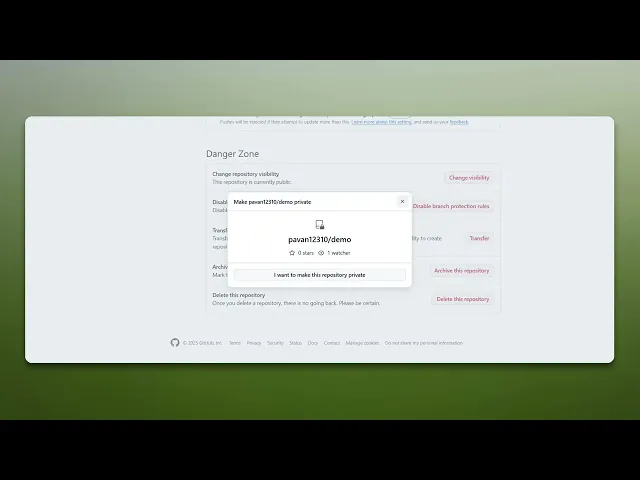
How To Hide Repository On GitHub
Discover effective methods to hide your GitHub repository. Learn step-by-step techniques to maintain privacy and control over your projects.
This document provides a clear and concise process to hide repository on GitHub. By following the outlined steps, users can ensure that their repository remains hidden from public view.
Step 1
To begin, navigate to the desired repository on GitHub.
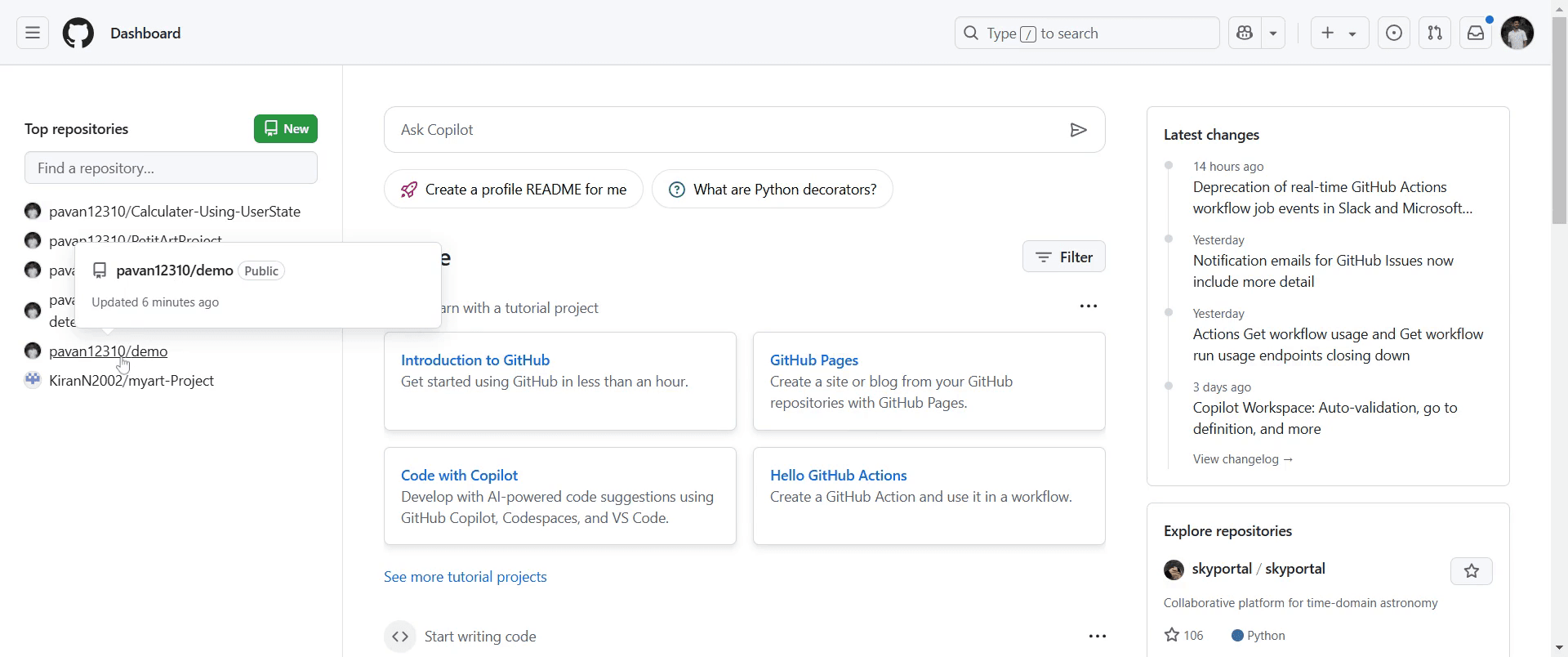
Step 2
Once there, locate and click on the "Settings" option.
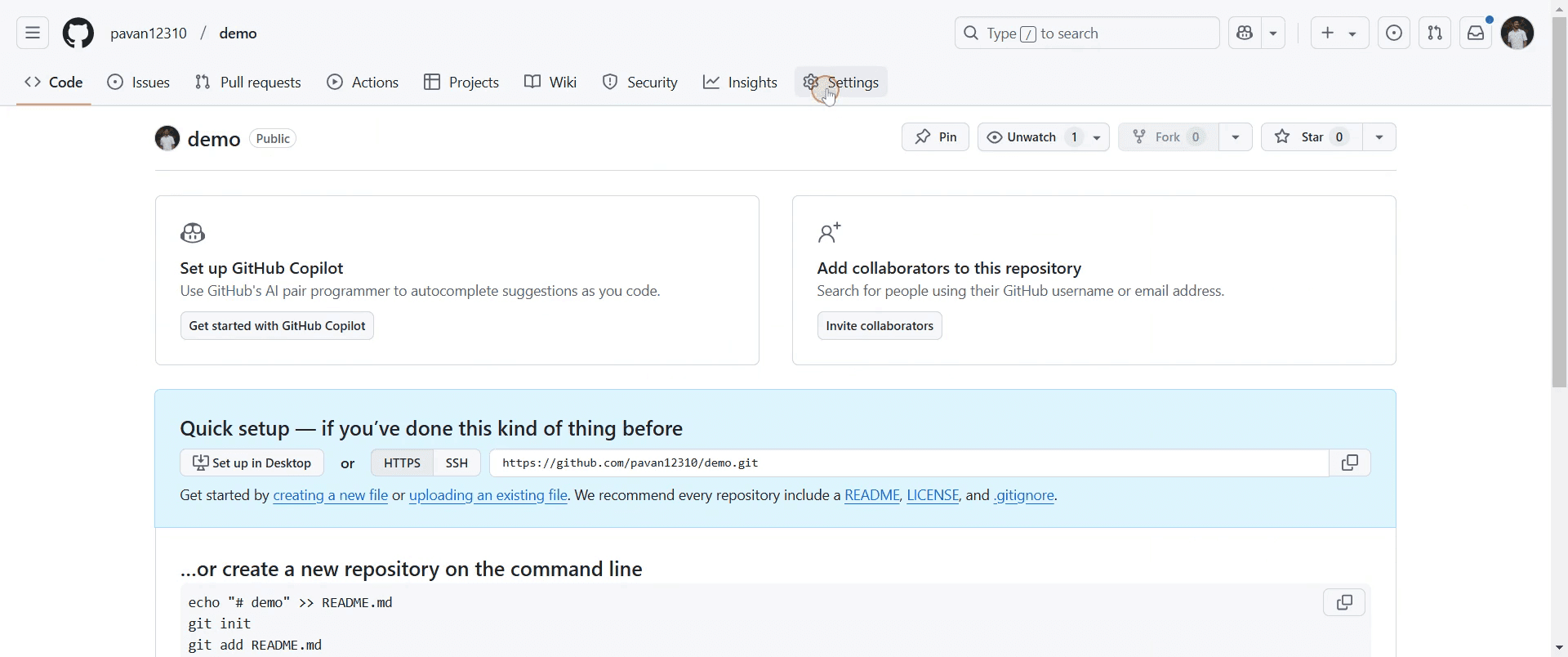
Step 3
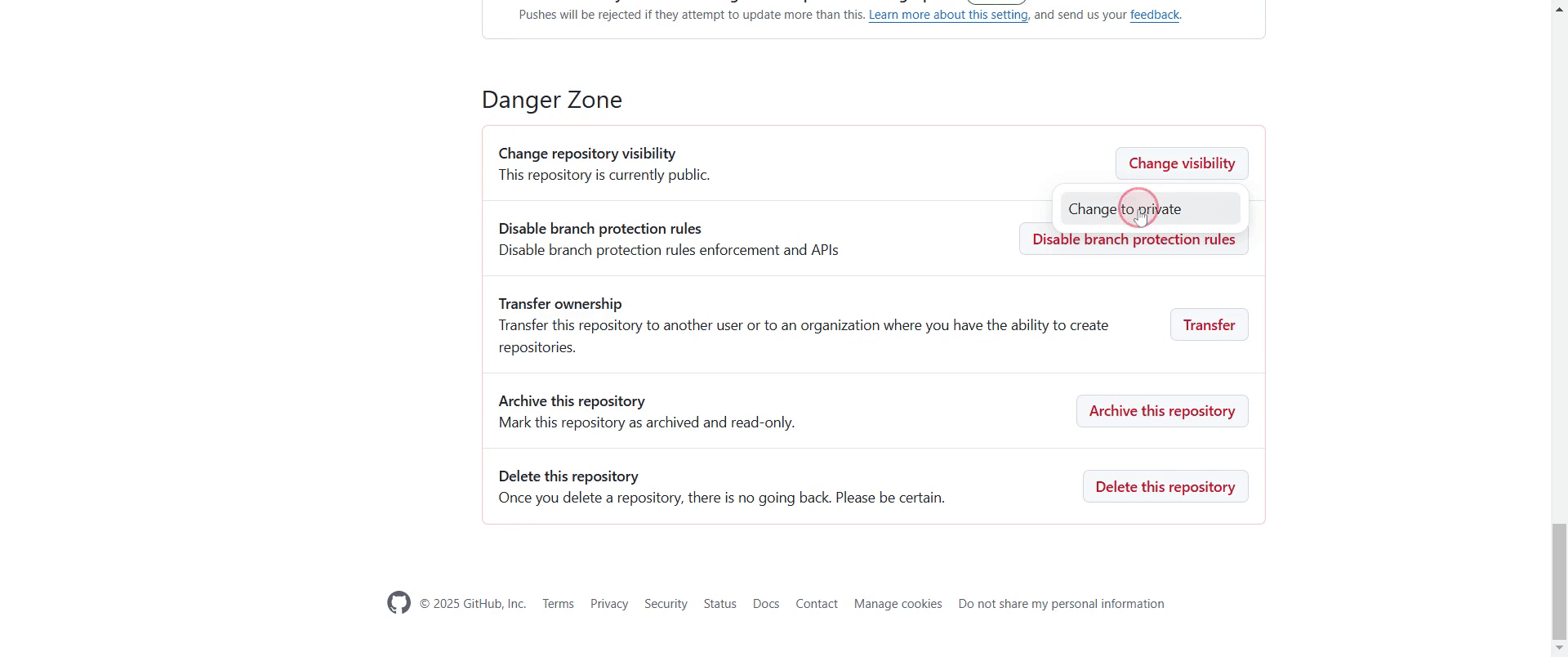
Find the "Change repository visibility" option and select it.
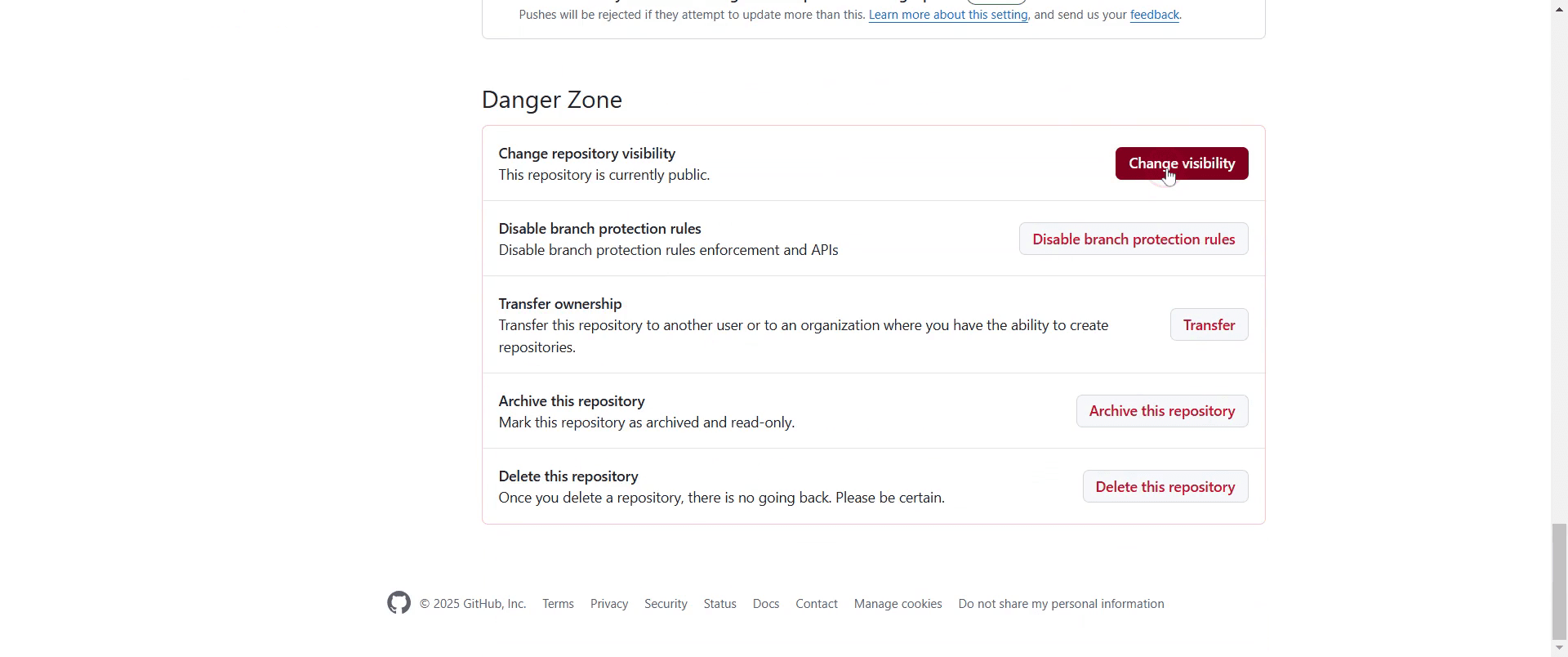
Step 4
Then, click on "Change to private."
Step 5
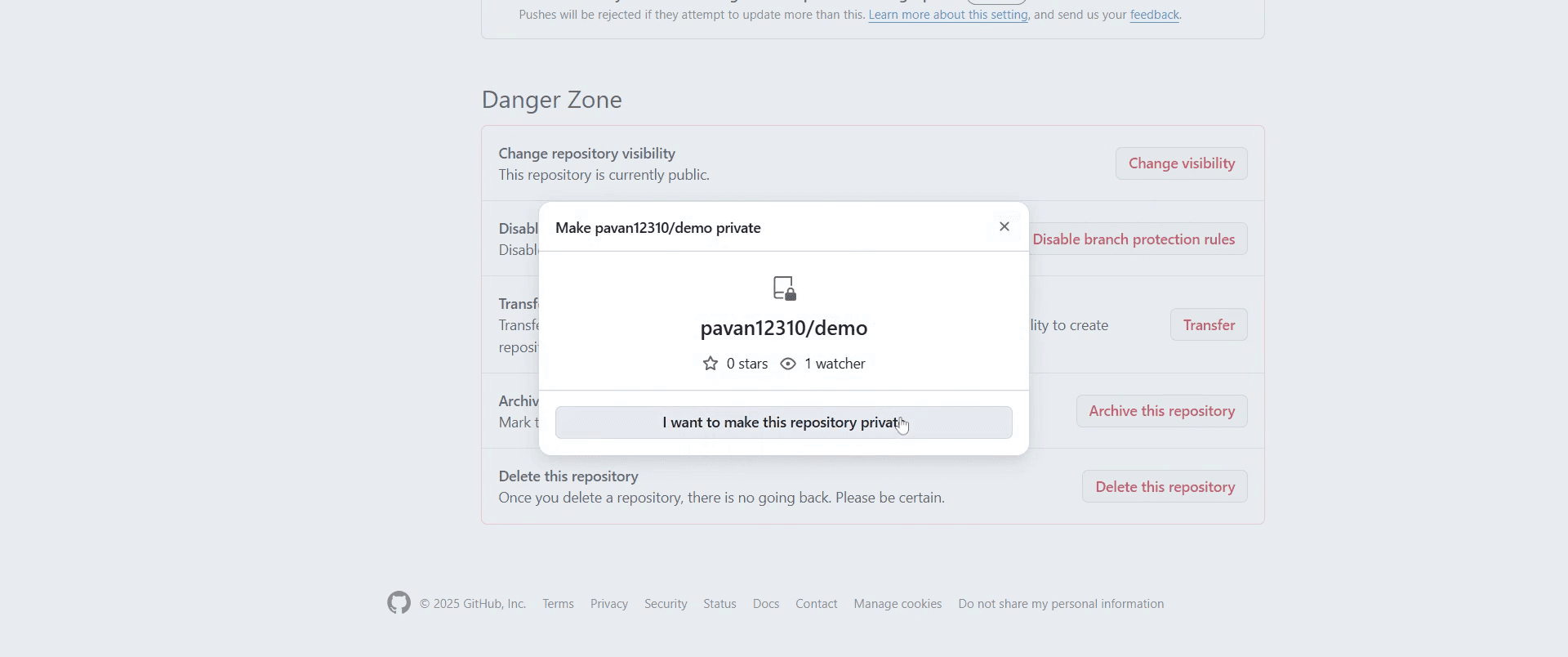
Next, click on "I want to make this repository private" to confirm the change in visibility.
Step 6
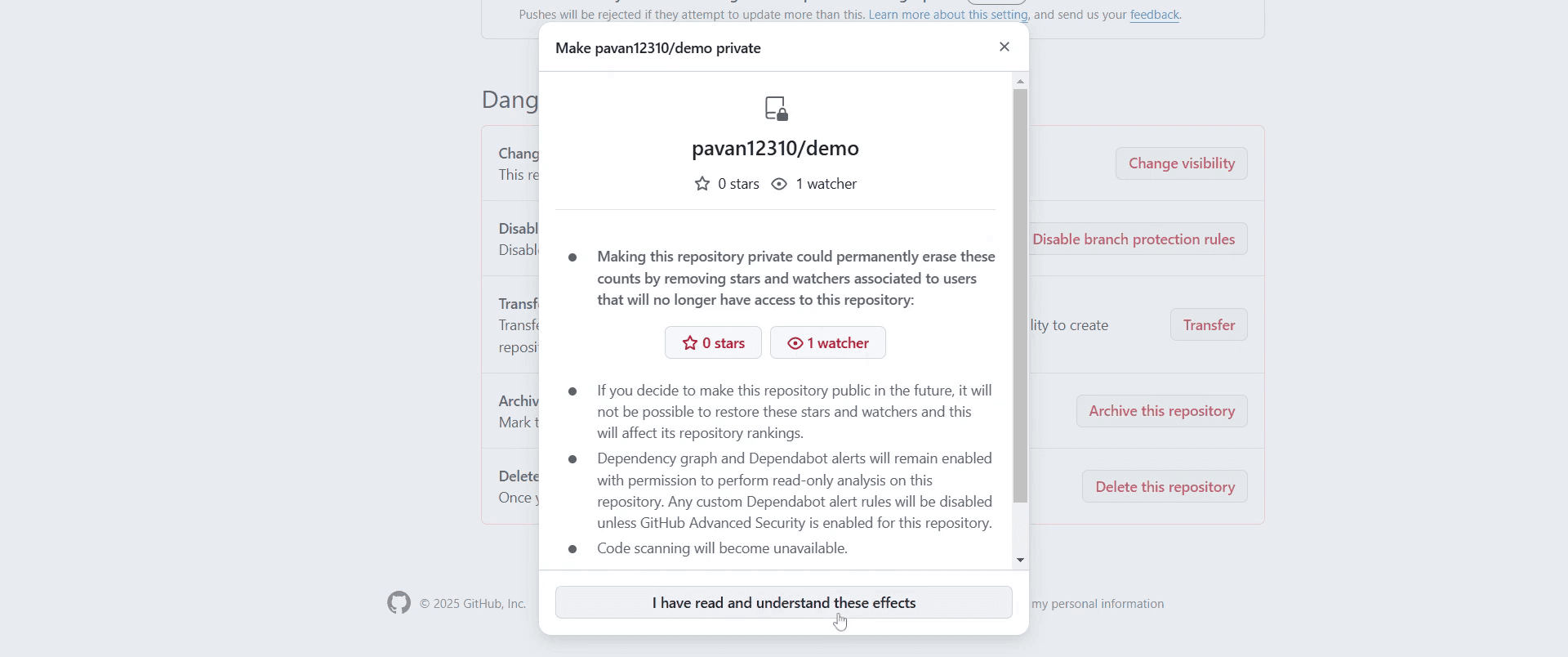
Next click on "I have read and understand these effects".
Step 7
Finally, select "Make this repository private" to complete the process of hiding the repository on GitHub.
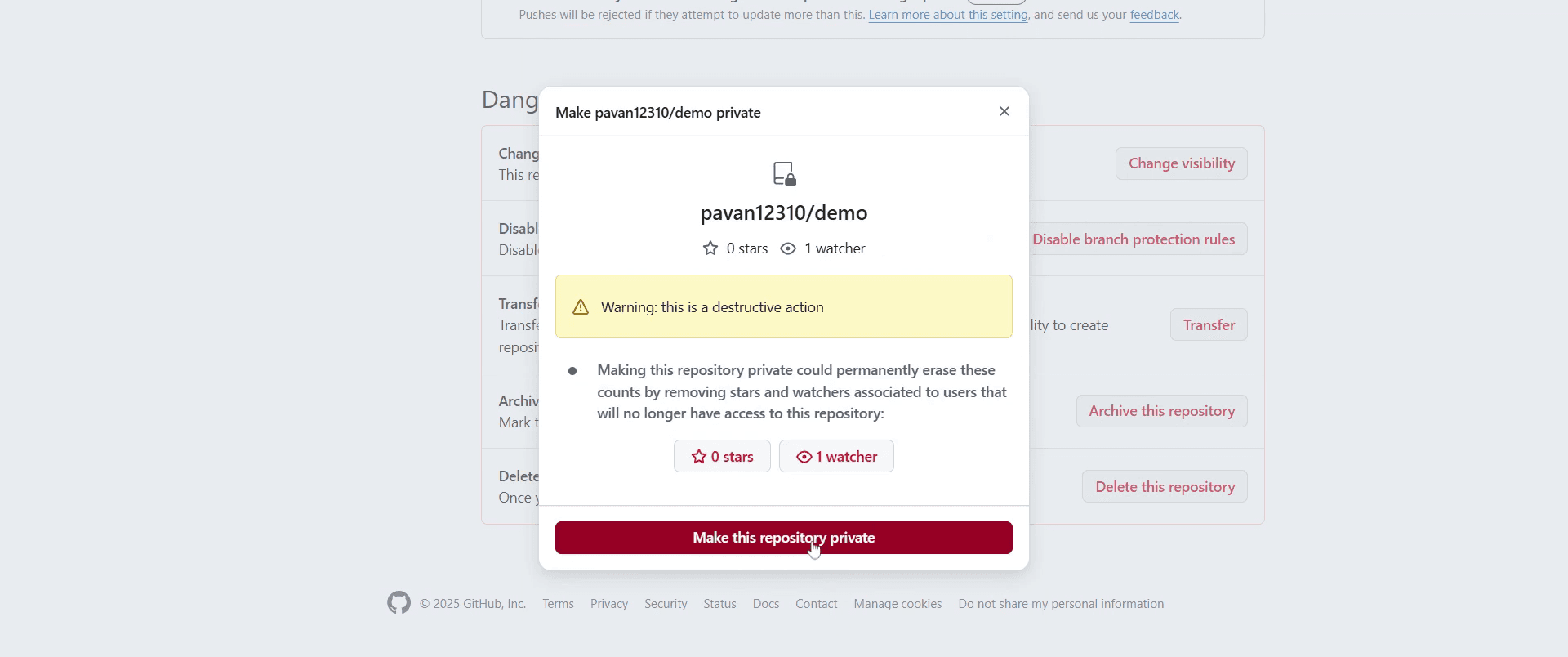
This is a step-by-step guide on how to hide a repository on GitHub.
Pro-tips for hiding a repository on GitHub
Convert your repository to private in Settings to restrict access while maintaining full control.
Ensure collaborators are added manually after making the repository private to maintain necessary access.
Use organization level visibility settings for better management of private repositories in team projects.
Common pitfalls & how to avoid them while hiding a repository on GitHub
Forgetting to upgrade to GitHub Pro or a paid plan free accounts cannot make repositories private.
Not adjusting collaborator permissions ensure required users still have access after hiding the repository.
Assuming hidden repositories are completely invisible GitHub staff and authorized users can still see them.
Common FAQs for hiding a repository on GitHub
Can I hide a public repository without making it private?
No, but you can limit access by managing collaborator permissions and removing unnecessary files.Will making a repository private delete my files?
No, changing visibility does not affect your repository content.Can I make my private repository public again?
Yes, you can switch it back to public at any time from the settings.Do private repositories appear in GitHub searches?
No, private repositories are not indexed or visible to unauthorized users.
If you're an instructor or content creator looking to make tutorial videos, give Trupeer.ai a try. It transforms rough screen recordings into polished, studio-style videos that are ready for sharing with your audience. Plus, it automatically generates a step-by-step guide based on the video you create. Fascinating, right? Start by creating your first tutorial for free with Trupeer.ai.

