

How To Share Claude Chat
Explore the best ways to share Claude Chat. Our guide provides simple steps to help you connect with friends and colleagues seamlessly.
In this process, you will learn how to effectively share a chart from the cloud by saving it as a PDF or copying the chart's information. Follow the steps below to accomplish this task efficiently.
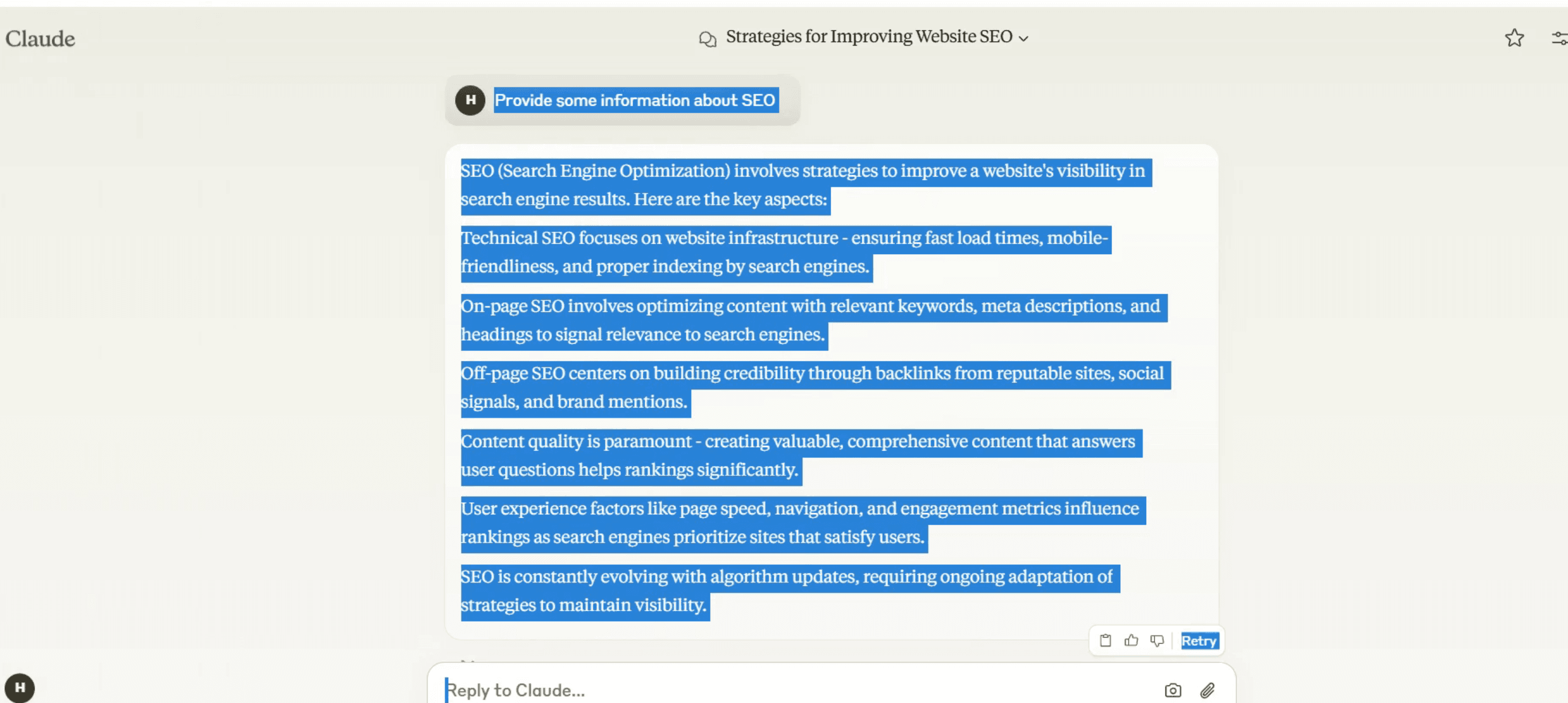
Step 1
Begin by selecting the chart that you wish to share.
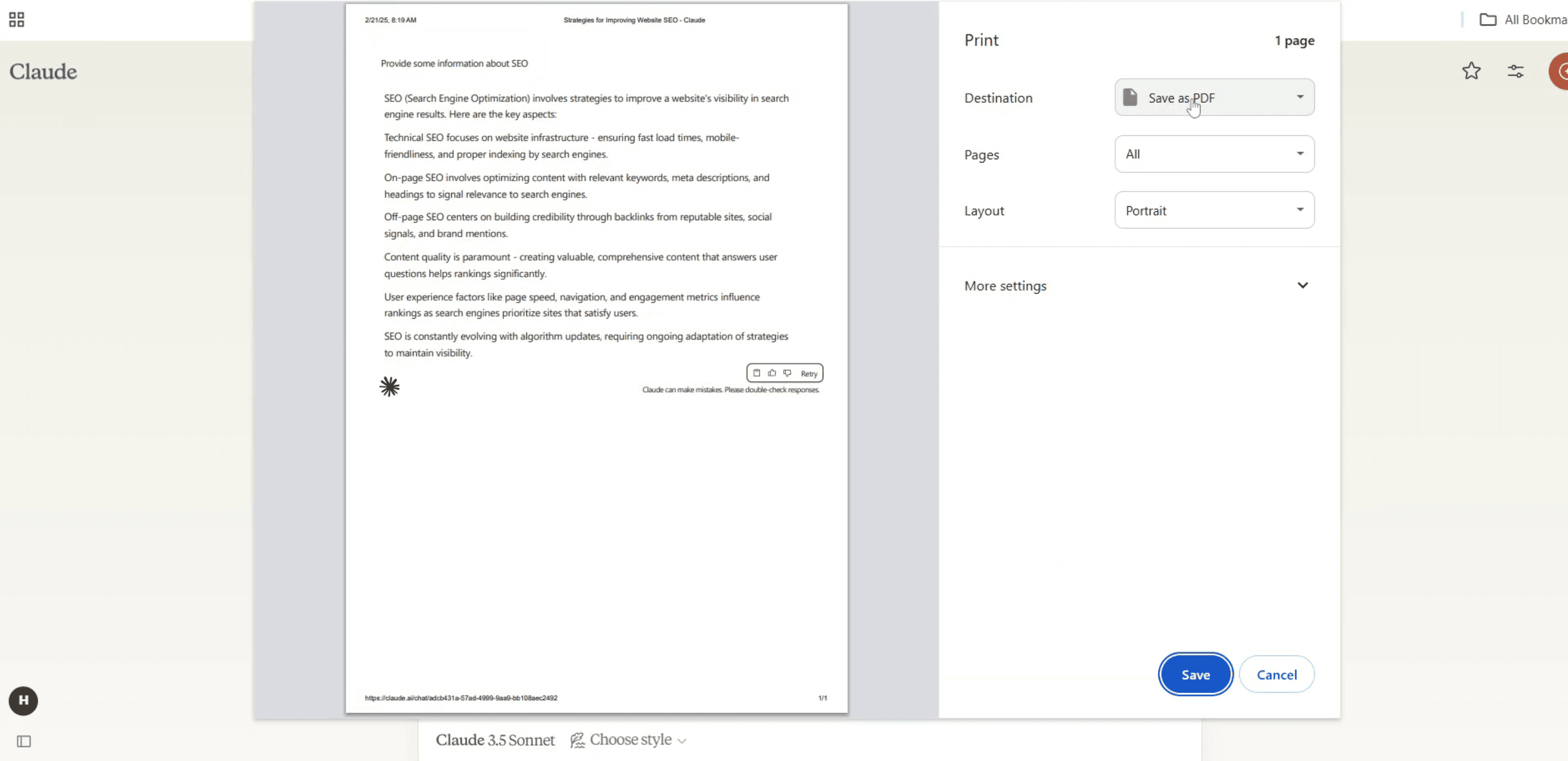
Step 2
Then, set the designation to the PDF format.
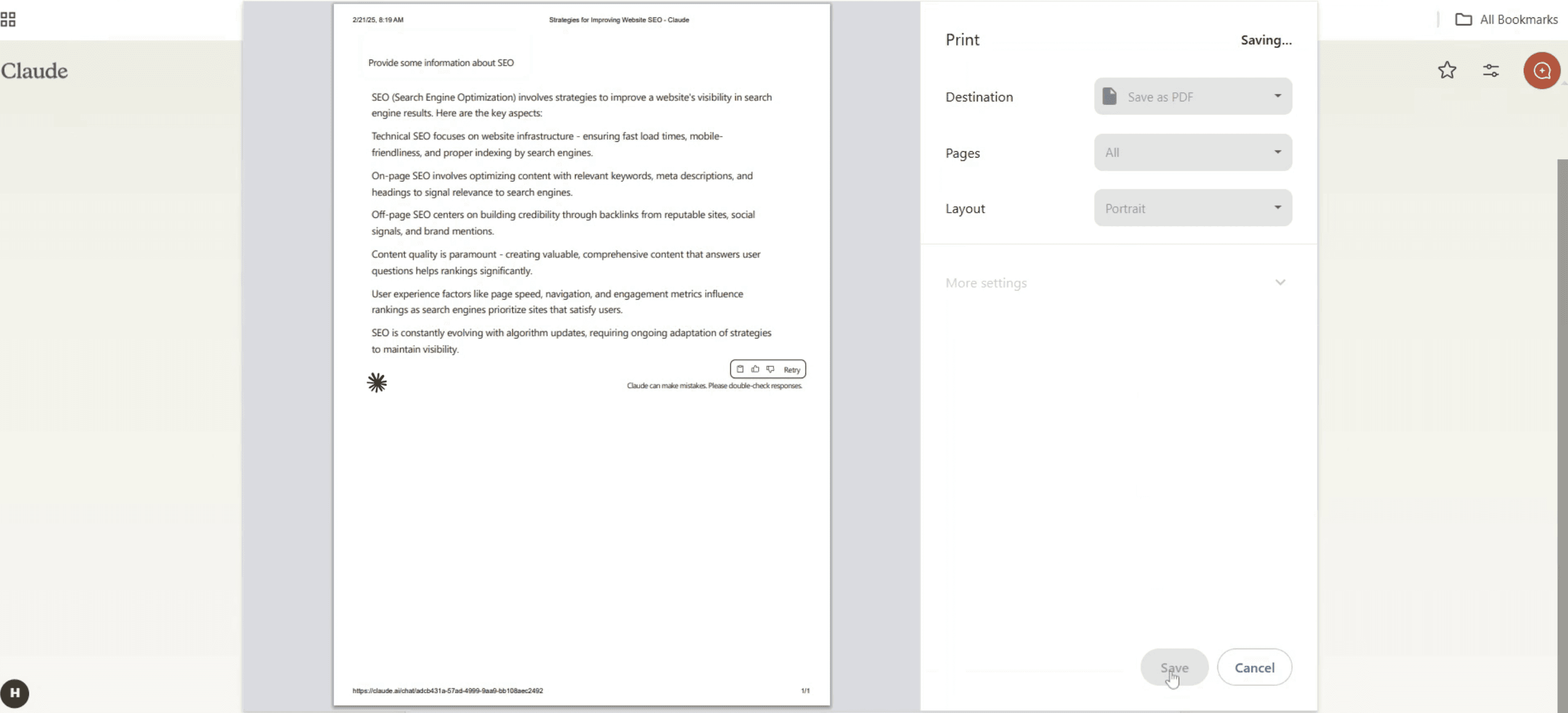
Step 3
Press the "Save" button to store the chart on your device.
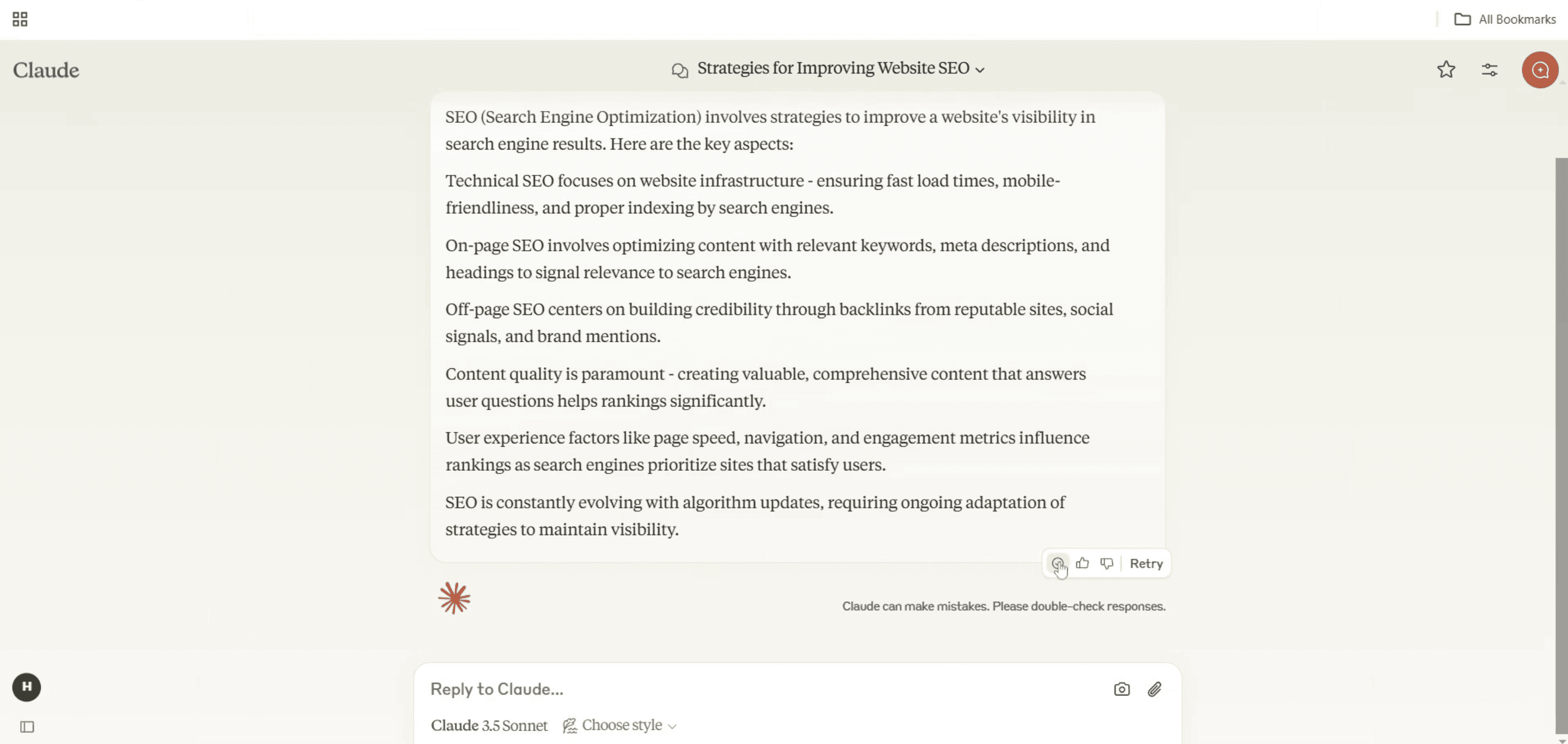
Step 4
Alternatively, click the copy button to copy the chart's text and share it as needed.
That's it. This is a step-by-step guide on how to share Claude chat.
Pro-tips for sharing Claude chat
Check Claude AI settings to see if there is a built-in share option for exporting or copying conversations.
Use the copy and paste method to manually share chat responses while ensuring privacy.
Take a screenshot of the chat if you need to share a specific conversation visually.
Common pitfalls & how to avoid them while sharing Claude chat
Sharing sensitive information – Always review chats before sharing to avoid exposing private or confidential details.
Using unsupported file formats – Ensure that the shared chat is in a readable format like text or image.
Not verifying permissions – Some AI platforms may restrict chat sharing, so check the terms of use before distributing conversations.
Common FAQs for sharing Claude chat
Can I export Claude chat as a file?
Some platforms offer export options verify if Claude AI supports this feature.Is it safe to share Claude AI chats?
Yes, but ensure no personal or sensitive data is included before sharing.Can I share a chat publicly?
Depending on Claude AI’s policies, public sharing may have restrictions always review the terms.What’s the best way to share a Claude chat?
Copying text, exporting as a file (if available), or taking a screenshot are the most common methods.
If you're an instructor or content creator looking to make tutorial videos, give Trupeer.ai a try. It transforms rough screen recordings into polished, studio-style videos that are ready for sharing with your audience. Plus, it automatically generates a step-by-step guide based on the video you create. Fascinating, right? Start by creating your first tutorial for free with Trupeer.ai.

